Getting Started with Dify Workflow Orchestration: Nodes, Conditional Branches, and External Tools

Dify: zero-code AI app building with private deployment and visual workflow orchestration.
This article introduces Dify, an open-source LLM application development platform for building production-grade AI apps with zero/low-code. It compares Dify with Coze, details three private deployment methods (recommending WSL + Docker Desktop on Windows), explains core workflow nodes (Start, LLM, Conditional Branch, Tool, End) and data flow, and offers beginner learning advice.
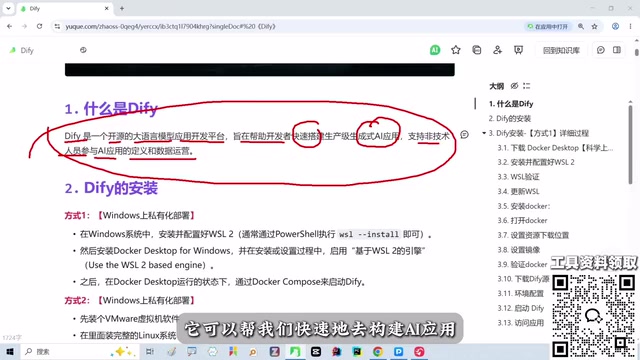
Dify is an open-source large language model application development platform that focuses on building production-grade AI applications with zero-code/low-code approaches, enabling non-technical personnel to participate in application definition and data operations. For developers who are new to LLMs, it offers an intuitive drag-and-drop orchestration experience that helps them quickly grasp core concepts such as agents, knowledge bases, and workflows.
Why Choose Dify Over Other Platforms
There are other tools on the market at the same level as Dify, such as Coze (misheard as "Qoze" in the original oral recording), but the two have different positioning. Coze is primarily cloud-hosted with a fast iteration cadence (e.g., version 3.0 differs greatly from 2.5) and is friendly to non-programmers, but enterprise data must be hosted on third-party cloud servers. Dify supports private deployment, allowing data to remain entirely on-premises—this is especially important for industries with high compliance requirements such as finance and healthcare.
If you just want to quickly experience agent orchestration, Coze's online mode is convenient enough. But if your data is sensitive or you want long-term control over the application runtime environment, Dify's self-hosted solution is more suitable.
Private Deployment: Recommended Path and Installation Key Points
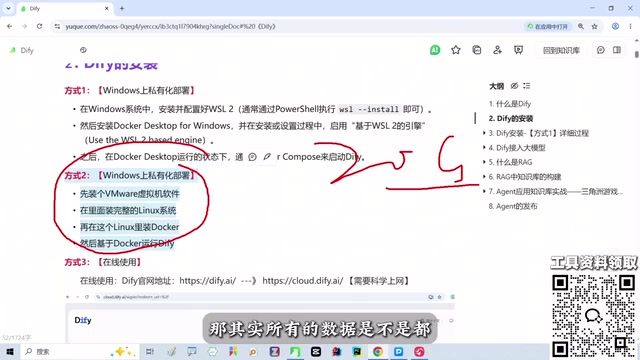
Dify offers three main private deployment methods:
- Local installation (recommended): Install WSL and Docker Desktop on Windows, then launch Dify via Docker. This approach has relatively low machine resource usage and is the instructor's most recommended solution.
- Virtual machine deployment: Requires setting up a separate VM, occupying about 15-20GB of disk space, but data is stored entirely on the VM's hard drive, offering the highest level of control.
- Official cloud service: Use Dify's official cloud directly; data is stored on servers in the US East region, not recommended for users with data compliance requirements.
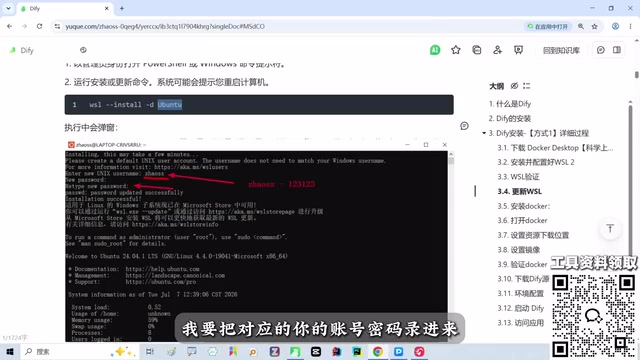
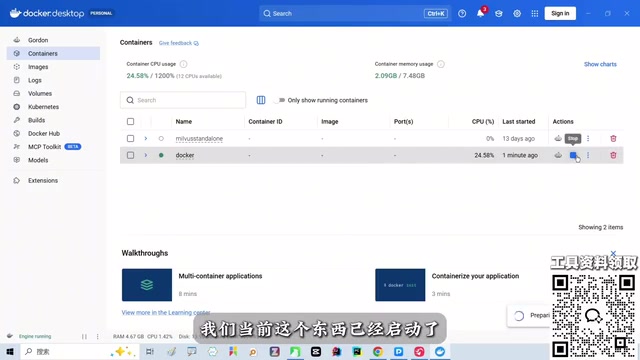
The installation process is roughly as follows: First, confirm that WSL-related options are enabled in Windows Features, then run wsl --version in the console to verify. If it reports an invalid version, use commands to update WSL and set up an Ubuntu account password. Next, install Docker Desktop, complete the wizard, and restart the machine. After starting Docker, configure a mirror accelerator in settings, then pull the Dify image and configure environment variables using the commands in the official notes, and finally start the Dify container in Docker.
For beginners, there's no need to dig into the underlying principles of Docker and WSL—just follow the notes to get the environment running. The main learning focus should be understanding the orchestration logic of AI applications, not getting stuck on environment configuration.
WSL (Windows Subsystem for Linux) is a Linux subsystem built into Windows 10/11 by Microsoft, allowing users to run Linux distributions like Ubuntu directly without installing a dual-boot system or virtual machine. For Dify deployment, WSL 2 provides a complete Linux kernel and near-native performance while interoperating with the Windows file system, making it the recommended underlying environment for Windows users running Docker containers. Enabling WSL requires first checking the relevant components in "Turn Windows features on or off," then completing installation and upgrades via wsl --install or wsl --update.
Docker Desktop is Docker's official desktop container management tool, integrating Docker Engine, CLI, and a graphical interface. It relies on WSL 2 as the backend for running Linux containers, so WSL must be configured first. After installation, it's recommended to enable "Use the WSL 2 based engine" in settings and configure a domestic mirror accelerator address to speed up image pulls. Dify's official deployment script uses Docker Compose to define multiple services (such as API, Web, database, vector store, etc.) and brings up the entire runtime environment with a single command.
Core Concepts and Operations of Workflow Orchestration
Once inside Dify, workflow orchestration is achieved through visual node connections. Typical nodes include:
- Start node: Defines user input variables.
- LLM node: Calls the large model to process text, with configurable prompts and model parameters.
- Conditional branch node: Routes to different paths based on the output of the previous node, enabling logical judgment.
- Tool node: Calls external APIs or built-in tools to extend workflow capabilities.
- End node: Defines the output content.
During orchestration, drag nodes onto the canvas and use connections to define execution order. Conditional branches require setting judgment conditions—for example, routing to different processing branches based on text classification results. External tools are integrated by configuring API keys and parameters, enabling workflows to query databases, send requests, or call enterprise-owned services.
Workflow debugging allows running node by node to inspect each node's input and output, making it easy to locate issues. For zero-foundation learners, it's recommended to start with a simple chat assistant, then gradually add conditional branches and external tools to understand how data flows between nodes.
Knowledge base retrieval (RAG) is a common enhancement technique in Dify workflows. RAG (Retrieval-Augmented Generation) refers to retrieving relevant snippets from enterprise documents or knowledge bases based on the user's question before calling the large model, then incorporating these snippets as context into the prompt so the model can answer based on private materials and reduce hallucinations. Dify's knowledge base module supports document upload, automatic chunking, and vector storage, and can be referenced in workflows through the "Knowledge Retrieval" node, enabling applications to answer domain-specific questions.
Variable passing between nodes is key to understanding workflows. Each node's output becomes a variable that subsequent nodes can reference—for example, the query defined in the start node can be used as input by the LLM node, and the LLM node's output can serve as the basis for conditional branch judgment. Dify provides a variable selector in the node configuration panel, allowing users to complete data references without writing code. Understanding this "upstream output → downstream input" flow is more important than memorizing each node's specific parameters.
Learning Tips and Common Pitfalls
Dify's interface has many features, including Studio, Knowledge Base, Integrations, and Marketplace. Beginners easily fall into the trap of wanting to configure everything. A more effective approach is to run through a complete process around a specific small project (such as a course case study or graduation project), understanding the practical role of knowledge base retrieval, tool calling, and branch logic along the way.
Additionally, encountering WSL version issues or Docker startup failures during environment configuration is common—just troubleshoot according to the notes and don't let it interrupt your learning. Focusing your energy on workflow design is the key to mastering AI application development.
One-line Summary
Dify is an open-source platform for building AI applications with zero code, supporting private deployment and visual workflow orchestration.
Paragraph Summary
This article introduces the positioning and usage of Dify, an open-source large language model application development platform. Dify focuses on building production-grade AI applications with zero-code/low-code approaches, enabling non-technical personnel to participate. Compared with Coze—which is primarily cloud-hosted with fast iteration—Dify supports private deployment with data remaining entirely on-premises, making it suitable for industries with high compliance requirements such as finance and healthcare. The article details three private deployment methods, recommends the local installation path using WSL + Docker Desktop on Windows, and outlines key installation steps. The workflow orchestration section covers core nodes including Start, LLM, Conditional Branch, Tool, and End, along with their connection methods, emphasizing understanding data flow through node-by-node debugging. Finally, it offers learning advice: run through a complete process around a specific small project without delving into the underlying details of Docker and WSL.
Related articles

GitHub Project 'GIF Factory' Nears 2K Stars: One Sentence Lets AI Batch-Create 12 Animated Stickers
A Chinese open-source GitHub project 'GIF Factory' with nearly 2,000 stars and an MIT license lets AI batch-generate animated stickers, transition cards, posters, and signatures from a single sentence.

DeepSeek Harness Plugin "Footprints": Turn Your Photo Album into a 3D Earth
DeepSeek Harness plugin "Footprints" projects album photos onto a 3D Earth by GPS location, auto-generates travel storylines, and supports natural language photo search, "that day in years past," and landmark recognition, with a local read-only index for privacy.

Quiver Launcher + Game List: One-Stop Management for PC Ported Games
Learn how the open-source Quiver launcher (localized) and game project list work together: the list discovers PC port and recompilation projects, while the launcher handles installation, version updates, and tag management, with full workflow and manual import options.