How Should Teams Share Claude Code? Convention Files, Code Review, and Permission Boundaries
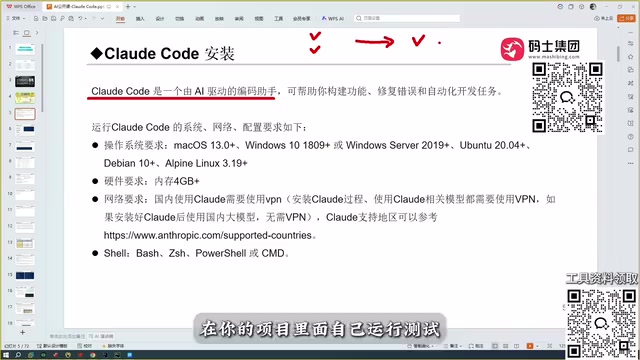
Team use of Claude Code needs convention files, code review, and permission boundaries as its framework.
The article notes that Claude Code can read all project files as context and auto-debug, offering major efficiency gains over snippet-only conversational tools, but shared use brings collaboration challenges. It proposes three key practices: unified convention files (like CLAUDE.md) in the project root, a code review mechanism for biased code especially on niche stacks, and permission boundaries via directory limits and branch protection. It also compares Copilot, Cursor, and Trae, stressing tool choice should fit tech stack and language preferences.
As an AI programming assistant, Claude Code's core advantage lies in its ability to read through project context and automatically debug, giving it enormous potential in team collaboration. But when multiple people share it, how do you avoid chaos and ensure code quality? Based on an actual demonstration, this article outlines three key practices for team collaboration: convention files, code review, and permission boundaries.
Claude Code's Role in Teams
Claude Code is a coding assistant that requires no website login—it installs locally and integrates directly into development tools. Unlike conversational coding tools such as ChatGPT, it can read all project files as context, generate business code, automatically debug errors, and ultimately deliver an accurate, runnable version. This automation makes it a powerful productivity tool for teams, but it also introduces new collaboration challenges.
Traditional conversational tools (such as DeepSeekAd and ChatGPT) can only provide code snippets, requiring developers to run tests themselves and communicate back and forth repeatedly; Claude Code, by contrast, understands the entire project structure directly, reducing the cost of back-and-forth debugging. Precisely because of this, teams need clear standards when using it to avoid everyone going their own way.
Convention Files: Unifying Project Context
When a team shares Claude Code, the first priority is establishing unified convention files. Because Claude Code reads all files in the project as context, if the project structure is messy or multiple versions of configuration files exist, the model may generate inconsistent code. It's recommended to place a clear explanatory file (such as README or CLAUDE.md) in the project root directory that specifies the project structure, coding standards, dependency versions, and common commands.
Additionally, team members should avoid keeping personalized configurations or comments locally, lest they interfere with the model's judgment. Through convention files, Claude Code can understand team intent more accurately and reduce deviations in generated code.
CLAUDE.md is a project-level instruction file supported by Claude Code, which is automatically read and injected into the conversation context by default. Unlike README, which targets human readers, CLAUDE.md focuses more on conveying to the model "how to work in this project"—for example, code style conventions, directories that must not be modified, test run commands, commit message formats, and so on. Teams can bring it under version control so that all members' Claude Code instances load the same set of rules, thereby eliminating behavioral differences caused by personal local configurations. In practice, it's advisable to keep this file short and structured, avoiding lengthy descriptions that dilute key instructions; update it in sync when project standards change, making it the single source of truth for team collaboration.
Code Review: A Necessary Step After Automation
Although Claude Code can automatically debug and deliver accurate code, teams still need to establish a code review mechanism. The original author emphasized in the demonstration that while Claude Code's accuracy is strong, it is not omnipotent—especially when facing niche tech stacks, where it may generate biased code. Therefore, every piece of code generated by Claude Code should be reviewed by at least one other team member, with a focus on business logic, edge cases, and security.

During review, you can leverage Claude Code's context-understanding capability to have the model explain the decision logic behind the code, helping reviewers quickly grasp the key points. But the final judgment must still be made by humans, avoiding over-reliance on automation.
Permission Boundaries: Controlling Access and Modification Scope
In team collaboration, permission boundaries are key to ensuring security. Claude Code runs locally and can read project files and execute commands, so its scope of operations needs to be limited. It's recommended to assign different project directory permissions to different members, preventing the model from accidentally modifying core configurations or sensitive files. At the same time, you can set Claude Code's working directory to only allow it to access subdirectories relevant to the current task.
For critical branches (such as the main branch), Claude Code should be prohibited from committing directly; all changes must go through pull requests (PRs) and be merged after manual review. This way you can leverage automation for efficiency while preventing accidental damage.
A pull request (PR) is a merge mechanism on code hosting platforms: after a developer pushes changes to a separate branch, they open a PR, which other members review, comment on, and approve before it can be merged into the main branch. Branch protection rules can enforce that PRs pass review and automated checks, prohibiting direct pushes to the main branch. For Claude Code, this mechanism forms a human gate—the model can freely generate and debug code on feature branches, but its output must be reviewed by humans before entering the trunk, thereby clearly separating the efficiency of automation from the responsibility boundary of code quality.
Tool Selection and Team Fit
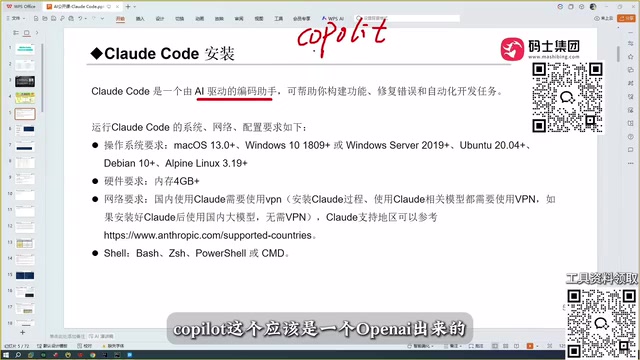
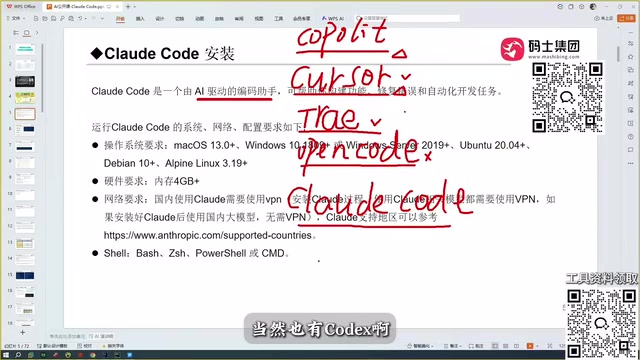
Claude Code is not the only option, and teams need to weigh choices based on their own circumstances. The original author compared tools such as Copilot, Cursor, Trae, and Open Code, concluding that Claude Code stands out in accuracy, especially thanks to the Sonnet model behind it. But Trae has a better understanding of Chinese and is free, making it suitable for domestic teams; Cursor and Codex also each have their advantages. Teams should choose tools based on their tech stack, budget, and language preferences, and use them according to unified standards to avoid context confusion caused by mixing tools.
Regardless of which tool is chosen, the core of team collaboration lies in establishing clear conventions, rigorous review, and reasonable permission controls. Claude Code's powerful capabilities can only deliver maximum value within a well-defined framework.
One-line Summary
Claude Code team collaboration requires a framework built on three key practices: convention files, code review, and permission boundaries.
Paragraph Summary
The article points out that Claude Code can read all project files as context and automatically debug, offering significant efficiency advantages over conversational tools that can only provide code snippets—but shared use also brings collaboration challenges. The author proposes three key practices: place unified convention files (such as CLAUDE.md) in the project root to specify structure, standards, and dependencies, avoiding interference from personal configurations; establish a code review mechanism, especially for biased code generated for niche tech stacks, with humans safeguarding business logic and security; and control its scope of operations through directory permissions, working directory restrictions, and branch protection, prohibiting direct commits to critical branches. The article also compares tools such as Copilot, Cursor, and Trae, emphasizing that selection should align with tech stack and language preferences.
Related articles
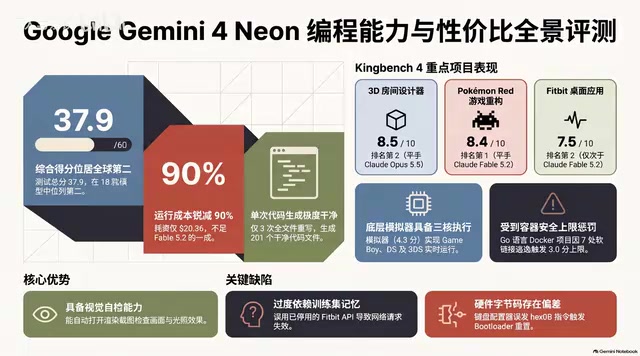
Gemini 4 Neon Hands-On: Value King or Confident Catastrophe?
Gemini 4 Neon review: 1M-token context, four thinking levels, 201 files in one KingBench4 pass at one-tenth Fable 5.2's cost—but it hallucinates fake data, leaves 7 symlink escapes, and bricks keyboards.

Google Gemini 4 Neon Hands-On: 6 3D Works That Impress and Fail
Hands-on with Google Gemini 4 Neon on a 3060 laptop: 6 3D works tested. Sunshower Fishing Harbor and mechanical keyboard impress; soft-body physics and faces fall short.
Gemini 4 Neo Web Novel Writing Test: Faint AI Flavor, Textured Dialogue
Bilibili creator's first-look review of Gemini 4 Neo for Chinese web novel writing: testing a Three Kingdoms transmigration opening with faint AI flavor, emotionally textured dialogue, and strong crisis building, plus comparison of 4A/4H/4C models and full workflow demos.