How to Buy an n8n VPS on Hostinger: A Complete Purchasing Guide
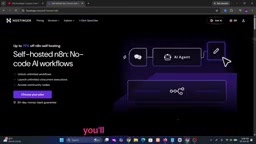
A step-by-step guide to purchasing a Hostinger VPS and deploying n8n automation workflows.
Based on a YouTube tutorial, this article walks through the complete process of deploying the open-source n8n automation tool on a Hostinger VPS. Compared to n8n Cloud, self-hosting offers predictable costs, unlimited executions, and full data ownership. Most beginners are advised to start with VPS 1 or VPS 2, scaling up as needed. Longer subscription periods offer lower per-month rates, and first-purchase discounts vs. renewal pricing are worth keeping in mind.
If you're planning to run n8n automation workflows on your own server, choosing the right VPS hosting is the first step. Among the many cloud providers available, Hostinger's VPS plans stand out for their affordable pricing and flexible configurations, making them a popular entry-level choice for n8n users. This article is based on a YouTube tutorial and walks through the complete process — from selecting a plan to deploying n8n — while also breaking down which configurations suit different use cases.
Why Choose a VPS to Deploy n8n
n8n is an open-source workflow automation tool that lets you connect apps, APIs, and services to build automated pipelines. Compared to using n8n's official cloud-hosted version, self-hosting on a VPS offers greater data control, predictable costs, and no restrictions on the number of workflow executions.
For users who need to run multiple workflows continuously, handle AI automation tasks, or integrate several business systems, having a dedicated VPS means more freedom. You can choose your own operating system, install dependencies freely, and scale up your resources at any time based on load.
n8n Cloud charges per "workflow execution," so costs can add up quickly as your automation volume grows. Self-hosting on a VPS replaces that with a flat monthly fee and unlimited executions — making it especially cost-effective for high-frequency workflows (e.g., polling an API every minute or processing data in bulk). n8n also supports one-click deployment via Docker, so the barrier to installation on a VPS isn't particularly high. Providers like Hostinger even offer pre-configured templates to simplify initial setup. That said, self-hosting does require you to handle server security updates, SSL certificate renewals, and data backups yourself. These operational costs — in time and effort — should be factored into any comparison with the managed cloud option.
How to Choose the Right VPS Plan
Hostinger offers several VPS tiers. Based on the original tutorial's recommendations, VPS 1 or VPS 2 are the most popular choices for n8n users, with VPS 2 considered a solid starting configuration for most people.
The core logic is simple: if you're only running a handful of workflows, the entry-level tier is more than sufficient. But if you plan to run multiple complex workflows simultaneously or handle higher concurrent loads, you should choose a higher-tier plan based on your actual needs. A VPS's CPU and memory directly affect the stability of n8n node execution — underpowered configurations can lead to task queuing or timeouts under heavy load.
Subscription Length and Pricing
Once you've decided on a plan, click Choose Plan and select your subscription length. Generally speaking, the longer the subscription period, the lower the per-month price — Hostinger will automatically display the discounted rate. For users planning to run automation projects long-term, purchasing a one-year (or longer) subscription upfront can result in significant savings.
Account Registration and Checkout
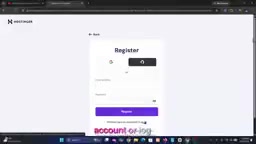
After choosing your plan and billing cycle, you'll need to either register a new Hostinger account or log in to an existing one, then proceed to the checkout page.
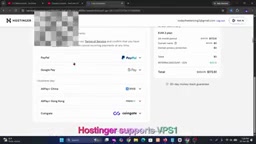
Before paying, the original tutorial specifically advises carefully verifying that any discounts have been correctly applied. This step is easy to overlook but directly affects your final payment amount. Confirming the price before proceeding can prevent you from overpaying due to a discount not being applied.
Payment Methods
Hostinger supports multiple payment options, including credit cards, debit cards, PayPal, and various local payment methods depending on your country. Simply choose the option that works best for you and complete the payment.
Deploying n8n: Up and Running in Minutes
After payment, wait for the confirmation email, then log in to the Hostinger control panel. From the dashboard, you can access your VPS, select an operating system, and start deploying n8n.
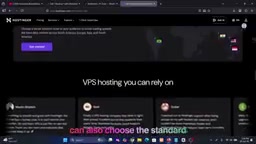
According to the original tutorial, the entire deployment process takes only a few minutes, after which you'll have a dedicated VPS ready for automation projects, AI workflows, system integrations, and business process handling. Compared to manually configuring a server environment from scratch, Hostinger's panel-based interface significantly lowers the barrier to entry — especially for users who aren't comfortable with the command line.
The most common way to deploy n8n on a VPS is via Docker + Docker Compose: install the Docker runtime, then use the official docker-compose.yml to pull the n8n image and start the container, while mounting a persistent volume to store workflow data. To make n8n accessible via a domain name, you'll typically also need to configure a reverse proxy (such as Nginx or Caddy) and obtain a free SSL certificate from Let's Encrypt. When Hostinger's panel refers to "deployment in minutes," it generally means they provide a pre-configured one-click application template that eliminates the need to write config files manually. However, for production environments, it's still recommended to understand the basics of Docker operations so you can upgrade versions or troubleshoot issues down the road.
Summary and Things to Watch Out For
Overall, the process of purchasing and deploying an n8n VPS on Hostinger is fairly straightforward: pick a plan, choose a billing cycle, create an account, verify the price, complete payment, and deploy from the dashboard. For budget-conscious users who want to build their own automation infrastructure, this is a viable entry-level path.
One thing worth noting: the source material for this article comes from a promotional tutorial video that repeatedly emphasizes an "extra 20% discount link" — this is an affiliate referral mechanism, and whether it actually applies depends on the specific promotion at the time of purchase. Before buying, it's worth comparing the actual specs and renewal prices across different tiers. VPS introductory pricing is often heavily discounted, but renewal rates may return to full price — a factor worth considering for long-term usage.
Related articles

Google Releases Gemini 4 Carbon: Its Strongest Model Yet, Debuting with a Cybersecurity Focus
Google releases Gemini 4 Carbon, calling it its strongest model, with a cybersecurity focus. It tops the third-party composite ranking at 59 points but leads by only one or two. This article analyzes its security test results, staged rollout, token pricing, and the divergence between self-reported and third-party tests on hallucinations.

LangChain Adds SchemagateRetriever: On-Demand Table Retrieval Cuts Text-to-SQL Prompts by 92.9%
LangChain docs add SchemagateRetriever: retrieves only the tables needed for text-to-SQL with permission filtering, cutting median prompt size by 92.9% on Spider 2.0 large schemas via offline BM25 selection with no model calls.

Multi-Step AI Agent Guardrail in Practice: Fact-Change Detection Drives False-Alarm Rate to 0%
Developer shares first version of a multi-step AI Agent guardrail: re-verifying dependency facts before irreversible actions cut false alarms from 50% to 17% across 23 scenarios, then to 0% via conservative normalization without lowering catch rate. Runs on local qwen2.5-7b.