ICLR 2027 Rebuttal PDF Diff Display Issue Sparks Discussion
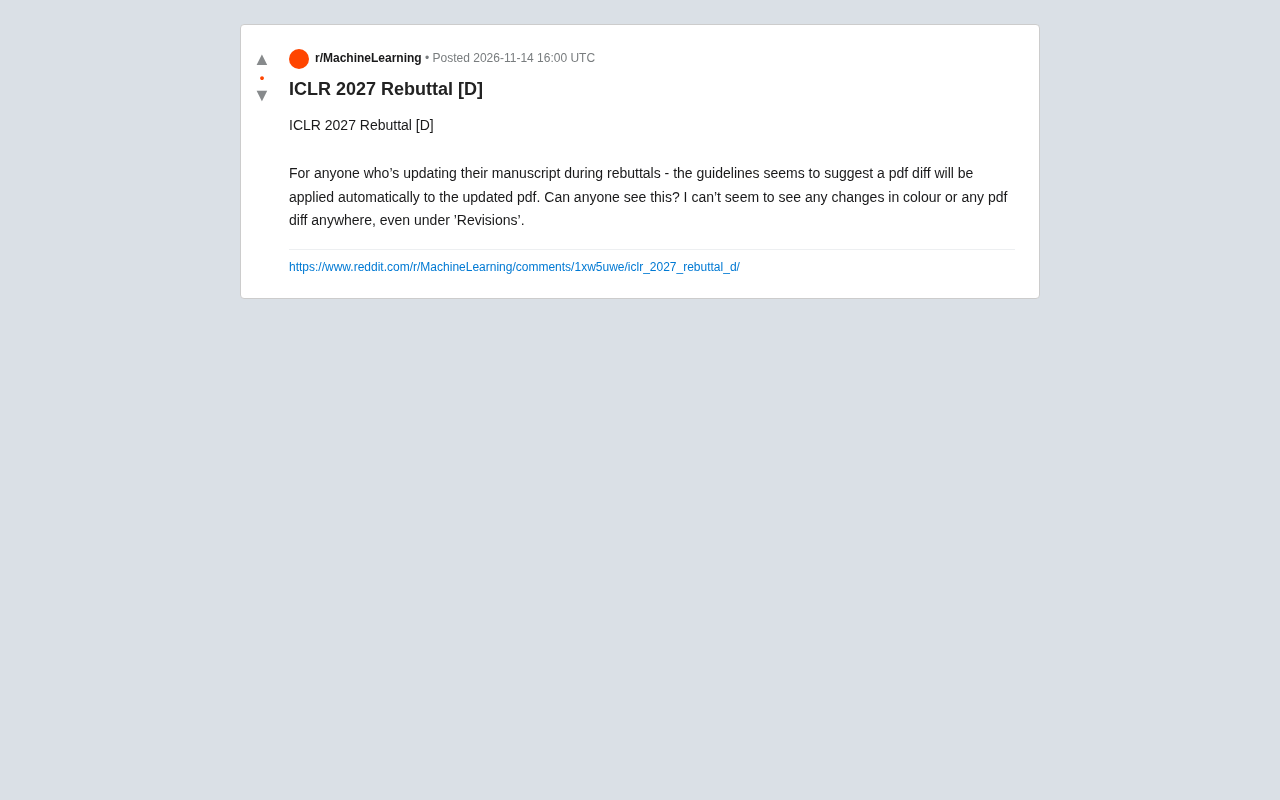
PDF diff feature in ICLR 2027 Rebuttal appears not to work, causing author confusion and community discussion.
During the ICLR 2027 Rebuttal phase, multiple authors reported that after updating their PDFs according to guidelines, the system did not display the expected diff comparison (pdf diff), and no color annotations or changes were visible under the 'Revisions' tab. Community speculation includes the feature not being fully rolled out, browser compatibility issues, or caching causing display anomalies. There has been no official response, and discussion is mainly on Reddit. Authors worry whether revisions are properly recorded and are advised to proactively explain changes in the Rebuttal letter, submit early to troubleshoot technical issues, and contact the Program Committee for confirmation. This incident reflects room for improvement in functional transparency and user experience of academic conference systems.
PDF Diff Display During Rebuttal: Author Confusion and Discussion
During the Rebuttal phase of the academic conference ICLR 2027, many authors encountered a common issue when updating their manuscripts: according to the guidelines, the system should automatically apply a diff comparison (pdf diff) to the updated PDF, but many authors reported being unable to see any color annotations or difference content. One Reddit user wrote in a post: "I don't seem to see any changes or PDF diff under 'Revisions' either." 
This confusion quickly sparked community discussion, as Rebuttal is a critical stage determining whether a paper gets accepted, and any technical glitch could affect authors' revisions and reviewers' evaluations.
The Gap Between Guidelines and Actual Experience
According to ICLR's Rebuttal guidelines, after authors update their PDFs, the system should automatically generate a diff comparison so reviewers can quickly identify changes. However, multiple authors reported that in practice, they observed no visual differences. Some users tried looking under the "Revisions" tab but still found nothing. This gap between guidelines and experience makes authors worry whether their revisions are being properly recorded and displayed.
Community Speculation: Feature Not Yet Live or Browser Compatibility Issues
The community proposed several possible explanations. Some believe the diff feature may not be fully rolled out yet, or only triggers under specific conditions (e.g., PDF format or submission time). Others suspect browser compatibility or caching causing display anomalies. There has been no official response yet, but experienced authors in the discussion suggest trying a different browser or clearing the cache, and some recommend contacting the PC (Program Committee) directly to confirm.
PDF diff is a technology that algorithmically compares two versions of a PDF document and visually displays additions, deletions, and modifications (e.g., highlighting, color annotations, sidebar markers). Its implementation typically relies on parsing the PDF's text stream and page layout, then comparing line by line or paragraph by paragraph, and finally mapping differences back to the original document coordinates. In academic conference systems, such features aim to help reviewers quickly locate revisions during the Rebuttal phase, reducing the burden of page-by-page searching. However, the complexity of PDF format (e.g., font embedding, scanned images, formula rendering) can cause diff detection failures or display anomalies, so systems often require specific conditions to trigger correctly.
Impact on Authors and Recommendations
Although the diff display issue is concerning, most discussants believe that as long as the PDF update is successful, reviewers can still view revisions through other means. However, if the diff feature indeed fails, authors may need to proactively explain their revisions in the Rebuttal letter to compensate for the system's display shortcomings. Additionally, some users remind that submitting updates as early as possible before the deadline leaves time to troubleshoot technical issues.
The Program Committee (PC) is the core body in academic conferences responsible for organizing paper reviews and making decisions, typically composed of Area Chairs and senior PC members. During the Rebuttal phase, the PC oversees the review process, handles technical issues, and ultimately consolidates review opinions. If authors encounter system anomalies, contacting the PC is one of the officially recommended solutions, as the PC can coordinate with platform technical support or confirm feature status. However, since PC members are mostly volunteers and busy during the conference, responses may be delayed, so authors should also take self-help measures (e.g., switching browsers, checking submission status) and keep communication records.
Multi-Source Perspective: Technical Glitch or Misunderstanding?
Currently, discussions on this issue are mainly concentrated on Reddit, with no official statements or cross-verification from other sources. Therefore, the information in this article is primarily based on single-source user feedback, and readers should treat it with caution. Authors are advised to follow updates on official ICLR channels and rely on official guidelines.
Summary and Outlook
Although the PDF diff display issue in ICLR 2027 Rebuttal remains unresolved, it reflects room for improvement in functional transparency and user experience of academic conference systems. For authors, timely communication and proactively explaining revisions remain effective strategies for dealing with uncertainty.
Related articles
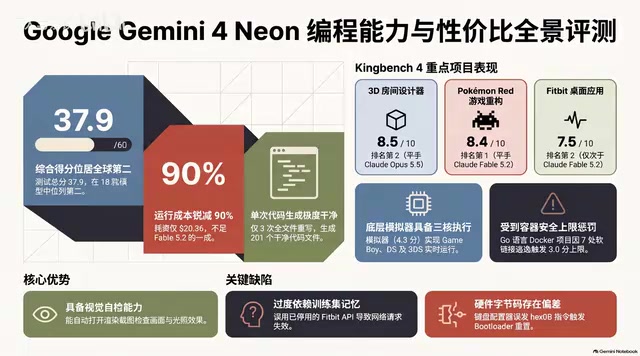
Gemini 4 Neon Hands-On: Value King or Confident Catastrophe?
Gemini 4 Neon review: 1M-token context, four thinking levels, 201 files in one KingBench4 pass at one-tenth Fable 5.2's cost—but it hallucinates fake data, leaves 7 symlink escapes, and bricks keyboards.

Google Gemini 4 Neon Hands-On: 6 3D Works That Impress and Fail
Hands-on with Google Gemini 4 Neon on a 3060 laptop: 6 3D works tested. Sunshower Fishing Harbor and mechanical keyboard impress; soft-body physics and faces fall short.
Gemini 4 Neo Web Novel Writing Test: Faint AI Flavor, Textured Dialogue
Bilibili creator's first-look review of Gemini 4 Neo for Chinese web novel writing: testing a Three Kingdoms transmigration opening with faint AI flavor, emotionally textured dialogue, and strong crisis building, plus comparison of 4A/4H/4C models and full workflow demos.