Lancetta: Helping You Decide When to Push Forward or Pause Your Coding Agents
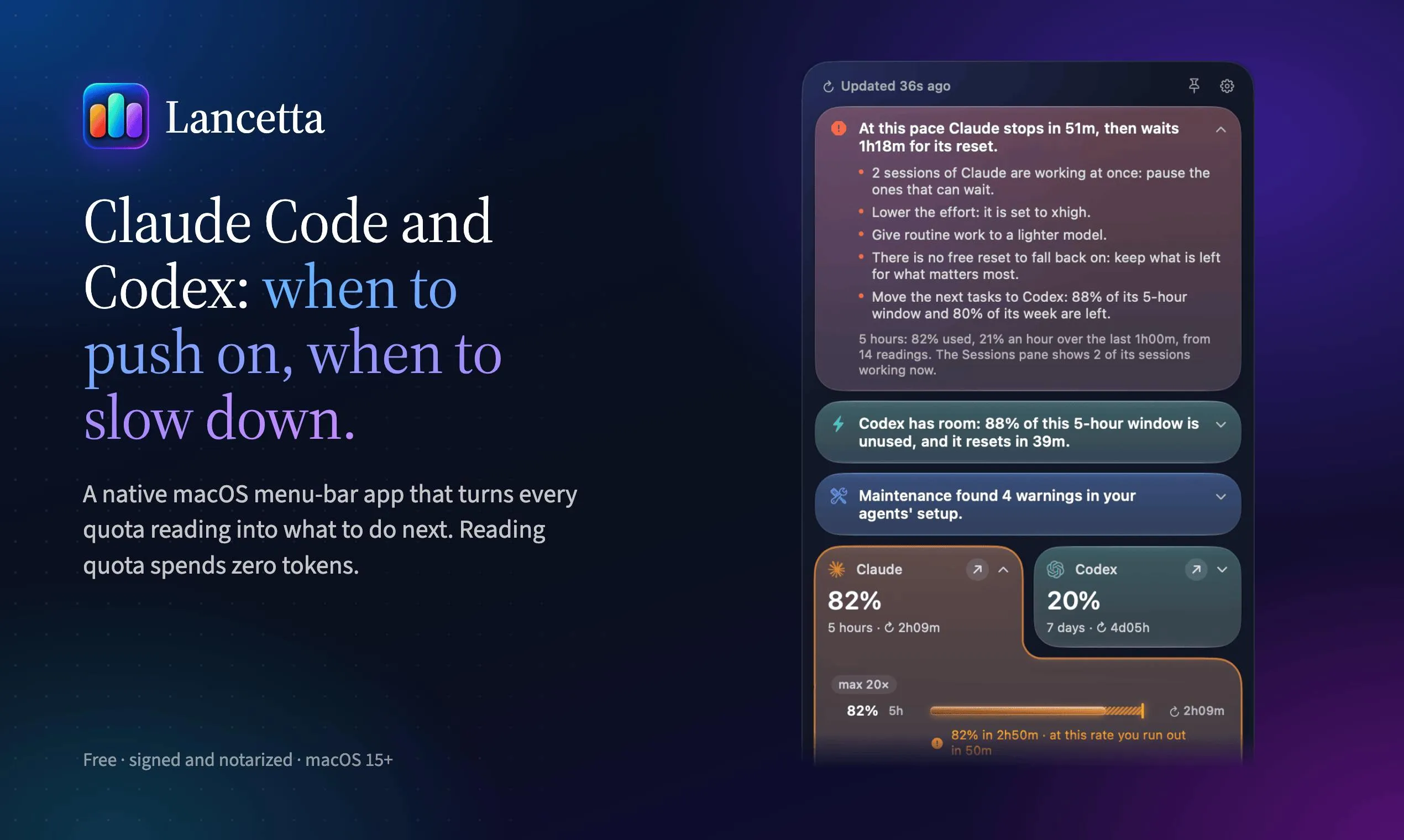
Lancetta is a macOS menu bar tool for managing the usage rhythm of Claude Code and Codex.
Lancetta is a native macOS menu bar app positioned as a "rhythm coach" for Claude Code and Codex. It translates quota readings into concrete suggestions—sprint when a window is about to reset, slow down when an agent is near its limit, switch when capacity is low. It also checks agent-loaded content at startup, cleans residual background processes, and displays all sessions with those awaiting action prioritized. Quota reading consumes zero tokens; free; requires macOS 15+. Best for heavy multi-agent developers.
Why You Need to Manage the Rhythm of AI Coding Assistants
When using Claude Code or Codex to write code, many people fall into one of two extremes: either wasting quota just before it resets, or letting the agent run at full capacity until it suddenly stalls. Lancetta, ranked #20 on Product Hunt, aims to solve exactly this rhythm problem. It's a native macOS menu bar app with a straightforward core proposition—letting you know when to push the agent harder and when to ease off.
Developer Giovambattista Fazioli positions Lancetta as a "rhythm coach" for coding agents. It's not another code generation tool, but a usage and process manager layered on top of Claude Code and Codex.
From Quota Readings to Next Actions
What sets Lancetta apart is that it doesn't just display remaining quota—it translates every quota reading into concrete suggestions. According to its Product Hunt page description, the app offers three types of prompts: when a window that's about to reset still has unused quota, it suggests consuming it soon; when the agent is about to hit its limit, it reminds you to slow down; and when the current agent's remaining capacity is low, it suggests switching to another agent that still has room.
This "readings-as-suggestions" design targets the decision latency in real workflows. Most of the time you don't lack data—you lack the action judgment behind the data. Lancetta builds the judgment logic into the menu bar, reducing the mental burden of estimating back and forth between two agents.
Quota windows and reset mechanics: Claude Code and Codex usage limits are typically calculated over rolling time windows (such as 5 hours or weekly), with quota resetting when the window expires. "A window about to reset still has unused quota" means there's remaining quota before the window ends that will be zeroed out upon reset if unused, so Lancetta suggests consuming it soon. Conversely, when an agent approaches its limit, continued high-intensity calls may cause task interruptions, so it prompts you to slow down or switch agents. Understanding this mechanism helps clarify why "rhythm" matters more than simply looking at remaining numbers—quota value changes dynamically with the time window rather than being a static stock.
Startup Checks and Background Process Cleanup
Beyond quota management, Lancetta handles two easily overlooked aspects. First, it checks what agents have loaded on each launch, making environment state visible. Second, it releases background processes left behind by agents.
These two points have practical significance for long-term coding agent users. Claude Code and Codex may leave residual processes during operation, which accumulate and consume resources over time; and if what's loaded at startup isn't transparent, troubleshooting becomes difficult. Lancetta tucks these chores into the menu bar, essentially adding a lightweight ops layer to the agent workflow.
Background processes and startup loading of coding agents: Claude Code and Codex may spawn subprocesses during operation (such as language servers, file watchers, and sandbox execution environments) that aren't necessarily reclaimed after abnormal exits or task switches. Long-term accumulation consumes memory and CPU, and can even interfere with new sessions. Content loaded at startup includes project configuration, MCP servers, plugins, and context files; if loading isn't transparent, troubleshooting "why is the agent behaving abnormally" becomes difficult. Lancetta brings both types of information into the menu bar, essentially providing lightweight observability for agent workflows without requiring users to manually run ps or dig through logs.
Manage All Sessions in One Interface
Lancetta displays all sessions together on a single "wall," prioritizing those waiting for your action. For developers running multiple coding tasks simultaneously, this reduces the cost of switching back and forth between terminal windows.
One detail worth noting: the app emphasizes that reading quota consumes zero tokens—meaning monitoring itself won't erode your already-tight agent quota. This is a fairly critical trade-off among similar tools, since any additional calls could turn monitoring into a burden.
Zero-token quota reading: Lancetta emphasizes that monitoring itself doesn't consume agent quota, which typically means it reads local logs, state files, or usage metadata exposed by system APIs rather than making additional requests to the model. For coding agents billed by token or rate-limited, any monitoring call could squeeze an already-tight quota, making "zero consumption" a key design constraint. This also explains why it chose a native macOS menu bar app rather than a web tool—local access to system resources and logs is more direct, has lower latency, and doesn't require cloud intermediation.
Free, Signed, and System Requirements
Lancetta is currently free, signed, and requires macOS 15 or later. It's a native menu bar app rather than a web tool or Electron wrapper, consistent with its lightweight monitoring positioning.
Judging from Product Hunt feedback, 65 votes and 3 comments indicate it's still in an early exposure phase. For developers who use Claude Code or Codex frequently every day, the value of such tools grows as the number of agents increases; but if you only occasionally use a single agent, the necessity of an always-on menu bar item is less compelling.
Who Should Use Lancetta
Lancetta targets developers who have already entered the "multi-agent parallel" stage. You need to manage Claude Code and Codex quotas simultaneously, need to know which session is waiting for you, and need someone to remind you when to switch and when to sprint.
It doesn't solve code quality issues or enhance model capabilities—it optimizes the time rhythm of your collaboration with agents. As coding agents increasingly resemble team members, the emergence of such rhythm management tools isn't surprising—after all, managing agent usage and processes affects daily efficiency just as much as writing good prompts.
One-line Summary
Lancetta is a macOS menu bar tool for managing the usage rhythm of Claude Code and Codex.
Paragraph Summary
Lancetta is a native macOS menu bar app positioned as a "rhythm coach" for Claude Code and Codex. It doesn't just display remaining quota but translates readings into concrete action suggestions: sprint to consume quota when a window is about to reset, slow down when an agent is about to stall, and switch when capacity is low. The app also checks agent-loaded content at startup, cleans up residual background processes, and displays all sessions together with those awaiting action prioritized. Quota reading consumes zero tokens, it's free, and requires macOS 15+. It suits heavy developers managing multiple coding agents simultaneously; light single-agent users see limited benefit.
Related articles

DeepSeek Harness: A Beginner's Installation and Testing Guide
A DeepSeek Harness tutorial for test engineers: set up Node.js, launch with one NPX command, configure official and third-party models, and explore web search, file I/O, and trace-view agent observability.
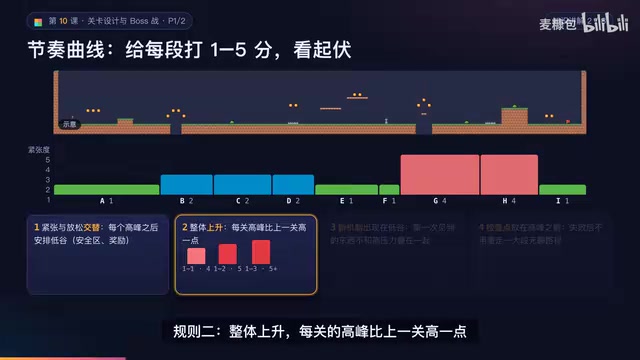
AI Game Development in Practice: Designing Levels with the Four-Step Method and Pacing Curves
AI game development lesson 10: design levels with the four-step method (teach, practice, combine, test) and a 1-5 pacing curve, plus sightline guidance and safety zones—implement Animatable Body 2D moving platforms and generate ASCII sketches for 1-2 Underground Cavern and 1-3 Guard Hall.

AI Game Development in Practice: Two-Phase Boss State Machines and Death Heatmap Tuning
AI game development lesson 10: implement a two-phase Boss with a state machine, guarantee fairness with color signals and a 0.4-second warning floor, locate difficulty cliffs with a death heatmap, and apply lightest-to-heaviest fixes one at a time, with an acceptance checklist and common pitfalls.