Lost DSH Crash Logs? This Open-Source Black Box Makes Every Crash Traceable

DSH crash logs are easily lost; DSH Runtime Lock uses local JSONL persistence and rotation to complete the evidence chain.
DSH (DeepSeek Harness) by default only outputs WARN and ERROR to the terminal, and logs disappear when the process crashes or the window closes, leaving no pre-crash context for debugging. The open-source DSH Runtime Lock borrows the black-box concept, writing every WARN/ERROR in real time to a local JSONL file; line-by-line appending keeps already-persisted content parseable after a crash. It also auto-rotates and keeps at most four segments to avoid unbounded growth, and emphasizes zero dependencies, no network requests, and fully local log storage to avoid leaking paths and code snippets. Setup is a single pnpm command with no business code changes, ideal for developers who just want a logging safety net for critical processes.
DSH crashed again. You close the terminal window, the WARN log flashes once and is gone forever, and after a restart there's nothing left—an awkward situation many DeepSeek Harness users have run into. The problem is still there, but the evidence is gone.
Why Do DSH Crash Logs Never Stick Around?
When running, DeepSeekAd Harness (DSH for short) outputs WARN- and ERROR-level logs to the terminal, but this pipeline is inherently fragile: once the process crashes, the terminal closes, or the window is accidentally shut, the text on screen disappears with it, and nothing is persisted locally.
According to a related video on Bilibili, many developers describe the situation as "the WARN log flashes once and can never be found again"—the stack trace and warning messages at the moment of the crash flash by, and when you want to go back and investigate, the restarted process is a fresh, empty state with all prior context gone.

The root of this problem isn't DSH itself, but that logs are by default only written to standard output with no mechanism to persist them to disk. What crash investigation needs most is precisely the output from those few seconds before the crash—and that's exactly the part most easily lost.
Standard output and standard error: By default, a process has three standard streams—standard input (stdin), standard output (stdout), and standard error (stderr). Most programs write ordinary information to stdout and WARN/ERROR to stderr, but by default both connect directly to the terminal device and never pass through disk. The terminal is just a display device, not a storage medium; when the window closes or the session ends, the buffer contents are discarded.
Terminal buffers and pipes: The terminal maintains a scrollback buffer, but it too exists only in the foreground session and is not retained after the process exits or the pseudo-terminal is destroyed. If logs are piped to another program, the downstream consumer must actively read them, otherwise backpressure or even blocked writes can occur.
So to truly make crashes traceable, you must add an independent disk-writing path at the application layer rather than relying on the terminal or shell redirection.
DSH Runtime Lock: Installing a "Black Box" for DSH
To address this pain point, the community came up with an open-source solution, DSH Runtime Lock. The idea is straightforward—like an aircraft black box, it records key runtime logs in real time so they remain available after a crash.
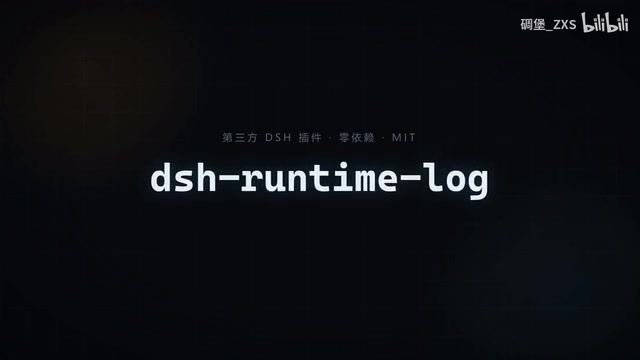
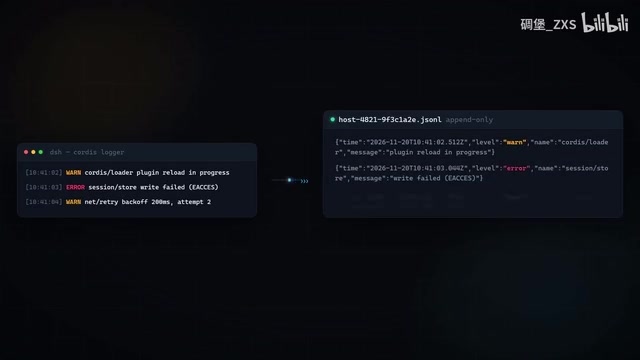
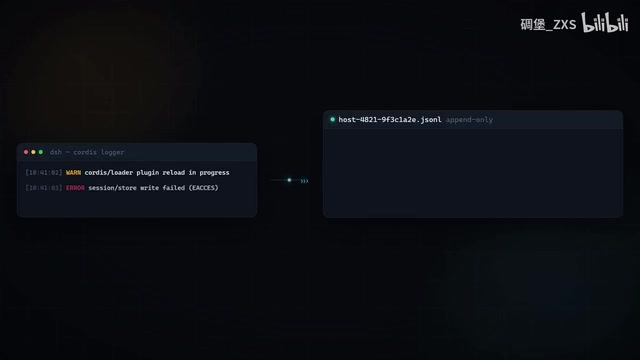
Its core mechanism is: every WARN- and ERROR-level log is written in real time to a local JSONL file instead of lingering only in the terminal buffer. The advantage of JSONL (one JSON object per line) is that appending is simple and each line can be parsed independently—even if the process crashes midway through a write, the lines already on disk remain intact, unlike a fully serialized JSON file where a truncation invalidates everything.
For crash investigation, this design means you get the last complete stretch of logs before the crash instead of staring at a blank terminal.
JSONL (JSON Lines) format: Also known as NDJSON, each line is an independent, complete JSON object, with lines separated by newlines. Compared with a fully serialized JSON array, its key advantage is append-friendliness—adding a record only requires appending one line to the end of the file, with no need to rewrite or reparse the whole file.
This matters especially in crash scenarios: if the process is killed midway through writing a line, only the last line is corrupted, and the previously flushed lines can still be parsed line by line. Many logging systems pair this with periodic flush or line buffering to further shrink the loss window. JSONL also makes streaming filtering and statistics easy with command-line tools like grep and jq, without a dedicated parser.
Automatic Rotation with Four-Segment Retention: Logs Won't Grow Unbounded
The direct problem with persisting logs to disk is that files keep getting bigger. DSH Runtime Lock solves this with automatic rotation: when a file fills up, it switches to a new one automatically, keeping at most four historical log segments.
The four-segment design is quite practical for investigation—the most recent crash is usually in the newest one or two files, while keeping a small amount of history lets you compare across consecutive crashes. Old logs beyond the limit are cleaned up automatically, so you don't need to manually manage disk space.
From an engineering standpoint, this is a classic "bounded logging" strategy: it ensures the crash scene is traceable while preventing logs from becoming a new resource burden. Compared with endlessly appending to one large file, rotation plus a fixed quota is more robust for long-running scenarios.
Log rotation: A mechanism whereby, once a log file reaches a set size or time threshold, it is renamed and archived and a new file is created to continue writing. Common strategies include size-based (e.g., a per-file cap of several MB), time-based (one file per day), or a combination of both. Rotation usually also comes with retention counts and compressed archives to balance traceability against disk usage.
Rotation must handle concurrency and atomicity properly: the instant of switching files must not lose writes, nor may multiple writers hold the old handle at the same time. In practice this is often implemented by renaming and reopening, or by sequentially numbered filenames. For crash investigation, rotation has a hidden benefit—crashes tend to cluster in the most recent time window, and the newest one or two archived files usually cover the scene.
Zero Dependencies, Fully Local: Balancing Privacy and Lightweightness
Another set of features of DSH Runtime Lock deserves separate mention: it emphasizes zero dependencies, makes no network requests whatsoever, and keeps logs only on your own computer.
For developer tools, this is crucial. Logs often contain local paths, project structures, and even code snippets; once uploaded to a third-party service, they become a privacy and compliance risk. Fully local storage means this information never leaves your machine, with no additional service-availability dependency either—the tool itself won't fail because some remote endpoint goes down.
Zero dependencies also brings deployment convenience: no extra runtime or library to introduce, low installation cost, and minimal intrusion into existing projects. For developers who just want "a logging safety net," this is a fairly pragmatic choice.
One Command to Integrate, Traceable After Every Crash
Integration is reduced to the bare minimum: run a single command via pnpm to enable it (the form mentioned in the video is pnpm at DSH Runtime Lock; refer to the project documentation for the exact command). No business code changes and no additional log-service configuration required.
This "one command" positioning targets exactly those DSH users who don't want to invest much effort in logging infrastructure but are genuinely troubled by crash investigation. The payoff shows up immediately at the next crash: the WARN that vanished from the terminal is still in the file.
It should be noted that for the specific implementation details and long-term maintenance of community tools like this, it's best to refer to the instructions in its open-source repository; the capability boundaries described in this article are based on a public video introduction, so before actual use, it's advisable to first confirm compatibility with your current DSH version.
Conclusion: Crashes Aren't Scary—Losing the Evidence Is
A DSH crash itself may stem from code, environment, or dependencies, and investigation needs evidence, not guesswork. DSH Runtime Lock fills in the log-persistence link in the simplest way possible: real-time disk writing, automatic rotation, fixed-quantity retention, fully local, and zero dependencies.
If you've also experienced that moment when "the log flashed once and was gone," this approach is worth borrowing—even if you don't use this tool, adding a local logging safety net to critical processes is a low-cost way to improve maintainability.
One-line Summary
DSH crash logs are easily lost; DSH Runtime Lock fills in the evidence chain with local JSONL persistence and rotation.
Paragraph Summary
By default, DSH (DeepSeek Harness) only outputs WARN and ERROR to the terminal, and logs vanish once the process crashes or the window closes, leaving no pre-crash context for investigation. The open-source solution DSH Runtime Lock borrows the black-box idea, writing every WARN/ERROR in real time to a local JSONL file and leveraging line-by-line appending so that content already on disk remains parseable after a crash. It also uses automatic rotation with at most four retained segments to keep logs from growing unbounded; it emphasizes zero dependencies, no network requests, and fully local log storage, avoiding leaks of paths and code snippets. Integration is compressed into a single pnpm command with no business code changes, making it suitable for developers who just want a logging safety net for critical processes.
Related articles

DeepSeek Harness Plugin "Footprints": Turn Your Photo Album into a 3D Earth
DeepSeek Harness plugin "Footprints" projects album photos onto a 3D Earth by GPS location, auto-generates travel storylines, and supports natural language photo search, "that day in years past," and landmark recognition, with a local read-only index for privacy.

Quiver Launcher + Game List: One-Stop Management for PC Ported Games
Learn how the open-source Quiver launcher (localized) and game project list work together: the list discovers PC port and recompilation projects, while the launcher handles installation, version updates, and tag management, with full workflow and manual import options.
DeepSeek Vision Lead Zhang Bo Launches Open-Source Linger: Departure After Billion-Yuan Funding and the New Agent Battle
Former DeepSeek vision-language lead Zhang Bo announces a startup after billion-yuan funding, launching open-source desktop personal agent Linger, pitting local model optimization and third-party model access against token-billed cloud services.