Lumiko: A Screen Recorder with Auto Zoom-Pan That Edits While You Record
Lumiko auto-edits your screen recordings with zoom-pan animations and Smart Blur, right in the browser.
Lumiko is a browser-based screen recording tool for product managers, developers, and content creators, built around the idea of editing while you record. Its core Auto Zoom-Pan feature tracks cursor movements and clicks to generate smooth camera animations automatically — no keyframes needed. A built-in timeline editor handles trimming, splitting, and reordering without leaving the browser. Smart Blur lets you mask sensitive info like API keys with a single drag. Everything runs locally with no account required, and exports up to 4K. Compared to Loom and Screen Studio, Lumiko's edge lies in combining cross-platform browser access with local privacy protection — though its algorithm quality in complex scenarios remains to be proven.
The most time-consuming part of screen recording is rarely the recording itself — it's the post-production: adding zooms, pans, masking sensitive information, and setting keyframes one by one. Lumiko is built to solve exactly that: it handles these editing tasks automatically while you record.
Core Feature: Edit While You Record
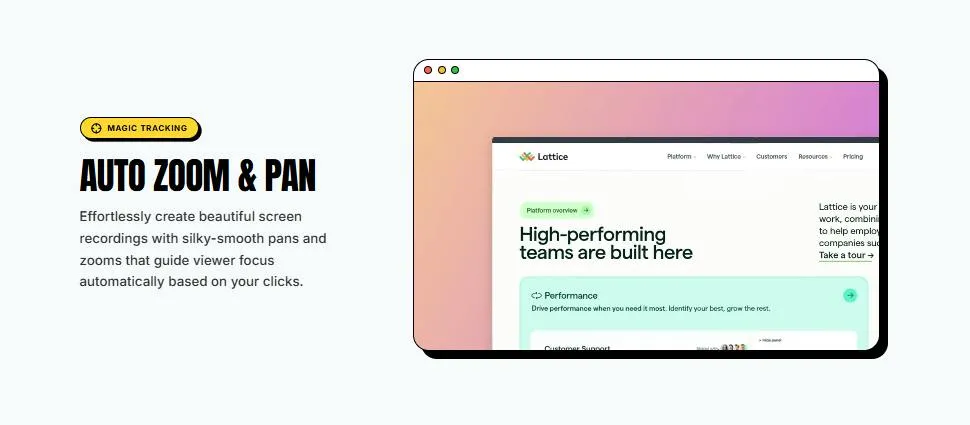
Lumiko's flagship capability is Auto Zoom-Pan. In traditional screen recording software, creating a cursor-following zoom effect requires manually setting keyframes and adjusting each segment — a tedious, time-intensive process. Lumiko takes a different approach: it tracks your cursor movement and click behavior, then automatically generates smooth zoom and pan animations at those points — no keyframes required.
This means you just focus on your demo, and the tool figures out "where the viewer should be looking right now," pushing the camera into the relevant area. For anyone producing product demos, software tutorials, or feature walkthroughs, this can save significant post-production time.
Auto Zoom-Pan isn't a brand-new concept — tools like ScreenFlow and Camtasia have long supported manual keyframe zooming, and Screen Studio (macOS only) was among the first commercial products to combine cursor tracking with automatic camera animation, gaining widespread popularity among developers. Lumiko follows a similar philosophy, with a key difference: it runs in the browser and works cross-platform, rather than relying on a desktop client. The quality of automated camera tracking ultimately depends on how well the algorithm identifies "important regions" — too aggressive and the screen jumps constantly; too conservative and the automation loses its value. This tension is where tools like this tend to struggle most in complex interaction scenarios.
Full Timeline Editing Inside the Browser
Beyond automatic camera animation, Lumiko includes a complete timeline editor — all running inside the browser. You can trim, split, and reorder recorded clips directly on the timeline, without switching to a professional editing suite.
This all-in-one "record → edit → export" browser experience lowers the barrier to entry significantly. For users unfamiliar with tools like Premiere or Final Cut, Lumiko bundles the essential lightweight editing features into a single interface.
Smart Blur: Mask Sensitive Info with a Single Drag
One feature worth calling out specifically is Smart Blur. When recording demos that involve code, dashboards, or configuration screens, sensitive details like API keys and passwords can easily end up on camera. Lumiko lets users apply a blur mask to any region with a single drag — no need to mask frame by frame. For developers and technical content creators, this is a genuinely useful detail.
Additional Features and Export
Beyond basic editing, Lumiko offers a range of elements to enhance your presentations:
- Webcam Bubble: Picture-in-picture camera overlay for a more personal, engaging delivery
- Custom Backgrounds: Add a consistent visual style to your recordings
- Click Effects: Visualize mouse clicks so viewers can easily follow along
On the export side, Lumiko supports up to 4K resolution, making it suitable for high-quality tutorials and product marketing content.
Local Processing, No Account Required
Lumiko takes a user-friendly stance on privacy and convenience: it runs entirely locally, requires no account registration, and has no upload queue. Recording and processing happen on your machine — no waiting for cloud rendering, and no risk of sensitive demo content being sent to third-party servers. The product is currently free to start.
In terms of positioning, Lumiko targets people who regularly produce demo videos: product managers, developers, educational content creators, and SaaS teams. It launched on Product Hunt with 91 upvotes, reaching #4 on the daily leaderboard, spanning the Chrome Extensions, Productivity, and Video categories.
Local processing has increasingly become a clear competitive dimension in screen recording. Cloud-based tools like Loom depend on server-side transcoding, which brings upload wait times, privacy concerns, and subscription lock-in. Desktop tools like Screen Studio and Rotato go fully offline but are often platform-restricted (frequently macOS-only) and dependent on regular updates. Lumiko's browser-local approach theoretically combines cross-platform reach with privacy protection — but the performance ceiling of browser-based processing (especially encoding speed for 4K exports) and long-term storage strategy remain real architectural challenges to address.
Quick Take
Lumiko isn't entering an empty market — Screen Studio, Loom, Tella, and others are all working on "automated screen recording enhancement." Lumiko's differentiation comes down to three things: fully browser-based operation, local processing with no account barrier, and details like Smart Blur tailored specifically for technical demos. For developers who frequently need to show dashboards or code, these features may hit exactly the right pain points.
That said, as an early-stage product, the intelligence of the auto-zoom algorithm, performance in complex scenarios, and the limits of the free tier all remain to be validated through real-world use. But based on the feature set, Lumiko has clearly targeted the most painful parts of screen recording post-production.
Related articles

RAG Interview Essentials: Breaking Down the Full Offline Indexing and Online Retrieval Pipeline
A complete breakdown of the RAG retrieval-augmented generation workflow: offline document loading, chunking, vectorization, and indexing; online query rewriting, vector retrieval, reranking, and generation, plus core interview points and system optimization directions.

AI Large Models for Absolute Beginners: Principles and API Calling in Practice
From AI's evolution to large model training principles and core concepts like Token, Temperature, and Top-P, this article explains system prompts, Function Call, RAG, and memory with hands-on examples and four API call scenarios—ideal for beginners.

Will GitHub Die? Open Source Maintainer Burnout and the Collaboration Crisis in the AI Era
Lex Fridman podcast discussion on open source maintainer burnout and GitHub's predicament: massive pull requests overwhelm core maintainers, and AI worsens code bloat. Using math journal peer review and Poincaré conjecture verification as analogies, the article analyzes why verification in knowledge production must be deliberately slow, and how open source communities can avoid the failure mode of maintainers exiting.