OpenAI Agents SDK Crash Course: Building Python Agent Workflows in Practice

OpenAI Agents SDK crash course: orchestration primitives from basics, tools, and memory to multi-agent and voice.
Based on a YouTube tech crash course, this article systematically covers the OpenAI Agents SDK: from the minimal Hello World example and the Agent and Runner classes, to tool calling via custom functions, built-in tools, and MCP; three session memory approaches and their trade-offs; runtime context injection, Pydantic structured output, human approval, and guardrails; multi-agent handoffs and tool-ification; lifecycle hooks, observability, streaming, and realtime voice. It concludes that the SDK's value lies in composable orchestration primitives, best suited for teams already in the OpenAI ecosystem.
Title
OpenAI Agents SDK Crash Course: Building Python Agent Workflows in Practice
Meta Description
A complete crash course on the OpenAI Agents SDK: from Agent and Runner basics, custom tool calling, MCP integration, and three session memory approaches, to human approval, guardrails, multi-agent handoffs, lifecycle hooks, and streaming voice interaction — master the core usage of Python agent workflows in one article.
Article Content
OpenAI's Agents SDK is not a simple API wrapper, but a framework designed specifically for agent orchestration — similar in standing to LangChain or LangGraph, yet deeply tied to the OpenAI ecosystem. This article is based on a complete crash course from a YouTube tech channel, organizing the core usage from basic prompting to voice interaction, with practical tips and design trade-offs woven throughout.
Basics: From Hello World to Model Configuration
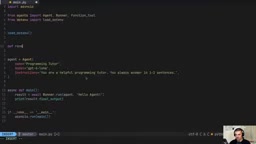
The package is named openai-agents, but it is imported as agents. There are two core classes: Agent defines the agent (model, name, instructions), and Runner handles asynchronous execution. A minimal example:
import asyncio
from agents import Agent, Runner

agent = Agent(
    name="Programming Mentor",
    model="gpt-4o-mini",
    instructions="You are a programming mentor. Answer in no more than two sentences."
)

async def main():
    result = await Runner.run(agent, "Hello, agent!")
    print(result.final_output)

asyncio.run(main())
The result object returned by Runner.run contains fields such as final_output, new_items, and last_response_id; subsequent session management all relies on these fields. Model configuration can be adjusted via ModelSettings — reasoning effort, verbosity, max tokens, etc. — for example setting reasoning=Reasoning(effort="low") or max_tokens=500. The channel author also demonstrated that RunConfig can override the model for a single run, and that enable_verbose_stdout_logging can verify whether the actually invoked model takes effect.
Tool Calling: Three Integration Paths
The core capability of an agent is using tools. The video demonstrates three paths:
Custom function tools: Mark an ordinary Python function with the @function_tool decorator and place the function object in the tools list. For example, a function that returns a random programming language — when called, a tool_call_item appears in the result object's new_items.
Built-in tools: Use built-in tools such as WebSearchTool directly, without implementing search logic yourself.
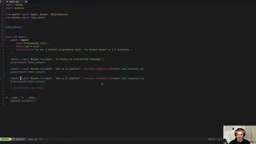
MCP servers: Connect to an MCP service over standard input/output via MCPServerStdio. The video uses @modelcontextprotocol/server-filesystem to demonstrate letting the agent read Python files in the current directory — without MCP, the agent explicitly states it cannot access the disk.
It is important to distinguish "a tool being called" from "a tool existing in the tools list": only when response_function_tool_call appears in the result object is it proof that the tool actually executed.
MCP (Model Context Protocol) is a protocol proposed and open-sourced by Anthropic, designed to provide a standardized way for LLM applications to connect to external data sources and tools. It uses a client-server architecture: MCP servers expose resources, tools, and prompts, while clients (such as the Agents SDK) communicate with them over transport layers like stdio or HTTP. The MCPServerStdio mentioned above communicates with a local MCP server process over standard input/output, and @modelcontextprotocol/server-filesystem is the official filesystem server implementation. The value of MCP lies in decoupling tool implementations from agent frameworks — the same MCP server can be reused across different frameworks.
Three Approaches to Session Memory
By default, each Runner.run is an independent request, and follow-up questions lose context. The video presents three solutions, each with trade-offs:
- SQLiteSession: Local persistence, passed as the runtime parameter
session=SQLiteSession("conversation-id"). You manage the data yourself, without relying on OpenAI's servers. - Conversation ID: Call
AsyncOpenAI().conversations.create()to create a server-side conversation, then pass in theconversation_id. Context is hosted by OpenAI. - previous_response_id chaining: Use the previous result's
last_response_idas the next call'sprevious_response_id. This suits branched conversations — you can branch multiple different follow-ups from the same history node, enabling conversation forking.
previous_response_id is a mechanism of the OpenAI Responses API: each API call returns a unique response ID, and the next request can reference a prior response through that ID, with the server automatically including the historical context in this inference without the client resending the full conversation. This brings two benefits: first, it reduces request body size and token consumption; second, it naturally supports conversation forking — multiple subsequent requests can reference the same historical response ID, forming a tree-structured conversation. Note, however, that this mechanism relies on OpenAI server-side storage, the context retention period is subject to platform policy, and it cannot be migrated across vendors.
Runtime Context and Structured Output
Sometimes tools need to know "who the current user is." The approach is to define a @dataclass UserInfo (with a UID field), have the tool function receive RunContextWrapper[UserInfo] as its first parameter, and extract wrapper.context.uid from it. At runtime, pass it in via context=UserInfo(uid=...). This way the same agent can serve multiple users, with permission boundaries injected externally.
For structured output, use Pydantic's BaseModel to define the target structure (e.g., CalendarEvent with a title, date, and attendee list), and set output_type=CalendarEvent in the Agent. The returned final_output is an instance of that type, so you can access fields directly and feed them into downstream deterministic logic.
Human-in-the-Loop and Safety Guardrails
Sensitive operations (such as sending email) can be marked with needs_approval=True. After running, the result object contains interruptions; you need to iterate over the interruption items and show their parameters to the user, collect y/n, then call state.approve(interruption) or state.reject(interruption), and feed the state back into Runner.run to continue execution. On rejection, the agent truthfully reports that "the operation was not approved."
Guardrails are another layer of protection. The video defines a guardrail agent with structured output ProgrammingCheck (a boolean field is_programming), combined with the @input_guardrail decorator and GuardrailFunctionOutput, which triggers an InputGuardrailTripwireTriggered exception when the input is unrelated to programming. The main flow catches it with try/except and handles it by notifying the user, flagging the user, etc.
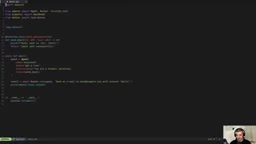
The Tripwire mechanism is the core of the Agents SDK's guardrail design: when a guardrail determines that input or output violates policy, it throws an InputGuardrailTripwireTriggered or OutputGuardrailTripwireTriggered exception, immediately halting the agent run rather than merely returning a warning. This "fail fast" design ensures non-compliant requests never enter the main flow. The guardrail itself is typically a lightweight agent using structured output (such as a boolean field) for binary judgment, so it adds the overhead of one extra LLM call. In practice, you can set the guardrail model to a smaller, faster one (such as gpt-4o-mini) to balance cost and safety.
Multi-Agent Orchestration: Handoffs and Tool-ification
Multi-expert architecture is a highlight of the Agents SDK. The video builds three sub-agents — a programming assistant, a date/time expert, and a search expert — and then a triage agent receives tasks via handoffs=[...] and routes them. The result object's last_agent field verifies who ultimately responded.
Another pattern is "agent as tool": wrap a sub-agent as a tool via agent.as_tool(tool_name=..., tool_description=...). The difference from handoffs is that a handoff transfers control, whereas tool-ification has the main agent retain control while calling the sub-agent. The video uses two tools — date and time — to demonstrate a single request triggering multiple tool calls, thanks to the agent's built-in loop mechanism.
The difference between handoff and as_tool lies in control flow. In a handoff, the triage agent transfers full control of the conversation to the sub-agent, which then directly generates the final reply to the user, with the last_agent field recording the actual responder; from then on the conversation history continues with the new agent. In tool-ification, the main agent retains control, treating the sub-agent as a callable function; the sub-agent's output is returned to the main agent as a tool result, and the main agent decides how to integrate and reply. Handoffs suit "triage-expert" scenarios, while tool-ification suits "main controller-helper" scenarios; the latter also supports calling different sub-agents multiple times within a single request.
Lifecycle Hooks and Observability
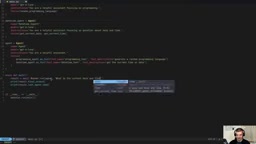
By subclassing RunHooks, you can override async methods such as on_agent_start, on_agent_end, on_llm_start, on_llm_end, on_tool_start, and on_tool_end to insert logging, validation, or metric reporting at key points. In the video, on_llm_end also prints token consumption for easy cost monitoring.
For observability, all calls are logged by default in the Logs panel of the OpenAI platform, where the Agents SDK tab shows the tool call chain. If a single run contains multiple Runner.run calls, they appear as separate workflows; wrapping them with with trace("workflow name"): groups them together.
Streaming, Voice, and Realtime Conversation
For streaming output, use Runner.run_streamed, asynchronously iterate stream.stream_events(), filter raw_response_event for incremental text of type ResponseTextDeltaEvent, and use print(..., end="", flush=True) for character-by-character printing.
There are two paths for voice interaction. One is VoicePipeline with SingleAgentVoiceWorkflow: record about five seconds of audio, feed it into the pipeline, and the agent replies with voice — this requires additionally installing sounddevice and numpy. The other is RealtimeAgent + RealtimeRunner, which supports real-time two-way conversation and even interrupting the agent while it speaks, closer to a production-grade voice assistant experience.
Key Takeaways
The value of the Agents SDK is not in wrapping the API, but in providing a set of composable orchestration primitives: sessions, context, guardrails, handoffs, hooks, streaming, and voice. The video author emphasizes that building and deploying agents is one of the most important skills today. For teams already within the OpenAI ecosystem, this SDK can significantly reduce the engineering complexity of multi-agent applications; if you need cross-vendor support, solutions like LangGraph are still worth comparing and evaluating.
One-line Summary
OpenAI Agents SDK crash course: a full breakdown of orchestration primitives from basics, tools, and memory to multi-agent and voice.
Paragraph Summary
Based on a YouTube tech crash course, this article systematically organizes the core usage of the OpenAI Agents SDK. It starts with a minimal Hello World example, introduces the two core classes Agent and Runner plus model configuration; then covers the three paths for tool calling (custom functions, built-in tools, MCP servers); compares three session memory approaches (SQLiteSession, Conversation ID, previous_response_id chaining) and their trade-offs; then covers runtime context injection, Pydantic structured output, needs_approval human-in-the-loop, and guardrails; and finally dives into the two multi-agent orchestration patterns — handoffs and tool-ification — plus lifecycle hooks, observability, streaming output, and realtime voice conversation. The conclusion notes that the SDK's value lies in providing composable orchestration primitives, making it suitable for teams already within the OpenAI ecosystem.
Related articles

LangChain Retry Middleware Configuration: Practices and Selection Guide
Based on Reddit community discussion, this article analyzes LangChain ModelRetryMiddleware retry parameter configuration practices, covering the selection logic and alternatives for key options like max_retries, backoff_factor, and jitter.

Texas Senate Race in Trouble: Why Are Republicans Nervous?
Texas Senate race stirs Republican anxiety. Based on street interviews, this article analyzes the Democratic offensive in funding, organization, and running everywhere, and how Republicans are defending "Texas, Texas" amid the political pendulum effect.

Gemini Chat Now Generates and Edits Google Docs Directly, a New Breakthrough in Office Productivity
Google Gemini's chat interface now generates and edits PDF, Google Docs, Sheets, Slides, Markdown, TXT, and code files. Available to all users; web supports all formats, mobile only PDF for now.