PaperPilot: A Free Tool That Lets AI Agents Process PDFs Locally

PaperPilot puts PDF processing back on your local machine, operated via natural language by an AI agent—no uploads to third-party servers.
PaperPilot is a local PDF engine that garnered 230 points on Hacker News, advocating for moving all PDF processing back to the local machine to avoid free PDF websites retaining files on their servers for up to two hours. After downloading a file and connecting to Cloud Code with one command, users can merge, compress, split, rotate, read, OCR scan, and watermark PDFs via natural language. The article notes that the real cost of free PDF sites is file control, and localization eliminates the upload step and third-party retention window. However, it still relies on a cloud AI service for instructions—it is not fully offline—and public info comes mainly from a single video source, lacking data on speed, large-file performance, and OCR accuracy.
The Real Cost of Free PDF Tools
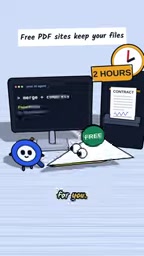
Upload a signed contract to a free PDF website to merge it, and the file may sit on their servers for up to two hours—according to the video's author, this is the default behavior of many online PDF services. What you're paying isn't money; it's control over your files. PaperPilot tries to solve this problem a different way: moving all PDF processing back to your local machine and letting your AI agent handle it.

What Is PaperPilot
PaperPilot is a local PDF engine that garnered 230 points on Hacker News. Its usage path is deliberately minimal: download a single file, connect to Cloud Code (referred to as "cloud code" in the video) with one command, and then you can give instructions in plain natural language, such as "merge these two PDFs and compress the result."

The significance of this design is that the AI agent is no longer just an advisor in a chat window—it can actually invoke local tools to perform file operations. For people who frequently deal with contracts, reports, and scanned documents, it eliminates the upload-wait-download cycle.
Cloud Code (typically referring to Anthropic's Claude Code or similar cloud-based AI coding agents) is an AI agent service connected via the command line that uses natural language to drive local tool execution. Its mechanism: the user types natural language instructions in the terminal, which are sent over the network to a cloud-based large model for understanding and planning; the model returns executable tool calls (such as running local scripts), which are then executed by the local agent and the results sent back. So the agent's "brain" is in the cloud, but its "hands and feet" can be local. This is the technical foundation that lets PaperPilot operate on local PDFs without uploading files—and it also means that each time you issue an instruction, the instruction itself (which may include filenames or content fragments) still passes through the cloud.
Feature Coverage: More Than Just Merging
PaperPilot supports operations including merge, compress, split, rotate, read, OCR scanning, and adding watermarks. This means it covers most everyday PDF processing scenarios rather than doing just a single function.
The inclusion of OCR is especially key: text in scanned documents can't be directly copied or searched, and local OCR makes such files processable without leaving the device. The watermark feature is suitable for documents that need to be marked before being sent externally.
OCR (Optical Character Recognition) is the technology that converts text in scanned images or photos into copyable, searchable text. Traditional online OCR requires uploading the entire scanned document to a recognition service, whereas local OCR performs recognition on your own device—the file never leaves it. For scanned documents like contracts, invoices, and old archives, the value of local OCR is that the recognized text can be directly used for searching, copying, and archiving while avoiding sensitive content being retained on third-party servers. The trade-off is that recognition speed and accuracy are limited by local computing power and model quality; for complex layouts or low-quality scans, results are typically inferior to large cloud-based OCR services.
The Trade-offs of Local Processing
The video's core argument is straightforward: free PDF websites are never truly free—you pay with the file itself. Local processing eliminates the upload step, and thus eliminates the window during which files sit on third-party servers.
To be fair, the current public information comes mainly from this single video source, with no data provided on specific metrics such as processing speed, large-file performance, or OCR accuracy. Additionally, "connecting to Cloud Code" means still relying on a cloud AI service to issue instructions—only the file itself stays local, which is different from being fully offline. For sensitive documents, understanding this boundary matters.
"Fully offline" means the software can complete all functions without a network connection, with all computation and data staying on the local machine. PaperPilot's architecture, by contrast, is "files local, instructions in the cloud": PDF processing runs locally, but natural language instructions require a cloud-based large model to parse them, so it cannot be used without an internet connection. To judge whether a tool is truly offline, look at two things—whether data leaves the device, and whether core functionality depends on network services. For highly sensitive documents, this distinction determines whether it can meet compliance requirements; for general privacy needs, not uploading files already eliminates the largest exposure surface.
Who Should Use It
If you frequently need to merge, compress, or OCR PDFs and don't want files passing through third-party servers, PaperPilot offers a low-cost path. The barrier is that you need to be willing to use the command line for a one-time connection setup; after that, operations return to natural language.
For roles in legal, finance, and other fields sensitive to file circulation, the value of local processing isn't just privacy—it's also predictability: files won't linger on some server because you forgot to delete them.
One-line Summary
PaperPilot puts PDF processing back on your local machine, operated via natural language by an AI agent, avoiding uploads to third-party servers.
Paragraph Summary
PaperPilot is a local PDF engine that garnered 230 points on Hacker News, advocating for moving all PDF processing back to the local machine to avoid the issue of free PDF websites retaining files on their servers for up to two hours. After downloading a single file and connecting to Cloud Code with one command, users can complete operations including merge, compress, split, rotate, read, OCR scanning, and adding watermarks via natural language instructions. The article notes that the real cost of free PDF websites is control over your files; localization eliminates the upload step and the third-party retention window. However, it's worth noting that it still relies on a cloud AI service to issue instructions—it is not fully offline—and current public information comes mainly from a single video source, lacking data on speed, large-file performance, and OCR accuracy.
Related articles

T3 Code: The Open-Source AI Coding Assistant's Comeback Story
T3 Code is an open-source AI coding assistant that unifies subscriptions like Codex and Claude, with powerful remote control and parallel task management.

Never Elected, Yet Ruled New York for 30 Years: The Ultimate Case Study in the Mechanics of Power
Robert Caro's biographies reveal how unelected Robert Moses ruled New York for 30 years through legal drafting and public authorities, and how Lyndon Johnson built leverage as a "powerless" Senate Majority Leader. Unpacking the underlying logic of accumulating and sustaining power.

The CPython 3.10 Recursion Trap and Synthetic Recovery in TokenGuard, an LLM Circuit Breaker
TokenGuard's author recounts a recursion crash caused by OrderedDict.pop in CPython 3.10 and introduces v0.3.0's Loop Nudge synthetic recovery, inline DLP scanning, and other new LLM agent circuit-breaker capabilities.