Resume Guide for Programmers Transitioning to AI: From an HR Perspective to Job Requirement Matching

Bilibili IT-to-AI tutorial: a resume needs two to three days of systematic preparation—five key actions determine initial screening success.
This article is organized from a Bilibili IT-to-AI job-seeking tutorial, focusing on five key actions for resume preparation. The author corrects the habit of "finishing a resume in a few hours," noting that a resume needs two to three days, with the value in reviewing your skill stack and projects before writing. Next comes layout: HR screens a resume in under a minute, so messy formatting gets you eliminated—simple and consistent is enough. Third, cater to the market by browsing 15 to 20 positions in your target city and salary range, listing high-frequency technical terms, and ranking them by importance for the skill description, since initial screening is mostly keyword matching. Fourth, LLM experience, though listed as a bonus, is almost always asked in interviews, from AI coding tools to RAG, agents, and AI algorithms. Finally, read it once from an HR perspective as a quality check. Together this forms a logical chain of "review yourself—align with the market—accept from the interviewer's perspective."
This IT-to-AI tutorial from Bilibili opens by focusing on resume preparation, laying out five key actions that many job seekers overlook. The original author emphasizes that a resume isn't something you can finish in a few hours—it's an engineering task that requires two to three days of systematic preparation.
A Resume Isn't a Quick Product: Set Aside Two to Three Days
Many programmers' habit when writing a resume is to open a document, list their skills, and submit—the whole process takes only a few hours. But the original author points out that under normal circumstances, a resume needs two to three days to prepare. The reason isn't the wording itself—explaining a project clearly is actually quick—but the preparation work that comes before writing.
Before writing a resume, first do a complete review of your skill stack and project experience so you have a clear picture in your head; only then will what you write match your true situation. Skip this step and the resume easily turns into a pile of skill buzzwords, and you'll end up faltering in the interview.
The STAR Method and Quantifiable Descriptions
The article emphasizes reviewing your skill stack and project experience before writing a resume. When it comes to concrete expression, the industry commonly uses the STAR structure to organize project descriptions: Situation (background and business context), Task (the goal you were responsible for), Action (the specific technical actions you took), and Result (measurable outcomes). Especially important for career changers is rewriting "participated in" as "what you were responsible for, what technology you used, what problem you solved, and what metric changes it brought"—for example, how many milliseconds the API response dropped from and to, how much concurrency it supported, and how much manpower it saved. When quantification is lacking, clearly explaining the rationale for technical choices and the process of overcoming difficulties is still more defensible under interview follow-up questions than simply listing framework names. This step is precisely the key to turning your review results into written form, and it's also why a resume can justify a two-to-three-day preparation cycle.
The Template's First Impression: Decided in One Minute
After reviewing a large number of students' resumes, the original author sums up a harsh reality: HR or technical interviewers usually spend no more than one minute screening a resume. If the first page has inconsistent font sizes, messy margins, and no sense of format, the interviewer has no desire to keep reading.
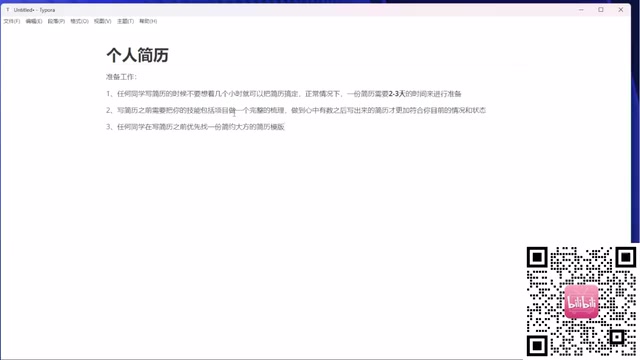
The solution isn't fancy design but simplicity and good taste. Unify heading levels, unify fonts, unify formatting—even the most basic resume template is enough. The core goal is to let the interviewer smoothly read your highlights within one minute, rather than being put off by the layout.
Cater to What They Want: Reverse-Engineer Resume Content from Job Sites
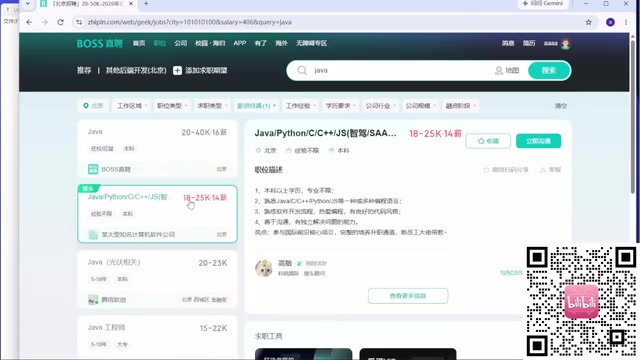
This is the point the author repeatedly emphasizes throughout this section. Most people write resumes with the mindset of "I'll write whatever I know," but the correct approach is to open job sites and look at the job requirements for positions in your target city and target salary range.
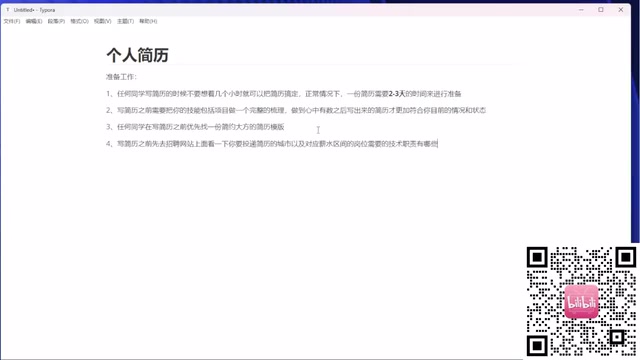
In terms of concrete steps, the author's method is: within your expected salary range, browse 15 to 20 positions, list all the technical terms that appear, and rank them by frequency and importance. The top-ranked tech stacks must appear in your resume's skill description, because HR screening is often keyword matching.
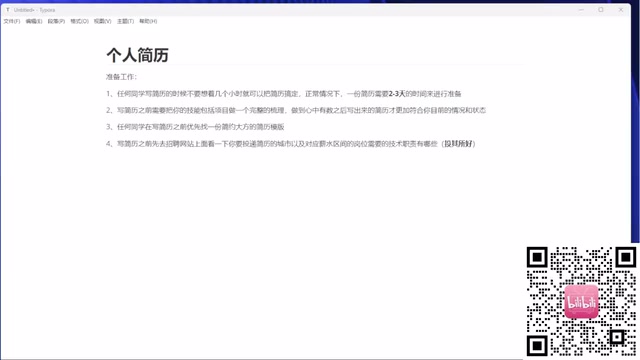
He uses Java positions as an example: many job requirements already mention components like Spring Boot, Spring Cloud, MyBatis, Kafka, Redis, and Elasticsearch. If these terms aren't in your resume, you won't even pass the initial screening.
Keyword Matching (ATS and the Initial Screening Mechanism)
The article mentions that HR screening is often keyword matching, which reflects the operating logic of resume screening systems. Many medium and large companies first use an ATS (Applicant Tracking System) to automatically parse and score resumes. The system extracts information based on fields such as skill keywords, education, and years of experience preset in the job JD, and ranks them; humans often only look at the top-ranked batch. This means that if your resume writes technical terms as vague expressions like "familiar with mainstream microservice frameworks," the system may not be able to recognize and match them at all. A safer approach is to list specific component names (such as Spring Cloud, Kafka, Redis) exactly as they are in standard English, avoiding synonyms, abbreviations, or invented translations, while keeping everything copyable as plain text—don't use images or special formatting to carry key skill terms, or parsing will easily fail.
LLM Capabilities: From a Bonus to a Must-Ask
The author observes a clear trend: LLM-related experience is often written as a bonus in job descriptions, but in actual interviews it's almost always a required question.
The depth of questions is layered: at a shallow level, they ask whether you've used AI coding tools like Claude Code, Codex, Cursor, and Trae; at a middle level, they ask about concepts related to agents and RAG; deeper still, it involves AI algorithms. Whether or not you're applying for an AI position, you need to find a way to demonstrate this capability in your resume and interview. In the author's own words, the market is in a state of "too little meat for too many wolves," so a bonus is essentially a must-have.
The Basic Meaning of RAG and Agents
The article lists "agents and RAG" as middle-level questions, and these two concepts are worth understanding first. RAG (Retrieval-Augmented Generation) means that before letting a large model answer a question, you first retrieve relevant snippets from an external knowledge base or document, then feed the snippets to the model as context, thereby mitigating the problem of the model not knowing private data and being prone to fabricating content. A typical pipeline includes document chunking, vector embedding, vector database retrieval, and concatenating prompts to generate answers. An agent, on the other hand, adds planning, tool calling, and memory mechanisms on top of the large model, enabling the model to autonomously break down tasks, call external tools such as search or code execution, and iteratively correct results. In interviews, follow-up questions often focus on implementation details such as chunking strategies, recall evaluation, and failure handling in tool calling.
Put Yourself in Their Shoes: Be an HR First
After finishing the resume, the last step is to read it through from the beginning as if you were HR. If you don't even want to look at it a second time, the result of submitting it will most likely be poor too. This action costs very little but can filter out most low-level problems.
This section doesn't cover specific project practice or interview techniques, but these five resume preparation actions already form a clear logical chain: first review yourself, then align with the market, and finally use the interviewer's perspective for final acceptance. For programmers transitioning to AI, this approach is worth doing once before piling up skill buzzwords.
One-line Summary
Bilibili IT-to-AI tutorial: a resume needs two to three days of systematic preparation—five key actions determine whether you pass the initial screening.
Paragraph Summary
This article is organized from a Bilibili IT-to-AI job-seeking tutorial, focusing on five key actions for resume preparation. The author first corrects the habit of "finishing a resume in a few hours," pointing out that a resume needs two to three days, and the value lies in reviewing your skill stack and projects before you start writing. Second is layout: HR usually screens a resume in no more than one minute, and a messy format gets you eliminated immediately—simple and consistent is enough. Third is catering to what they want: browse 15 to 20 positions within your target city and salary range, list high-frequency technical terms, and rank them by importance to include in the skill description, because initial screening is mostly keyword matching. Fourth, although LLM experience is written as a bonus, it's almost always asked in actual interviews, going layer by layer from AI coding tools to RAG, agents, and AI algorithms. Finally, read it through once from an HR perspective as a quality check. Overall, it forms a logical chain of "review yourself—align with the market—accept from the interviewer's perspective."
Related articles

Cursor AI in Practice: Weighing Efficiency Gains Against Costs in an AI IDE
An in-depth look at Cursor AI IDE's interface layout, four modes (Agent/Plan/Debug/Ask), model selection, and Git context integration, with hands-on demos weighing subscription costs against going direct to Claude.
Free Landing Page Design Rules Library: A Practical Guide for Claude Code and Cursor
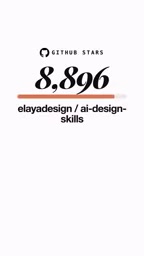
A free landing page design skill for Claude Code and Cursor: MIT licensed, nearly 9,000 stars, asks about offer/audience/action before planning 12 sections with hard font and spacing constraints.

Cursor Keeps Writing Wrong Code? The Problem May Be Context, Not Prompts
Cursor keeps writing wrong code? The problem may be context, not prompts. Learn how to supply relevant files, full error messages, and expected results, plus a plan-first, small-step, test-driven workflow to reduce AI coding errors—while remembering code review remains the developer's job.