Super Mouse: A Mouse with a Touchscreen Macro Keyboard — Can It Replace Your Desktop Peripherals?

Arctic Fox launches the Super Mouse with a palm touchscreen, aiming to replace desktop peripherals.
Arctic Fox Technologies' Super Mouse embeds a compact touchscreen under the palm, replacing traditional multi-button design with customizable screen layouts so that programmable functions are no longer limited by physical structure. Positioned to replace desktop peripherals like trackpads and macro keyboards, it appeals to content creators, productivity enthusiasts, and users with limited desk space. However, the original notes the boxy design does not prioritize ergonomics, raising grip concerns; the screen also introduces issues of cost, power consumption, weight, and blind-operation efficiency. Price, release date, and specs remain unannounced.
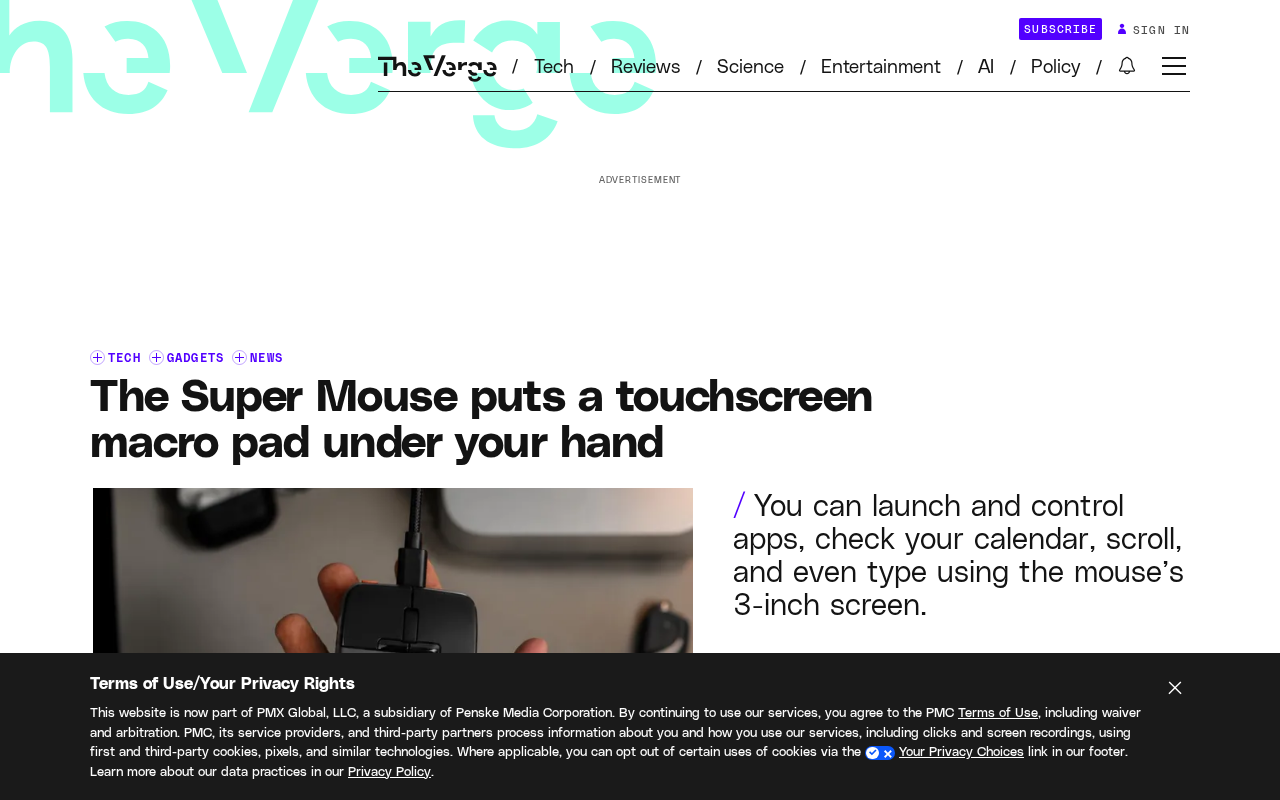
Programmable buttons on mice are nothing new, but Arctic Fox Technologies' Super Mouse takes a different approach by cramming an entire touchscreen into the area under your palm. Rather than covering the mouse surface with shortcut buttons, it uses a compact touchscreen to host customizable functions, attempting to replace your trackpad, macro keyboard, and perhaps even more peripherals with a single screen.
Design Philosophy: Replacing Buttons with a Screen
The most striking feature of the Super Mouse is the touchscreen under the palm. Traditional multi-button mice place rows of buttons in the thumb area or on top, with users assigning macros or shortcuts to each button through driver software. The problem is that the number of buttons is limited, and each additional button increases the risk of accidental presses and the memory burden.
Arctic Fox Technologies chose to replace this area with a touchscreen, meaning the number of customizable "buttons" is no longer constrained by physical structure. You can configure different screen layouts for different software applications, placing frequently used actions as icons or buttons. The original describes it as a "compact touchscreen" and explicitly states that it is intended to take on the role of peripherals such as the trackpad.
The Trade-offs of a Boxy Design
The original gives a blunt assessment of the Super Mouse's appearance: its boxy design does not prioritize ergonomics. This actually highlights the core contradiction of this type of product — fitting a screen inside a mouse places constraints on both internal space and external form factor freedom.
Traditional mouse curves are designed to fit the palm and reduce fatigue during extended use. While a squared-off shape leaves more room for the screen and internal components, whether the grip will be acceptable is a problem this product must face. For users who spend hours a day with a mouse, this may be more critical than the screen itself.
Which Peripherals Can It Replace?
The Super Mouse's selling point isn't "a better mouse" but "fewer desktop devices." The original mentions it can replace peripherals such as the trackpad. This approach appeals to specific groups:
- Content creators: Video editing and image processing software have numerous shortcuts, and a touchscreen with switchable layouts is more intuitive than memorizing dozens of key combinations.
- Productivity tool enthusiasts: People accustomed to macro keyboards or Stream Deck-type devices may be willing to consolidate functions onto the mouse, reducing hand movement.
- Users with limited desk space: One screen replacing multiple peripherals means fewer cables and less footprint.
However, whether this replacement holds up depends on the touchscreen's touch precision, the maturity of the software ecosystem, and whether users are willing to perform operations on the mouse that were previously handled by a keyboard or standalone macro keyboard. The original does not disclose these details, and real-world experience remains to be verified.
Stream Deck is a desktop controller from Elgato, centered on a set of physical buttons with customizable icons, each corresponding to a macro or shortcut. It is commonly used in livestreaming to switch scenes and play sound effects, and is also used by video editors and designers to map software shortcuts. It differs from a macro keyboard in that the buttons have small LCD screens, and icons can change dynamically with the scene, so users don't have to memorize button functions. The Super Mouse attempts to take on a similar role with a touchscreen, but Stream Deck's physical buttons provide clear tactile feedback and blind-operation capability — precisely the trade-off that pure touchscreen solutions must weigh.
The Trend and Concerns of Multi-Device Integration
Putting a touchscreen into a mouse reflects a broader trend: desktop peripherals are evolving from "single-function hardware" to "reconfigurable input interfaces." Macro keyboards, Stream Decks, and knob controllers with screens are all essentially doing the same thing — using a variable interface to host multiple operations.
The Super Mouse's differentiator is that it puts this on the mouse, the device most people never let go of. If the software layer is good enough, users could theoretically switch tools and operation layers without moving their hands. The concerns are equally obvious: a screen brings higher cost and power consumption, and the mouse's weight and battery life may be affected; the boxy design sacrifices ergonomics; and a small touchscreen may not match physical buttons for efficiency during blind operation.
Information released by Arctic Fox Technologies remains limited, with price, release date, and specific specifications all unclear. Whether this product can deliver on its promise to "replace desktop peripherals" will depend on actual feel, software support, and battery life.
Blind operation refers to a user's ability to perform actions by muscle memory without looking at the device, and is an important dimension for evaluating input device efficiency. Physical buttons provide tactile orientation through key spacing, shape differences, and travel distance, allowing skilled users to complete operations while keeping their eyes on the screen. Touchscreens lack this tactile reference; button positions change with software layouts, and users often need to look down to confirm. For high-frequency, low-attention devices like a mouse, the decline in blind-operation efficiency may offset the flexibility a screen provides — one of the key variables determining whether a screen-equipped mouse will be accepted by professional users.
Summary
The value of the Super Mouse isn't in its specs but in the idea it proposes for reorganizing desktop input: rather than continually adding buttons to a mouse, give the mouse a screen that can change at any time. It's an imaginative idea, but the boxy design and the practicality of touchscreen operation will determine whether it ultimately becomes an efficiency tool or a novelty toy.
One-line Summary
Arctic Fox launches the Super Mouse with a palm touchscreen, aiming to replace desktop peripherals.
Paragraph Summary
Arctic Fox Technologies' Super Mouse embeds a compact touchscreen under the palm, replacing traditional multi-button design with customizable screen layouts so that the number of programmable functions is no longer limited by physical structure. The product is positioned not as a better mouse but as a replacement for desktop peripherals such as trackpads and macro keyboards, appealing to content creators, productivity enthusiasts, and users with limited desk space. However, the original notes that its boxy design does not prioritize ergonomics, raising questions about grip comfort; the screen also brings issues of cost, power consumption, weight, and blind-operation efficiency. Price, release date, and specifications have not been announced, and real-world experience remains to be verified.
Related articles

LLM Application Development: A High-Paying Career Guide for Ordinary People
LLM application development offers fresh graduates up to 35K/month, with SP offers reaching 600K. This article explains the core skills, how to break in, and how ordinary people can seize AI opportunities through learning by doing.

Say Goodbye to AI Influencer Faces: A Complete Guide to Creating Visual Assets for AI Comic Dramas from Scratch
Bilibili creator shares a full workflow for zero-basics AI comic drama visual assets: use Doubao Work skills with script-first, visual references, and real-person texture to escape AI influencer faces, then lock character and scene consistency with asset sheet layouts, weapon detail images, scene nine-grids, and cinematic color palettes.

The AI Production Pipeline Behind Great Videos: From Research to Agent Validation
AI video production isn't just a model race. This article breaks down a transferable four-step pipeline: researching professional workflows, organizing a skill checklist, configuring agents, and experimental validation—and explains how general-purpose LLMs like DeepSeek can replace paid tools to run the entire process.