Three Prompt Styles Combined for AI Video: A Practical Guide to Multimodal Control
Three Prompt Styles Combined for AI Vi…
Combine 3D block outs, storyboards, and character sheets for superior AI video control.
This article explores an innovative AI video creation method that combines three prompt styles: 3D basic block outs for spatial guidance, hand-drawn storyboards for narrative pacing, and character sheets for appearance consistency, supplemented by text prompts. By fusing spatial, temporal, and semantic conditions in a single pipeline, creators achieve far greater control over AI-generated video than any single input method allows.
Core Idea: Multi-Style Prompt Fusion
In the field of AI video generation, a single text prompt often falls short of precisely controlling the visual output. Recently, a creator shared an innovative method on social media that combines three different prompt styles to produce videos, demonstrating the remarkable results achievable through multimodal technique fusion.
The core of this approach is: instead of relying on a single input method, combine 3D previews, hand-drawn storyboards, and character sheets—three different dimensions of guidance—to achieve finer control over the AI video generation process. This concept aligns with current research on conditional generation in computer vision. Since the release of ControlNet in 2023, researchers have demonstrated that without modifying pretrained model weights, structured signals such as edge maps, depth maps, and pose skeletons can be injected through additional conditioning branches to precisely guide the generation process. Subsequent works like T2I-Adapter, UniControl, and Uni-ControlNet have further enabled simultaneous multi-condition composition. In the video generation domain, CameraCtrl supports precise camera trajectory control, DragAnything enables drag-based motion guidance, and commercial tools like Runway's Motion Brush allow users to specify different motion directions for different regions of the frame. The three-prompt-style combination described in this article is essentially a practical-level multimodal fusion of spatial conditions, temporal conditions, and semantic conditions.
The Three Prompt Styles Explained
3D Basic Block Out
The first style uses 3D basic block outs as spatial guidance for the video. Creators use simple 3D modeling software to build the basic geometric shapes of a scene—no detailed models needed, just primitive shapes like cubes and cylinders to outline spatial relationships, object positions, and camera movement paths.
Block Out is actually a standard workflow in game development and film previsualization, also known as Grayboxing or Whitebox. In traditional AAA game development, level designers first build playable prototype levels with simple geometry to validate spatial scale and gameplay logic before handing them off to the art team for detailed production. In the context of AI video generation, this block-out preview essentially serves the role of a Depth Map or Normal Map in ControlNet—it provides the diffusion model with structured spatial prior information, enabling the model to follow a preset 3D layout during the denoising process rather than relying entirely on random sampling.
The advantage of this approach is that it gives the AI a clear 3D spatial reference, solving the pain point where pure text prompts struggle to describe complex spatial relationships. Even the most rudimentary block model can effectively convey depth, object proportions, and camera angles.
Sketched Storyboard
The second style is the traditional hand-drawn storyboard. Through simple sketches, creators outline the video's key frames, annotating composition, character actions, and scene transitions.
The concept of storyboards dates back to the 1930s at Disney Animation Studios, pioneered by Webb Smith, and has since become an indispensable part of pre-production in film and television. Introducing it into the AI video generation workflow is a very natural extension. On a technical level, storyboard sketches function similarly to keyframe condition inputs in Image-to-Video (I2V) pipelines. Modern video generation models like Runway Gen-3, Kling, and Pika already support first-frame/last-frame image guidance, and hand-drawn storyboards can serve perfectly as draft inputs for these keyframes. Going further, research works like AnimateDiff and SVD (Stable Video Diffusion) support multi-frame conditional control, allowing a set of storyboard sketches to simultaneously constrain the visual content at multiple time points in the video, thereby achieving precise control over narrative pacing.
Storyboard sketches intuitively convey the creator's vision for narrative rhythm and visual storytelling, compensating for the narrative limitations of 3D block outs. The sketches don't need to be polished—what matters is clearly communicating the intent of each shot.
Character Sheet + Text Prompt
The third style combines character sheets with text descriptions. A Character Sheet typically includes multi-angle views of the character, clothing details, color schemes, and other visual information, ensuring the AI maintains consistent character appearance throughout the video.
Character Consistency is one of the most challenging technical problems in current AI video generation. Because diffusion models introduce randomness in the generation process of each frame, facial features, clothing colors, body proportions, and other attributes are prone to inter-frame drift. Current industry solutions include: IP-Adapter, which maintains style and character features through image prompt injection; InstantID and PhotoMaker, which lock character identity through facial embedding vectors; and character sheets as multi-angle references that provide more comprehensive visual anchors for these technologies. In traditional animation, character sheets typically include front, side, 3/4 angle, and back views along with key expressions and action poses—this standardized reference format happens to align perfectly with the multi-view conditional inputs that AI models require.
Text prompts fill in information that visual assets alone cannot fully express, such as action descriptions, emotional atmosphere, lighting effects, and style references. The combination provides both visual anchors and semantic guidance.
The Core Value of Combining Three Styles
Each of these three prompt styles addresses different challenges in AI video generation:
- 3D Block Outs: Solve spatial layout and camera movement issues
- Storyboard Sketches: Solve narrative pacing and composition issues
- Character Sheets: Solve character appearance consistency issues
- Text Prompts: Solve atmosphere rendering and detail description issues
Using them in combination constrains the AI's generation process from multiple dimensions simultaneously, dramatically improving the controllability and quality of the output. This multimodal input approach also reflects the current trend in AI video tools evolving from "generate a video from a single sentence" to "professional-grade controllable generation." From a technical evolution perspective, this combination essentially fuses spatial conditions (depth and layout information from 3D block outs), temporal conditions (keyframe sequences defined by storyboard sketches), and semantic conditions (content guidance from text descriptions and character references) within the same generation pipeline, with each type of conditional signal exerting constraints at different levels of the model to ultimately achieve multi-dimensional precise control over the generated output.
Practical Tips: How to Get Started with This Workflow
This workflow demands a broader skill set from creators—you need not only prompt writing skills but also basic 3D modeling, storyboard drawing, and character design abilities. The good news is that none of these need to be at a professional level. "Rough but accurate" is good enough.
For creators who want to try this method, here's a recommended step-by-step approach:
- Build 3D Scene Block Outs: Use free tools like Blender to construct simple geometric scenes, establishing spatial relationships and camera paths. As an open-source, free 3D creation suite, Blender has played an increasingly important role in AI-assisted creation in recent years. Beyond basic block modeling, Blender can directly output depth map renders, normal maps, edge line drawings, and various other condition maps needed by AI models. Community-developed plugins like BlenderGPT and AI Render further bridge the connection between Blender and AI generation pipelines. After completing block outs in Blender, creators can set up camera animations and render depth map sequences directly—these sequences can serve as per-frame spatial guidance for video generation models, with precision far exceeding pure text descriptions.
- Draw Keyframe Storyboards: Use pen and paper or an iPad to sketch each shot, annotating composition and action highlights. Tools like Procreate and Clip Studio Paint are recommended, or simply draw on paper and take photos—AI models have high tolerance for sketches, and what matters is the accurate conveyance of compositional information rather than drawing skill.
- Prepare Character Reference Sheets: Create or collect multi-angle character sheets with clear appearance details. If you lack drawing ability, you can first use AI image generation tools (such as Midjourney or Stable Diffusion) to generate character concept art, then manually organize them into a sheet format with multiple angle views.
- Write Text Descriptions: Compose detailed text prompts to supplement atmosphere, lighting, and style information.
- Combine Multimodal Inputs: Feed all the above assets into an AI video tool that supports multimodal guidance.
With this combined approach, you can achieve generation results far superior to those from a single prompt. This multi-dimensional control methodology is likely to become the standard workflow for AI video creation in the future. As video generation models continue to improve their support for multimodal conditional inputs, creators who master this methodology will hold a significant advantage in AI video creation.
Related articles
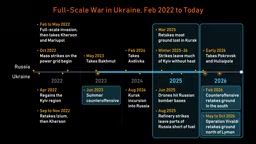
Military Analyst Breaks Down the Russia-Ukraine Strategic Bombing Dilemma
A military analyst on the Lex Fridman podcast dissects the Russia-Ukraine battlefield: Ukraine's ground performance is its best since summer 2023, while Russia faces diminishing returns and turns to strategic bombing — a strategy with a poor historical record of achieving political goals.
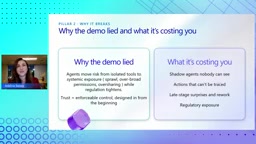
Microsoft's Six-Pillar Framework for Productionizing AI Agents
A detailed look at Microsoft's framework for productionizing AI agents: six pillars—Center of Excellence, governance, landing zone, security, AgentOps, and optimization—with real enterprise cases and actionable steps.
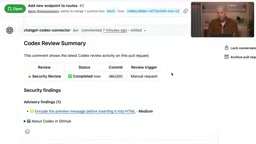
Codex Security: A Configuration Guide to Automatically Blocking Vulnerabilities at the PR Stage
OpenAI engineers demonstrate Codex Security PR Reviews: automatically scan for vulnerabilities at the GitHub PR stage, have AI generate fix commits and re-verify, with repository-level automatic review and alert threshold configuration.