Tripo CLI Tutorial: Generate 3D Models in the Terminal with AI Agents

Tripo CLI lets developers and AI agents generate and export 3D assets via commands, integrating into existing development workflows.
Tripo CLI is a command-line tool for developers and AI agents that turns 3D asset generation, texturing, and format conversion into scriptable commands. Users must claim API credentials on the official page first; installation offers an AI-agent-recommended method and manual instructions. The tutorial covers text-to-low-poly generation, image-to-3D, texturing existing models, and preparing for animation, with a focus on agent integration where developers describe goals and the agent decomposes and invokes the CLI. Results can be imported into Blender and Unity for further work. The tool suits rapid prototyping, batch asset processing, and agent automation, but not fine manual sculpting. Note that API credentials are tied to subscription plans, and official documentation should be the reference.
Moving 3D modeling into the terminal sounds like geek romance, but Tripo CLI is turning it into part of everyday development. This command-line tool lets developers and AI agents generate and export 3D assets from a single text prompt, a reference image, or an existing model—eliminating the hassle of switching between multiple applications. Based on a complete YouTube tutorial demonstration, this article breaks down the key steps from installation to workflow integration.
What Is Tripo CLI: A 3D Generation Entry Point Designed for Agents
According to the video's creator, Tripo CLI is a command-line tool built for developers and AI agents. Its core capability is not to replace Blender or Unity, but to turn 3D asset generation, texturing, and exporting into scriptable, automatable commands.
In the traditional workflow, generating a character model requires opening dedicated 3D software and manually handling export and format conversion. Tripo CLI compresses this entire sequence into a single command in the terminal, and it can connect directly to AI coding environments like Cursor, Claude Code, and Codex. This means 3D generation is no longer a standalone step but a node embedded in existing development workflows.
AI Agent refers to intelligent programs capable of perceiving their environment, autonomously invoking tools, and executing multi-step tasks—such as coding assistants like Cursor, Claude Code, and Codex. Unlike the traditional "user enters command—program returns result" model, an agent can understand goals described in natural language, break down steps on its own, and select and invoke external tools (such as Tripo CLI) to complete compound operations. Therefore, tools designed for agents typically emphasize command composability, structured parameters, and parseable output rather than human-friendly interactive interfaces. Tripo CLI encapsulates 3D generation as commands precisely so that agents can chain together generation, texturing, exporting, and other steps without human intervention.
Installation and API Configuration: Claim Credentials First, Then Install the CLI
The first step in the tutorial is to open the official Tripo page and create API credentials. The demonstrator in the video emphasizes that you need to click "claim API credentials" on the page to complete the claim before installing the CLI. If you don't have the appropriate membership, the page will show a prompt, and you'll need to check the campaign details in the video description to learn about available subscription plans.
The installation process offers two paths: the recommended AI agent installation method and manual installation instructions. To simplify setup, the demonstrator chooses to operate in an API coding environment, copying and pasting the installation command into Codex for execution. Once installation is complete, commands can be called directly from the terminal.
The video description also mentions that extra credits can be obtained through an exclusive link, that the first month of Pro or Max plans comes with a discount and free credits, and that subsequent top-ups also receive additional benefits. This is promotional information, and readers should evaluate it as needed.
Text-to-3D: Running the Minimal Closed Loop with One Command
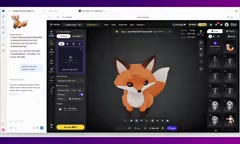
After installation, the demonstrator directly enters a command in the terminal asking Tripo CLI to generate a "low poly folks" model. The CLI processes the request and completes generation, and the exported file can be opened directly to inspect the result.
The value of this example lies in demonstrating the minimal viable loop: a descriptive prompt goes in, and an inspectable 3D file comes out—all without leaving the terminal environment developers are familiar with. For developers who need to quickly produce placeholder assets or proofs of concept, this approach has significantly lower iteration costs than a full modeling workflow.
low poly is a style and technique in 3D modeling that refers to building models with fewer polygons, resulting in blockier, more angular forms. Its advantages include small file sizes and low rendering overhead, making it suitable for placeholder assets or stylized art in games, mobile apps, and real-time applications. The tutorial chooses "low poly folks" as the first example partly because such models generate quickly and have simple structures, making it easy to rapidly validate the complete pipeline from prompt to file; and partly because it shows that Tripo CLI offers fairly direct support for stylized, lightweight assets. For developers who need to populate scenes in bulk, low-poly assets are often the first choice during the prototyping phase.
Image-to-3D and Model Post-Processing
Beyond text prompts, Tripo CLI also supports concept images as input. In the tutorial, the demonstrator provides an image containing front and back references as a starting point and has the CLI generate a 3D asset from it. The video's creator notes that this approach is particularly suited to scenarios where visual designs already exist, allowing 2D designs to be converted directly into 3D assets.
The CLI can also process existing models: applying textures, preparing for animation, and converting file formats. These operations are likewise executed as commands, making them easy to batch and integrate into pipelines. Generated results can also be viewed within the Tripo platform.
Agent Integration: From Writing Commands to Describing Intent
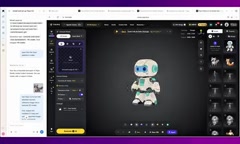
The demonstrator considers agent integration the most interesting feature in the tutorial. He gives the coding agent a compound instruction: generate a 3D character, apply textures, and prepare it for the project. The agent invokes Tripo CLI to accomplish these operations.
This mode raises the level of interaction from "writing the right command" to "clearly describing the goal." Developers don't need to memorize every parameter and step—they simply state the desired result, and the agent breaks it down and invokes the CLI to execute it. For developers unfamiliar with the 3D toolchain, this significantly lowers the barrier to entry.
Integrating with Real Projects: Exporting to Blender and Unity
Generated models ultimately need to enter real projects. The tutorial demonstrates importing models into Blender for further processing, as well as entering the development environment through exporters. Using game development as an example, the video's creator notes that developers can bring generated models into Blender or Unity to continue working, rather than treating 3D generation as an isolated step.
The significance of this connection is that 3D asset generation can remain linked to existing development workflows, reducing the friction caused by format conversion and manual transfer. For teams that need large volumes of assets, the scriptable nature of the command line also leaves room for batch processing.
Blender is an open-source, free 3D creation suite covering the full pipeline of modeling, sculpting, rigging, animation, and rendering; Unity is a mainstream real-time 3D engine widely used in games, interactive applications, and industrial simulation. The two play different roles in the asset pipeline: Blender focuses on content creation and refinement, while Unity focuses on runtime integration and interaction logic. Importing models generated by Tripo CLI into these two environments means the generated results can enter a standard "creation—integration" pipeline—first adjusting topology, materials, or rigging in Blender, then importing into Unity to configure animation and interaction. Understanding this pipeline helps clarify the CLI's position in the overall workflow: it is responsible for rapidly producing draft assets, not for replacing subsequent professional processing.
Who It's For, and What to Keep in Mind
Tripo CLI has a clear positioning: it's aimed at developers, AI agent users, and anyone willing to organize their workflow through the command line. It's not suitable for modelers pursuing fine manual sculpting, but it offers clear advantages in rapid prototyping, asset batch processing, and agent automation scenarios.
From the tutorial, the learning path is gentle—start with a simple prompt, then gradually build more complex workflows. One thing to keep in mind is that API credentials are tied to subscription plans, so you should confirm your account status and credit rules before use. Additionally, some commands demonstrated in the tutorial contain errors in the automatic transcript; actual operations should follow the official installation page and documentation.
Overall, Tripo CLI represents a trend: 3D content generation is moving from standalone software toward programmable infrastructure, with the terminal and agents becoming the new entry points.
One-line Summary
Tripo CLI lets developers and AI agents generate and export 3D assets via commands, integrating into existing development workflows.
Paragraph Summary
Tripo CLI is a command-line tool for developers and AI agents that encapsulates 3D asset generation, texturing, and format conversion as scriptable commands. Before use, you need to claim API credentials on the official page; installation offers both the recommended AI agent method and manual instructions. The tutorial demonstrates generating low-poly characters from text prompts, creating 3D assets from concept images, applying textures to existing models, and preparing for animation, with a focus on agent integration: developers simply describe the goal, and the agent breaks it down and invokes the CLI to complete compound tasks. Generated results can be imported into Blender, Unity, and other environments for further processing, reducing the friction of format conversion and manual transfer. The tool is suited for rapid prototyping, asset batch processing, and agent automation scenarios, but not for modelers pursuing fine manual sculpting. When using it, note that API credentials are tied to subscription plans, and refer to official documentation for accuracy.
Related articles
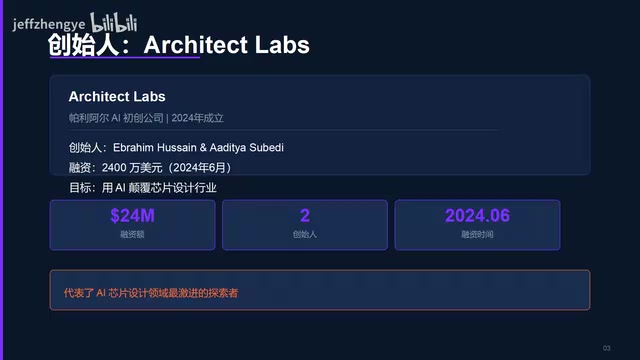
AI Independently Designs CPU Architecture 'Frostbite': 4.59x Energy Efficiency Boost
AI independently designed the complete CPU architecture Frostbite, achieving 4.59x better energy efficiency and 8.77x better performance per unit area. This article analyzes Architect Labs' technical path, five-step design flow, foreign media commentary, and current limitations, exploring the potential impact of AI chip design on Intel, AMD, and the RISC-V ecosystem.
Meta's Your Algorithm: Reshaping Recommendation Ranking with Natural Language
Meta reveals technical details of Facebook's "Your Algorithm": users describe interests in natural language, and the system uses LLM validation, 4-channel retrieval, layered filtering, and a fine-tuned LLM re-ranker to turn preferences into Feed and Reels ranking signals.

Huawei Found Liable for Trade Secret Theft: A New Legal Flashpoint in US-China Tech Rivalry
A jury found Huawei liable for stealing US trade secrets involving T-Mobile and Cisco source code. This analysis examines the legal, business, and geopolitical implications and compliance lessons for Chinese tech firms.