vLLM GPU Memory Pre-allocation: A Practical Analysis of the gpu-memory-utilization Parameter
vLLM pre-allocates GPU memory, making gpu-memory-utilization a reservation that must be adjusted with context length.
Based on a YouTube walkthrough, the article analyzes the fundamental difference in GPU memory management between vLLM and llama.cpp: llama.cpp requests on demand, while vLLM pre-allocates GPU memory once according to `--gpu-memory-utilization` before serving—so the parameter is a "reservation," not an "upper limit." The budget must cover model weights and KV cache, whose size is tied to context length. Practical principles: don't set the ratio too low or the model won't run; don't max it out blindly and waste resources; when memory is tight, lower the ratio and shorten `--max-model-len` (set to 8192 in the demo) as a pair. The core conclusion: match parameters to actual hardware capacity rather than copying fixed values.
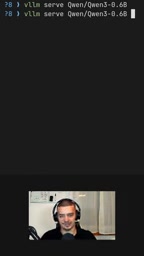
When deploying large models locally, the difference in GPU memory management strategies between vLLM and llama.cpp is often the first pitfall newcomers encounter. A hands-on walkthrough from YouTube points directly to the key issue: vLLM pre-allocates GPU memory before loading the model, whereas llama.cpp requests it on demand. This design difference directly determines why the --gpu-memory-utilization parameter must be taken seriously.
Pre-allocation Mechanism: The Fundamental Divergence Between vLLM and llama.cpp
According to the explanation in the YouTube video, llama.cpp adopts an on-demand allocation strategy—it requests only as much GPU memory as it uses. vLLM does the opposite: before it actually starts serving the model, it carves out the planned GPU memory space all at once. This means --gpu-memory-utilization is not an "upper limit" but a "reservation"—whatever you give, vLLM will take.
The video's author specifically emphasizes: "it's going to take whatever you specify here." This statement is the key to understanding the parameter. Many people mistakenly believe it is a flexible threshold, when in reality it is more like a GPU memory budget locked in one go. Only by understanding this can you avoid the confusion of "the model clearly isn't that big, yet GPU memory is fully consumed."
The Relationship Between PagedAttention and GPU Memory Pre-allocation
The reason vLLM adopts a pre-allocation strategy is closely tied to PagedAttention, its core inference acceleration technology. PagedAttention borrows the paging concept from operating system virtual memory, dividing the KV cache into fixed-size blocks and managing the physical locations of these blocks through a block table. This design eliminates the need for KV cache to occupy contiguous large chunks of GPU memory, thereby greatly reducing memory fragmentation. At the same time, however, vLLM's scheduler needs to know the total available GPU memory at startup in order to plan block allocation for subsequent requests. Therefore, carving out GPU memory all at once according to --gpu-memory-utilization before serving is effectively providing a definite budget boundary for PagedAttention's block management—if GPU memory is insufficient at startup, dynamically requesting more later would introduce uncontrollable latency and failure risks.
What This Parameter Is Actually Accounting For
--gpu-memory-utilization requires a ratio value, representing the share of GPU memory that vLLM is allowed to use. This budget does not only serve the model weights themselves; the video explicitly mentions that it must also cover the space required for the KV cache, and the size of the KV cache is directly tied to context length.
In other words, this ratio pays for "model + context cache" as a whole. The author mentions using a device with a large amount of shared memory (described in the video as a device with 128 GB of shared memory). Such devices have very large GPU memory pools, but if you're running a small model, setting the ratio too high is pure waste and will also squeeze the living space of other processes.
Why the KV Cache Is Tied to Context Length
KV cache (Key-Value cache) is a space-for-time optimization in autoregressive generation: when generating each token, the model needs the Key and Value vectors of all previous tokens. Without caching, these would have to be recomputed repeatedly, with computation growing quadratically with sequence length. Once cached, the KV vectors corresponding to each token must reside permanently in GPU memory, with a size roughly equal to 2 × number of layers × number of attention heads × head dimension × sequence length × data type size in bytes. For a 7B-class model, a single 8192-token sequence may occupy several GB of GPU memory. This is precisely why the article emphasizes that the ratio must cover "model + KV cache," and it is also the technical basis for why shortening the context can directly free up GPU memory space.
How to Set the Ratio: There Are Costs to Giving Too Much or Too Little
The principle the author gives is simple: you can't give too little, or the model won't run; nor can you blindly max it out, because unnecessary occupation wastes resources for nothing. His reference in the video is that in small-memory scenarios, a ratio of around half is acceptable; on more powerful devices, you can lower it to a smaller ratio to leave room for the system or other tasks.
The logic behind this recommendation is that the GPU memory budget must match the hardware specifications. The same set of parameters moved to different machines can produce vastly different results. The author was able to get it running on his device not because of some universal value, but because of a ratio derived by working backward from the actual GPU memory capacity.
A Companion Measure: Trading Context Length for GPU Memory Space
When the GPU memory budget is lowered, the available space for the KV cache tightens accordingly, and at this point the most direct adjustment lever is context length. In the video, to fit the model within the set GPU memory ratio, the author shortened the context window and set it to 8192 via the --max-model-len parameter (also a power of 2).
This step is crucial: lowering the GPU memory usage ratio and shortening the context length often need to be done as a pair. Adjusting only the ratio without adjusting the context may result in the model loading successfully but failing on long-sequence inference; adjusting only the context without adjusting the ratio leaves the GPU memory reservation still too high. Only by combining the two in his demonstration was the author able to complete deployment on his device.
--max-model-len and Power-of-2 Lengths
--max-model-len specifies the maximum sequence length vLLM is allowed to process (including both input and output tokens), and it also determines the upper limit of KV cache allocation. Inference frameworks typically require or recommend that this value be a power of 2 (such as 4096, 8192, 16384), because attention computation and block management are easier to align at power-of-2 lengths, reducing GPU memory waste and boundary-handling overhead. When setting it, note that the value should not exceed the maximum context length the model itself was trained to support, or position encoding may fail; at the same time, bigger is not always better—a long context beyond actual business needs will unnecessarily consume the KV cache budget and conflict with the goal of lowering the GPU memory ratio.
Practical Recommendations
Several reusable lessons can be drawn from this walkthrough. First confirm the actual GPU memory capacity of the hardware, then decide the ratio—don't copy someone else's numbers. Estimate the budget by treating model weights and KV cache as a whole. If GPU memory is tight, prioritize shortening --max-model-len rather than pushing the ratio down to the point where the model can't run. The author also reminds us at the end that the goal of parameter settings is "sufficient without waste," not chasing some fixed percentage.
For developers new to vLLM, understanding the premise of pre-allocation is more important than memorizing specific numbers—because hardware changes, and the only constant is the rule: "whatever you give, it takes."
One-line Summary
vLLM pre-allocates GPU memory, making gpu-memory-utilization a reservation that must be adjusted together with context length.
Paragraph Summary
Based on a hands-on YouTube walkthrough, the article analyzes the fundamental difference in GPU memory management between vLLM and llama.cpp: llama.cpp requests on demand, while vLLM pre-allocates GPU memory all at once according to --gpu-memory-utilization before serving the model—so this parameter is a "reservation," not an "upper limit." This budget must cover both model weights and the KV cache, and KV cache size is directly related to context length. The author accordingly offers practical principles: the ratio shouldn't be so low that the model won't run, nor should it be blindly maxed out and cause waste; when GPU memory is tight, lower the ratio and shorten --max-model-len as a pair (set to 8192 in the demo). The core conclusion is that parameters should match the hardware's actual capacity rather than copying fixed values.
Related articles
 Tech Frontiers
MuJoCo: An Analysis of DeepMind's Open-Source General-Purpose Physics Simulator
An in-depth analysis of Google DeepMind's open-source physics simulator MuJoCo: high-performance C++ kernel, MJCF modeling format, contact solving principles, MJX GPU acceleration, and robot reinforcement learning use cases.
 Tech Frontiers
Claude API Quick Start: The Official Quickstarts Project Collection
Anthropic's official claude-quickstarts project collection helps developers quickly build deployable apps with the Claude API. Nearly 20k stars, Python-based, great for beginners and prototyping.
 Tech Frontiers
AI Agents Connecting Directly to APIs: Which Calls Can Be Safely Allowed?
AI agents can call any API, but the real challenge is deciding which calls can be safely allowed. This article analyzes allowance decisions from three dimensions—intent matching, least privilege, and controllable impact—and argues that the control layer should sit outside the agent, combined with audit traceability to build a trustworthy API call governance mechanism.