Windows 11 Preview Enhances Xbox Mode: New Quick Actions and Search Upgrades

Windows 11 preview adds quick system controls and search filtering to Xbox mode, reducing game interruptions.
Microsoft pushed a new Windows 11 Insider build focused on improving Xbox game mode. New quick actions let players control Bluetooth, WiFi, and power settings directly in game mode without exiting the game or switching to the desktop, shortening operation paths and reducing immersion breaks. Search is also upgraded with filtering by files, actions, or web results, helping players find local game files, system settings, or web guides more precisely. The article notes these understated improvements precisely address players' need to reduce interruptions and reflect Microsoft's strategy of integrating Windows and Xbox ecosystems to make Windows a more gamer-friendly platform.
Microsoft recently pushed a new Insider build to Windows 11 Insiders, focusing on improving the interactive experience within Xbox mode. According to RSS feed reports, this update adds quick actions and more powerful search to Xbox mode, allowing players to complete multiple system settings without exiting game mode.
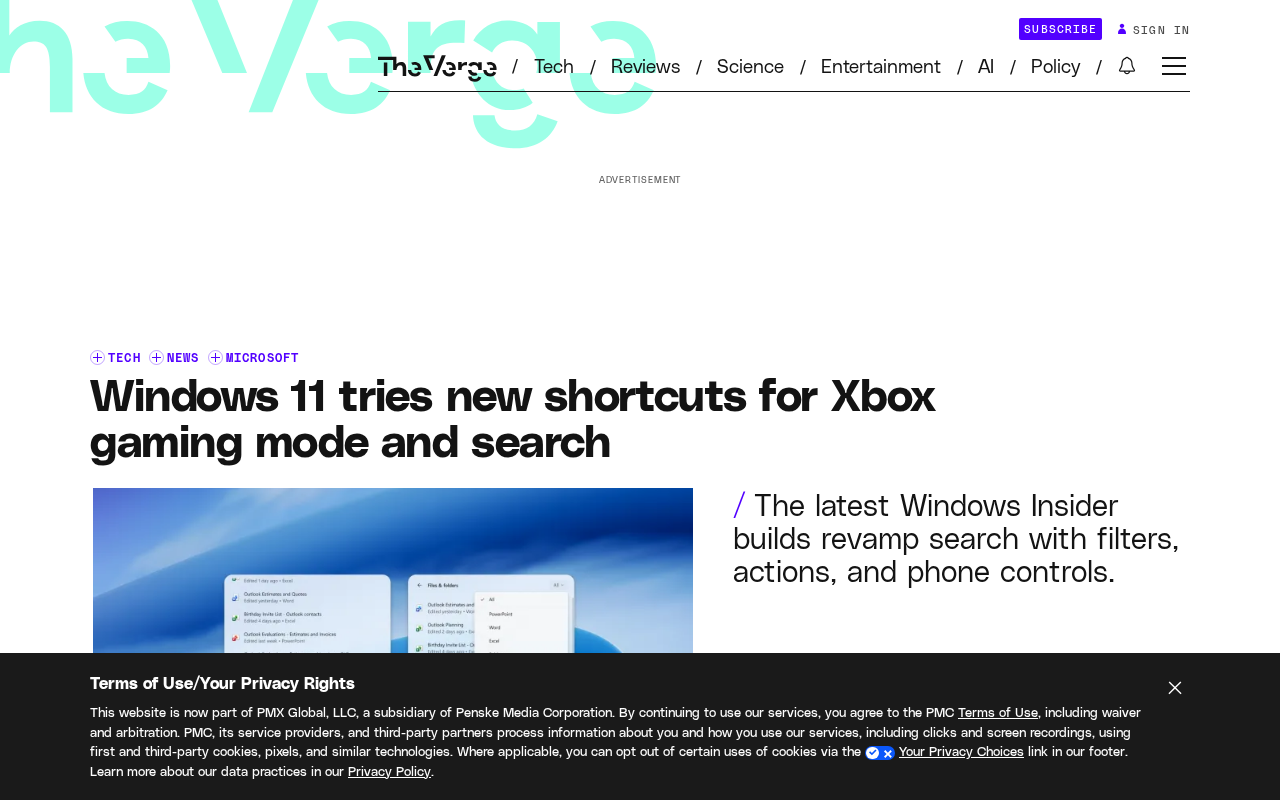
Xbox Mode Quick Actions: Direct Control of Bluetooth, WiFi, and Power In-Game
In Xbox game mode, players typically want to stay immersed in their games and minimize switching to the desktop. The shortcuts introduced in the new version allow users to directly control Bluetooth, WiFi, and power settings without exiting game mode. This means players can quickly switch networks, connect peripherals, or adjust power plans during gameplay, significantly shortening the operation path.
This improvement may seem minor, but it directly addresses a pain point in gaming scenarios. Previously, adjusting these settings required minimizing the game or switching to the desktop, which not only broke immersion but could also cause performance fluctuations. By integrating common system controls into Xbox mode, Microsoft demonstrates attention to the actual usage habits of gamers.
Windows Insider Program is a public system testing channel opened by Microsoft, where users can voluntarily register and choose different channels such as Dev, Beta, and Release Preview to get early access to Windows builds not yet officially released. These builds may include new features and may also have stability or compatibility issues; Microsoft uses them to collect feedback and polish the final stable version. Therefore, the Xbox mode quick actions and search filtering mentioned in this article are still in testing, and feature details and availability may change before official rollout. Regular users will need to wait for the stable version update to get them by default.
Search Upgrades: Filter by Files, Actions, and Web Results
The search improvements are equally noteworthy. The new version allows users to filter search results, viewing files, actions, or web results separately. According to the original report, this search improvement is "quite comprehensive."
For gamers, quickly finding local game files, system actions, or web guides is a common need. The filtering feature makes search results more precise, reducing the time spent sifting through a large number of irrelevant entries. Although it is currently unclear whether this search feature is fully optimized for Xbox mode, it is reasonable to infer that it is also available in gaming scenarios, further improving in-game operational efficiency.
"Actions" results in Windows Search refer to commands or settings entry points that the system can directly execute, such as "open Bluetooth settings," "adjust power mode," or "uninstall a program," rather than just returning files or web links. Filtering search results by files, actions, and web is essentially letting users explicitly tell the system what type of answer they want, avoiding the need to identify each item in mixed results. In gaming scenarios, players can quickly locate local game saves or configuration files, jump directly to relevant system toggles, or view web guides separately, reducing time wasted on irrelevant entries.
The Strategy Behind the Preview Update: Strengthening the Gaming Ecosystem
Microsoft has been driving the integration of Windows and the Xbox ecosystem. From Xbox mode to Game Pass integration, and now to quick actions and search enhancements, Windows 11 is gradually becoming a more gamer-friendly platform. Although this update only involves the preview build, it sends a clear signal: Microsoft wants to reduce system interruptions during gameplay and make Windows feel closer to a game console experience.
For regular users, these improvements may not be very noticeable; but for players who frequently use Xbox mode, quick actions and search filtering can significantly improve convenience. As preview testing progresses, these features are expected to reach more users in the stable version.
Xbox mode is a full-screen gaming interface provided by Windows 11 for handheld and controller-first devices, similar to Steam Deck's Big Picture mode or a game console's home screen. It integrates the game library, Game Pass content, store, and system settings into a layout suitable for controller navigation, reducing reliance on the traditional desktop. This mode was initially introduced with Windows 11's handheld experience optimization, aiming to provide a more console-like operation logic on portable devices. Understanding this makes it clear why directly controlling Bluetooth, WiFi, and power within Xbox mode has practical value: players on these devices often do not have a keyboard and mouse, and frequently returning to the desktop is both inconvenient and immersion-breaking.
Conclusion
The latest Windows 11 preview brings practical quick actions and more detailed search filtering to Xbox mode, further optimizing system interaction in gaming scenarios. Although these improvements are understated, they precisely address players' needs to reduce interruptions and improve efficiency, and they also demonstrate Microsoft's direction of continuously refining the Windows gaming experience.
One-line Summary
Windows 11 preview adds quick system controls and search filtering to Xbox mode, reducing game interruptions.
Paragraph Summary
Microsoft pushed a new build to Windows 11 Insiders, focusing on improving Xbox game mode interaction. New quick actions allow players to directly control Bluetooth, WiFi, and power settings in game mode without exiting the game or switching to the desktop, shortening operation paths and reducing immersion breaks. Search is also upgraded with filtering by files, actions, or web results, helping players more precisely find local game files, system settings, or web guides. The article argues that these understated improvements precisely address players' need to reduce interruptions and reflect Microsoft's strategic direction of continuing to integrate the Windows and Xbox ecosystems and make Windows a more gamer-friendly platform.
Related articles

AI Tools Quietly Altering Settings: Postman Silently Installs Plugin, Codex Sharing Option Auto-Resets
AI Daily reports: Postman silently installs a Mac plugin and self-approves startup hooks, logged as auto-existing upgrade; Hacker News developers say Codex data-sharing opt-out flips back. Plus Simon Willison's raw float weight experiment with QEN 3.8-27B.

AI Learns to Rewrite AI: MIT's "Weightspace Programming" Redraws the Path to Recursive Self-Improvement
MIT team proposes weightspace programming: GPT-6 Astra reads and edits AI model weights directly. Math scores jump several-fold, hand-written networks beat trained models. Eight experiments analyzed, plus Anthropic's same-day warning and the real boundaries of recursive self-improvement.

Running Qwen 3.8 on a Laptop to Read Raw Weights: 46 Minutes Per Answer
Simon Willison reproduced weight space programming with Qwen 3.8 27B on a laptop: a 17GB model file, 46 minutes per answer, 43,506 reasoning tokens, Pong over an hour, Freeway failed. Suited for interpretability researchers.