WorkBuddy for Beginners: Turning AI from a Chat Tool into an Office Employee

WorkBuddy is a desktop AI agent that executes real office tasks — no coding required.
This article introduces WorkBuddy, a desktop AI agent designed for everyday professionals. Unlike web-based chat AI that only outputs suggestions, WorkBuddy directly operates local files and integrates with Chinese office tools like Feishu and DingTalk. Compared to Codex, it requires no programming knowledge, is free to start with daily credits, and handles common tasks like batch file renaming, Excel summaries, and automated reports — helping users evolve from AI questioners into AI managers.
You've Learned So Many AI Prompts — Has Your Salary Gone Up?
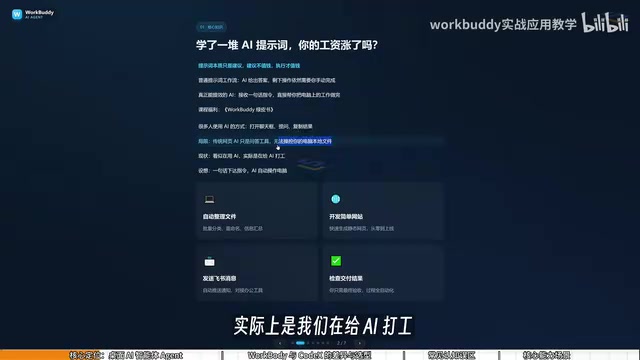
That's a question that stings. Many people have been using AI for years, accumulating stacks of prompt templates, yet they're still stuck in the loop of "open a chat box, ask a question, copy the result." The problem with this approach is that prompts are essentially just suggestions — and suggestions aren't worth much. Execution is what counts.
At the end of the day, web-based AI is nothing more than a Q&A tool. It has no permission to manipulate local files or control your computer. It looks like you're using AI, but in reality you're doing the work for AI: it provides the method, and you're still the one clicking the mouse and pressing the keys. What WorkBuddyAd sets out to solve is exactly that gap — turning "suggestions" into "execution."
What Is WorkBuddy: A Desktop AI Agent, Not a Chat Box
WorkBuddy is a desktop AI Agent, not just a conversation window. Most large language models are limited to generating text, images, or audio/video — none of them can truly touch files on your local machine.
WorkBuddy's core difference: you simply give it a task in plain language, just as you would when talking to a real person, and it automatically handles the entire workflow — research, execution, and delivery. Its value isn't in telling you how to do something; it actually does it on your local computer, completing real office tasks.
In one sentence: WorkBuddy is your AI employee, and your computer is your company. Your role shifts from "AI questioner" to "AI manager."
AI Agent is one of the defining concepts in recent AI development. What fundamentally separates it from traditional large language models is its closed-loop "perceive → decide → execute" capability. Conventional chat AI (like the web version of ChatGPT) is essentially a text prediction system that can only output content within a chat window and cannot trigger external actions on its own. In Agent mode, the AI is granted permission to call tools — which can include file system APIs, browser control interfaces, third-party software automation interfaces, and more. When a user assigns a task, the Agent independently plans the steps, sequentially calls the necessary tools, observes the result of each step, and adjusts its next action accordingly — until the task is complete. This model transforms AI from a "consultant" into an "executor," and it's the technical foundation that allows WorkBuddy to directly operate local files and office software.
WorkBuddy vs. Codex: Which Should You Choose?
Many people hear about Codex — the more powerful option — before they ever come across WorkBuddy. So why bother learning WorkBuddy at all? Here's a vivid analogy: if Codex is a trained special forces soldier, then WorkBuddy is a "college-student special forces soldier."
A special forces soldier is powerful, but requires a commanding officer to lay out a detailed battle plan — you need to specify the exact file, the exact directory, the parameters to use during execution. That demands substantial technical skill and experience. WorkBuddy, the "obedient college student," can't handle extremely complex missions, but for simple tasks like "send this file to someone" or "organize these documents," it handles them just fine.
Three Key Differences
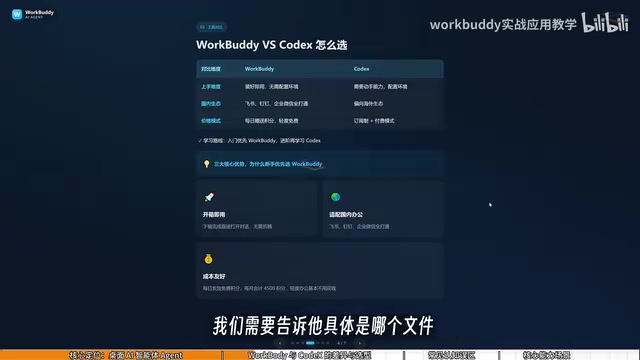
Learning curve: WorkBuddy is ready to use right after installation — no environment setup, no command-line knowledge required. Codex demands stronger hands-on ability and a programming foundation.
Ecosystem compatibility: WorkBuddy is deeply integrated with Chinese workplace tools like Feishu, DingTalk, WeCom, and Tencent Docs. Codex leans toward international ecosystems and has limited support for domestic office software.
Usage cost: WorkBuddy gives you free credits daily, with occasional promotional events offering thousands of bonus credits. If you check in every day for a month, you can accumulate roughly 3,000 credits. Codex runs on a subscription model — you're paying real money even during the learning phase.
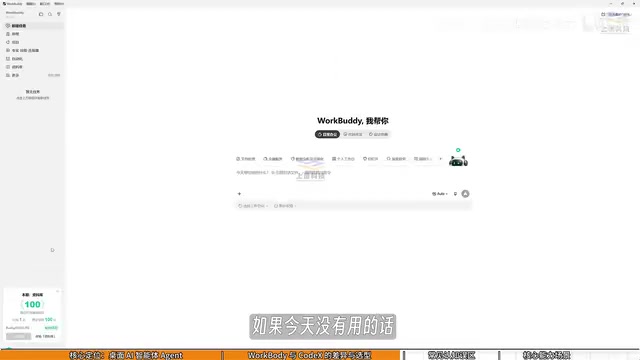
After logging into WorkBuddy, it's worth clicking your avatar in the bottom-left corner every day to visit the "Buddy Refuel Station" and claim your daily check-in credits. Credits carry over — whatever you don't use today is still there tomorrow.
Codex is a code generation and execution model from OpenAI. Its core capability is understanding natural language requirements and then generating and running the corresponding code. This means that interacting with Codex is essentially "programming by delegation" — you need to describe technical details clearly (such as file paths, data structures, and execution environments) and be able to review whether the generated code is safe and correct. For users comfortable with the command line and programming, Codex can handle highly complex and customized automation tasks. But for everyday professionals without a programming background, that barrier significantly increases both the learning curve and the risk of costly mistakes. WorkBuddy's design philosophy is closer to "natural language as instruction" — it encapsulates technical details internally, so users only need to describe their business need rather than specify how to implement it technically.
Three Common Misconceptions Beginners Have
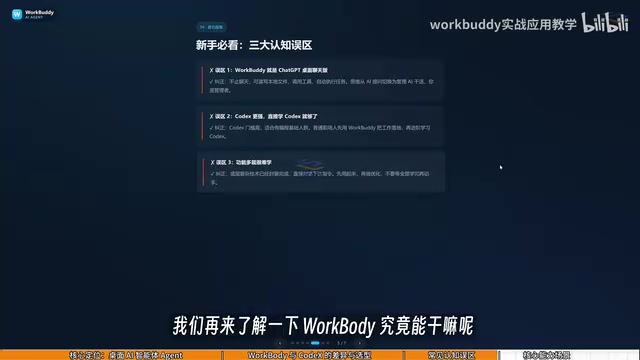
Misconception #1: WorkBuddy is just a desktop chat panel wrapping GPT. Not quite. It's not limited to chatting. In addition to giving advice like GPT, it can read local files, call tools, and automatically execute tasks. The mental model needs to shift from "asking AI questions" to "managing AI to get work done."
Misconception #2: Codex is more powerful, so I should just learn Codex. Codex has a steeper learning curve and is better suited for people with a programming background. For most office workers, WorkBuddy is more than enough to get real work done — and for the vast majority of workplace scenarios, it covers everything you need. If you eventually find it lacking, then level up to Codex. That learning path minimizes cost and wasted effort.
Misconception #3: It has so many features, it must be hard to learn. WorkBuddy's interface is actually very similar to tools like Doubao or ChatGPT. The learning focus isn't memorizing UI features — it's shifting how you think. Move from "asking questions" to "giving commands and letting it operate the computer."
What Can WorkBuddy Actually Do?
File management is the most immediate use case: bulk sorting, batch renaming, and consolidating information from multiple documents. Here's a real pain point: when recording tutorials, files get named 01, 02, 03 in sequence — but if one lesson is too short and needs to be merged with the previous one, the numbering breaks (e.g., it becomes 1, 3, 4). Renaming them one by one is incredibly tedious. Hand that job to WorkBuddy and it handles the renaming automatically.
Beyond that, it can process documents and data (weekly reports, Excel spreadsheets), build simple websites, integrate with Feishu and DingTalk, and generate periodic work summaries. These aren't just theoretical use cases — give it a reasonable instruction, and WorkBuddy will execute it directly.
Evolving from AI Questioner to AI Manager
The core of this approach isn't about learning a new piece of software — it's about completing a mental shift: understanding the fundamental difference between ordinary AI chat and a desktop AI Agent, grasping WorkBuddy's role as an "AI employee," and clarifying how it differs from Codex in terms of applicable scenarios and cost.
For professionals who want to hand off repetitive work to AI but don't have a programming background, WorkBuddy offers a lower-barrier path to real results. True productivity gains come from letting AI do the executing, while you focus on reviewing the final deliverable.
Related articles

Medicare Spends $50,000 Treating a Heart Attack but Won't Spend $100 Preventing One: The Mismatch in Healthcare
Medicare pays ~$50,000 to treat a heart attack but won't spend $100 to prevent one. This article unpacks the MedPage Today opinion piece and Hacker News debate on why healthcare payment favors treatment over prevention and the deep causes of incentive misalignment.

Nvidia May Cosign Loan for Nscale's West Virginia AI Data Center
Nvidia is considering cosigning a loan for Nscale's West Virginia AI data center. This article analyzes the signal significance of chip vendors entering data center financing, the risk-sharing logic, and project uncertainties.
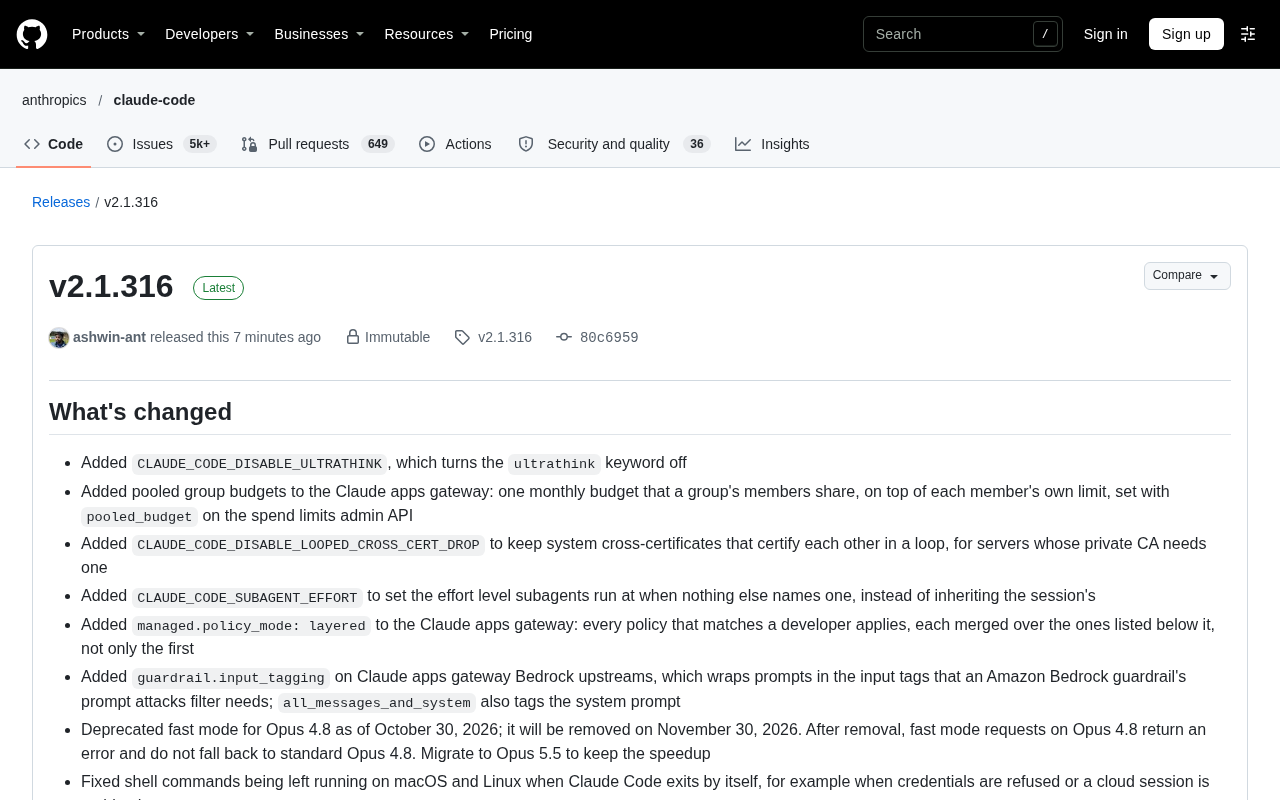
Claude Code v2.1.316 Update Analysis: Enterprise Gateway and Multiple Stability Fixes
Claude Code v2.1.316 released: new enterprise gateway pooled group budgets, layered policy mode, subagent effort control, dozens of Shell, network, and session recovery fixes, and Opus 4.8 fast mode deprecated.