WorkBuddy Hands-On: How Tencent's Strategic AI Workbench Lets Your Computer Do the Work
WorkBuddy is an AI workbench that directly operates your computer, demonstrating the shift from advisor to executor.
WorkBuddy is positioned as a platform-layer agent workbench. Unlike advisor-type AI such as Doubao, it can directly operate the user's computer to complete tasks. The tutorial uses a PDF conversion experiment to demonstrate its ability to search for files, install scaffolding, try different approaches, and deliver results, highlighting its advantages of requiring no special network, being free, and integrating with domestic office software. The course spans three stages with 28 knowledge points for beginners. However, the demo scenarios are fairly basic, complex automation capabilities remain unverified, and the "third strategic product" claim lacks an official source; users should reproduce the simple experiment first before deciding whether to integrate it into their workflow.
After years of using AI tools, most people still treat them as "advisors"—ask them how to do something, then do it yourself. WorkBuddy tries to change that relationship: you give an instruction, and it operates your computer directly. According to a Bilibili creator's demo in the "WorkBuddy Nanny-Level Usage Tutorial," this tool—positioned by Pony Ma as "the third strategic product after QQ and WeChat"—is turning "AI does the work for me" from a wish into an actionable reality.
What WorkBuddy Is: Not a Chat Box, but a Workbench
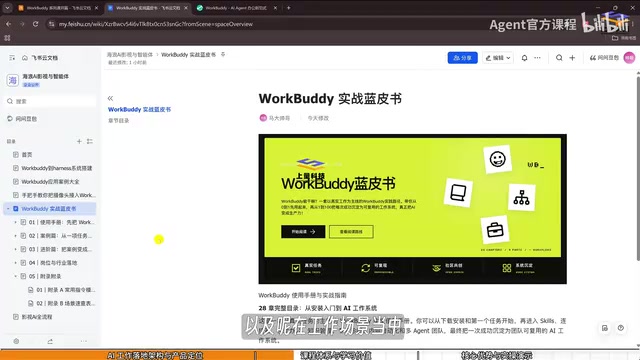
WorkBuddy's interface layout and interaction logic are essentially identical to Codex, and it can be understood as a China-adapted version of Codex. Its differentiation lies in three points: no special network environment required, low hardware requirements, and free to use. More critically, it integrates with mainstream domestic office software, connecting with Tencent Docs, Tencent Meeting, Feishu, and other tools, so users don't need to switch back and forth between multiple applications.
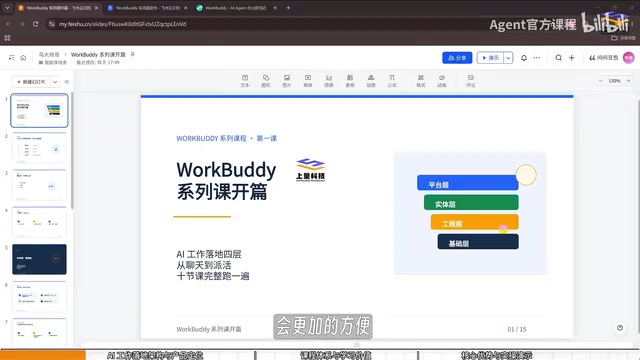
The creator breaks down the structure of AI deployment in work scenarios into four layers: at the bottom is the large language model (LLM), responsible for language understanding, reasoning, and generation; above that is the engineering layer, providing context, memory, tool calling, permission evaluation, loop orchestration, and other capabilities; above that is the entity layer—individual agents that can independently complete tasks; and at the very top is the platform-layer product, which is where WorkBuddy sits.
Positioning at the platform layer means WorkBuddy is not a single agent but a workbench where agents run, collaborate, and interact—the creator likens it to "a new operating system for everyday office scenarios." For over a decade, people have used WeChat, Tencent Docs, and Tencent Meeting to handle work tasks; WorkBuddy's entry point is to consolidate these scattered manual operations into a single instruction entry point.
The relationship between LLMs and the engineering layer: An LLM is a neural network pretrained on massive text corpora, skilled at understanding and generating natural language, but it inherently lacks memory, tool calling, or execution capabilities. The engineering layer injects context, external tools, and permission controls into the LLM through techniques such as prompt orchestration, function calling, and retrieval-augmented generation (RAG), upgrading it from a "chat model" to a "task execution engine." The platform layer where WorkBuddy sits goes further, organizing multiple agents into collaborative workflows—users simply issue instructions, and the platform handles scheduling the underlying capabilities.
Agent: A software entity capable of perceiving its environment, making autonomous decisions, and executing actions to accomplish specific goals. Unlike single-turn Q&A chatbots, agents typically possess planning, memory, tool use, and reflection capabilities, and can decompose complex tasks and execute them step by step. As a platform-layer product, WorkBuddy is not limited to a single agent but provides an environment for agents to run, collaborate, and interact—similar to how an operating system manages multiple applications.
How It Differs from Doubao: From "Telling You How" to "Doing It for You"
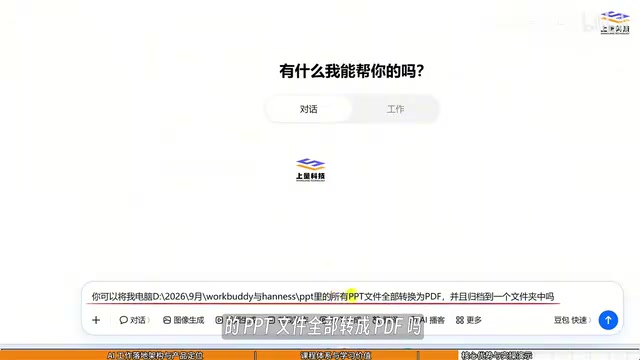
This is the most compelling part of the entire tutorial. The creator conducted a controlled experiment: giving Doubao the instruction "convert all PPT files on the computer to PDF," Doubao could only reply with the steps—it couldn't execute them directly.
The same instruction given to WorkBuddy: it first searches for files locally, finds the PPTX files, automatically installs the appropriate scaffolding, tries processing with Office and then WPS in turn, switches methods on failure, and ultimately generates nine PDF files. The creator also demonstrated WorkBuddy's delivery experience of automatically opening the generated files for preview.
This comparison reveals the fundamental difference in tool positioning: products like Doubao are assistants and advisors, while WorkBuddy tries to be the "hands." The creator's assessment is that tools capable of operating a computer to do work aren't limited to WorkBuddy—Codex and Claude also qualify—but the latter have usage barriers for domestic users, and WorkBuddy's combination of "no special configuration + free + adapted to domestic software" constitutes its real competitiveness.
The creator also mentions some unconventional uses, such as importing chat logs into WorkBuddy for sentiment analysis, or connecting home cameras for household management. The practical value of these scenarios is debatable, but they point in the same direction: WorkBuddy's integration allows it to reach a variety of operational targets, both online and offline.
Scaffolding: In the AI and automation field, scaffolding refers to auxiliary tools, libraries, or runtime environments temporarily installed or invoked to accomplish a specific task. For example, when converting PPT files, WorkBuddy automatically installs the dependency libraries needed to handle Office files, giving it the ability to operate local files. The scaffolding mechanism allows agents to expand on demand rather than having all functionality built in beforehand, reducing the platform's own size and complexity.
Course Structure: A Three-Stage Path Across 28 Knowledge Points
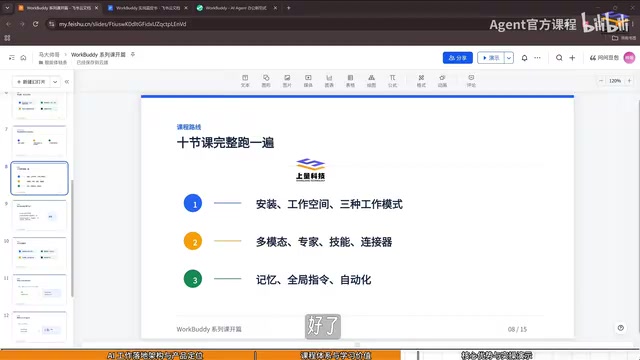
The tutorial is divided into an introductory section, an advanced case studies section, and an industry section, totaling 28 knowledge points, aimed at users with zero programming background. The content covers three areas: installation and workspace, and understanding of work modes; use of multimodal expert skill connectors; and automation content, including global instructions, memory, and automated workflows.
The creator emphasizes that the course covers different roles such as finance, product managers, programmers, and teachers, with the idea of helping users gradually hand off their repetitive work to AI. He estimates that about 60% of work is repetitive labor—this ratio is a personal judgment without stated methodology, but the direction aligns with observations from most office automation practices.
The tutorial's accompanying materials include a practical blue book, twelve common SKILLs, and case study materials; the creator's distribution method is "like, coin, and favorite, then reply in the comments."
A Rational View: Unknowns Beyond the Demo
One caveat: this content is essentially a course introduction, with only one core demo—a PDF conversion case—and that's a relatively simple local file batch processing task. More complex scenarios—scheduled tasks, conditional branching, multi-machine collaboration—the creator says will be continuously updated in subsequent courses and the resource library, but there is currently no public verification.
Additionally, the claim that "Pony Ma positioned it as the third strategic product" comes from the creator's paraphrase, and the original source material provides no citation; readers should treat it as course promotional language rather than a confirmed official statement. The specific boundaries of "free to use" (whether there are call limits or feature cuts) are also not addressed in the tutorial.
For users who want to verify whether WorkBuddy is worth investing time in, the most pragmatic approach is to reproduce that PDF conversion experiment: give WorkBuddy an instruction that requires operating local files, and see whether it can complete the full chain of search, trial-and-error, and delivery. If it works, then consider integrating it into your workflow.
One-line Summary
WorkBuddy is an AI workbench that directly operates your computer, demonstrating the shift from advisor to executor.
Paragraph Summary
WorkBuddy is positioned as a platform-layer agent workbench. Unlike advisor-type AI such as Doubao, it can directly operate the user's computer to complete tasks. The tutorial uses a PDF conversion experiment to demonstrate its ability to search for files, install scaffolding, try different approaches, and deliver results, and emphasizes its advantages of requiring no special network, being free, and integrating with domestic office software. The course spans three stages with 28 knowledge points, aimed at users with no prior experience. However, the demo scenarios are fairly basic, complex automation capabilities remain unverified, and the "third strategic product" claim lacks an official source; users are advised to reproduce the simple experiment first before deciding whether to integrate it into their workflow.
Related articles
DeepSeek SuperAgent Architecture Explained: A New Multi-Task Concurrent Agent Paradigm
DeepSeek Harness proposes SuperAgent architecture: a Router+Worker two-layer team model solving context confusion, loop blocking, and local sleep in multi-task Agents.
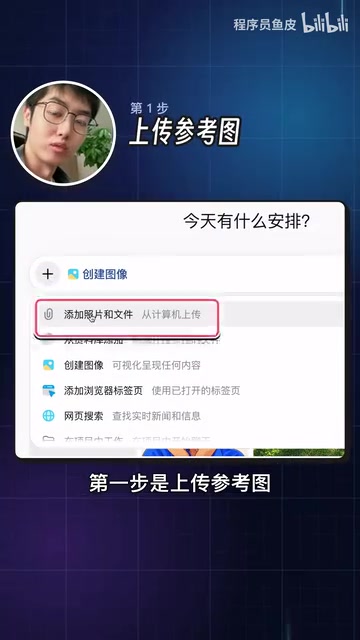
AI Now Generates GIFs Directly: The Era of Unlimited Custom Stickers Has Arrived
AI can now generate GIFs directly. Learn how to use GPT's Images 2.6 to create sticker GIFs with reference images and story prompts, plus sprite sheet frame-level editing, real-person performances, and chat log generation.
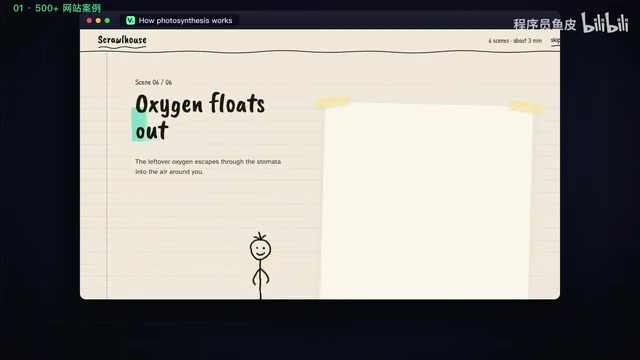
Burned Through 1.3 Billion Tokens and Tens of Thousands of Yuan to Build 500 Websites with AI
Bilibili creator Yu Pi built Vibefather, an AI website template library with 270+ templates and 500+ live sites, consuming over 1.3 billion tokens. Each template includes full prompts and design docs, open-sourced and integrable via Claude Code, Cursor, and more.