XR Accessibility Design in Practice: Alchemy Labs' Rules for Inclusive Spatial Experiences

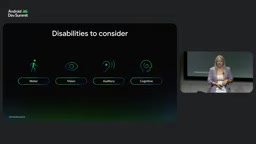
XR accessibility must be built in from day one, covering four disability types and benefiting all users.
Based on Alchemy Labs UX research lead Jasmine Cano's decade-plus XR experience, this article explains accessibility design strategies for spatial computing. About 1.3 billion people with disabilities may be excluded without accessibility, so 'XR for everyone' must be a core mission from the start. It covers solutions for motor, visual, hearing, and cognitive disabilities, plus reusable UX features like small-body mode, dynamic floor, snap turning, one-handed mode, environmental read-aloud, and beam stabilization. Cano urges diverse testing and starting with one small step.
The Accessibility Imperative in the Era of Spatial Computing
When the interaction interface extends from a mouse and keyboard to the entire physical space, XR brings developers unprecedented freedom of expression—and also plants the seeds of excluding users. Jasmine Cano, Head of UX Research at Alchemy Labs, has observed over more than a decade of XR experience that many projects do not consider accessibility at the outset. This is not out of malice but out of a lack of awareness. The direct consequence: approximately 1.3 billion people with disabilities worldwide—about one in nine of the global population—may encounter avoidable barriers when they try your app.
Cano stresses that "XR for everyone" must be established as a core mission from the very first brainstorming conversation and carried through the entire process of QA testing, user research, and external review. Alchemy Labs is known for VR titles such as Job Simulator and Dimensional Double Shift, and its accessibility practices have been regarded by multiple game studios as an industry benchmark.
Design Strategies for Four Categories of Disability
Motor and Physical Disabilities
When designing, first ask yourself: can users comfortably complete the experience while seated? They may be in a wheelchair, at the edge of a bed, or in a narrow space such as an airplane. Avoid forcing users to turn around, and strictly avoid flicker patterns and color combinations that may trigger photosensitive epilepsy. Cano notes that there are already many mature guidelines online for avoiding problematic frame rates and patterns.
Photosensitive epilepsy is a seizure triggered by flickering light at certain frequencies, high-contrast patterns, or rapid color changes. The risk is especially high in VR because the screen is close to the eyes and occupies the entire field of view. Common trigger thresholds include flicker at 3 to 30 times per second, high-saturation alternating red and blue, and regular striped patterns. Mature mitigation approaches already exist in the industry: stabilizing frame rates above 60fps can reduce the perception of strobing, avoiding large-area high-frequency flicker, and using tools to detect dangerous patterns in the image. Guidelines such as the Photosensitive Seizure and Pattern Safety Guidelines published by organizations including Microsoft and the W3C provide specific parameters, and developers should add photosensitivity testing to the QA phase.
Visual Disabilities
Spatial audio is a key tool—even if users cannot see the screen, they can perceive landmarks or the positions of others through the direction of sound. For low-vision or legally blind users, user testing shows that bright saturated colors, glow effects, and outlines are easier to recognize, making high-contrast design essential.
Spatial audio uses technologies such as HRTF (head-related transfer function) to give sound direction and distance in three-dimensional space, allowing users wearing headphones to determine the direction of a sound source. In XR accessibility design, spatial audio is not only an immersion tool but also an alternative channel for visual information: developers can bind continuous or triggered sound effects to key landmarks, interactive objects, and teammate positions, and simulate distance through volume attenuation and low-pass filtering. For low-vision users, spatial audio can support navigation and warning functions, but care must be taken to avoid audio overload and to ensure that important prompts have both visual and auditory redundancy.
Hearing Disabilities
Directional subtitles can not only present dialogue content but also indicate the speaker's name and direction. Any audio cue should have a visual counterpart to ensure that deaf and hard-of-hearing users do not miss key information.
Cognitive Disabilities
Predictable interaction mechanisms can significantly reduce cognitive fatigue. Cano cites the KISS principle—"Keep it simple, silly"—reminding developers that they do not need to reinvent the wheel. Users may return to an app after several months, and a complex memory burden directly leads to churn.
From Features to Habits: Reusable UX Implementations
Small-Body Mode and Dynamic Floor
Alchemy Labs' early "small human mode" allowed users to adjust the scale of the environment so that objects were within reach. In Dimensional Double Shift, this feature evolved into an adjustable slider, and data analysis showed that user preferences vary greatly—there is no single "best scale." The dynamic floor ensures that players of different heights maintain eye-level alignment during cooperation, avoiding neck strain.
Dynamic floor is a mechanism that adjusts the height of the virtual ground in real time according to the player's actual height or seated height. In multiplayer cooperative XR, if players of different heights share the same virtual ground, shorter players must look up and taller players must look down, causing neck and shoulder fatigue over time. The dynamic floor calculates a floor offset independently for each player so that everyone's line of sight remains roughly level in the virtual space, while ensuring that the height of interactive objects within hand reach is adapted to each individual's body size. This mechanism also serves seated users and child players, and is a typical example of "design for one, benefit many."
Multiple Entry Points for Snap Turning
Snap turning allows users who are bedridden or have difficulty turning around to change orientation without moving their bodies. The team provides three trigger methods: a wrist bubble button, a micro-gesture (fist with thumb extended combined with a swipe), and a controller joystick.
Normalizing One-Handed Mode
Starting with a later patch for Vacation Simulator, one-handed mode has shifted from an optional toggle to a default built-in capability. This design also benefits one-handed users who are holding a baby or relaxing after work—a typical example of "design for one, benefit many."
Fine-Tuning at the Cognitive and Perceptual Level
Self-Paced and Non-Punitive Design
Dimensional Double Shift removes timer pressure, letting players progress at their own pace and earn rewards even if they are slower. Diegetic UI replaces flat menus with familiar three-dimensional objects such as drawers, knobs, and cassettes, reducing the learning curve.
Environmental Read-Aloud and Mechanical Descriptions
In Cosmonious High, the team built a visual accessibility feature similar to an "environmental screen reader": controller haptic feedback indicates nearby objects, and users can trigger read-aloud to get names and teleport point information. The feature has received more than 5 million requests in total, strongly demonstrating that the need is real. For tools that have no real-world counterpart, the team also added mechanical descriptions explaining how they operate and what they produce.
Environmental screen reader borrows the concept of screen readers from traditional flat interfaces but redesigns it for three-dimensional space. It needs to solve two core problems: how to let users perceive the existence of surrounding objects, and how to obtain semantic information about objects. Common implementations include controller haptic feedback (vibration intensifies when approaching an object), ray-pointing read-aloud, and spatial-audio-based directional cues. In Cosmonious High, after users trigger read-aloud, they can hear object names, function descriptions, and teleport point information, while controller haptics provide distance and direction cues. The feature has received more than 5 million requests, indicating that visually impaired users urgently need spatial semantic information.
Beam Stabilization and Boss Health Bar Redesign
In Hypervisor, early testing required players to maintain a specific gesture for a long time, causing muscle fatigue. The team ultimately removed the virtual held object, switched to aiming directly with the hand, and enlarged the beam hit detection area. For users with hand tremors, a stabilization filter was added to the beam; the boss health bar was moved from the traditional screen corner to the side of the boss, reducing fatigue from eye movement and head turning.
Testing, Resources, and Industry Responsibility
Cano repeatedly emphasizes that accessibility testing must cover diverse groups—age, identity, body size, and cultural background all need to be included. Cornell University's NSF undergraduate research program has used Alchemy Labs' game accessibility practices as a teaching case, showing that these principles also apply to non-game XR scenarios such as education and healthcare.
For small teams with limited resources, Cano's advice is pragmatic and gentle: you do not have to implement everything at once; starting with one item is enough. For example, adopt colorblind-safe color schemes, avoid distinguishing information by color alone, and add shape differences to icons. She recommends the XR Accessibility Project's guidelines and user testing organization directory, as well as talks on game accessibility at GA Conf.
"Nothing about us without us"—involving people with disabilities in the team and the design process is an indispensable part of this path. Cano's closing message is concise and powerful: build inclusiveness in at the prototype stage, involve diverse users in meaningful testing, and start by doing one small thing today. After all, each of us may need that elevator at some point in our lives.
One-line Summary
XR accessibility must be built in from day one, covering four categories of disability and benefiting all users.
Paragraph Summary
Based on more than a decade of XR experience from Jasmine Cano, Head of UX Research at Alchemy Labs, this article systematically explains accessibility design strategies in the era of spatial computing. Approximately 1.3 billion people with disabilities worldwide may be excluded from apps due to a lack of accessibility, so "XR for everyone" must be established as a core mission from the brainstorming stage. The article provides concrete solutions for four types of disabilities—motor and physical, visual, hearing, and cognitive—and introduces reusable UX implementations such as small-body mode, dynamic floor, snap turning, one-handed mode, environmental read-aloud, and beam stabilization. These designs follow the principle of "design for one, benefit many" and also serve ordinary users who are temporarily injured or in specific situations. Cano emphasizes that accessibility testing must cover diverse groups, small teams can start with one feature, and people with disabilities should be involved in the design process.
Related articles

AI Comic Drama with WorkBuddy from Scratch: A Step-by-Step Skill Pack Installation Guide
Learn how to create AI comic dramas with WorkBuddy from scratch. This guide covers installation, Skill pack import and invocation, plus a script generation demo with manual revision tips to get you through the first step from script to storyboard.

WorkBuddy Agent Runs the Entire GEO Database Mining Pipeline with a Single Prompt
WorkBuddy agent automates GEO database mining: from data search and curation to batch correction, differential analysis, co-expression networks, feature gene screening, and immune infiltration—a single prompt generates a complete bioinformatics report, greatly lowering the barrier to bioinformatics analysis.

PC Memory Wasted? Hacker News Debates Centralized Data Centers
Hacker News users argue that personal computer memory is wasted and should be centralized in data centers, sparking debate on centralized vs. distributed computing resource allocation. This article analyzes the logic behind the claim, the costs of centralization, and new tensions in memory resource allocation in the AI era.