Bolt.DIY + Claude 3.7 Sonnet: Building Full-Stack Apps with Zero Code
Bolt.DIY + Claude 3.7 Sonnet: Building…
Claude 3.7 Sonnet + Bolt.DIY builds a full-stack app in 13 minutes for just $3
This article explores combining Claude 3.7 Sonnet—the top programming model with 62.3% accuracy on SWE-Bench Verified thanks to its hybrid reasoning capabilities—with the open-source full-stack development tool Bolt.DIY. Through local deployment and a single detailed prompt, a complete AI course platform with user authentication, video player, code editor, and progress tracking was built in approximately 13 minutes at a cost of only $3.
Introduction: When the Most Powerful Coding Model Meets an Open-Source Full-Stack Tool
Claude 3.7 Sonnet, released by Anthropic, is redefining the boundaries of AI programming. As the first hybrid reasoning model, it can deliver near-instant responses while also performing deep, step-by-step reasoning. On SWE-Bench Verified—a benchmark that evaluates real-world software engineering problems—Claude 3.7 Sonnet set a new record with 62.3% accuracy (reaching 70.3% with custom scaffolding), surpassing both GPT-4o and O3 Mini across the board.
What is SWE-Bench Verified? This is a standardized benchmark developed by a Princeton University research team, specifically designed to evaluate AI models' ability to solve real-world software engineering problems. Unlike traditional code completion tests, SWE-Bench extracts tasks from real GitHub Issues and Pull Requests, requiring models to locate bugs, understand requirements, and generate patch code that passes unit tests—all within the context of a complete code repository. This means the model needs not only to write code but also to possess engineering-level problem diagnosis and multi-file coordinated modification capabilities—this is what fundamentally distinguishes it from "toy-level" code generation tests.
What happens when such a programming powerhouse is combined with the open-source full-stack development tool Bolt.DIY? This article walks you through the entire process, from local deployment to actually building a full-stack application.
Why Claude 3.7 Sonnet Is the Top Choice for Programming
Multi-Dimensional Leading Capabilities
Claude 3.7 Sonnet excels across multiple domains including programming, frontend development, instruction following, general reasoning, multimodal capabilities, and math/science. What's particularly noteworthy is its "hybrid reasoning" feature—you can choose to have it respond quickly, or enable extended thinking mode for deeper step-by-step reasoning, which is especially critical when handling complex programming tasks.
The Technical Principle Behind Hybrid Reasoning: Traditional large language models use a fixed computational depth when generating each token, whereas hybrid reasoning models can dynamically adjust the length of the reasoning chain. In extended thinking mode, the model internally generates a "thought draft" (similar to OpenAI o1's Chain-of-Thought), decomposing, verifying, and backtracking on the problem before outputting the final answer. This mechanism is particularly effective for programming tasks requiring multi-step logical deduction, such as designing database schemas, debugging complex asynchronous logic, or planning multi-module architectures. Simply put, it can "answer instantly" for simple problems and "think slowly" for complex engineering problems—this adaptive capability is the core reason it leads by a wide margin on programming benchmarks.
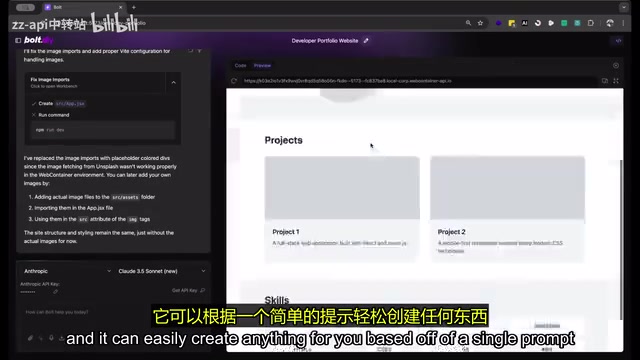
In real-world testing, users have already used a single prompt to build a fully functional AI resume generator (connected to a database), real-time weather card components, and someone even created a simplified Minecraft clone. These cases fully demonstrate the model's remarkable code generation capabilities.
One Small Trade-off
It's worth noting that Claude 3.7 Sonnet's context window is smaller than Claude 3.5's, but pricing remains unchanged. Given the massive improvement in programming tasks, this trade-off is perfectly acceptable for development scenarios.
Bolt.DIY vs. Bolt.new: Which Should You Choose?
Bolt is an AI-powered full-stack web application development platform that supports creating, running, editing, and deploying complete web applications through natural language prompts. There are currently two versions available:
Bolt.DIY (Open-Source Version):
- Requires local deployment, but offers more powerful features
- Use your own API Key, with flexibility to choose Claude 3.7 Sonnet or any other LLM
- Has more advanced features not available in Bolt.new
- Suitable for users with some technical background and adequate local hardware
Bolt.new (Online Version):
- No local deployment needed, works out of the box
- Provides 1 million free tokens per month
- Suitable for quick experimentation and lightweight projects
- Free quota may not be sufficient for large projects
Complete Local Deployment Tutorial for Bolt.DIY
Environment Preparation
Before getting started, make sure your local environment meets the following prerequisites:
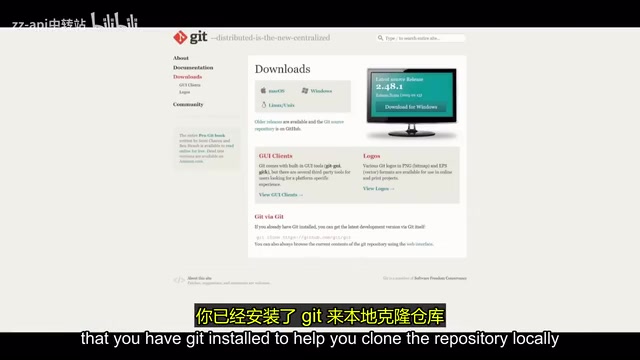
- Git: For cloning the code repository
- Node.js: JavaScript runtime environment
- pnpm: Package manager for installing project dependencies
Why pnpm instead of npm? pnpm (Performant npm) uses a "content-addressable storage" mechanism that stores all dependency packages in a single location on disk, with different projects sharing the same package versions through hard links. This brings two significant advantages: dramatically reduced disk space usage (especially noticeable in multi-project development environments) and faster installation speeds (cached packages don't need to be re-downloaded). Bolt.DIY's choice of pnpm as the default package manager reflects its emphasis on developer experience and local resource efficiency.
Installation Steps
- Clone the repository: Go to the Bolt.DIY GitHub repository page, click the green "Code" button, and copy the repository link. Open your command-line terminal and run:
git clone <repository-link>
- Enter the project directory:
cd bolt.diy
- Install dependencies:
pnpm install
- Start the development server:
pnpm run dev
After starting, the terminal will display a local address (usually localhost:xxxx). Open it in your browser to access the Bolt.DIY interface. Startup time depends on your computer's configuration and typically takes a few minutes.
Once successfully started, you'll need to configure your API Key. It's recommended to use OpenRouter as your API gateway—this is a unified AI model API gateway that allows developers to access hundreds of models from Anthropic, OpenAI, Google, Meta, and other providers through a single interface. Its core value lies in: simplified key management (no need to apply for separate keys for each provider), a unified billing and usage monitoring dashboard, and seamless switching between models for performance and cost comparisons. For tools like Bolt.DIY that need flexible access to multiple models, OpenRouter is the ideal middleware for reducing integration complexity.
Hands-On Demo: From a Simple Blog to an AI Course Platform
Warm-up: Creating a Blog Website with One Sentence
After configuring your API Key, let's start with a simple test. Type "Create a simple blog using the Astro framework" in the prompt box, and Bolt.DIY immediately gets to work—automatically creating the project structure and generating code files, with the entire process identical to Bolt.new.
What is the Astro framework? Astro is a modern frontend framework designed with a "content-first" philosophy. Its core feature is "Islands Architecture"—pages are rendered as pure static HTML by default, with JavaScript injected only in localized areas that need interactivity. This gives Astro-built websites a natural advantage in first-paint loading speed and SEO performance. Astro also supports mixing components from multiple UI frameworks like React, Vue, and Svelte within the same project, greatly reducing technology migration costs. For content-oriented websites like blogs, documentation sites, and course platforms, Astro is currently one of the most recommended technology choices in the community, which is why it's frequently selected in AI code generation scenarios.
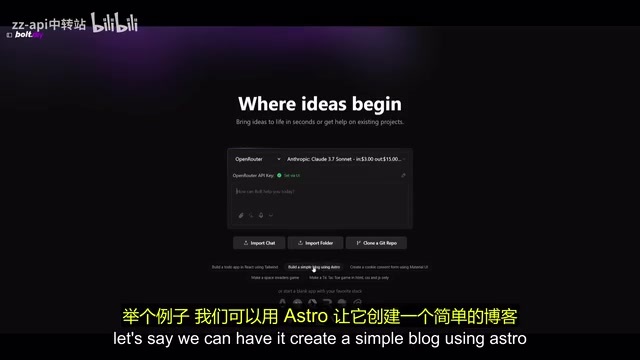
With just a single prompt, a complete blog website was built. But this is just the appetizer.
Advanced: Building an AI Course Learning Platform
Next, let's tackle a more complex project—a fully functional AI course website with the following requirements:
- Multiple AI course categories with embedded video players
- Built-in code editor
- User authentication system based on Supabase
- Learning progress tracking dashboard
Why Supabase? Supabase is an open-source Firebase alternative built on PostgreSQL, providing database, authentication, real-time subscriptions, file storage, and other one-stop backend services. Its authentication system includes email/password login, OAuth social login (GitHub, Google, etc.), magic links, and more, with fine-grained data access control through Row Level Security (RLS) policies. For AI-generated full-stack applications, Supabase's JavaScript SDK has comprehensive documentation and intuitive API design, making it currently one of the BaaS (Backend as a Service) platforms with the highest success rate when LLMs generate backend integration code—this is the fundamental reason why Bolt.DIY-generated projects frequently choose it.
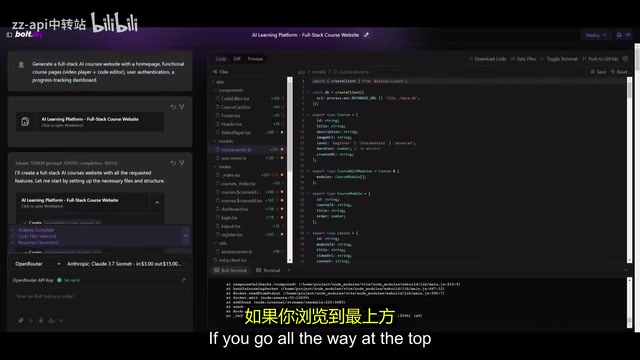
After organizing these requirements into a detailed prompt and sending it, Bolt.DIY began its work. Throughout the build process, you can see in real-time:
- Project folder structure creation progress
- Token consumption
- Real-time code generation status
The final result is stunning. After approximately 13 minutes, a fully functional AI course academy platform was born:
- Interactive Dashboard: Beautifully designed with clear information hierarchy
- User System: Supports registration and login
- Course Structure: Tiered display from beginner to advanced, with duration and category information
- Video Player + Code Editor: Course detail pages integrate both a video area and a code writing area
- Learning Tracking: Personal learning progress dashboard
Cost Analysis: Building a Full-Stack App for $3
Through OpenRouter's usage statistics, we can see that the total API call cost for the entire project was approximately $3. For a full-stack application that includes user authentication, database integration, and multi-page routing, this cost is virtually negligible.
Think about it from another angle: if a full-stack developer were to build the same project skeleton from scratch, even an experienced engineer would need at least several hours or even days. Bolt.DIY + Claude 3.7 Sonnet completed the foundational architecture in 13 minutes—this isn't just about saving money, it's a qualitative leap in development efficiency.
Practical Tips and Considerations
Model Selection: While Bolt.DIY can connect to various LLMs, it's strongly recommended to prioritize Claude 3.7 Sonnet for programming tasks. No other model currently matches its programming capabilities.
Project Export: After completing development, you can directly download the complete code or export it to a GitHub repository for subsequent version management and deployment.
Iterative Optimization: Bolt.DIY generates a high-quality foundational framework. You can iterate on it by adding follow-up prompts or manually modify the code for fine-tuning.
Dynamic Reasoning Feature: Bolt.new has already integrated Claude 3.7 Sonnet's dynamic reasoning feature. Enabling hybrid thinking mode delivers faster, smarter, and more efficient code generation results.
Conclusion
The combination of Claude 3.7 Sonnet and Bolt.DIY is turning "everyone can be a full-stack developer" from a slogan into reality. Whether you want to quickly validate a product idea or build a complete web application prototype, this toolchain can help you achieve it in minimal time and at minimal cost. The open-source Bolt.DIY gives you complete control—freely choose models, run locally, and use without limitations.
For developers, this isn't about replacing your programming skills—it's about giving you a powerful accelerator. Hand off repetitive scaffolding work to AI and invest more energy into refining business logic and user experience. That's the right way to use AI programming tools.
Key Takeaways
- Claude 3.7 Sonnet set a record with 62.3% accuracy on SWE-Bench Verified, making it currently the most powerful programming model
- Bolt.DIY is the open-source version of Bolt.new, supporting local deployment with the freedom to connect any LLM's API Key
- In the hands-on demo, a complete AI course platform with user authentication, video player, code editor, and progress tracking was built with just one prompt in approximately 13 minutes
- The total API call cost for the entire full-stack application was only about $3, dramatically lowering both the time and financial barriers to application development
- Local deployment requires only three prerequisite tools—Git, Node.js, and pnpm—with a straightforward installation process
Related articles
 Tutorials
Cursor + Codex Dual-IDE Collaboration: A Practical Methodology for Open-Source Project Customization
A complete methodology for open-source project customization based on real-world experience, detailing the Cursor+Codex dual-IDE workflow, seven-stage process, MVP validation, and AI source code reading techniques.
 Tutorials
Cursor Multi-Agent in Practice: Building a Full-Stack Next.js Blog in 50 Minutes
Build a full-stack blog in 50 minutes using Cursor IDE's multi-Agent mode with Next.js, Clerk auth, and Supabase. Learn the 4-phase AI Agent workflow and key integration pitfalls.
 Tutorials
Building an AI Software Factory from Scratch: A Cursor Engineer's Hands-On Experience with Multi-Agent Collaboration
Cursor engineer Eric shares practical insights on building an AI software factory: automation levels, guardrail design, parallel Agent management, and scaling to 1000+ Agents for 24/7 development.