Claude Code Can't Remember Your Progress? Build a Progress Skill to Fix It
Claude Code Can't Remember Your Progre…
Build a custom Claude Code Skill to save and restore development progress across sessions.
This guide walks you through creating a progress-tracking Skill for Claude Code that solves the problem of losing context between sessions. By setting up a skill.md file with metadata and instructions, you can save your development state with a simple phrase and restore it in any new conversation — no re-explaining needed. The article covers Skill folder structure, YAML Front Matter configuration, dynamic command execution, and how Skills complement CLAUDE.md for a complete AI-assisted development workflow.
Introduction: The Division of Labor Between Skills and CLAUDE.md
When developing projects with Claude Code, you've probably hit this pain point: every time you start a new conversation, the AI acts like it has amnesia — completely forgetting where you left off. While CLAUDE.md can provide project descriptions, it's static and can't track dynamic development progress.
This is exactly where Skills come in. In simple terms:
- CLAUDE.md handles "what the project is" — project specifications, tech stack, and other static information, automatically loaded when Claude Code starts
- Skills handle "how to do something" — specific task workflows and standards, triggered with a single phrase when needed
When these two work together, Claude Code transforms from an assistant you have to re-brief every time into a seasoned partner that truly understands your project.
It's worth noting that CLAUDE.md actually has a multi-layer loading mechanism. When Claude Code starts, it loads CLAUDE.md files from three locations in order of priority: ~/.claude/CLAUDE.md in your home directory (global config), CLAUDE.md in the project root (project-level config), and CLAUDE.md in the current working subdirectory (module-level config). These three layers stack on top of each other, with configs closer to the current working directory taking higher priority. This design borrows from Git's layered configuration approach (the system, global, and local levels of .gitconfig), allowing developers to manage AI behavior rules at different levels of granularity.
Creating the Skill Folder
Since "progress" is a universal Skill (not limited to any specific project), we'll create it in the .claude directory under your home folder.
Here's what to do:
- Navigate to the
.claudefolder in your home directory - Create a new folder named
skills(spelling must be exact) - Inside the
skillsfolder, create another folder namedprogress
Claude Code automatically scans all folders under .claude/skills/ at startup — each folder represents a Skill.
It's important to know that Skill folders can be stored in two locations, each corresponding to a different scope. Skills placed under ~/.claude/skills/ in your home directory are global Skills — they apply to all projects for that user and are ideal for storing universal workflows (like the progress management in this article). Skills placed under .claude/skills/ in the project root are project-level Skills — they only apply to the current project and are suitable for processes tied to a specific project (such as project-specific deployment workflows or code style checks). When both locations contain a Skill with the same name, the project-level Skill overrides the global one, consistent with the proximity-first principle used by most configuration systems.
Writing the skill.md File
Create a new Markdown file inside the "progress" folder. The filename must be skill.md (case-sensitive — every letter matters).
skill.md File Structure
The standard Skill format consists of two parts: metadata and instructions.
---
name: progress
description: Triggered when the user says "save progress," "record this," or any phrase indicating intent to save progress
---

## Previous Progress

`cat progress.md`

## Save Progress

Content to save includes: what was done, where things got stuck, next steps, and other relevant information.
Use the write tool to overwrite (or create) the progress.md file.

## Read Progress

Read and display the contents of progress.md.
Metadata Field Breakdown
The section between the two --- lines is the metadata (this format is known as YAML Front Matter in the technical documentation world — originally popularized by the static site generator Jekyll, it has since become the de facto standard for attaching metadata to Markdown files):
- name: The name of the Skill
- description: This is the most critical part. It tells the LLM when to trigger this Skill. When user input contains intent like "save progress" or "record this," Claude automatically matches and loads the corresponding Skill
The description field is crucial because it relies on the LLM's semantic understanding capabilities for intent matching. This isn't traditional exact keyword matching — it's semantic similarity computation based on the Transformer architecture. When a user types something like "record the current status" or "store the progress," even without using the exact phrase "save progress," the model can infer user intent through contextual semantics and trigger the corresponding Skill. Under the hood, this mechanism injects the Skill's description as part of the system prompt into the model's reasoning process, so every time user input is received, the model performs semantic comparison against all registered Skill descriptions.
Dynamic Execution in Instructions
Commands wrapped in backticks within the instructions (like `cat progress.md`) work similarly to environment variables: before being sent to the LLM, the system executes the command first and replaces it with the result. If progress.md exists, its contents are read and filled in.
More precisely, this uses a preprocessing mechanism, conceptually similar to command substitution in Shell scripts. Before the Skill is triggered and its content is sent to the LLM, the system executes these commands in the local environment and directly replaces the corresponding positions in the Markdown text with the standard output (stdout) results. This means the model receives not the command itself, but the command's execution result. This design allows Skills to dynamically retrieve file contents, environment variables, system status, and other real-time information, achieving a combination of static templates and dynamic data. Note that these commands execute in the context of the current project's working directory, so path references should be relative to the project root.
Verifying the Skill Works
After running Claude Code in your project root directory, you can verify it in the following ways:
- Check if the "progress" Skill appears after startup
- Enter the
/skillscommand to view all loaded Skills - Confirm the Skill status is "on" (enabled)
Hands-On Demo: Saving and Restoring Development Progress
Saving Progress
Suppose you're having Claude Code develop an analysis module that "categorizes and counts files by extension, including sizes," and you need to stop halfway through. Just say "save progress":
- Claude recognizes your intent and triggers the "progress" Skill
- It asks if you want to use this Skill
- After confirmation, Claude writes the current progress to a
progress.mdfile
On first use, since progress.md doesn't exist yet, the system creates it automatically.
Regarding the management of progress.md, there's a practical engineering decision worth considering: whether to include it in Git version control. For personal projects, adding progress.md to .gitignore is usually the better choice, since it records personal development state rather than project documentation. However, in team collaboration scenarios where multiple people share the same Claude Code workflow, progress files might need to be differentiated by developer (e.g., progress-alice.md), or isolated using a branching strategy. The Skill is designed to overwrite rather than append — each save captures the latest snapshot, preventing the file from growing indefinitely.
Restoring Progress
Close the current session, start a brand new conversation, and just type "progress":
- Claude automatically reads the previously saved progress file
- It clearly displays: what was done, where things got stuck, and what's next
- It even proactively asks whether you'd like to continue from where you left off
The key point: you don't need to explain a single extra word in the new session — the Skill handles all the context restoration for you.
CLAUDE.md vs. Skills Comparison
| Dimension | CLAUDE.md | Skill |
|---|---|---|
| Loading Method | Auto-loaded | Trigger-loaded |
| Content Managed | Project specs, tech stack | Specific task workflows |
| Information Type | Static | Dynamic |
| Scope | Project-level | Task-level |
| Storage Hierarchy | Global / Project / Subdirectory (3 levels) | Global / Project (2 levels) |
| Design Philosophy | Declarative (describes "what it is") | Procedural (describes "how to do it") |
When these two work together, Claude Code gains "project memory" — it knows both the big picture of the project and the progress from each conversation. That's what truly efficient AI-assisted development looks like. From a software engineering perspective, this design effectively implements a lightweight session state persistence solution, addressing the fundamental problem of LLMs being unable to maintain memory across sessions due to context window limitations.
Summary
The progress Skill implementation is remarkably simple, yet it solves a core pain point in using Claude Code. You can apply the same approach to create more universal Skills — code review workflows, deployment checklists, and more. The essence of Skills is standardizing your workflows so the AI operates by your rules.
Taking it a step further, the Skill mechanism represents a new paradigm for human-AI collaboration: developers no longer need to describe requirements in detail using natural language every time. Instead, they encapsulate repetitive workflows into reusable instruction templates. This aligns perfectly with the "Don't Repeat Yourself" (DRY principle) philosophy in software development. As you accumulate more Skills, Claude Code is effectively learning your work habits and preferences, ultimately forming a highly personalized AI-assisted development system.
Related articles
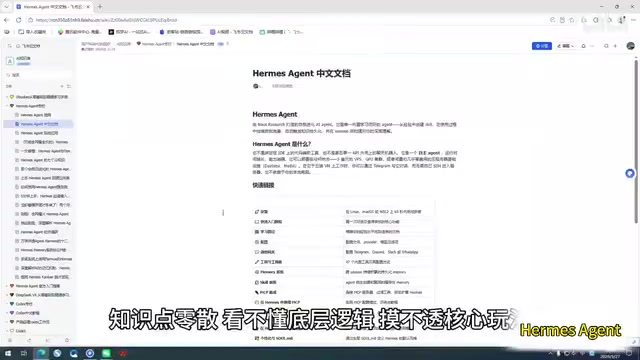
Claude Code Chinese Tutorial: A 100-Page Systematic Learning Guide on Feishu Docs
A detailed look at the Claude Code Chinese learning resource on Feishu Docs, covering AI agent learning, memory systems, and task decomposition with a systematic path from beginner to advanced.

Claude Code Enterprise E-commerce in Practice: A Methodology for Taking AI Programming from Demo to Industrial-Grade
A deep dive into engineering methodology for enterprise e-commerce development with Claude Code and Harness AI, covering architecture, code quality, and CI/CD practices.
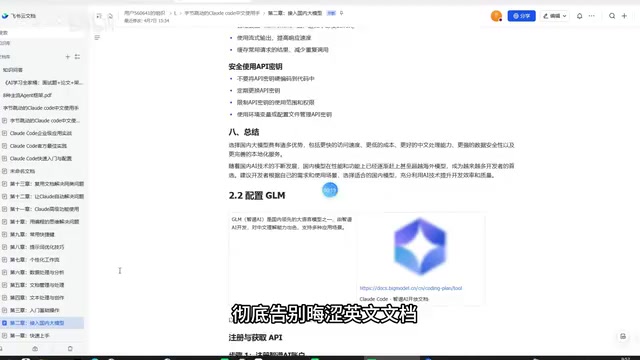
Claude Code Chinese Tutorial: A Complete Guide from Installation to Real-World Applications
A detailed Chinese practical guide for Claude Code covering installation, domestic model integration, code development, copywriting, data analysis, and more to help you master this AI programming tool.