Complete Guide to Building AI Agent Projects with WindSurf: Practical Tips & Techniques

Practical tips for building AI Agent projects with WindSurf across the full development lifecycle
Based on real-world experience building an AI Agent Framework with WindSurf, this article shares practical techniques spanning technology selection, code generation, refactoring, debugging, and deployment. The core insight is that AI programming tools are "capability amplifiers" not "capability replacements"—developers must possess foundational technical knowledge to effectively leverage AI tools, while maintaining constant supervision of AI output, making pragmatic technology choices, and combining multiple tools for optimal results.
Introduction: Choosing and Positioning AI Programming Tools
In today's era of flourishing AI programming IDEs, tools like Cursor, Claude Code, and WindSurf each have their own strengths. Cursor is an AI programming editor forked from VS Code, known for its Tab completion and multi-file editing capabilities; Claude Code is a command-line AI programming assistant from Anthropic that excels at handling complex cross-file refactoring tasks; WindSurf (formerly Codeium) positions itself as an AI Flow programming environment, emphasizing continuous understanding of developer intent and context awareness. These three represent the current three forms of AI programming tools: IDE-enhanced, CLI-interactive, and Flow-driven, each suited to different development scenarios and work habits.
This article is based on a developer's real-world experience building an AI Agent Framework with WindSurf, sharing tips and techniques covering the entire workflow from project conception, technology selection, and code generation to debugging and deployment.
It's important to emphasize that the tool itself isn't the key—what matters is how developers wield these tools. As the author states: "Having AI absolutely doesn't mean you stop learning programming. You still need to deeply understand the relevant knowledge."
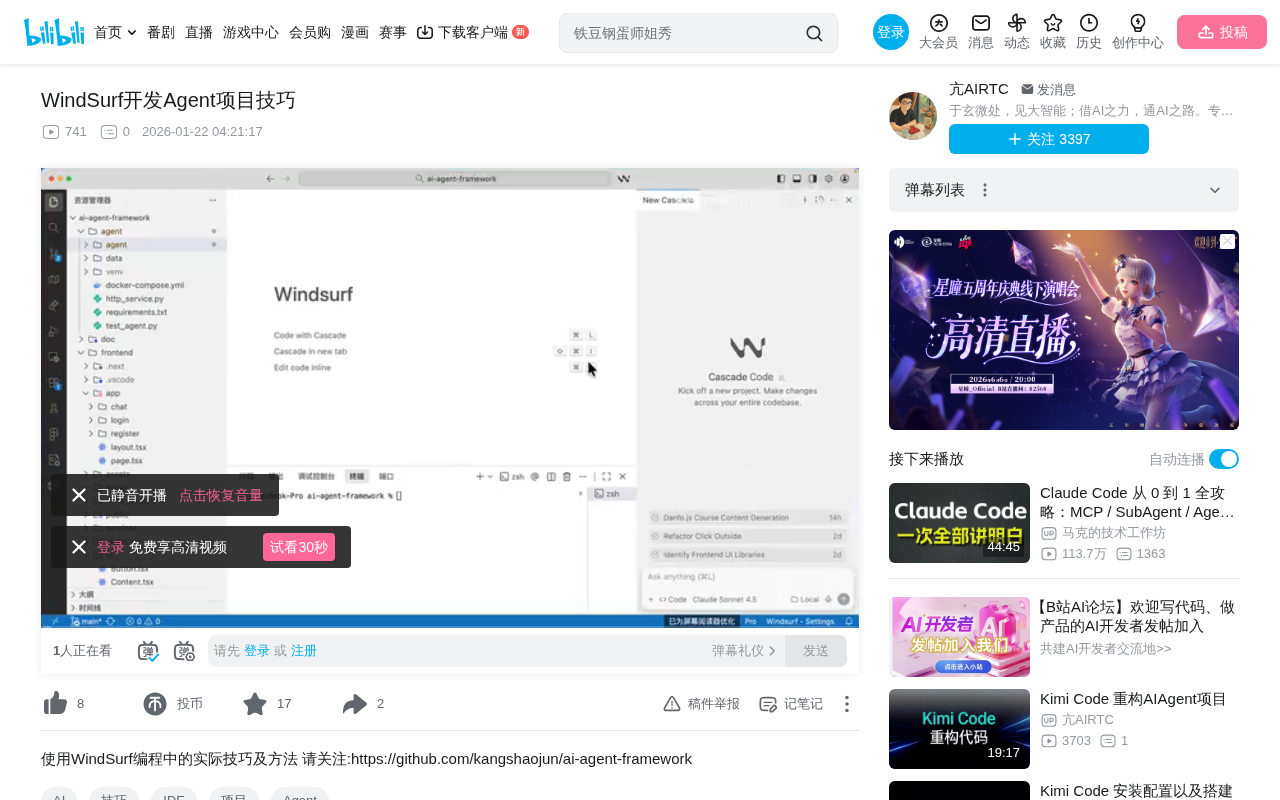
Project Conception Phase: Let AI Help with Technology Selection
Technology Stack Evaluation
Before starting a project, you can directly ask WindSurf about the feasibility of your technical approach. For example: "I want to build an AI Agent with Next.js for the frontend, FastAPI for the backend, and LangChain + Ollama + Weaviate for the Agent layer. Is this reasonable?"
WindSurf will provide a comprehensive evaluation of your technology stack:
- Frontend Next.js: Next.js is a full-stack React framework whose SSR (Server-Side Rendering) capabilities significantly improve first-screen loading speed. Its App Router architecture simplifies route management, while RSC (React Server Components) reduces client-side JavaScript bundle size, providing an excellent developer experience
- Backend FastAPI: FastAPI is one of the highest-performance web frameworks in the Python ecosystem, built on Starlette and Pydantic. It natively supports async programming and type validation, and its auto-generated OpenAPI documentation greatly reduces frontend-backend collaboration costs while naturally supporting WebSocket long connections
- Agent Layer LangChain: LangChain is an orchestration framework for building LLM applications, providing core abstractions like Chain (chained calls), Memory (conversation memory), Tool (tool calling), and Agent (autonomous decision-making), enabling developers to quickly assemble complex AI workflows. Combined with Ollama, you can run open-source models like Llama and Mistral locally, avoiding API call latency and cost issues
- Vector Database Weaviate: Weaviate is an open-source vector search engine supporting hybrid search (vector + keyword), multi-tenancy, automatic Schema inference, and GraphQL API. It's suitable for enterprise scenarios requiring complex filtering and large-scale data, but requires independent Docker or Kubernetes deployment—a relatively heavyweight solution
The AI will also offer alternative suggestions, such as recommending Chroma as a lighter vector database option. Chroma is an embedded vector database that can run directly in memory as a Python library, suitable for prototyping and small-to-medium-scale applications. However, developers need to judge based on actual scenarios—if the project scale is small, Chroma might be too lightweight and lack persistence and distributed capabilities; for enterprise applications requiring multi-tenancy and complex filtering, Weaviate is more appropriate. Other options include Pinecone (fully managed cloud service), Milvus (high-performance distributed solution), and Qdrant (efficient Rust implementation).
In-Depth Analysis of Protocol Choices
The author's project adopted the following protocol approach:
- Frontend-Backend Communication: SSE (Server-Sent Events) for streaming Q&A, HTTP for regular data
- Server-to-Agent Communication: HTTP + SSE
- Third-Party Integration: MCP Protocol
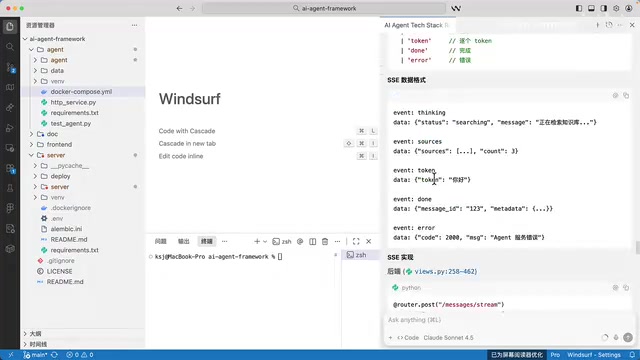
SSE (Server-Sent Events) is a unidirectional push protocol based on HTTP, where the server can continuously send event streams to the client—perfectly suited for LLM token-by-token streaming output scenarios. Compared to WebSocket's full-duplex communication, SSE is lighter, natively supports automatic reconnection, is compatible with HTTP/2 multiplexing, and doesn't require additional protocol upgrade handshakes. In AI conversation scenarios, users send questions via regular HTTP POST while AI streaming responses are pushed via SSE—this combination is both simple and efficient. While WebSocket is more powerful, it introduces unnecessary complexity in pure push scenarios.
Here's an important perspective: don't blindly follow trends. MCP (Model Context Protocol) is an open protocol standard released by Anthropic in late 2024, aimed at unifying interactions between AI models and external tools/data sources. It defines three core primitives—Tool (tool calling), Resource (resource access), and Prompt (prompt templates)—enabling AI Agents to connect to various third-party services in a standardized way. Although MCP is currently a hot protocol in the AI field, it's still in rapid iteration, and the stability of its SDK and ecosystem tools hasn't yet reached production-grade levels. FastMCP is a Python rapid implementation library for the MCP protocol that simplifies MCP Server development, but the FastAPI + FastMCP combination does still have compatibility issues. Therefore, using HTTP/SSE for internal communication while reserving MCP for third-party integration is a pragmatic engineering decision.
Development Phase: The Right Approach to AI-Assisted Coding
Component Generation and Quality Control
During actual development, you can have WindSurf generate new components based on your existing code style. For example: "Generate a Tools component for me, following my current component patterns. Don't make it too complex—keep it clean and reasonable."
WindSurf will analyze your existing code structure and style to generate highly consistent new components. But the key is—you must continuously intervene. When AI tries to add unnecessary example files or modify your project structure, reject it decisively.
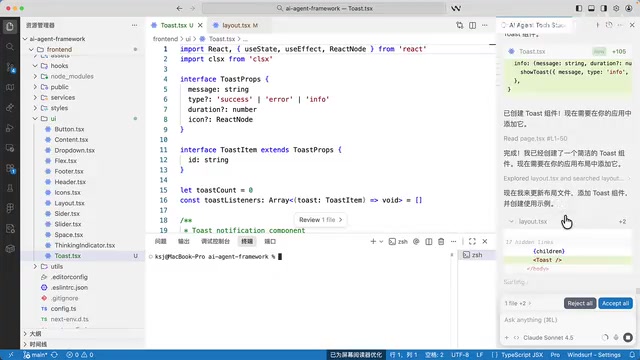
In the demonstration, the author rejected an auto-added tools.example.ts file because it disrupted the overall project structure. This shows that developers must have a clear understanding of their project architecture and be able to judge whether AI suggestions align with the project's design principles and directory conventions.
Code Refactoring in Practice
When you find a function that's too long (common in AI-generated code), select the code and use Command + L to open the dialog, requesting a refactor:
"The code here is too long and hard to maintain. Can some of this be extracted into separate functions? Please refactor it for me."
AI-generated code often suffers from the "God function" problem—a single function taking on too many responsibilities, often spanning hundreds of lines. This violates the Single Responsibility Principle (SRP) and Separation of Concerns in software engineering. Effective refactoring strategies include: Extract Method to isolate logic blocks into named functions, introducing intermediate variables to improve readability, and separating error handling from business logic.
WindSurf will split lengthy functions into multiple small functions with single responsibilities:
generate_conversation_title()- Generate conversation titles- Error handling Handler - Unified exception catching and response formatting
- SSE event formatting function - Wrapping data into standard SSE event format
- Main Stream flow function - Orchestrating the overall streaming response logic
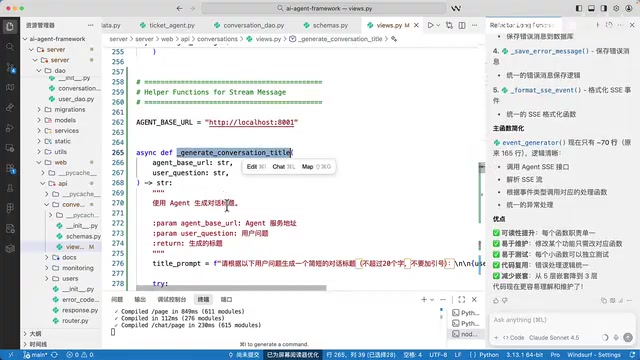
Refactored code is not only easier to maintain but also more amenable to unit testing—each small function can be independently verified for its behavior. Always test immediately after refactoring to ensure functionality remains intact. The author confirmed that SSE streaming responses worked correctly by sending test messages, proving the refactoring didn't introduce regression bugs. It's worth noting that refactoring should be done with test coverage in place; otherwise, it may introduce hard-to-detect issues.
Debugging and Error Troubleshooting
Multiple Error Location Methods
WindSurf supports multiple approaches to error troubleshooting:
- Console Errors:
Ctrl+Ato select all console output, then let AI analyze the error stack trace and context - UI Screenshots: Paste error screenshots directly into WindSurf—AI uses visual understanding to identify UI anomalies
- Code Location: Select suspicious code segments along with error messages to ask questions—AI combines code logic and error information for reasoning
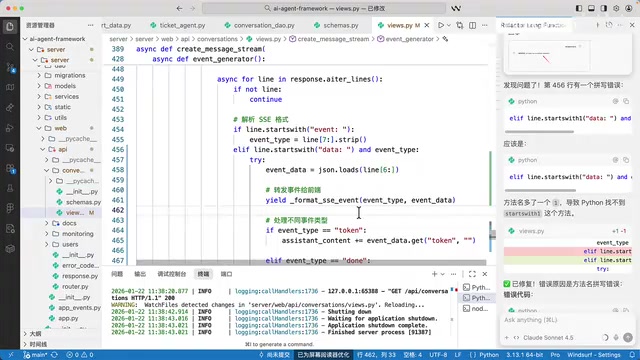
The author demonstrated a simple property name typo that WindSurf quickly located and fixed. For deeper bugs like async race conditions and state management inconsistencies, it also has analytical capabilities, though it may need developers to provide more context information to assist in localization.
Environment Checks and Operations
WindSurf can also help check your runtime environment. For example, asking "Is my Docker running?" will trigger it to execute the appropriate command (like docker ps) and return container status information including container names, image versions, port mappings, and running states. This is particularly useful for AI Agent projects that need to manage multiple service containers (such as Weaviate, Redis, databases, etc.).
Deployment and Version Management
For developers unfamiliar with Git operations, WindSurf can provide instant guidance:
git tag v1.0.1
git push origin main
git push origin v1.0.1
From tagging to pushing, to creating a Release on GitHub, the entire workflow can be completed under WindSurf's guidance without needing to memorize commands. This interactive learning approach is more efficient than reading documentation, allowing developers to gradually master Git workflow best practices through hands-on experience.
Advanced Thinking: The Essence of Agent Skills
The currently popular Agent Skill technology is essentially pre-loading a series of Markdown-formatted prompts into tools as the AI's foundational context. This is conceptually identical to Cursor's .cursorrules, GitHub Copilot's .github/copilot-instructions.md, and similar mechanisms—all providing domain knowledge, coding standards, and decision-making guidelines to AI through structured system prompts.
These prompts are effective because the people writing them possess the relevant domain knowledge. A developer proficient in React performance optimization can write Skills that guide AI to generate high-quality code using useMemo, useCallback, and virtualized lists; developers lacking this knowledge cannot provide such guidance, and AI output quality will decline accordingly.
This reinforces the core insight: AI tools amplify your existing capabilities rather than replacing the learning process. The more you know—frontend frameworks, backend languages, communication protocols, database selection, system architecture design—the more precise prompts you can write and the higher quality AI output you'll receive. AI programming tools are "capability amplifiers," not "capability replacements."
Summary and Recommendations
- Use Multiple Tools Together: For complex problems WindSurf can't solve, switch to other tools like Claude Code. Different tools have advantages in different scenarios—flexible combinations maximize efficiency
- Supervise Throughout: Every step of AI-generated output needs human review with intervention at any time. Pay special attention to architectural decisions, security-related code, and performance-critical paths
- Learn Before You Use: Mastering foundational technical knowledge is a prerequisite for effectively using AI programming tools. Understanding HTTP protocols, database principles, framework design patterns, and other fundamentals enables you to accurately evaluate AI output quality
- Pragmatic Selection: Don't blindly chase the newest technology—choose appropriate solutions based on actual project needs. A new technology's maturity, community support, and team familiarity are all important considerations
Key Takeaways
- WindSurf can be used across the entire project lifecycle: from technology selection research, code generation, and refactoring to debugging and deployment
- Developers must possess foundational technical knowledge to effectively wield AI programming tools—AI amplifies existing capabilities rather than replacing learning
- Protocol choices should be pragmatic rather than trend-following; while MCP is popular, it's still evolving, and internal communication can prioritize mature HTTP/SSE
- AI-generated code requires full-time supervision and intervention—promptly reject unreasonable modification suggestions
- Using multiple tools in combination yields the best results—don't limit yourself to a single AI programming tool
Related articles
 Tutorials
Cursor + Codex Dual-IDE Collaboration: A Practical Methodology for Open-Source Project Customization
A complete methodology for open-source project customization based on real-world experience, detailing the Cursor+Codex dual-IDE workflow, seven-stage process, MVP validation, and AI source code reading techniques.
 Tutorials
Cursor Multi-Agent in Practice: Building a Full-Stack Next.js Blog in 50 Minutes
Build a full-stack blog in 50 minutes using Cursor IDE's multi-Agent mode with Next.js, Clerk auth, and Supabase. Learn the 4-phase AI Agent workflow and key integration pitfalls.
 Tutorials
Building an AI Software Factory from Scratch: A Cursor Engineer's Hands-On Experience with Multi-Agent Collaboration
Cursor engineer Eric shares practical insights on building an AI software factory: automation levels, guardrail design, parallel Agent management, and scaling to 1000+ Agents for 24/7 development.