CrewAI Multi-Agent Collaboration in Practice: Core Concepts, Model Comparison & API Deployment
CrewAI Multi-Agent Collaboration in Pr…
A practical guide to CrewAI's core concepts, hands-on setup, and LLM model selection for multi-agent apps.
This article introduces CrewAI, an open-source multi-agent collaboration framework, covering its four core concepts (Agent, Task, Process, Crew/Pipeline). Through a hands-on example, it demonstrates how to build a multi-agent app and expose it as a service via FastAPI. The article also compares the real-world performance of GPT-4o-mini, Qwen MAX, and locally deployed Llama 3.1, offering practical advice on model selection, configuration separation, and flexible model switching.
What Is CrewAI?
CrewAI is an open-source framework for building multi-agent systems. It enables multiple agents with different roles and goals to work together to accomplish complex tasks. It breaks down tasks and assigns them to different agents, each leveraging its own skills and tools to fulfill its responsibilities, ultimately aggregating the results into a cohesive output.
Think of CrewAI as a virtual team management system — define your team members (Agents), assign the work (Tasks), and the system automatically coordinates execution. This multi-agent collaboration pattern has a natural advantage when handling complex business scenarios, especially tasks that require multi-step reasoning and information synthesis.
The Four Core Concepts of CrewAI
Agent: Autonomous, Controllable Intelligent Units
An Agent is the basic execution unit in CrewAI, analogous to a team member. Each Agent has three key attributes:
- Role: The agent's functional position within the team
- Goal: The specific objective the agent needs to achieve
- Backstory: A description that provides context for the agent
Task: Specific Work Units
A Task is a concrete piece of work assigned to an Agent, containing all the details needed for execution. Core attributes include the task description, assigned agent, expected output, tool list, and more. One noteworthy detail: Tasks support context passing — the output of one task can serve as the input for the next, laying the foundation for building complex workflows.
Process: Task Coordination Mechanism
The Process is responsible for coordinating how agents execute tasks, similar to the role of a project manager. Two modes are currently supported:
- Sequential: Tasks are executed one after another in the order they appear in the task list, with each task's output serving as context for the next
- Hierarchical: A designated manager agent oversees task execution and dynamically assigns tasks based on each agent's capabilities
Crew & Pipeline: Organization and Orchestration
A Crew represents a group of agents collaborating to complete tasks, defining the execution strategy and overall workflow. A Pipeline is a higher-level orchestration tool that allows multiple Crews to execute sequentially or in parallel, suitable for building more complex multi-stage business processes.
Environment Setup & LLM Configuration
Setting Up the Development Environment
This project requires Anaconda (for Python virtual environment management) and PyCharm (as the IDE). Python version 3.11 is recommended.
Three LLM Integration Options
The project supports flexible switching between three LLMs, allowing you to choose the best option for your needs:
Option 1: GPT Models — Access OpenAI's GPT-4o-mini and other models via a proxy. Best suited for scenarios where output quality is the top priority.
Option 2: Non-GPT Models (via OneAPI) — OneAPI is a management and distribution system for OpenAI-compatible interfaces that supports mainstream Chinese LLMs. By creating channels and tokens, you can wrap models like Qwen (通义千问) and iFlytek Spark (讯飞星火) into OpenAI-compatible APIs, reducing the cost of managing multiple models.
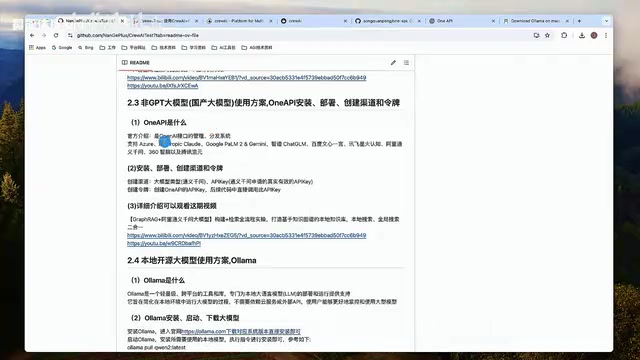
Option 3: Local Open-Source Models (via Ollama) — Ollama is a lightweight, cross-platform tool designed for local LLM deployment and execution, with no dependency on external APIs. It supports various open-source models such as Llama 3.1 and Qwen2, making it ideal for scenarios with data privacy requirements.
Hands-On: Building a Multi-Agent Collaboration App
Project Structure & Initialization
Start by creating a PyCharm project and configuring the virtual environment:
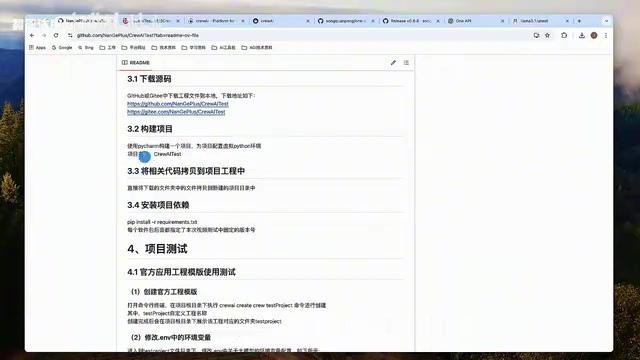
The core project file structure is as follows:
config/agents.yaml: Agent configuration file defining roles, goals, and backstoriesconfig/tasks.yaml: Task configuration file defining task descriptions and expected outputscrew.py: Crew orchestration logic, combining Agents and Tasksmain.py: Service entry point, integrating FastAPI to expose the APIapi_test.py: API testing script
Installing dependencies requires just one command:
pip install crewai crewai-tools fastapi uvicorn
Defining Agents & Tasks
This example defines two Agents to generate a research report on a given topic:
Researcher Agent: Responsible for searching for cutting-edge information on a specified topic and outputting a list of 10 key points.
Report Analyst Agent: Takes the key points provided by the Researcher and expands each topic into a complete report section.
Agent roles, goals, and backstories are configured in agents.yaml; task descriptions, expected outputs, and assigned agents are configured in tasks.yaml. The Crew orchestration code uses decorators to link configuration files with Python classes:
@agent
def research(self) -> Agent:
    return Agent(config=self.agents_config['research'], verbose=True)

@task
def research_task(self) -> Task:
    return Task(config=self.tasks_config['research_task'])
Integrating FastAPI to Expose the Service
The core idea is to wrap CrewAI's execution logic inside a FastAPI POST endpoint, allowing external systems to trigger the multi-agent collaboration workflow via HTTP requests:
@app.post("/api/crew")
async def run_crew(request: Request):
    data = await request.json()
    topic = data.get("topic")
    result = crew.kickoff(inputs={"topic": topic})
    return JSONResponse(content={"report": str(result)})
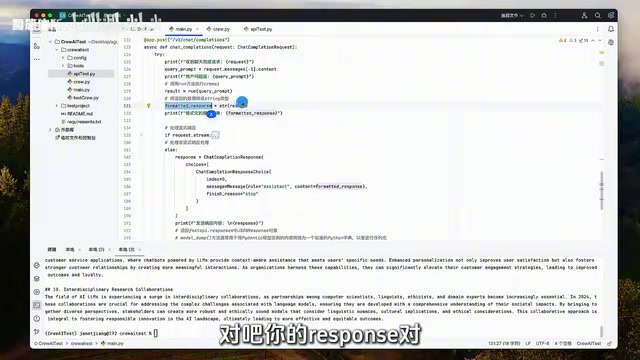
Once the service is started via main.py, clients simply send a POST request containing a topic field to trigger the multi-agent collaboration workflow and receive the final report.
Real-World Comparison of Three Models
GPT-4o-mini: Fast and Effective
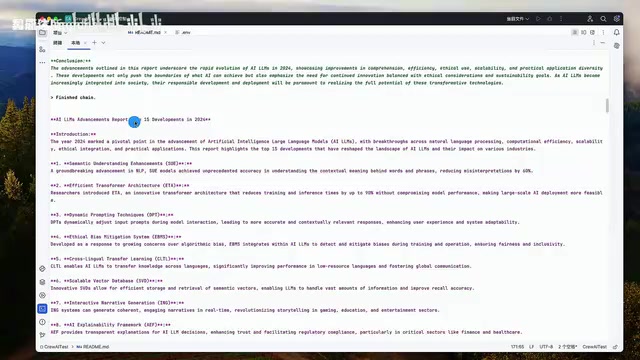
With GPT-4o-mini, both agents strictly completed their respective tasks as required — the Researcher accurately produced 10 pieces of cutting-edge information, and the Report Analyst expanded them into a well-structured report. Overall response speed was fast and output quality was high, making it the best all-around choice.
Qwen MAX: Usable but Slightly Slower
Qwen MAX (通义千问MAX) also performed well overall, but an interesting phenomenon appeared during testing — when asked to output 10 items, it actually produced 15. Response speed was slightly slower compared to GPT-4o-mini, but it was fully usable and well-suited for scenarios where overseas APIs are not accessible.
Llama 3.1 8B (Local Deployment): Limited by Hardware
The locally deployed Llama 3.1 8B model did not perform well. During the research task, it only found 3 items (out of the requested 10), and the final report was rather thin. This was primarily due to the 8B parameter size and local hardware limitations. If hardware resources allow, using a larger model (e.g., 70B) is recommended to improve results.
Summary & Model Selection Recommendations
CrewAI provides a clean abstraction framework for multi-agent collaboration applications. Combined with FastAPI, you can quickly build production-grade API services. Here are some key takeaways for real-world projects:
- Model selection is critical: Agent performance is highly dependent on the underlying LLM's capabilities. Be sure to thoroughly evaluate models against your specific business scenarios before deployment.
- Separate configuration from code: Managing Agent and Task definitions through YAML configuration files makes future maintenance and quick adjustments much easier.
- Flexible model switching: Use tools like OneAPI to unify access to multiple models, reducing the cost of model switching and management.
- Start with simple scenarios: It's recommended to first run through the complete workflow using official templates, then gradually expand to more complex business scenarios.
For developers looking to get started with agent development, CrewAI has a relatively gentle learning curve, and the official documentation and template projects provide an excellent starting point. Once you've mastered the four core concepts — Agent, Task, Process, and Crew — you can quickly build your own multi-agent collaboration applications.
Related articles
 Tutorials
Cursor + Codex Dual-IDE Collaboration: A Practical Methodology for Open-Source Project Customization
A complete methodology for open-source project customization based on real-world experience, detailing the Cursor+Codex dual-IDE workflow, seven-stage process, MVP validation, and AI source code reading techniques.
 Tutorials
Cursor Multi-Agent in Practice: Building a Full-Stack Next.js Blog in 50 Minutes
Build a full-stack blog in 50 minutes using Cursor IDE's multi-Agent mode with Next.js, Clerk auth, and Supabase. Learn the 4-phase AI Agent workflow and key integration pitfalls.
 Tutorials
Building an AI Software Factory from Scratch: A Cursor Engineer's Hands-On Experience with Multi-Agent Collaboration
Cursor engineer Eric shares practical insights on building an AI software factory: automation levels, guardrail design, parallel Agent management, and scaling to 1000+ Agents for 24/7 development.