MCP Beginner's Guide: Model Context Protocol Architecture and Three Core Primitives Explained

MCP is Anthropic's standardized protocol solving AI model integration with external tools.
MCP (Model Context Protocol) is a communication layer protocol released by Anthropic that standardizes interactions between AI models and external tools, solving the traditional N×M integration problem. Its architecture consists of clients and servers, defining three primitives — Tools (model-controlled), Resources (application-controlled), and Prompts (user-controlled) — shifting the burden of tool definition and execution from application developers to MCP servers, dramatically reducing integration costs.
What is MCP? What Problem Does It Solve?
MCP (Model Context Protocol) is a communication layer protocol introduced by Anthropic, designed to provide context and tool access capabilities to large language models like Claude, without requiring developers to write extensive integration code.
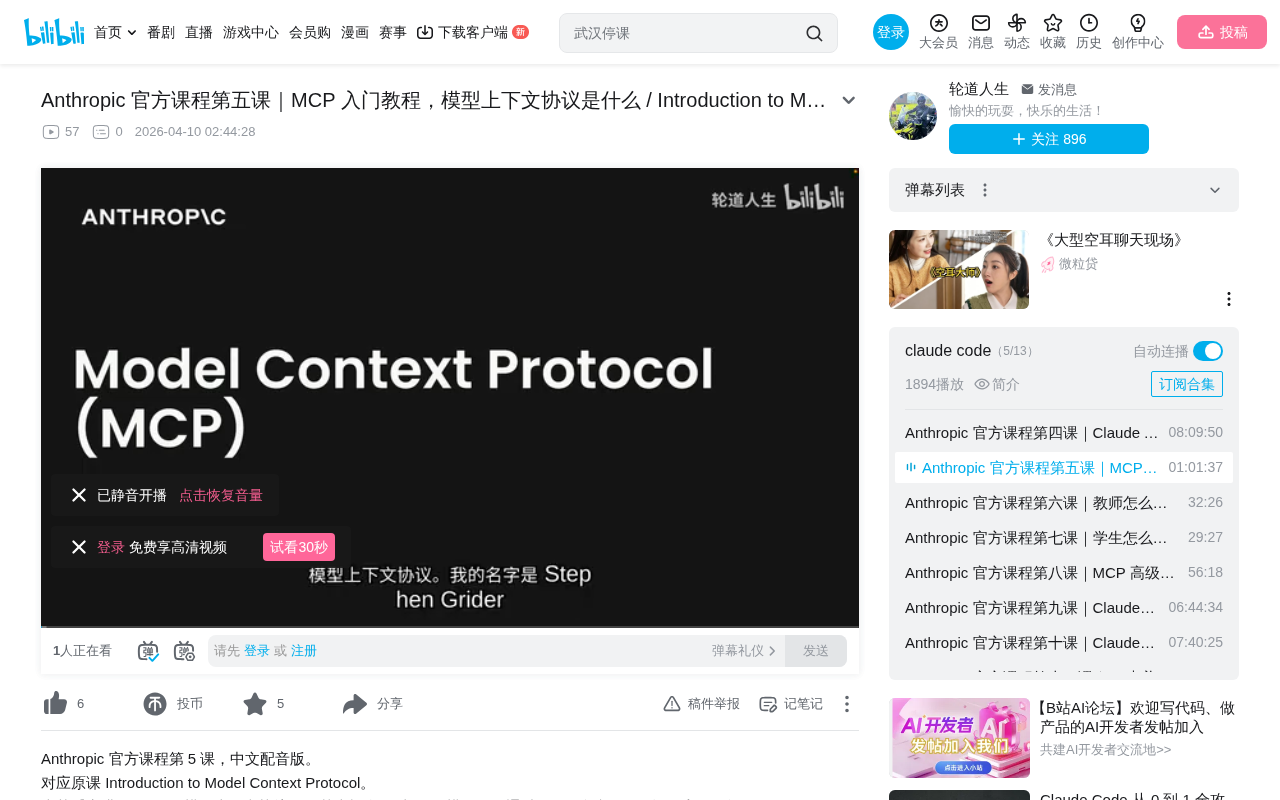
Before MCP, the AI application development space faced a severe "N×M integration problem": with N AI applications and M external services, you'd theoretically need N×M independent integration implementations. This is similar to the predicament before USB — every peripheral required a proprietary connector. Anthropic officially released the MCP specification in November 2024, with a design philosophy inspired by the success of LSP (Language Server Protocol). LSP standardized communication between editors and language tools, enabling any editor to support intelligent code completion for any programming language. MCP attempts to establish a similar standardization layer between AI models and external tools.
In the traditional development model, if we wanted to build a chatbot that interacts with GitHub, we'd need to write all the tool schema definitions, function implementations, and handle testing and maintenance ourselves. GitHub has repositories, Pull Requests, Issues, Projects, and many other features — fully covering all of them means an enormous development burden.
The core value of MCP is: shifting the burden of defining and running tools from your server to the MCP server. You no longer need to write tool functions and tool schemas yourself — that's handled by the MCP server implementer. For example, a GitHub MCP server encapsulates GitHub's various features as a set of tools that any client can use directly.
Three Common Questions About MCP
Who writes MCP servers? Anyone can. Typically, service providers publish official implementations — for instance, AWS might release its own official MCP server. The community is also actively contributing open-source implementations, with hundreds of MCP servers already covering everything from databases and cloud services to local file systems.
How is MCP different from calling APIs directly? Calling APIs directly requires you to write tool schemas and function implementations yourself. Using an MCP server eliminates this work — the tool definitions and execution logic are all encapsulated server-side. More importantly, MCP provides a standardized discovery mechanism — clients can dynamically query which tools a server supports without hardcoding integration logic.
Are MCP and Tool Use the same thing? No. They're complementary. Tool Use (also called Function Calling) is a capability of large language models — it means the model can decide to call external functions during a conversation and process the returned results. MCP solves the question of "who does the actual work" — tool definition and execution are handled by the MCP server, not the application developer. In other words, Tool Use is a model-side capability, while MCP is an infrastructure-layer protocol.
MCP Architecture: How Client and Server Collaborate
The Client's Role
The MCP client's purpose is to provide a communication channel between your application server and the MCP server. It serves as the entry point for accessing all tools on the MCP server.
MCP is transport-agnostic — clients and servers can communicate via multiple protocols:
- Standard I/O (stdio): Used when client and server are on the same machine
- HTTP/WebSocket: Used for remote connection scenarios
Transport agnosticism is a protocol design principle meaning the upper-layer protocol doesn't depend on a specific underlying communication method. MCP uses JSON-RPC 2.0 as its message format standard — a lightweight remote procedure call protocol that encodes requests and responses in JSON. The stdio transport is suitable for local inter-process communication, where the client exchanges messages directly through a subprocess's standard input/output streams with extremely low latency, but is limited to same-machine deployment. The HTTP+SSE (Server-Sent Events) transport supports remote deployment scenarios — the client sends requests via HTTP POST, and the server pushes responses via SSE streaming, allowing MCP servers to run as independent cloud services.
Message Exchange Mechanism
Clients and servers communicate by exchanging messages. Key message types include:
list_tools_request/list_tools_result: Retrieve the list of tools provided by the servercall_tool_request/call_tool_result: Request execution of a specific tool and return results
These messages follow the JSON-RPC 2.0 specification. Each request contains a method name (method), parameters (params), and a unique identifier (id), while responses contain corresponding results or error information. This request-response pattern ensures communication reliability and traceability.
Complete Call Flow
Using the example of a user asking "What repositories do I have?", the complete flow is:
- User submits a query to the application server
- The server sends a
list_tools_requestto the MCP server via the MCP client - The MCP server returns the tool list (including each tool's name, description, and parameter schema)
- The server sends the user query and tool list together to Claude
- Claude decides to use a tool and returns a tool_use message (with tool name and parameters)
- The server sends a
call_tool_requestto the MCP server via the MCP client - The MCP server executes the tool (e.g., calling the GitHub API) and returns the result
- The result is passed back through the client to the server, then sent to Claude as a tool_result
- Claude generates the final response and returns it to the user
Notably, Claude's decision in step 5 is entirely based on semantic matching between tool descriptions and user intent — this is why the tool's description field is so important, as it directly affects whether the model can correctly select and use tools.
The Three Server Primitives Explained in Detail
Tools — Controlled by the Model
Tools are the most core component of an MCP server, with the model (Claude) deciding when to invoke them. Defining tools with the MCP Python SDK is very concise:
@mcp.tool(name="read_contents", description="读取文档内容并作为字符串返回")
def read_document(doc_id: str = Field(description="文档ID")):
    if doc_id not in docs:
        raise ValueError(f"Doc with id {doc_id} not found")
    return docs[doc_id]
Compared to manually writing JSON Schema, the SDK automatically generates tool schemas from decorators and Field types, significantly reducing development complexity. JSON Schema is a specification for describing JSON data structures. In AI tool-calling scenarios, models need JSON Schema to understand what parameters each tool accepts, their types, and which are required. Traditionally, developers had to manually write these schema definitions — for example, OpenAI's Function Calling requires developers to provide complete JSON Schema objects. The MCP Python SDK leverages Python's type annotations (Type Hints) and Pydantic's Field descriptors, using reflection to automatically generate compliant JSON Schemas. This approach not only reduces boilerplate code but also prevents inconsistencies between schema definitions and actual function signatures.
The course implements two tools: read_contents for reading documents and edit_document for find-and-replace operations on document content.
Resources — Controlled by the Application
Resources allow MCP servers to expose data to clients, with the application code deciding when to fetch them. Resources come in two types:
- Direct resources (static): Fixed URIs like
docs://documents, returning a list of all documents - Templated resources: URIs containing parameters like
docs://documents/{doc_id}, returning specific content based on parameters
MCP resource URI design draws from the resource identification concept in RESTful architecture. Each resource is identified by a unique URI in the format scheme://path, where scheme indicates the resource type (e.g., docs, github, file). Templated resources use the RFC 6570 URI Template specification, allowing variables to be embedded in paths. This design makes resources discoverable — clients can first retrieve the static resource list to understand what data is available, then use templated resources to fetch specific content, similar to the REST API pattern of first getting a collection then getting individual entities.
@mcp.resource("docs://documents", mime_type="application/json")
def list_docs() -> list[str]:
    return list(docs.keys())

@mcp.resource("docs://documents/{doc_id}", mime_type="text/plain")
def fetch_doc(doc_id: str) -> str:
    if doc_id not in docs:
        raise ValueError(f"Doc with id {doc_id} not found")
    return docs[doc_id]
The course uses resources to implement a document mention feature: when a user types @, a list of mentionable documents automatically appears, and selecting one automatically injects the document content into the prompt context. The key distinction in this pattern is that the timing of resource retrieval is determined by application logic (e.g., triggered by UI interaction), not by the model during inference.
Prompts — Controlled by the User
Prompts are predefined, thoroughly tested and evaluated workflow templates that are actively triggered by users (e.g., slash commands, button clicks).
@mcp.prompt(name="format", description="重写文档内容为Markdown格式")
def format_document(doc_id: str = Field(description="要格式化的文档ID")):
    prompt = f"请读取文档 {doc_id} 的内容,然后用Markdown语法重写它..."
    return [BaseUserMessage(prompt)]
The value of prompts lies in this: while users could type similar instructions themselves, prompts carefully designed and evaluated by MCP server authors tend to produce more stable, higher-quality results. Prompt Engineering refers to the technique of carefully designing input prompts to guide large language models toward desired outputs. In production environments, a good prompt often requires multiple iterations, A/B testing, and systematic evaluation to work reliably. MCP's Prompts primitive encapsulates these validated prompts as reusable templates, essentially productizing the results of prompt engineering. This is analogous to encapsulating best practices as library functions in software engineering — users don't need to understand internal implementation details; they simply trigger the prompt to get optimized results.
Development and Debugging: MCP Inspector
The MCP Python SDK provides a built-in browser debugging tool — MCP Inspector. Run mcp dev mcp_server.py to start it, and in the browser you can:
- Connect to the MCP server
- List all tools, resources, and prompts
- Manually input parameters to test each component
- Verify that returned results match expectations
This allows developers to iterate and debug quickly without connecting the server to an actual application. MCP Inspector is essentially a visual MCP client that simulates all behaviors of a real client (sending list_tools, call_tool, and other requests) but provides a graphical interface for developers to intuitively view request and response content. This development experience is similar to using Postman or Swagger UI for API testing.
Comparison of Use Cases for the Three Primitives
| Primitive | Controlled By | Use Case |
|---|---|---|
| Tools | Model (Claude) | Adding execution capabilities to the model |
| Resources | Application code | Providing data to the application (UI display, context injection) |
| Prompts | User | Predefined high-quality workflows |
In Claude's official interface, you can see all three in action: the shortcut buttons at the bottom correspond to prompts, "Add from Google Drive" corresponds to resources, and Claude autonomously deciding to execute code corresponds to tool calls.
Understanding the distinction between these three is crucial: Tools give the model the ability to act autonomously, suitable for scenarios requiring dynamic decision-making based on context. Resources provide structured data access for applications, suitable for scenarios requiring UI display or preloading context. Prompts encapsulate expert-level interaction patterns, suitable for repetitive tasks requiring consistency and reliability. In practice, the three typically work together — for example, a user triggers a formatting workflow via a prompt, which internally uses tools to read and edit documents, while the document list is provided to the UI through the resource mechanism.
Summary
MCP liberates application developers from the burden of tool definition, data exposure, and prompt management through a standardized protocol. For developers, understanding the division of responsibilities between client and server, and mastering the applicable scenarios for the three primitives — tools, resources, and prompts — is key to efficiently leveraging the MCP ecosystem. As more service providers release official MCP server implementations, developers can integrate rich external capabilities with minimal code.
From a broader perspective, MCP represents a paradigm shift in AI application development from "every application independently integrates everything" to "standardized protocol + ecosystem collaboration." Just as HTTP unified web communication and SQL unified database queries, MCP has the potential to become the universal standard for AI model interaction with the external world. This not only reduces integration costs for individual developers but, more importantly, fosters a composable, reusable tool ecosystem.
Key Takeaways
- MCP shifts the burden of tool definition and execution from developers to MCP servers, solving the core pain point of integration maintenance
- MCP architecture consists of clients and servers communicating through standardized messages (list_tools, call_tool, etc.), supporting multiple transport protocols
- The three server primitives each have distinct roles: tools are controlled by the model, resources by the application, and prompts by the user
- The MCP Python SDK greatly simplifies development by automatically generating JSON Schema through decorators and Field types
- MCP Inspector provides in-browser debugging capabilities, supporting server testing without connecting to an actual application
Related articles
 Tutorials
Cursor + Codex Dual-IDE Collaboration: A Practical Methodology for Open-Source Project Customization
A complete methodology for open-source project customization based on real-world experience, detailing the Cursor+Codex dual-IDE workflow, seven-stage process, MVP validation, and AI source code reading techniques.
 Tutorials
Cursor Multi-Agent in Practice: Building a Full-Stack Next.js Blog in 50 Minutes
Build a full-stack blog in 50 minutes using Cursor IDE's multi-Agent mode with Next.js, Clerk auth, and Supabase. Learn the 4-phase AI Agent workflow and key integration pitfalls.
 Tutorials
Building an AI Software Factory from Scratch: A Cursor Engineer's Hands-On Experience with Multi-Agent Collaboration
Cursor engineer Eric shares practical insights on building an AI software factory: automation levels, guardrail design, parallel Agent management, and scaling to 1000+ Agents for 24/7 development.