Open Design in Practice: A Complete Guide to the Open-Source AI Design Tool That Replaces Claude Design

Open Design is an open-source AI design tool that efficiently converts designs to maintainable code via the Harness specification.
This article introduces Open Design as an open-source alternative to Claude Design, solving the latter's high token consumption and slow iteration issues. Open Design supports multiple AI Agents, offers 140+ design templates, and through the Harness specification (agents.md + component encapsulation prompts) converts generated HTML design files into maintainable Next.js engineering projects, achieving a complete workflow from design prototype to production code.
Why Switch from Claude Design to Open Design
While Anthropic's Claude Design pioneered a new paradigm in AI-driven design, its biggest pain point is extremely high token consumption — even with the $200 subscription tier, you can only work on a handful of projects before exhausting your quota.
Tokens are the basic unit of measurement for how large language models process text. A single English word typically corresponds to 1-2 tokens, while Chinese characters average about 1.5-2 tokens. When Claude Design generates design solutions, it requires extensive context understanding and code generation — a single design iteration can consume tens or even hundreds of thousands of tokens. Although Anthropic's Pro subscription ($200/month) provides a relatively high usage cap, design tasks involve complete HTML/CSS/JS code generation, consuming tokens far faster than regular conversations. This causes heavy users to hit their quota ceiling quickly.
Moreover, since its launch nearly a month ago, Claude Design has received virtually no feature updates, with an iteration pace that's been disappointing.
Open Design, as an open-source AI-driven design tool, perfectly solves these problems. It allows users to connect their preferred Agent (such as Codex CLI, Claude Code, Cursor Agent, etc.), directly using existing subscription quotas at virtually zero additional cost. Additionally, Open Design offers over 140 design system templates and iterates far faster than Claude Design.
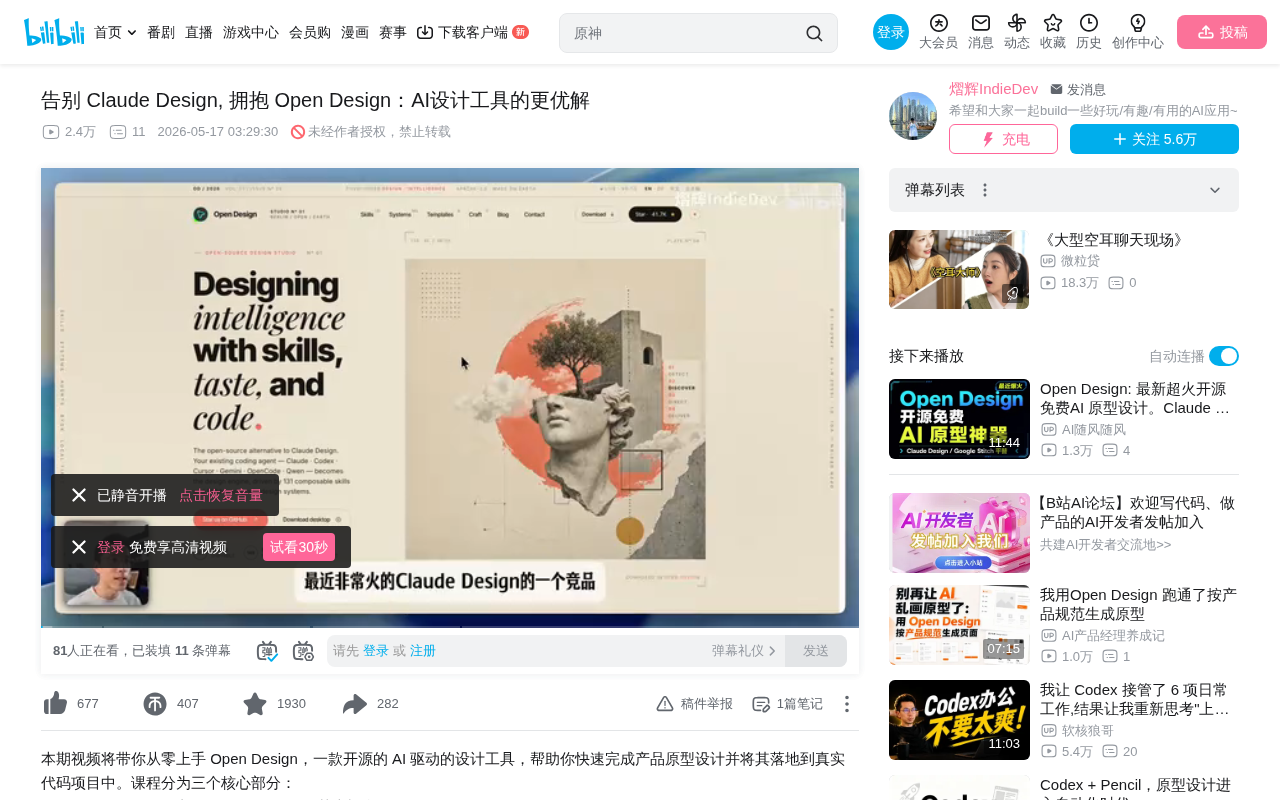
Open Design Installation, Configuration & Core Concepts
Quick Installation
Installing Open Design is straightforward: visit the official website, click Download, navigate to the GitHub page, download the version for your system (macOS/Windows), extract, and you're ready to go.
After installation, the first step is selecting your local CLI tool. Open Design supports multiple Agent integration methods:
- Codex CLI: Recommended, generous quota
- Claude Code: Best design quality
- Cursor Agent: Requires additional CLI installation
- OpenCode, Hermes, etc.
CLI (Command Line Interface) tools allow developers to interact with AI models through the terminal. Codex CLI is OpenAI's terminal programming assistant, providing code generation and execution capabilities based on GPT models; Claude Code is Anthropic's terminal coding tool, known for its code quality and design comprehension. These Agents are essentially AI agents with autonomous planning and execution capabilities — they can understand complex instructions, decompose tasks, and complete them step by step. Open Design communicates with these Agents through standardized interface protocols, translating design intent into concrete code implementations.
After configuration, you can test connectivity to confirm the Agent tool is properly connected.
Design System: Core Concepts
A design system is a pre-established set of product design specifications, typically containing three core elements:
- Foundation styles: Colors, typography, spacing, border-radius, and other visual specifications
- Component library: Reusable UI building blocks like buttons, forms, and cards
- Usage guidelines: Instructions and best practices for component usage
To use an analogy: if building a product is like assembling blocks, a design system is the LEGO instruction manual and standardized parts kit — with it, no matter who's building, the final style remains consistent.
The concept of Design Systems originated from large tech companies' practices in the 2010s, such as Google's Material Design, Apple's Human Interface Guidelines, and IBM's Carbon Design System. A mature enterprise-grade design system typically requires a team of dozens maintaining it for years to reach completion, encompassing hundreds of components and thousands of design rules. The 140+ templates Open Design provides are closer to "Design Starter Kits" — they provide a foundational visual style framework but still fall short of enterprise-grade systems in component coverage, accessibility support, and internationalization. However, for rapid prototyping and small-to-medium projects, these templates are more than sufficient to help teams get started quickly.
Hands-On: Creating Design Prototypes from Scratch with Open Design
Project Creation Workflow
When creating a new prototype, configure the following parameters:
- Project name
- Design system: Choose from 140+ templates
- Target platform: Responsive Web, Desktop, iOS, Android
- Fidelity level: Wireframe or high-fidelity prototype
A wireframe is the skeletal blueprint of a product design, using simple lines and grayscale blocks to represent page layout and information hierarchy without specific visual design details — primarily used to validate information architecture and interaction logic. A high-fidelity (Hi-Fi) prototype closely resembles the final product's visual appearance, including real colors, typography, images, and interactive animations. In traditional design workflows, wireframes are typically created first to confirm direction before moving to the high-fidelity stage. However, in AI-driven design workflows, since the marginal cost of generating high-fidelity prototypes is extremely low, skipping the wireframe stage and generating high-fidelity designs directly is often more efficient.
After creation, the AI will engage in conversation to understand requirement details: who the product is for, target platform, visual tone, reference websites, and which sections are needed (Hero, Features, FAQ, Pricing, Footer, etc. — up to 5).
The entire design generation process takes approximately 5-10 minutes, during which the AI visits reference sites and compresses them into design specifications.
Design Adjustment Techniques
Once generation is complete, Open Design offers multiple adjustment methods:
Tweaks mode: Quickly switch theme colors (purple, red, etc.), though currently limited in scope — some gradient elements may not sync.
Comments mode: Select a specific area and describe modifications in natural language. For example, "Change the Hero and Markdown layout to a vertical stack" — the AI will execute the adjustment.
Pose mode: Select elements and directly specify style changes, such as "convert to tag style."
Inspect mode: Click to edit for precise adjustments to copy, styles, and link attributes — ideal for users with HTML/CSS knowledge who want to fine-tune.
Tips for Replicating Existing Projects
For replicating multi-page projects, the recommended workflow is:
- Use the FireShot browser extension to capture full-page screenshots
- Submit screenshots and copy to ChatGPT to generate a complete requirements document
- Import the requirements document and screenshots into Open Design
- Wait 10-20 minutes for design pages to generate
This method achieves remarkably high fidelity, including login pages and admin dashboards, with automatic responsive support.
Core Practice: Converting Open Design Output to a Next.js Project
Migrating from HTML to Next.js
What Open Design generates is essentially HTML/CSS/JS files, which cannot be used directly in production. Converting them into a maintainable Next.js project is the critical step.
Next.js is a full-stack React framework developed by Vercel and one of the most mainstream production-grade frameworks in frontend development today. It provides server-side rendering (SSR), static site generation (SSG), API routes, file-system routing, and other out-of-the-box capabilities. Compared to plain HTML/CSS/JS files, Next.js projects feature component-based development, state management, routing systems, build optimization, and other modern frontend engineering characteristics. Migrating Open Design's static HTML to Next.js is essentially transforming a "one-off design artifact" into a "continuously iterable engineering project" — the critical leap from prototype to product.
Steps:
- Initialize a Next.js project using Codex
- Download the Open Design files (HTML/CSS/JS)
- Place design files in a
tempdirectory and addtempto.gitignoreto avoid Git tracking - Use carefully crafted prompts to have the AI complete the migration
The Harness Specification: Core Prompts for Component Encapsulation
This is the most important part of the entire workflow. Simply asking AI to reproduce HTML results in code with no encapsulation, making future maintenance difficult. The correct prompt should include five key requirements:
- Extract the design system: Analyze HTML/CSS structure, extract design variables, common components, and layout rules
- Establish frontend architecture: Abstract reusable components, avoid repeated styles within pages
- Write agents.md: Document project introduction, directory structure, design system architecture, and component reuse specifications
- Define development standards: Prioritize reusing existing components > extending components > creating new components
- Add a design system preview page: View all encapsulated components in the development environment
agents.md is an emerging AI collaboration specification file, similar to traditional development's README.md or CONTRIBUTING.md, but specifically targeting AI coding assistants. It tells the AI about the current project's architectural conventions, coding standards, and decision principles, enabling the AI to maintain consistency in subsequent development. This practice emerged from community findings: without project context, AI tends to generate independent, self-contained code snippets, leading to extensive duplicated logic across a project. By providing explicit architectural constraints through agents.md, AI output quality and consistency improve significantly — especially in multi-person collaboration or long-term maintenance projects, where this file's value compounds over time.
Practical Verification of Component Reuse
Why is component encapsulation so important? Take Pricing Cards as an example:
- Without encapsulation, three pages each contain their own pricing code
- When modifying prices (e.g., changing $15 to $20), AI will very likely miss updating other pages
- With component encapsulation, modifying one place syncs globally
Component encapsulation follows the DRY (Don't Repeat Yourself) principle in software engineering — every piece of knowledge in a system should have a single, unambiguous, authoritative representation. In frontend development, this means abstracting recurring UI patterns into independent components. React's component architecture naturally supports this pattern: a PricingCard component can receive different prices, feature lists, and other data through props, reusing the same rendering logic across multiple pages. When design changes occur (such as adjusting card border-radius or shadows), only the component source code needs modification, and all references automatically sync. This is especially important in AI-assisted development — when AI modifies code facing scattered duplicate code, it's extremely prone to omissions and inconsistencies.
Practical verification: Under agents.md constraints, when asking AI to add a Pricing page, it automatically reuses the existing PricingCards component and global styles rather than creating new ones. After modifying the price in the component, both the homepage and Pricing page update in sync — perfectly validating the value of component reuse.
Open Design Usage Tips & Summary
Although Open Design is still in its early stages, it has already demonstrated enormous potential. Here are some practical tips:
- Agent selection: Use Claude Code for design quality, Codex CLI for cost-effectiveness
- Design fidelity: Unless you need to clarify interaction logic, go directly with high-fidelity prototypes
- Project scale: As pages increase, the Design System preview page and agents.md become increasingly valuable
- Handling disconnections: When reconnection occurs, simply say "continue" in the conversation to resume
Whether you're a designer, product manager, or developer, the combination of Open Design + Harness specification can significantly improve end-to-end efficiency from design to development. The core value of this workflow lies in: it not only solves the cost problem of AI design tools, but through agents.md and component encapsulation specifications, ensures that AI-generated code has engineering-grade maintainability — this is precisely the critical watershed between "AI toy" and "AI productivity tool."
Related articles
 Tutorials
Cursor + Codex Dual-IDE Collaboration: A Practical Methodology for Open-Source Project Customization
A complete methodology for open-source project customization based on real-world experience, detailing the Cursor+Codex dual-IDE workflow, seven-stage process, MVP validation, and AI source code reading techniques.
 Tutorials
Cursor Multi-Agent in Practice: Building a Full-Stack Next.js Blog in 50 Minutes
Build a full-stack blog in 50 minutes using Cursor IDE's multi-Agent mode with Next.js, Clerk auth, and Supabase. Learn the 4-phase AI Agent workflow and key integration pitfalls.
 Tutorials
Building an AI Software Factory from Scratch: A Cursor Engineer's Hands-On Experience with Multi-Agent Collaboration
Cursor engineer Eric shares practical insights on building an AI software factory: automation levels, guardrail design, parallel Agent management, and scaling to 1000+ Agents for 24/7 development.