The Complete Guide to GitHub README Badges: Types, How to Add Them, and Best Practices
A complete guide to GitHub README badges: types, setup methods, and best practices for open-source projects.
This guide covers everything about GitHub README badges — from CI/CD status and code quality to license and custom badges. Learn how to add them using Markdown and Shields.io, understand why they matter for project credibility, and follow best practices for a clean, professional README.
When browsing open-source projects on GitHub, you've surely noticed those rows of colorful icons at the top of README files — green build passing markers, version numbers, download counts, and more. These are GitHub README badges, the "business cards" of open-source projects that quickly communicate project status while boosting professionalism and credibility.
This article provides a comprehensive guide to GitHub README badge types, how to add them, and tips for using them effectively to help you create a more professional project homepage.
What Are GitHub README Badges
GitHub README badges are small status icons embedded in a project's README file, typically rendered in SVG format. SVG (Scalable Vector Graphics) is an XML-based vector graphics format that, unlike bitmap formats such as PNG or JPG, maintains perfect clarity at any zoom level. GitHub's Markdown rendering engine natively supports inline display of SVG images, ensuring badges remain crisp and sharp across different screen resolutions and zoom levels. Badge services like Shields.io generate SVG files on the backend in real-time, dynamically returning the latest data via HTTP requests, with CDN caching for a set duration to balance freshness with server load.
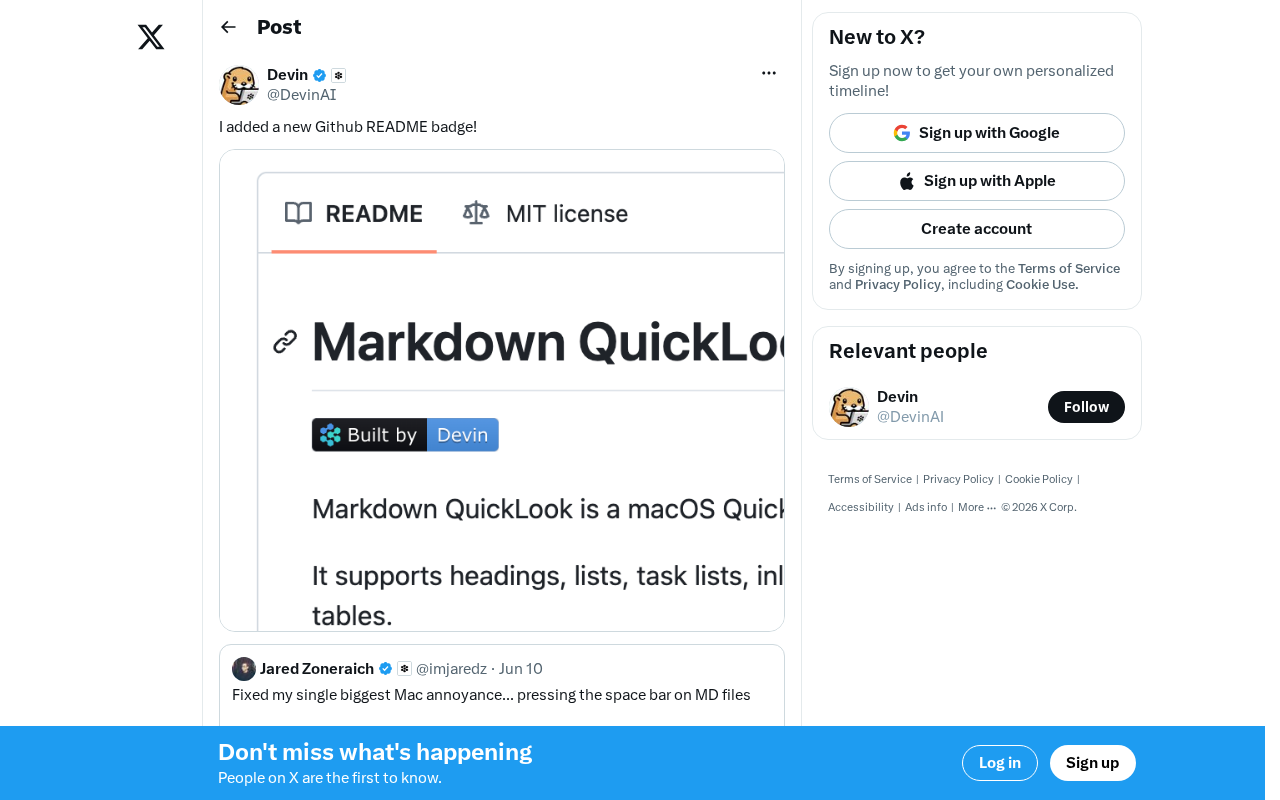
Each badge consists of a "label + value" pair that dynamically displays key project information such as build status, test coverage, version number, download count, and license type. A typical badge looks like a small colored rectangle with the category name on the left and the specific value or status on the right.
Common Types of GitHub Badges
Based on their purpose, README badges can be broadly categorized as follows:
-
CI/CD Status Badges: Display whether builds pass on continuous integration services like GitHub Actions or Travis CI — one of the most common badge types. CI/CD (Continuous Integration/Continuous Delivery) is a core practice in modern software engineering, requiring developers to frequently merge code into the main branch, with each merge triggering automated builds and tests. GitHub Actions is GitHub's native CI/CD service launched in 2019, which quickly became the mainstream choice for open-source projects thanks to its deep integration with repositories. Before that, Travis CI dominated the open-source CI market for years, but after adjusting its free-tier policy in 2020, many projects migrated to GitHub Actions. Build status badges are the most common badge type precisely because they directly reflect whether the project's code is in a working state at any given moment.
-
Code Quality Badges: Show Codecov code coverage, SonarQube code quality scores, Codacy ratings, and more. Code coverage measures what percentage of source code is executed during test runs, with common metrics including line coverage, branch coverage, and function coverage. Codecov and Coveralls are two leading coverage report hosting platforms that receive coverage data generated in CI pipelines and visualize it. It's worth noting that high coverage doesn't equal high-quality testing — a function may be executed but insufficiently asserted against — so coverage badges serve more as a reference signal than a quality guarantee. The industry generally considers 80% or higher coverage a reasonable target.
-
Package Management Badges: Display the latest version number and download count on platforms like npm, PyPI, and Maven Central
-
Community Badges: Show GitHub Stars, Forks, contributor count, issue status, and more
-
License Badges: Indicate the project's open-source license type, such as MIT, Apache 2.0, etc. Open-source licenses define the rights and restrictions for others to use, modify, and distribute project code. The MIT License is one of the most permissive choices, allowing almost any use as long as the copyright notice is preserved. Apache 2.0 adds patent grant provisions on top of MIT, providing stronger legal protection for commercial use. The GPL family requires derivative works to also be open-sourced, creating a copyleft effect. By clearly indicating the license type through a badge, enterprise developers can quickly determine whether a project complies with their company's open-source policies, avoiding potential legal risks.
-
Custom Badges: Create personalized badges with any content through services like Shields.io
Why README Badges Matter
Boosting Project Visibility and First Impressions
When developers visit a GitHub repository, the README is the first thing they see. Well-configured badges allow visitors to understand the project's core status within seconds — whether it's actively maintained, whether builds are stable, and how many people are using it. This instant information delivery is crucial for attracting contributors and users.
Communicating Project Health
A green build-passing badge, high test coverage, frequent releases — all this information is immediately visible through badges. Potential users can quickly assess whether a project is trustworthy and worth adopting without diving into the code.
Standardized Information Display
Badges provide a standardized way recognized across the open-source community to present project metadata. Regardless of the programming language or domain, developers can quickly gather information through the familiar badge format, reducing cognitive overhead.
How to Add Badges to Your Project
The basic method for adding badges is to insert Markdown-formatted image links in your README.md file. The basic syntax is:
[](link-url)
Here are some practical examples:
Adding an MIT License badge:
[](https://opensource.org/licenses/MIT)
Adding a GitHub Actions build status badge:
[](https://github.com/username/repo-name/actions/workflows/ci.yml)
Adding an npm version badge:
[](https://www.npmjs.com/package/package-name)
Recommended Badge Generation Services
Manually assembling badge URLs can be tedious. These services help you generate badges quickly:
-
Shields.io: The most popular open-source badge service, supporting hundreds of third-party integrations with a visual badge builder — the go-to choice for most open-source projects. Shields.io is a fully open-source project whose GitHub repository itself has over 20,000 Stars. Its backend is built with Node.js, using a registry-based service module architecture to support data integration from hundreds of third-party platforms. When a user requests a badge URL, the Shields.io backend calls the corresponding platform's API in real-time to fetch data, generates an SVG image, and distributes it via CDN. To avoid putting excessive pressure on third-party APIs, badge data is typically cached for 5 to 15 minutes. The project is maintained by community volunteers, with operating costs primarily covered through donations via Open Collective.
-
Badgen.net: A lightweight alternative with fast response times and a clean API design
-
GitHub Actions Built-in Badges: Get status badges directly from the GitHub workflow page without needing third-party services
-
Self-hosted Badge Services: For teams with special requirements, you can deploy your own service based on Shields.io's open-source code
Among these, Shields.io is the most widely used. After visiting its website, you can select badge types through an interactive interface, fill in your project information, and automatically generate the corresponding Markdown code.
Best Practices for README Badges
-
Curate, don't clutter: Choose 3 to 8 badges that best represent your project's status. Too many badges create visual noise and distract readers.
-
Keep badges functional: Regularly check that badge links display correctly, and prefer dynamic badges that update data in real-time.
-
Arrange logically: Order badges by importance — for example, build status and version info first, followed by download counts and license.
-
Maintain visual consistency: Use badges generated from the same service whenever possible, choose a consistent style (flat, flat-square, for-the-badge, etc.), and keep the overall appearance clean.
-
Add click-through links: Make every badge link to its corresponding detail page — build badges to the CI page, version badges to the releases page, and so on.
Wrap-Up
While GitHub README badges are just small icons, they're an important part of presenting open-source projects professionally. Using badges effectively enhances first impressions and information delivery, helping potential users and contributors quickly understand project status.
Whether it's a personal side project or a large team collaboration, spending a few minutes configuring README badges is a high-ROI investment. If you haven't added badges to your project yet, start with Shields.io and pick a few key status indicators to showcase.
Related articles

Beginner's Guide to Agent Skills: Structure Breakdown & Custom AI Skill Development
A deep dive into Agent Skill's core concepts and internal structure, covering skill.md, references, scripts, and assets with a restaurant poster Skill example.

Complete Guide to Commercial AI Agent Development: From Requirements Analysis to Production Deployment
Complete guide to commercial AI agent development from scratch, covering requirements analysis, architecture design (ReAct framework, deep search, intent recognition), hands-on Coze platform implementation, workflow creation, and production deployment.

Hermes AI Kanban: A Five-Layer Autonomous Architecture for Fully Automated Delivery from Idea to Finished Product
Deep dive into Hermes Kanban 2.0's five-layer autonomous architecture covering intelligent planning, human approval gates, multi-agent execution, and Obsidian integration for fully automated delivery.