Complete Guide to Commercial AI Agent Development: From Requirements Analysis to Production Deployment
A practical end-to-end guide for building and deploying commercial AI agents from requirements to production.
This guide walks through the complete commercial AI agent development lifecycle, from identifying high-value business scenarios and designing agent architectures (ReAct framework, deep search, intent recognition, A2A protocol) to hands-on implementation using the Coze platform. It covers workflow creation with web scraping, LLM summarization, and Feishu integration, plus agent configuration and multi-channel deployment strategies.
Developing a commercial AI agent may sound daunting, but once you master the right methodology and toolchain, the entire process can be broken down into clear, standardized steps. This article provides a complete breakdown of the commercial AI agent development workflow—from requirements analysis and architecture design to hands-on implementation—helping you get started with practical development quickly.
Core Approach to Commercial AI Agent Development
Developing a commercial AI agent requires focusing on two core elements:
First, requirements analysis. Identify business scenarios where AI can boost efficiency and map out the workflows clearly. Not all tasks are suitable for Agent-based solutions—the key is identifying processes that are highly repetitive, rule-based, yet require some degree of intelligent judgment. Typical high-value scenarios include: automatic classification and response for customer service tickets, automated document summarization and archiving, and automated report generation and distribution. These scenarios share a common characteristic—manual processing is time-consuming but the logic is decomposable, and AI intervention can deliver orders-of-magnitude efficiency improvements.
Second, hands-on implementation. This involves three key steps—workflow creation, agent creation, and agent deployment. These three steps are interconnected: the workflow is the agent's "capability core," the agent is the "interaction shell" facing users, and deployment is the last mile that delivers capabilities to end users.
Core Architecture Design for AI Agents
Before building, you need to understand several typical Agent design patterns—they are the foundational components for constructing complex commercial agents. Current mainstream Agent architecture approaches can be broadly divided into single-Agent mode and multi-Agent collaboration mode: single-Agent is suitable for handling well-bounded individual tasks, while multi-Agent collaboration is appropriate for complex scenarios requiring multiple specialized capabilities working together. Understanding these patterns helps you choose the most suitable architecture for your actual projects.
Planning Agent: Task Executor Based on the ReAct Framework
The Planning Agent adopts the classic ReAct (Reasoning + Acting) framework, capable of retrieving destination attraction guides, food recommendations, and other information, while also supporting follow-up questions and dynamically forming suggestions. The core advantage of this type of Agent lies in "thinking while acting"—each step has a clear reasoning process.
The ReAct framework was proposed by Princeton University and the Google Brain team in 2022. Its core innovation lies in alternately executing the large language model's reasoning capability and external tool-calling capability, forming a closed loop of "think → act → observe → think again." In traditional Chain-of-Thought methods, the model only performs internal reasoning and cannot access real-time external information; while pure tool-calling approaches lack reasoning and planning capabilities. ReAct fuses both, enabling the Agent to dynamically adjust subsequent strategies based on each step's execution results. For example, in a travel planning scenario, the Agent first reasons "the user wants to visit Chengdu for three days," then calls a search tool to retrieve attraction information, observes that "Wuhou Shrine and Jinli Street are very close to each other," then reasons that "they can be arranged for the same day," cycling like this until a complete plan is generated.
Deep Search Agent: Closed-Loop Reasoning and Search
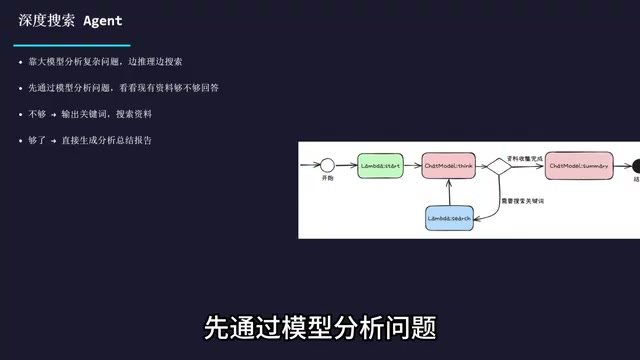
The Deep Search Agent relies on large models to analyze complex problems, implementing a "reason while searching" workflow. Its process is: first analyze the problem through the model to determine whether existing materials are sufficient to answer; if not, automatically output keywords to search for supplementary materials; if sufficient, directly generate an analytical summary report.
This pattern is particularly suitable for handling complex problems requiring multi-round information aggregation, such as industry research report generation, competitive analysis, and technical solution research. Unlike traditional single-pass searches, the Deep Search Agent performs quality assessment on search results—if it finds information is incomplete or contradictory, it automatically generates new search keywords for supplementary retrieval until the information volume meets the answer requirements. This "self-driven information completion" capability makes it far superior to simple RAG (Retrieval-Augmented Generation) solutions when handling open-ended questions.
Intent Recognition Agent: Dispatch Hub for Multi-Agent Collaboration
The Intent Recognition Agent is the most critical role in multi-agent collaboration systems. It can dynamically connect to different downstream expert Agents based on user needs, and all expert Agents are encapsulated using the standardized A2A protocol, supporting seamless addition and replacement at runtime with extremely high flexibility.
A2A (Agent-to-Agent) protocol is an open standard released by Google in April 2025, designed to solve interoperability issues between different AI agents. Previously, Agents built on various platforms were often "information silos" unable to collaborate across systems. The A2A protocol defines standard interfaces for Agent capability discovery (describing each Agent's skills and interfaces through Agent Cards), task management, and message communication, enabling Agents developed by different frameworks and vendors to discover and call each other like microservices. Unlike MCP (Model Context Protocol), which focuses on connecting models with tools, A2A focuses on peer-to-peer collaboration between Agents—the two complement each other to form a complete agent ecosystem connectivity solution. In practice, the Intent Recognition Agent acts like an intelligent router, receiving user requests, quickly determining the intent category, and then dispatching the request to the most appropriate expert Agent for processing.
Connector: Core Component for Ecosystem Extension
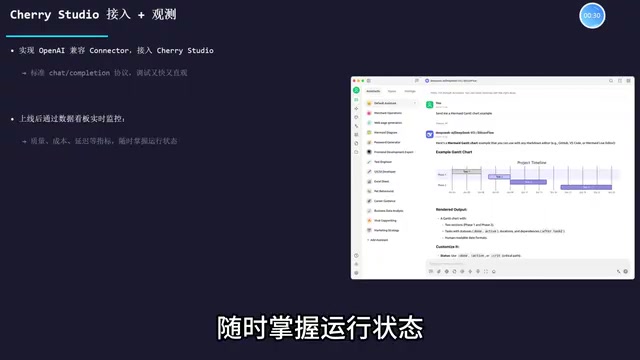
The Connector is a key component for exporting Agent capabilities externally. It adapts standardized Agent capabilities through protocol adaptation to connect with different external platforms, achieving "write once, use everywhere." For example, by implementing an OpenAI-compatible Connector, you can integrate an Agent into Cherry Studio, exposing capabilities through the standard Chat Completion protocol, making debugging fast and intuitive.
OpenAI's Chat Completion API has become the de facto standard protocol for large language model invocation—virtually all major model providers (including Anthropic, Google, Mistral, and domestic providers like Qwen and DeepSeek) offer API endpoints compatible with this protocol. This means that when an Agent exposes its capabilities through an OpenAI-compatible Connector, any client tool supporting this protocol (such as Cherry Studio, ChatBox, Open WebUI, etc.) can seamlessly connect, greatly reducing integration costs and debugging barriers.
After going live, you can also monitor the agent's core metrics—cost, latency, quality, etc.—in real-time through data dashboards, keeping track of operational status at all times.
Hands-On Implementation: Creating an AI Agent on the Coze Platform
With theory covered, let's move to the hands-on section. Using the Coze platform as an example, we'll build an agent step by step that automatically summarizes web page content and saves it to Feishu (Lark).
Coze is an AI application development platform launched by ByteDance, offering low-code/no-code agent building capabilities. The platform includes a rich plugin ecosystem (with connectors for mainstream platforms like Feishu, WeChat, Slack, etc.), a visual workflow editor, multi-model invocation support, and knowledge base management features. Developers don't need deep programming expertise—they can build complex AI workflows by dragging nodes and configuring parameters. Coze's positioning is similar to overseas platforms like Dify and LangFlow, but it has natural advantages in domestic ecosystem integration (especially with ByteDance products like Feishu and Douyin).
Step 1: Create a Workflow
Open Coze, click on the Resource Library, select "Workflow," fill in the name and description, and enter the blank editing page. Note that the Start node and End node exist by default and cannot be deleted—there must be connections between them, otherwise the workflow cannot run.
The core node configurations for the workflow are as follows:
Start Node — Responsible for data initialization. In this example, set a URL variable; when the agent calls the workflow, it will automatically extract the URL from the chat content and pass it in.
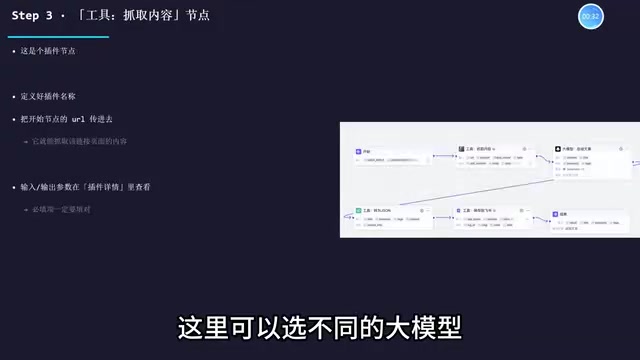
Tool Node: Fetch Web Page Content — This is a plugin node. Pass in the URL from the Start node to fetch the complete content of that linked page. The plugin's input and output parameters can be viewed in the plugin details—required fields must be filled in correctly. Coze's plugin marketplace provides numerous pre-built web scraping tools, typically implemented using Headless Browser technology under the hood, capable of handling JavaScript dynamically-rendered page content—more reliable than simple HTTP request scraping.
LLM Node: Summarize Article — Select an appropriate large model and pass in the title and content fetched in the previous step. The key lies in prompt writing: the system prompt should define the model's role, skills, and output format (e.g., requiring JSON output with summary and keyword tags); the user prompt simply passes in the title and content.
Prompt Engineering is one of the most critical technical aspects of agent development. High-quality prompt design should follow several principles: clear role definition (e.g., "You are a professional content editor"), specific output format examples (e.g., providing JSON Schema samples), boundary conditions (e.g., "If the article content is empty, return an error message"), and Few-shot examples to reduce model interpretation ambiguity. When requiring the model to output structured JSON, it's recommended to explicitly specify the meaning, type, and length constraints of each field in the system prompt—this significantly improves output stability and parsability.
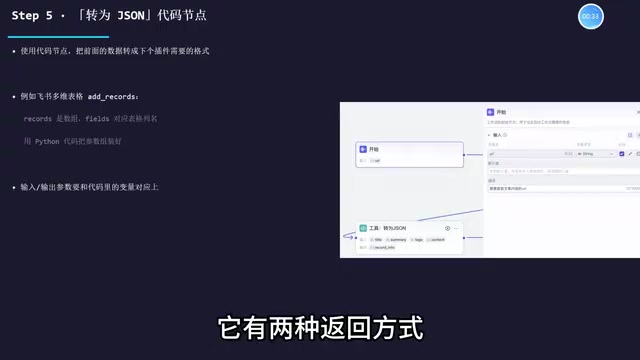
Code Node: Convert to JSON Format — Use Python code to convert the title, summary, tags, and other content from previous steps into the format required by the Feishu plugin. The Feishu Bitable edit_records plugin requires records in array format, with fields inside the array corresponding to table column names—precise assembly through code is needed.
Feishu Bitable is a structured data management tool provided by Feishu (Lark), similar to Airtable or Notion Database, supporting multiple field types (text, number, date, single-select/multi-select, relations, etc.) and multiple view modes (table view, kanban view, Gantt chart, etc.). Its open API allows external programs to perform CRUD operations through app_token (identifying the specific table document) and table_id (identifying the specific data table). When assembling data in the code node, the keys in the fields object must exactly match the Bitable column names (including case and spaces), otherwise data cannot be written correctly. This structured data integration approach enables AI processing results to be directly deposited as searchable, analyzable enterprise knowledge assets.
Tool Node: Save to Feishu — Fill in the Feishu table's app_token (copied from the table link) and the record_info generated in the previous step, and the organized content will be automatically saved to the Feishu Bitable.
End Node — There are two return methods: returning variables is suitable for binding cards or sub-workflows; returning text allows the agent to directly reply to users with specified content. Choose based on actual needs.
Step 2: Create the Agent and Bind the Workflow
After the workflow is complete, create the agent and enter the editing page. Focus on configuring three modules:
-
Persona and Response Logic: Define the agent's role, skills, and response rules—clearly tell the large model what it can do, what it cannot do, and how it should do things. This step determines the agent's "personality" and "capability boundaries." Good persona prompts should include: role definition ("You are a professional web content organization assistant"), capability scope ("You can summarize web articles and save them to Feishu"), behavioral constraints ("When the user sends something that isn't a valid URL, politely remind them to send a correct link"), and response style ("Concise and professional, using structured format for replies").
-
Bind the Workflow: Add the created workflow to the agent. This way, when the agent receives a link, it can automatically invoke the workflow for processing. When binding, confirm that the workflow's input parameters can correctly map to the agent's conversation context—in this example, the agent needs to extract the URL from the user's message and pass it to the workflow's Start node.
-
Test and Verify: Send a link directly in the testing area to verify whether the agent can correctly summarize content and save it to Feishu. It's recommended to test multiple edge cases: normal article links, pages requiring login to access, image-only pages, 404 error pages, etc., ensuring the agent provides reasonable responses in all situations.
Step 3: Publish the Agent
Once testing passes, you can publish. During publication, AI will automatically populate relevant information—adjust according to actual needs, select the target platforms for deployment, and confirm to go live. Coze supports publishing agents to multiple channels, including Feishu, WeChat Official Accounts, WeCom, web embedding, API interfaces, etc., achieving multi-platform reach from a single development effort.
Summary: Methodology for Commercial AI Agent Development
Commercial AI agent development isn't mysterious. The core methodology can be summarized as:
- Scenario-Driven: First identify business pain points, then design Agent capabilities. Avoid "using AI for the sake of using AI"—truly valuable agents always start from specific business problems.
- Modular Design: Encapsulate Agent capabilities using standardized protocols (such as A2A, MCP) to ensure composability and portability. This way, individual Agent capabilities can be reused across multiple systems, maximizing ROI.
- Workflow First: First validate business logic through workflows, then package them as agents. Workflows are debuggable and observable—more controllable and reliable than letting large models "freestyle."
- Continuous Monitoring: Going live isn't the finish line—continuously optimize quality and cost through data dashboards. Key metrics to focus on include: task success rate, average response latency, per-call token consumption, and user satisfaction scores.
From mapping out scenarios to building workflows, to creating and deploying agents—following the entire process step by step enables rapid deployment of commercial AI agents. The key is hands-on practice, continuously iterating and optimizing through real projects.
Related articles
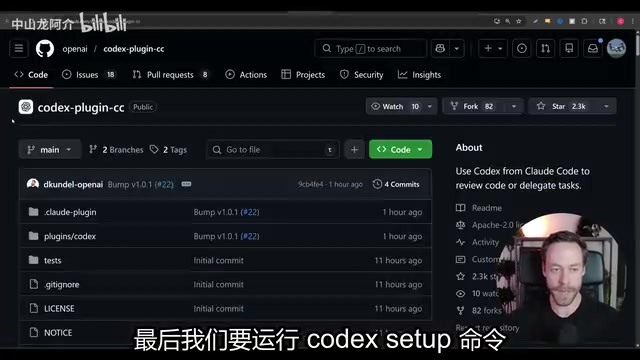
Claude Code Codex Plugin Integration: A Practical Guide to Dual-AI Adversarial Review for Better Code Quality
Learn how to install and configure the Codex plugin in Claude Code, leveraging dual-AI adversarial review to uncover code vulnerabilities across seven attack surfaces.
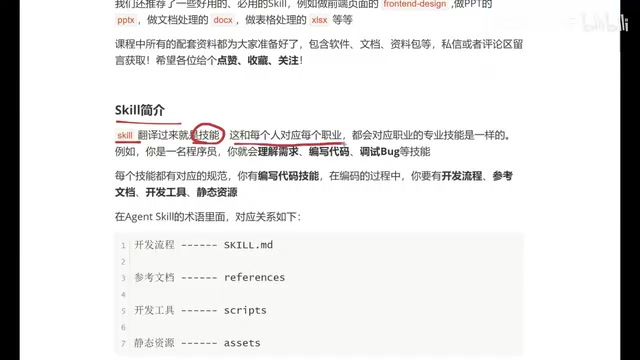
Beginner's Guide to Agent Skills: Structure Breakdown & Custom AI Skill Development
A deep dive into Agent Skill's core concepts and internal structure, covering skill.md, references, scripts, and assets with a restaurant poster Skill example.
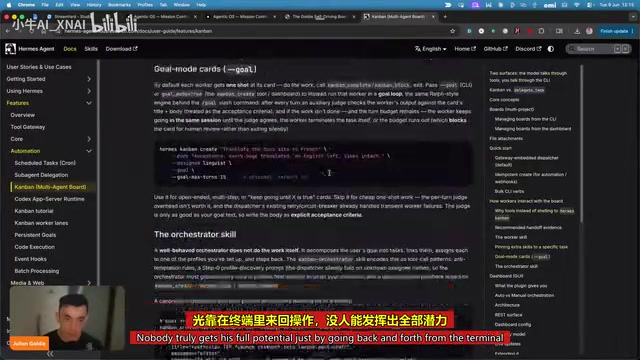
Hermes AI Kanban: A Five-Layer Autonomous Architecture for Fully Automated Delivery from Idea to Finished Product
Deep dive into Hermes Kanban 2.0's five-layer autonomous architecture covering intelligent planning, human approval gates, multi-agent execution, and Obsidian integration for fully automated delivery.