8 Free AI Coding Tools: Build a Complete Development Workflow at Zero Cost
8 Free AI Coding Tools: Build a Comple…
8 free AI coding tools to build a complete zero-cost development workflow.
Addressing the growing "Subscription Creep" problem in AI coding, this article systematically reviews 8 free AI coding tools spanning UI design (Stitch), async coding agents (Codex, Juice), terminal tools (Gemini CLI, Kodu), IDE integration (Gemini Code Assist, GitHub Copilot Free), and an all-in-one editor (Windsurf). Together, they help developers build a complete zero-cost workflow from design to code, while highlighting the critical difference between open-source free and commercial free tiers.
The Subscription Cost Dilemma in AI Coding
In the AI coding space, subscription fees are becoming a heavy burden for developers — IDEs cost money, models cost money, agents cost money, and design tools cost money too. Stack up enough $20 subscriptions and your wallet runs dry fast. This phenomenon is known as "Subscription Creep", a classic side effect of the SaaS era. Take a typical developer, for example: Cursor Pro ($20/month), GitHub Copilot ($10–19/month), Claude Pro ($20/month), and Figma ($15/month) easily add up to over $70 per month — far more than most people expect.
But the truth is, there are still plenty of genuinely useful and free AI coding tools out there. This article systematically reviews 8 noteworthy free options to help you build a complete zero-cost development workflow, from UI design to terminal-based coding.
Note: The free tier information for the tools below is provided for reference only. Some are inherently free as open-source projects, while others offer free tiers or public previews — specific policies may change at any time. It's worth noting that open-source free (e.g., Gemini CLI, Kodu) and commercial free tiers (e.g., GitHub Copilot Free) are fundamentally different: the former has public source code, can be self-hosted, and is permanently free; the latter is a customer acquisition strategy for commercial products, and policies can change at any time. Understanding this distinction is critical for production dependencies.
UI Design: Stitch — Google's AI Design Powerhouse
Many people overlook a key issue when using AI coding tools: if the design reference is poor, the generated app usually won't be much better. Stitch was built to solve exactly this pain point.
Stitch is an AI design tool from Google Labs. You simply provide a prompt, screenshot, or reference image, and it generates UI layouts, business flows, alternative designs, and prototypes. This means you no longer have to tell your AI coding assistant to "make it look modern" and hope for the best. Instead, you can nail down the visual style in Stitch first, then pass the finalized design directly to your coding tool. This alone can dramatically improve the end result.
Async Coding Agents: Codex and Juice
Before diving into specific tools, it's important to understand the emerging paradigm of Async Coding Agents. Traditional tools like early Copilot worked synchronously — the developer types, and the AI responds immediately. Async agents, on the other hand, allow developers to submit a task and walk away. The agent autonomously completes multi-step operations in the background (reading the codebase, running tests, submitting PRs), and the developer reviews the results later. This model is closer to "delegation" than "collaboration," making it well-suited for batch-processing repetitive engineering tasks and representing an important direction in AI coding tool evolution.
Codex — OpenAI's Cross-Platform Coding Assistant
Codex's core advantage is that it's no longer just a single interface. You can use it across apps, the command line, the web, and IDE plugins — all by logging into the same ChatGPT account. If you want to hand off bug fixes, code refactoring, or code review tasks and go do something else, Codex excels at handling these async tasks.
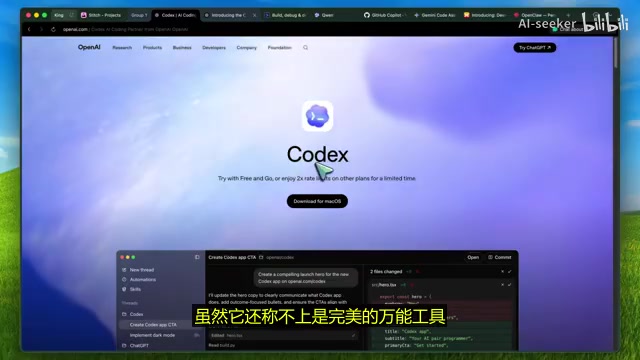
While OpenAI's rate-limiting policies change frequently, as a free option right now, Codex is absolutely worth trying.
Juice — A Highly Efficient Tool for GitHub Tasks
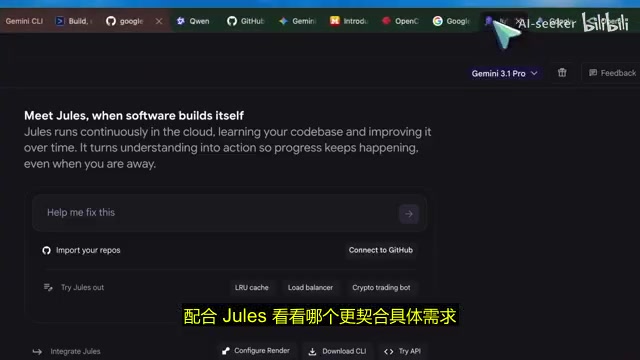
Juice is Google's answer to async workflows. It's now open to everyone, with a free tier plus paid Pro and Ultra plans. It excels at handling specific GitHub tasks: adding tests, fixing issues, improving documentation, refactoring components, and upgrading legacy code.
Compared to Codex, Juice is more focused on GitHub task processing, with a clean and efficient workflow. If your project is already on GitHub and you prefer a batch-processing workflow, Juice is an excellent free choice.
Terminal AI Coding Tools: Gemini CLI and Kodu
Gemini CLI — The Most Generous Free Tier Among Terminal Agents
If you prefer doing your coding work in the terminal, the importance of Gemini CLI cannot be overstated. It's fully open-source, runs locally in your terminal, and supports MCP protocol and various workflows. According to Google's official repository, simply logging in with a Google account gives you a free tier of up to 60 requests per minute and 1,000 requests per day.
MCP Protocol Background: MCP (Model Context Protocol) is an open protocol standard proposed by Anthropic in late 2024, designed to standardize how AI models interact with external tools and data sources. Similar to how USB-C standardized hardware interfaces, MCP enables different AI agents to invoke file systems, databases, APIs, and other external resources in a consistent way, dramatically reducing tool integration costs. Gemini CLI's support for MCP means it can seamlessly plug into the entire MCP ecosystem's toolchain, enabling more complex automated workflows.
This level of free access is almost absurd when you consider the model quality. It flexibly supports scripting, delivers a smooth experience, and provides enough free quota to actually build things — not just run a demo and call it a day. For developers who don't want to spend money on AI coding tools, Gemini CLI is absolutely top-tier.
Kodu — A Strong Open-Source Terminal Agent Alternative
If you're looking for a terminal agent with stronger open-source credentials, Kodu is also worth your attention. Its GitHub repository is marked as open-source, and logging in currently provides 1,000 free requests per day.
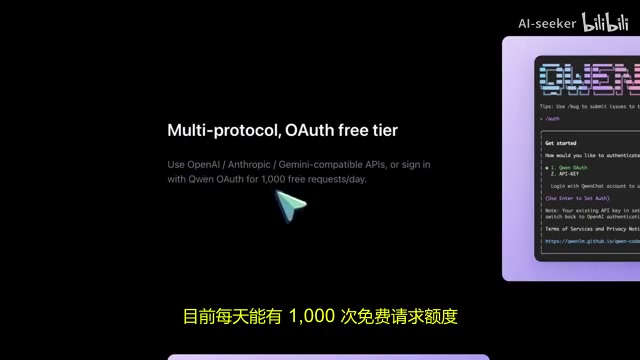
Kodu's design philosophy is very similar to Gemini CLI — terminal-first with agentic capabilities, built for developers who want to get hands-on with their codebase. The healthy competition we're seeing now means developers can access excellent terminal AI agents without spending a dime.
IDE Integration: Gemini Code Assist and GitHub Copilot Free
Gemini Code Assist — The Perfect Companion for Editor and Terminal
If you don't want to stare at a command-line interface all day, Gemini Code Assist is well worth your attention. Google positions it as the IDE companion to Gemini CLI, also offering a free tier.
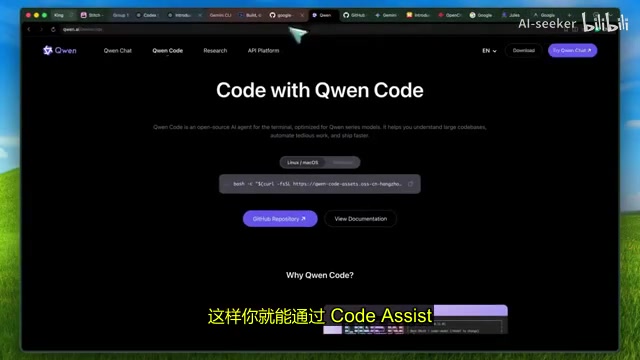
You can use Code Assist for inline editing, code explanations, and help requests in VSCode or JetBrains, leverage agent mode, and still keep Gemini CLI for heavy terminal tasks. This combination gives you the convenience of an editor and the power of the terminal — all without paying a cent.
GitHub Copilot Free — The Simplest Way to Get Started with AI Coding
While many people are lukewarm on Copilot these days, feeling it's not as flashy as the newer AI agents, free is free — and that's always appealing. According to official documentation, the free tier still offers 2,000 code completions and 50 premium model requests per month.
If you mainly need inline assistance, quick code completions, and occasional multi-file tasks with native VS Code integration, it's still more than adequate. For students or beginners, the simple setup and direct integration into a familiar editor can be what matters most — sometimes convenience is king.
All-in-One AI Editor: Windsurf (Anti-Gravity)
Windsurf's free plan might be the most pleasant surprise on this list. It's a quintessential Agentic Coding environment — the AI doesn't just generate individual code snippets; it can autonomously plan tasks, invoke tools, execute multi-step operations, handle error feedback, and iterate on improvements. This requires strong reasoning capabilities from the underlying model, plus sandbox execution, file system access, browser control, and other capabilities from the host environment — fundamentally different from early tools that only did code completion.
Free users still get access to the full feature set, including:
- Unlimited Tab code completions
- Agent management and browser integration
- Increased weekly usage limits
- Task planning, model switching, and other agentic coding features
It provides a highly professional agentic coding environment with browser control, task planning, and model switching — all available in the free version. This performance honestly outshines many paid tools. While the agent management features can occasionally feel clunky and the polish varies across different parts, the value of its free plan is genuinely exceptional.
Advanced Option: OpenClaw + Zero-Cost Models
If you want to try a more experimental, hacker-oriented approach, check out the zero-cost model options in the OpenClaw ecosystem. According to current official documentation, some models have already implemented zero-cost token policies.
This is crucial because in OpenClaw-type workflows, cost is often what scares people away. People want the full package — autonomous agents, browser operations, tool planning, and memory — and assume they need expensive API access. But by combining OpenClaw with zero-cost providers, the barrier to experimentation drops dramatically.
Recommended Free AI Coding Workflow Combination
If you're building from scratch, here's the recommended free workflow:
| Use Case | Recommended Tool |
|---|---|
| UI and prototyping | Stitch |
| Async repo tasks | Codex Free + Juice |
| Primary terminal coding | Gemini CLI |
| Open-source terminal alternative | Kodu |
| Full AI agent editor | Windsurf |
| Simple in-editor solution | GitHub Copilot Free / Gemini Code Assist |
| Experimental hacker route | OpenClaw + Zero-cost models |
Final Thoughts
It's important to emphasize that free doesn't mean it can handle every scenario. Sometimes free tiers have rate limits, sometimes they're still in public beta, sometimes they're free for a limited time, and sometimes they excel in specific workflows but have narrow applicability.
But the real significance is this: we now have specialized options for different needs. This is far better than the old situation of "just buy this one paid tool and live with all its limitations." Whether you're a student, a hobbyist, or someone fed up with AI tools constantly tacking on another $20, now is genuinely a great time to dive in — UI generation, code editing, async agents, IDE assistance, command-line agent workflows — all at zero cost. Not long ago, this would have sounded like a fantasy, but it's now a reality.
Key Takeaways
- Gemini CLI offers 1,000 free requests per day with native MCP protocol support, making it a top-tier choice for zero-cost terminal AI coding
- Windsurf's free tier provides unlimited Tab completions and full agentic coding features, delivering better value than many paid tools
- From UI design (Stitch) to terminal coding (Gemini CLI) to IDE integration (Code Assist), you can build a complete zero-cost AI development workflow
- Codex and Juice represent two approaches to async coding agents: cross-platform generalist vs. GitHub-focused specialist
- Open-source free (permanently predictable) and commercial free tiers (policies subject to change) are fundamentally different — distinguish between them when making choices
- Free tools each have their own ideal use cases and limitations; a well-thought-out combination beats chasing a single do-it-all tool
Related articles
 Tutorials
Cursor + Codex Dual-IDE Collaboration: A Practical Methodology for Open-Source Project Customization
A complete methodology for open-source project customization based on real-world experience, detailing the Cursor+Codex dual-IDE workflow, seven-stage process, MVP validation, and AI source code reading techniques.
 Tutorials
Cursor Multi-Agent in Practice: Building a Full-Stack Next.js Blog in 50 Minutes
Build a full-stack blog in 50 minutes using Cursor IDE's multi-Agent mode with Next.js, Clerk auth, and Supabase. Learn the 4-phase AI Agent workflow and key integration pitfalls.
 Tutorials
Building an AI Software Factory from Scratch: A Cursor Engineer's Hands-On Experience with Multi-Agent Collaboration
Cursor engineer Eric shares practical insights on building an AI software factory: automation levels, guardrail design, parallel Agent management, and scaling to 1000+ Agents for 24/7 development.