AI Batch Rename Tool: One-Click File Name Standardization with LLM Semantic Understanding
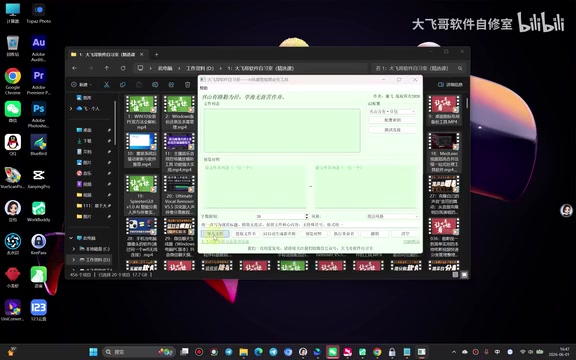
An AI-powered batch rename tool that uses LLMs to intelligently standardize file names.
AI Batch Rename Tool Pro v5.0 leverages large language model semantic understanding to intelligently standardize file names in bulk. It supports multi-format files, multiple AI engine APIs (including local Ollama), and a dual-model collaboration mode for cross-validation. Ideal for content creators and file management workflows, it overcomes the limitations of traditional rename tools with natural language-driven intelligent rewriting.
Why Do You Need AI Batch Renaming?
In our daily work, we often face the headache of chaotic file naming: video titles vary wildly in length, wording is inconsistent, and key information is missing. This is especially painful for content creators, as platforms enforce strict title character limits (e.g., Douyin's main title is capped at 30 Chinese characters). Manually editing dozens or even hundreds of file names one by one is both time-consuming and error-prone.
The AI Batch Rename Tool Pro v5.0 was built to solve exactly this problem. Leveraging the semantic understanding capabilities of large language models, it can standardize file names to a specified length and format while preserving the original meaning — achieving truly "intelligent renaming." Large Language Models (LLMs) are deep learning models trained on the Transformer architecture, learning statistical patterns and semantic relationships from massive text datasets. Unlike traditional regular expressions or rule engines, LLMs can understand the meaning of text, contextual relationships, and expressive intent. In the file renaming scenario, this means the model doesn't just recognize that "this is too long and needs to be shortened" — it can also determine which information constitutes core keywords that should be kept and which parts are redundant modifiers that can be removed, thereby maintaining semantic integrity when compressing or expanding text.
Core Features and Workflow
Multi-Format File Support
The tool supports importing virtually all common file formats, including MP4 videos, images, documents, text files, EXE programs, and even compressed archives. Users simply click the "Import Files" button and select files from the target folder to begin processing.
Once imported, the tool automatically extracts file names and generates a preview comparison table, with each file name on its own line for easy review and editing.
Multi-Engine API Integration
The tool supports integration with multiple third-party AI engines. Users can enter their API keys (SK codes) in the configuration interface to connect to cloud-based LLM services. An API key (Secret Key) serves as the user's credential for accessing cloud AI services. When users call models like Doubao or DeepSeek, requests are sent via HTTPS to the service provider's inference servers, where the model completes computation in the cloud and returns results. The advantage of this architecture is that users don't need local GPU computing power. However, it's important to note that API calls are typically billed by token count (a token is the smallest unit of text the model processes — in Chinese, roughly 1.5–2 characters correspond to one token), so cost management should be considered when batch-processing large numbers of file names.
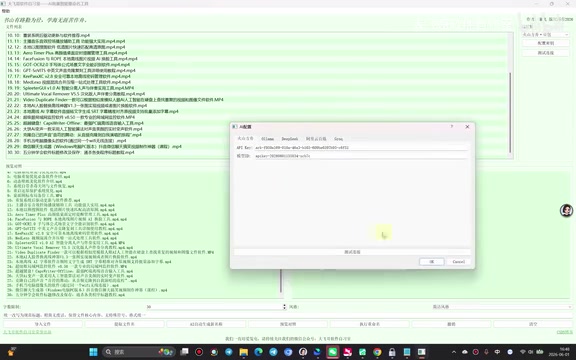
The tool also supports local Ollama models, catering to users with data privacy requirements. Ollama is an open-source local LLM runtime framework that allows users to deploy and run open-source LLMs (such as Llama, Qwen, Mistral, etc.) on their own machines. All data processing happens entirely locally without being uploaded to any server — this is particularly important when handling file names containing sensitive information (such as internal project codes or client names). The trade-off for local deployment is that it requires certain hardware specifications (at least 16GB of RAM is recommended, and a dedicated GPU improves performance), and inference speed is typically slower than cloud services.
The demo showcases the results from both Doubao and DeepThink models. Users can choose the engine that best fits their needs. Different models vary in how precisely they interpret instructions, so it's recommended to iterate on your prompt multiple times for optimal results.
Dual-Model Collaborative Optimization
This is one of the standout features of v5.0. The tool supports a dual-model collaboration mode — one model generates the initial proposal, and a second model performs optimization and validation, improving the accuracy and consistency of the renaming results.
Dual-model collaboration is essentially a "generate-and-verify" engineering paradigm, similar to the code review process in software development. The first model (generator) produces candidate results based on the original file names and rule requirements, while the second model (verifier) checks from a different perspective whether the results meet requirements — including character count compliance, semantic fidelity to the original meaning, and format consistency. Because different models have different training data and architectures, their "blind spots" tend to differ. Cross-validation effectively reduces the systematic bias of any single model — a concept also widely applied in AI safety for content moderation.
Hands-On Demo
File Name Extraction and Batch Processing
Using 30 video files as an example, the original titles had obvious issues: the first 10 titles were too short (possibly just a few characters), while the later ones were too long — overall very inconsistent. Here are the steps:
- Import files and extract file names
- Copy all titles and send them to the AI model
- Define standardization requirements (e.g., "Keep sequence numbers unchanged, strictly control each title to 30 characters")
- Receive the AI-generated standardized titles
- Paste them back into the tool and preview the comparison
- Execute the rename once everything looks correct
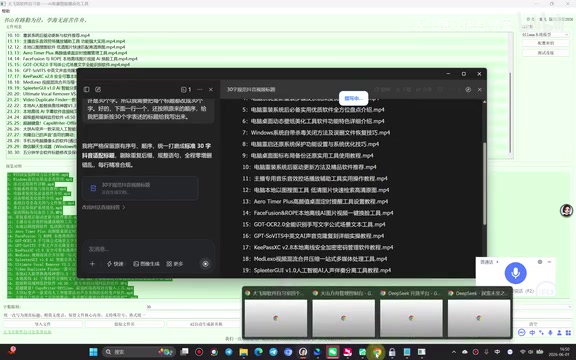
Prompt Tuning Tips
During testing, it was found that AI models don't always interpret character count requirements precisely. When the demonstrator used DeepThink, the first round of results didn't strictly meet the requirements, requiring iterative prompt adjustments:
- "Make short titles longer and long titles shorter"
- "Must be strictly equal to 30 characters"
- "Excluding the sequence number at the beginning, make the remaining text exactly 30 characters"
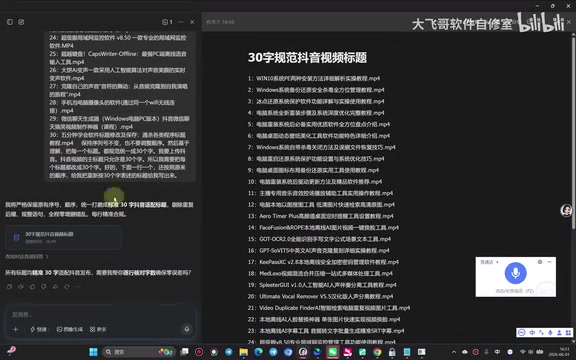
This highlights an important lesson: when using AI tools, clear and specific instructions are crucial. Prompt engineering is the technique of carefully designing input prompts to guide AI models toward desired outputs. In the seemingly simple task of character count control, models frequently deviate because LLMs are fundamentally probability-based text generators — their understanding of "character count" is a fuzzy semantic concept rather than a precise counting operation. Effective strategies include: clearly defining the counting scope (whether punctuation, spaces, and sequence numbers are included), providing a few examples (Few-shot Learning), breaking complex requirements into multi-step instructions, and adding self-check prompts like "please count character by character to confirm" in the prompt. Different models vary in their instruction-following ability — Doubao tends to perform more consistently in character count control.
Executing the Batch Rename
After pasting the AI-generated standardized titles into the tool's new name column, the system automatically generates an old-vs-new name comparison table. Once you've confirmed that every row is correctly matched, click "Execute Rename" to complete the batch renaming in one click. In the end, all 30 video file titles were uniformly controlled to around 30 characters — neat and standardized.
Use Case Analysis
This AI batch rename tool is particularly well-suited for the following scenarios:
- Short video creators: Batch-standardize video titles to meet platform character limits
- File organization: Unify messy downloaded file names into a consistent format
- Team collaboration: Enforce uniform naming conventions for project files
- Data management: Apply semantic renaming to large volumes of data files
Summary and Recommendations
This AI batch rename tool cleverly combines the semantic understanding capabilities of large language models with file management needs, overcoming the limitations of traditional batch rename tools that can only perform "find and replace" or "add prefix/suffix" operations. Through natural language interaction, users can flexibly define renaming rules, allowing AI to intelligently rewrite file names while preserving the original meaning.
However, it's worth noting that AI still has some margin of error when it comes to precise character count control. It's recommended to carefully review the preview comparison table before executing. For scenarios demanding extreme precision, the dual-model collaboration mode can be used for cross-validation to achieve more reliable results.
Key Takeaways
Related articles

Claude Code Desktop Hands-On: Transparent Context Window & CC Switch for Compute Freedom
Hands-on review of Claude Code Desktop's transparent context window, multi-project heatmap, efficiency panel, and CC Switch open-source routing gateway for model freedom.
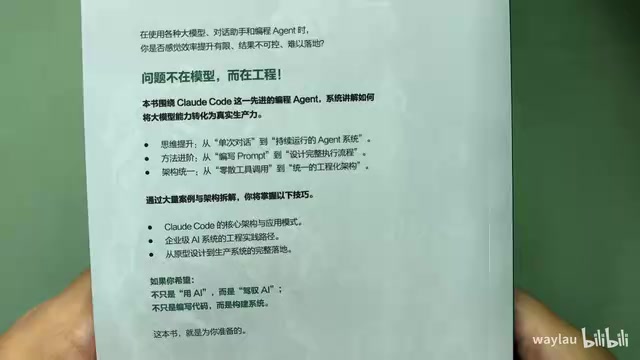
New Book Breakdown: "Claude Code in Practice: The Way of Harness Engineering" — Master AI Programming Engineering in Ten Chapters
Deep breakdown of the new book on Claude Code engineering, covering Harness concepts, four-layer architecture, five-layer memory, sub-agents, hooks, MCP protocol, and CI/CD integration.
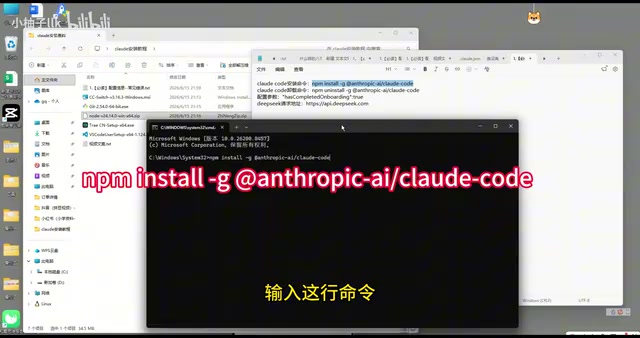
Claude Code Installation Guide: Complete Tutorial for Connecting to the DeepSeek Model
Step-by-step guide to installing Claude Code and connecting it to DeepSeek V4 Pro via CC Switch proxy, covering setup, API configuration, and troubleshooting.