AI-Driven Zero-Code Automated Testing: A Complete Path from Python Basics to Hands-On Practice
A complete guide to leveraging AI tools for learning automated testing from scratch.
This article outlines a complete learning path for automated testing powered by AI, from Python fundamentals to PyTest framework mastery. It covers API automation with requests, UI automation with Playwright vs Selenium, and practical techniques for using AI coding assistants to generate standardized test cases — enabling zero-code-background testers to become proficient in 2-3 months.
Introduction: Why Automated Testing Needs a New Approach
Automated testing has always been a must-have milestone for software test engineers looking to level up, but the traditional learning path often feels daunting — learn a programming language first, then a framework, then work on projects. The cycle is long, and it's easy to give up halfway through. With the maturity of AI tools, a brand-new approach to learning and practice is emerging: use AI to dramatically lower the coding barrier and get started with automated testing quickly.
This article is based on a systematic walkthrough shared by an experienced testing instructor on Bilibili. It outlines the complete learning path for automated testing and explains how to leverage AI tools to achieve a practical approach where "even someone with zero coding experience can handle automated testing."
The Core Learning Path for Automated Testing
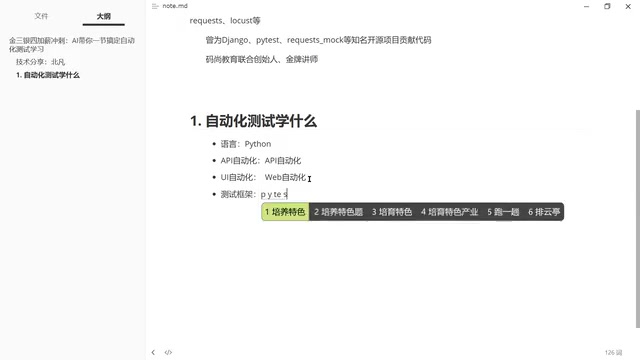
Step 1: Choose Python as Your Programming Language
Any automated testing effort requires a programming language as its foundation, and the instructor explicitly recommends Python. The reason is simple: Python has clean syntax, a rich ecosystem, and a gentle learning curve — making it the most popular choice in the testing field today.
Python's status as the go-to language for testing isn't just about clean syntax. Behind it lies a massive testing ecosystem: beyond requests and Selenium/Playwright, there's SQLAlchemy for database operations, the responses library for Mock services, the Locust framework for performance testing, and more. Python's PyPI (Python Package Index) hosts over 500,000 third-party packages, covering virtually every scenario a tester might encounter. Additionally, Python's dynamic typing and rich built-in data structures (dictionaries, lists, etc.) make handling JSON-formatted API response data extremely convenient — a huge advantage in API automation testing.
However, there's a key shift in mindset here — the traditional approach is "spend a few months mastering Python, then start learning automation," but the new approach is: skip the systematic language-learning phase, jump straight into framework practice, and use AI to fill in the coding gaps. We'll elaborate on this later.
Step 2: Run API Automation and UI Automation in Parallel
Automated testing mainly splits into two directions:
- API Automation Testing: Uses the
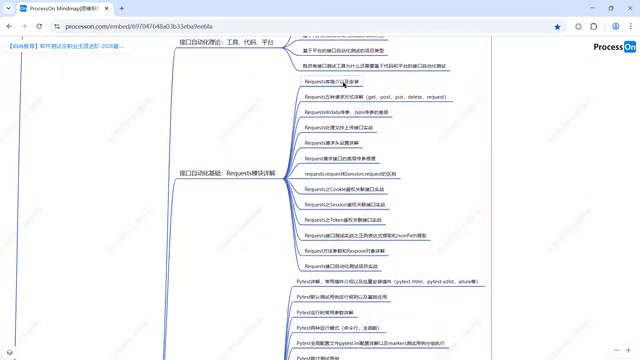
requestslibrary — this is a must, with few real alternatives. You need to master core skills like request methods, parameter passing, and response parsing. - UI Automation Testing: Here you have two mainstream choices — the traditional Selenium and the emerging Playwright.
The requests library is the most popular HTTP client library in Python, providing an elegant wrapper around the underlying urllib3 to make sending HTTP requests incredibly simple. Understanding requests requires a basic knowledge of the HTTP protocol: HTTP (Hypertext Transfer Protocol) is the foundation of web communication, defining the request-response model between client and server. Common request methods include GET (retrieve resources), POST (submit data), PUT (update resources), and DELETE (remove resources), which correspond to CRUD operations in RESTful API design. In API automation testing, test engineers need to master core concepts such as Headers, Body, status codes (e.g., 200 for success, 404 for not found, 500 for server error), and Cookie & Session management.
The instructor specifically points out that if time is tight (say, only one or two months), prioritize UI automation because it's faster to pick up and produces more visual results. API automation, as an essential skill, can be pursued in parallel.
Step 3: PyTest Framework Is the Core Hub
Once you've grasped the basic automation tools, the testing framework is the real core. The instructor strongly recommends the PyTest framework for the following reasons:
- PyTest is the most mainstream testing framework in the Python ecosystem
- Advanced capabilities like test reports, logging, and CI/CD continuous integration are all built on top of PyTest
- AI-generated test cases can directly conform to PyTest format, forming a complete workflow
PyTest has become the de facto standard for Python testing frameworks thanks to its powerful plugin architecture and convention-over-configuration design philosophy. PyTest's core features include: the fixture mechanism (a dependency injection system for test preconditions and teardown), parameterized testing (data-driven testing via the @pytest.mark.parametrize decorator), assertion rewriting (automatically providing detailed assertion failure messages), and a rich plugin ecosystem (over 800 official and community plugins). PyTest uses an auto-discovery mechanism that automatically collects test cases based on naming conventions (files and functions starting with test_), greatly simplifying test organization. Compared to Python's built-in unittest framework, PyTest doesn't require test classes to inherit from a specific base class, making the code more concise and Pythonic.
Here's a critically important point: don't have AI generate scattered code snippets or scripts — instead, have AI generate standardized test cases that can be directly used by the PyTest framework. For example, you can tell AI, "Generate test cases in PyTest framework format," and the resulting code can be directly incorporated into project management rather than being a pile of unmaintainable loose scripts.
Step 4: Advanced Skills and Project Practice
Once the fundamentals are solid, advanced directions include:
- Test Report Generation: Report tools like Allure
- Logging: Comprehensive test execution records
- CI/CD Continuous Integration: Embedding automated testing into DevOps workflows
- Project Practice: This is the key to putting on your resume — you must have complete project experience
Allure is an open-source test reporting framework developed by Qameta Software that transforms dry test execution data into beautiful, interactive HTML reports. Allure supports multiple testing frameworks (PyTest, JUnit, TestNG, etc.) and uses decorators or annotations to add metadata to test cases (such as severity level, feature module, test steps, etc.). The generated reports include visualizations across dimensions like test trend charts, failure analysis, and execution time distribution. CI/CD (Continuous Integration/Continuous Delivery) is a core practice in DevOps, and tools like Jenkins, GitLab CI, and GitHub Actions can automatically trigger test execution after code commits. Embedding automated testing into a CI/CD pipeline means that regression tests run automatically with every code change, achieving Shift-Left Testing — catching defects early in development and significantly reducing the cost of fixes.
Selenium vs Playwright: How to Choose a UI Automation Framework
When it comes to choosing a UI automation tool, the instructor highlighted a noteworthy trend: Playwright is becoming a strong alternative to Selenium.
Selenium's Pain Points:
- Requires complex environment setup
- Must install and manage browser drivers (ChromeDriver, etc.)
- Driver version compatibility with browser versions is a constant headache
Playwright's Advantages:
- Simpler environment setup
- Built-in browser management — no manual driver configuration needed
- Supports test recording, further lowering the coding barrier
- Offers a more modern API design
Playwright was open-sourced by Microsoft in 2020, and most of its core team members came from Google's Puppeteer project (a Node.js wrapper for the Chrome DevTools Protocol). Playwright's technical architecture communicates via the browser's DevTools Protocol and supports three major browser engines — Chromium, Firefox, and WebKit — enabling true cross-browser testing. Unlike Selenium, which communicates with browsers through the WebDriver protocol (a W3C standard), Playwright establishes direct connections with browser processes, giving it significant advantages in execution speed, stability, and feature richness. Playwright's auto-waiting mechanism intelligently waits for elements to become actionable before performing actions, dramatically reducing test instability caused by page loading timing issues (known as the "Flaky Test" problem) — one of the long-standing pain points for Selenium users.
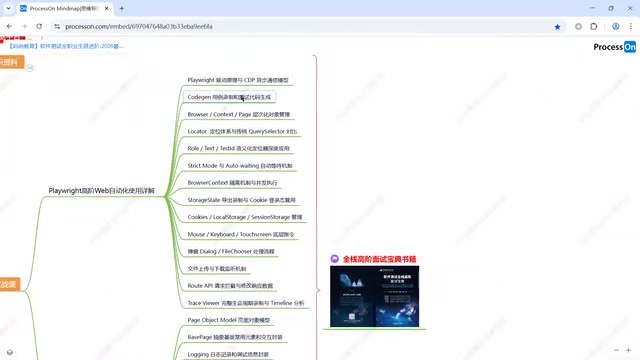
Core skills to master with Playwright include: test recording, object management, element locating, common operations, and more advanced features like file upload/download and route interception. The instructor suggests learners choose between Selenium and Playwright based on their own situation, but from a trend perspective, Playwright deserves serious attention.
AI-Driven Fast Learning Methods
This is the most valuable part of the entire walkthrough — how to quickly get started with automated testing without a programming background, using AI.
Current AI coding assistants (such as ChatGPT, GitHub Copilot, Claude, etc.) are powered by Large Language Models (LLMs) built on the Transformer architecture. They learn programming language syntax, design patterns, and best practices by pre-training on massive code corpora. These models can understand requirements described in natural language and translate them into executable code — essentially a "translation" capability from natural language to programming language. In automated testing scenarios, AI's advantages are particularly evident: test cases have a relatively fixed structure (prepare data → execute operations → verify results) and involve many reusable patterns, which is exactly what LLMs excel at. However, it's important to note that AI-generated code isn't always correct — test engineers still need code review skills, must understand the logic of generated code, and adjust it according to actual business scenarios.
Core Philosophy: Framework First, AI Fills the Gaps
The traditional path is: Learn Python → Learn HTTP protocol → Learn requests/Selenium → Learn PyTest → Work on projects, with the entire cycle potentially taking 3–6 months.
The new path is: Start directly with the PyTest framework, and let AI write the code you don't know how to. Specifically:
- First understand the framework's core concepts: What are test cases, how to organize them, how to execute them, how to configure the framework
- Use AI to generate specific code: Tell AI your testing requirements and target framework (PyTest), and let it generate standardized test code
- Learn the language through practice: Gradually master Python syntax by reading and modifying AI-generated code
The key to this approach is: you don't need to become a Python expert before you can start doing automated testing. AI acts as your "coding assistant," and you only need to focus on test logic and business understanding.
Tips for Giving AI Effective Instructions
The key to getting AI to generate high-quality test code is: explicitly specify the framework and standards. Don't say "write me a login test" — instead say "generate an automated test case for login functionality using the PyTest framework, using the requests library to send HTTP requests, including parameterized tests for both successful and failed login scenarios."
The more specific your instructions, the more directly usable the AI-generated code will be, reducing debugging costs down the line. This technique for interacting with AI is known in the industry as "Prompt Engineering," and its core principles are: provide sufficient context, specify output format requirements, and define the tech stack and constraints. In automated testing scenarios, a good prompt should include the following elements: target framework (PyTest), libraries used (requests/Playwright), test scenario description, expected assertion logic, and whether advanced features like parameterization or fixtures are needed.
Complete Learning Roadmap Summary
Overall, the recommended learning path for automated testing is as follows:
| Phase | Content | Tools/Frameworks | Estimated Time |
|---|---|---|---|
| Basics | Python language (AI-assisted) | Python 3.x | 1–2 weeks |
| API Automation | HTTP requests, API testing | requests | 2–3 weeks |
| UI Automation | Web page automation | Playwright/Selenium | 2–3 weeks |
| Framework | Test case management & execution | PyTest | 1–2 weeks |
| Advanced | Reports, logging, CI/CD | Allure, Jenkins | 2–3 weeks |
| Hands-on | Complete project | Comprehensive | 2–4 weeks |
If you go all-in on this path with AI tools assisting you, you can reach a resume-ready level in as little as 2–3 months.
Final Thoughts
AI isn't here to replace test engineers — it's changing how automated testing is learned and practiced. Skills that used to take half a year to master can now be acquired in a dramatically compressed timeframe with AI assistance. But the core competencies — testing mindset, business understanding, and quality awareness — remain irreplaceable by AI. Tools change, but the essence of testing stays the same: ensuring software quality in the most efficient way possible.
Key Takeaways
Related articles
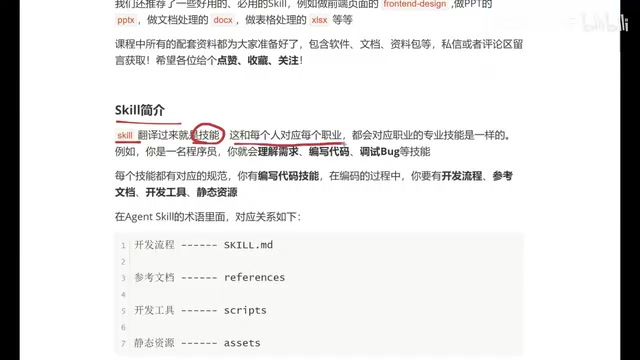
Beginner's Guide to Agent Skills: Structure Breakdown & Custom AI Skill Development
A deep dive into Agent Skill's core concepts and internal structure, covering skill.md, references, scripts, and assets with a restaurant poster Skill example.
Complete Guide to Commercial AI Agent Development: From Requirements Analysis to Production Deployment
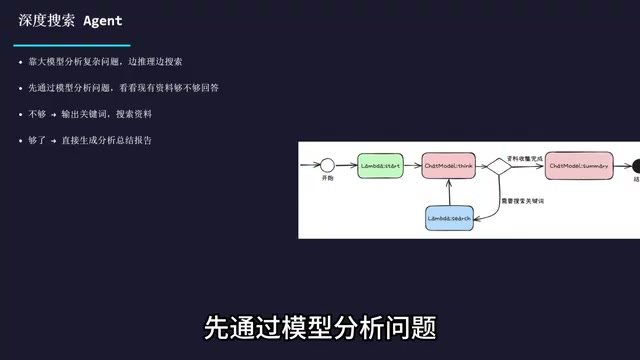
Complete guide to commercial AI agent development from scratch, covering requirements analysis, architecture design (ReAct framework, deep search, intent recognition), hands-on Coze platform implementation, workflow creation, and production deployment.
Hermes AI Kanban: A Five-Layer Autonomous Architecture for Fully Automated Delivery from Idea to Finished Product
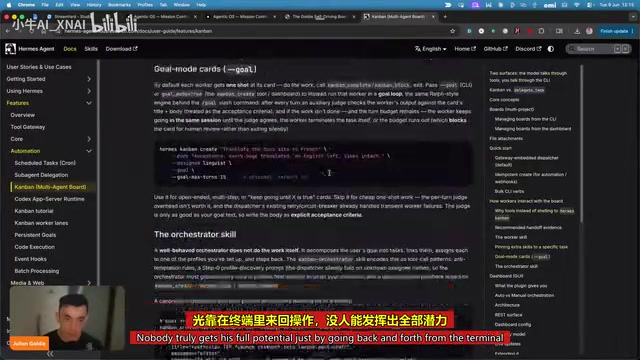
Deep dive into Hermes Kanban 2.0's five-layer autonomous architecture covering intelligent planning, human approval gates, multi-agent execution, and Obsidian integration for fully automated delivery.