AI Image Expansion Explained: Extend Image Boundaries with One Click
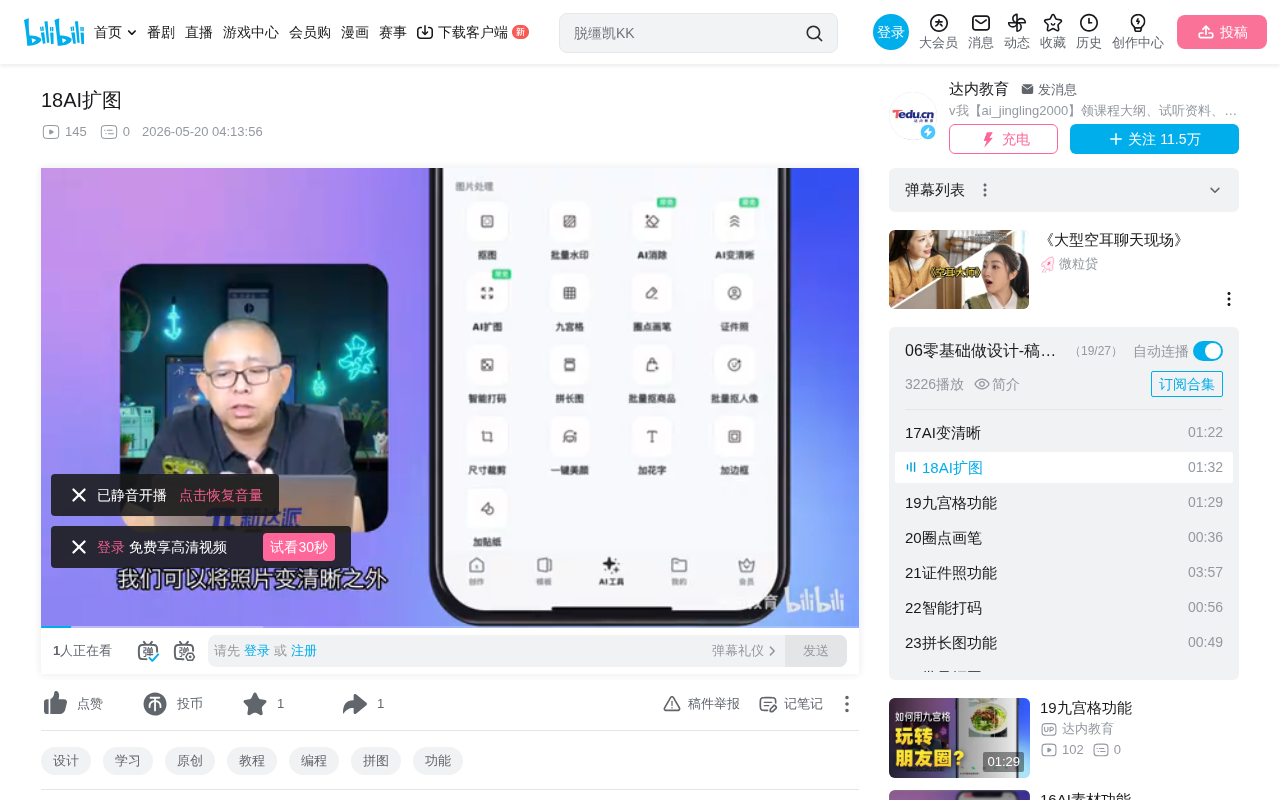
AI image expansion intelligently extends photo boundaries by generating realistic content beyond the frame.
AI image expansion (Outpainting) is an image processing feature powered by diffusion models and other AI technologies that intelligently recognizes image content and extends the frame boundaries. It offers two modes—proportional expansion and free expansion—with simple operation, suitable for portrait background extension, landscape photo enhancement, and social media aspect ratio adaptation. Results vary due to randomness, so multiple attempts are recommended for optimal outcomes.
What is AI Image Expansion
AI image expansion is an artificial intelligence-based image processing feature that intelligently recognizes image content and automatically extends the boundaries of the frame. When a photo's composition isn't ideal or lacks sufficient surrounding context, AI can infer and generate imagery for the surrounding areas based on the existing content, making the photo look more complete.
In the AI image processing field, the technical term for image expansion is Outpainting, as opposed to Inpainting. Inpainting is used to repair occluded or damaged areas within an image, such as removing watermarks or restoring old photos, while Outpainting generates entirely new content beyond the image boundaries. Compared to Inpainting, Outpainting is typically more technically challenging because the areas to be generated lack constraints from surrounding pixels, requiring the model to have stronger scene understanding and imagination capabilities. OpenAI's DALL-E 2 first demonstrated impressive Outpainting capabilities in 2022, after which major platforms followed suit, gradually bringing this technology to the mainstream.
This feature is extremely practical in everyday use—whether you need a specific aspect ratio for social media posts or your shot didn't capture enough of the scene, AI image expansion can easily solve the problem.
Comparing Two Expansion Modes
Proportional Expansion: The Most Common Method
Proportional expansion is the most commonly used mode. Here's how it works:
- Select the "Proportional Expansion" option
- Drag the original image size slider to the right
- Observe the blue area (canvas position) gradually expanding
- Confirm the expansion range, then click "Start Expansion"
The AI automatically determines what content should be extended around the image and intelligently fills the blank areas. The entire process requires no manual drawing or content specification—the algorithm makes reasonable inferences based on the original image's colors, textures, composition, and other information.
Free Expansion: Flexible Control Over Expansion Direction
Free expansion mode allows users to customize the expansion direction and ratio. For example, you can expand only to the left, only upward, or extend different distances in different directions. This mode offers greater flexibility and is suitable for scenarios with specific composition requirements.
For instance, when you need to convert a portrait-oriented photo into a landscape cover image, you can choose to expand only to the left and right sides while keeping the top and bottom unchanged. This satisfies the aspect ratio requirement without altering the subject's vertical position in the frame.
Tips and Considerations
Try Multiple Times for Best Results
AI image expansion results aren't perfect every time. Since the algorithm needs to "guess" what lies beyond the frame, sometimes the generated results may not be ideal. In such cases, try multiple times—each generation produces different results, and several attempts often yield a satisfying outcome.
This randomness stems from the working mechanism of AI generative models. Taking diffusion models as an example, each generation starts from different random noise, so even with the same original image and expansion parameters, results will vary each time. This isn't a flaw but a design feature of the model—it provides multiple plausible possibilities for the same scene, allowing users to select the most satisfying version.
Common Use Cases
- Portrait photos: Expand the background environment around subjects to compensate for insufficient framing during shooting
- Landscape photos: Add more sky, ground, or natural scenery on the sides to create a more expansive view
- Product images: Add more white space to e-commerce images to enhance visual appeal
- Social media adaptation: Convert portrait photos to landscape orientation, or adjust to platform-specific aspect ratios
Technical Principles Behind AI Image Expansion
The core technology of AI image expansion is typically based on image generation models (such as diffusion models or GANs). The algorithm analyzes the original image's semantic information, texture features, and overall style, then generates new content in the expanded areas that is consistent with the original image's style.
From a technical evolution perspective, AI image expansion has gone through several important stages. Early image expansion relied mainly on simple pixel copying or mirror flipping, producing stiff and unnatural results. The emergence of GANs (Generative Adversarial Networks) in 2014 ushered in a new era of AI image generation—GANs consist of a generator and discriminator trained adversarially, where the generator creates images and the discriminator judges authenticity, with both improving generation quality through their competition. After 2020, the rise of Diffusion Models elevated image generation quality to new heights. Diffusion models work by gradually adding noise to an image until it becomes pure noise, then learning the reverse process—gradually recovering a clear image from noise. In the image expansion scenario, the model treats blank areas as parts that need to be "denoised," generating reasonable content based on the original image information. Compared to GANs, diffusion models produce more diverse images with more stable training processes, making them the current mainstream technical approach.
Compared to traditional Content-Aware Fill, modern AI image expansion can generate more complex and realistic scene content, and can even reasonably infer objects and environments beyond the frame. Content-Aware Fill was first introduced by Adobe in Photoshop CS5, based on the PatchMatch algorithm, which essentially searches for similar texture patches within the image for collaging. While it works well for simple textures (like grass or sky), it often produces noticeable artifacts and incoherence with complex scenes (like buildings or people). Modern AI image expansion, through deep neural networks that understand high-level image semantics, can generate entirely new, logically coherent content—achieving a qualitative leap from "pixel-level collaging" to "semantic-level creation."
Summary
As a practical image processing feature, AI image expansion significantly lowers the barrier to photo post-processing. Without professional Photoshop skills, ordinary users can achieve impressive expansion results with simple slider adjustments. While results may not be perfect every time, multiple attempts usually lead to a satisfying outcome. For users who frequently need to adjust image dimensions and composition, this is a practical tool worth mastering.
Related articles
 Tutorials
Cursor + Codex Dual-IDE Collaboration: A Practical Methodology for Open-Source Project Customization
A complete methodology for open-source project customization based on real-world experience, detailing the Cursor+Codex dual-IDE workflow, seven-stage process, MVP validation, and AI source code reading techniques.
 Tutorials
Cursor Multi-Agent in Practice: Building a Full-Stack Next.js Blog in 50 Minutes
Build a full-stack blog in 50 minutes using Cursor IDE's multi-Agent mode with Next.js, Clerk auth, and Supabase. Learn the 4-phase AI Agent workflow and key integration pitfalls.
 Tutorials
Building an AI Software Factory from Scratch: A Cursor Engineer's Hands-On Experience with Multi-Agent Collaboration
Cursor engineer Eric shares practical insights on building an AI software factory: automation levels, guardrail design, parallel Agent management, and scaling to 1000+ Agents for 24/7 development.