AI + Jupyter Notebook: A Practical Method for Quickly Getting Started in Any STEM Subject
AI + Jupyter Notebook: A Practical Met…
Use AI Coding Agents to generate interactive Jupyter Notebook tutorials that bridge the STEM theory-practice gap.
The root difficulty of getting started in STEM lies in the forced separation of theory and practice, causing excessive cognitive load. Jupyter Notebook seamlessly combines theoretical explanations with executable code, while AI Coding Agents (like Codex and Claude Code) can automatically generate interactive tutorials for any subject. Learners can modify parameters and verify results instantly, enabling active exploratory learning that dramatically lowers the barrier to entry. Starting with specific, small topics yields the best results.
Why Is Getting Started in STEM So Hard?
The fastest way to learn any skill is through practice. To learn to ride a bike, you don't need to study mechanics first—just hop on, fall a few times, and you'll get it. But STEM subjects are different—before you can truly get hands-on, you must first grind through a pile of dry foundational concepts and theoretical derivations.
This is the fundamental reason STEM gives people the impression of being "hardest to get started in": there's a barrier between theory and practice. You must spend a significant amount of time understanding abstract concepts before you can enter the hands-on stage. And this period of "pure theory" learning is often where most people give up.
Cognitive science offers a clear explanation for this. Cognitive Load Theory points out that when theoretical instruction and practical verification are forcibly separated in time, the learner's working memory must simultaneously maintain two burdens—"memory of abstract concepts" and "memory of operational steps"—which easily leads to frustration and forgetting. This is precisely the structural flaw of traditional STEM teaching models—they require you to power through a lengthy period of theoretical accumulation on sheer willpower alone, without any practical feedback.

So, is there a way to break through this barrier? The answer is: Jupyter Notebook + AI.
Jupyter Notebook: The Perfect Vehicle for Bridging Theory and Practice
What Is Jupyter Notebook?
Jupyter Notebook is a special document format that seamlessly combines Markdown text with executable code blocks.
- Markdown sections: Can include images, mathematical formulas, and text explanations—perfect for explaining theoretical concepts, just like a textbook.
- Code block sections: Can run code directly and show results immediately, letting you verify concepts hands-on right after understanding them.
This learning model of "read a section of theory, then immediately write code to practice" is the key to breaking the barrier between theory and practice.
The technical background of Jupyter Notebook is worth knowing. It originated from the IPython project in 2011, led by Fernando Pérez. The name "Jupyter" is a portmanteau of Julia, Python, and R—three scientific computing languages—reflecting its cross-language design philosophy. Under the hood, it uses a "Kernel" architecture where the frontend interface communicates with the backend computation kernel via WebSocket. This means the same Notebook interface can drive runtime environments for different languages, currently supporting over 100 programming language kernels. In academia, Jupyter Notebook has become an important tool for Reproducible Research, with top journals like Nature even requiring authors to submit runnable Notebooks as supplementary paper materials—a testament to its unique value in making knowledge verifiable and interactive.

Why Don't Traditional Tutorials Use This Format?
Currently, the fields that use Jupyter Notebook as a tutorial format are mainly concentrated in data science and programming-related courses. Other STEM disciplines—such as mathematics, physics, and statistics—rarely have dedicated interactive tutorials in this format. The reason is simple: creating a high-quality Jupyter Notebook course requires a massive investment of time and effort.
But now, AI Coding Agents have changed everything.
Using AI Coding Agents to Customize Your Learning Course
Core Idea
We can have AI custom-build a Jupyter Notebook course for any subject. Want to learn the Central Limit Theorem? Fourier transforms? Linear algebra? Just tell the AI, and it can generate an interactive notebook containing both theoretical explanations and code practice.
It's worth explaining why these two concepts make excellent practice subjects. The rigorous proof of the Central Limit Theorem (CLT) requires characteristic functions and measure theory, but its core intuition—"the sum of many independent random variables tends toward a normal distribution"—can be fully grasped through code simulation to build intuitive understanding, then work backward to the mathematical formalism. Fourier transforms involve complex numbers, integral transforms, and frequency domain concepts. Traditional teaching often spends enormous time on formula derivation, leaving students who've memorized the formulas still not understanding what "frequency domain" actually means. But using a Notebook to first animate the spectral decomposition of a square wave—letting students see how "a complex waveform is decomposed into a superposition of simple sine waves"—and then introducing the mathematical definition can multiply learning efficiency several times over.
Specific Steps
The key tool here isn't an ordinary AI chatbot, but a Coding Agent—such as Claude Code, Codex, Cursor, etc.
The fundamental difference between a Coding Agent and a regular AI chatbot lies in "Tool Use" capability. Regular chat AI can only output text, while Coding Agents are granted permissions to call external tools—including executing terminal commands, reading/writing the file system, calling APIs, etc. Technically, this relies on the large language model's Function Calling interface, where the model can decide during response generation "I need to run this command first to get information," then incorporate the command execution results into the context for continued reasoning. This "perceive-decide-act" loop transforms AI from a passive responder into an active executor. Claude Code, Codex CLI, Cursor, and similar tools are all built on this architecture, with differences mainly in permission boundaries, context window size, and depth of IDE integration.

Using Codex as an example, here's the specific workflow:
Step 1: Install the Skill Tool
The video author developed a dedicated Skill (similar to a plugin) designed to guide AI in generating high-quality Jupyter Notebook tutorials. In the AI era, installing command-line tools has become extremely simple—you just send the download link to the Coding Agent and say "install this for me," and it will automatically complete all the steps without you needing to follow a tutorial typing commands step by step.
Step 2: Choose a Specific Learning Topic
After installation, invoke this Skill and tell the AI what you want to learn. Here's an important tip: choose a small, specific topic. AI isn't yet stable enough when generating entire large-scale courses, but it performs excellently when handling a specific knowledge point (like "Central Limit Theorem" or "matrix eigenvalue decomposition").
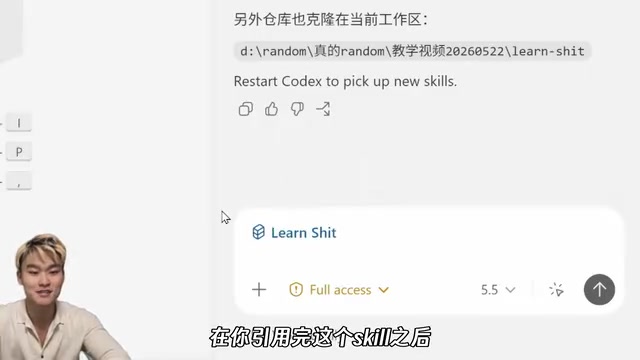
Step 3: Interactive Learning and Exploration
The Jupyter Notebooks generated by AI are quite high quality. The best part is that you can modify the parameters in the code yourself—for example, adjusting sample size or changing distribution types—then re-run the code and immediately see how different parameters affect the results.
This immediate-feedback learning experience has solid cognitive science backing. Constructivist learning theory holds that knowledge isn't passively received but "constructed" by learners through active manipulation and experimentation. Seymour Papert built on this to propose "Constructionism," emphasizing learning through creating shareable artifacts. Modifying code parameters and observing result changes is the digital practice of this theory—you're not "watching someone else do an experiment" but "doing the experiment yourself," and these two experiences have fundamental differences in memory retention rates. This is the core value that traditional textbooks cannot provide.
Advantages and Limitations of This Learning Approach
Advantages
- Personalized customization: AI can generate tutorial content best suited to your knowledge level and learning needs.
- Integrated theory and practice: Every concept is immediately followed by code verification, dramatically improving learning efficiency.
- Interactive and modifiable: Instead of passively receiving knowledge, you actively explore and experiment.
- Zero barrier to environment setup: With a Coding Agent, you don't even need to know how to configure a development environment—AI handles everything for you.
Limitations
- AI lacks stability when generating large, systematic courses; it's better suited for deep learning of individual knowledge points.
- The Skill tool is still in an early version and may have some issues, but it supports community feedback and forking for improvements.
- Requires a basic programming environment (at minimum, the ability to run Jupyter Notebook).
Conclusion
Jupyter Notebook provides the perfect vehicle for combining theory with practice, and AI Coding Agents make generating high-quality interactive tutorials readily accessible. You no longer need to spend hundreds on a heavy textbook, nor do you need to scour the internet for tutorials of varying quality—all you need is a Coding Agent plus a specific question, and you can start learning efficiently.
If you're struggling with a STEM concept, try this approach: have AI generate a Jupyter Notebook for you, read the theory while writing code to verify it, and you'll find that getting started isn't actually that hard.
Key Takeaways
- The fundamental reason STEM subjects are hard to get started in is the barrier between theory and practice—you must learn abstract concepts before you can get hands-on
- Jupyter Notebook combines Markdown text with executable code blocks, making it the ideal vehicle for integrated theory-practice learning; its "kernel architecture" supports over 100 programming languages and has been adopted by top academic journals as a standard tool for reproducible research
- The essential difference between Coding Agents and regular AI chatbots lies in Tool Use capability—they can actually execute commands and modify files, not just output text
- With Coding Agents (such as Codex, Claude Code), you can have AI automatically generate interactive Jupyter Notebook tutorials for any subject
- It's recommended to choose specific small topics rather than large courses—AI currently performs more reliably when handling individual knowledge points
- Generated notebooks support parameter modification with instant execution, aligning with constructivist learning theory and providing an active exploration experience that traditional textbooks cannot deliver
Related articles
 Tutorials
Cursor + Codex Dual-IDE Collaboration: A Practical Methodology for Open-Source Project Customization
A complete methodology for open-source project customization based on real-world experience, detailing the Cursor+Codex dual-IDE workflow, seven-stage process, MVP validation, and AI source code reading techniques.
 Tutorials
Cursor Multi-Agent in Practice: Building a Full-Stack Next.js Blog in 50 Minutes
Build a full-stack blog in 50 minutes using Cursor IDE's multi-Agent mode with Next.js, Clerk auth, and Supabase. Learn the 4-phase AI Agent workflow and key integration pitfalls.
 Tutorials
Building an AI Software Factory from Scratch: A Cursor Engineer's Hands-On Experience with Multi-Agent Collaboration
Cursor engineer Eric shares practical insights on building an AI software factory: automation levels, guardrail design, parallel Agent management, and scaling to 1000+ Agents for 24/7 development.