Andrew Ng Recommends Claude Code: From Getting Started to Figma-to-Web App in Practice

Andrew Ng and Anthropic launch a systematic course on using Claude Code effectively.
Andrew Ng and Anthropic have partnered to launch a Claude Code course teaching developers how to efficiently use this agentic coding assistant. The course emphasizes the core practice of providing clear context and demonstrates the tool's capabilities through three progressive projects — RAG chatbot, data analysis, and Figma-to-web app — while introducing advanced techniques like multi-instance parallel development with Git Worktrees.
Course Background: The Evolution of AI Coding Assistants
Andrew Ng and Anthropic have jointly launched a systematic course on Claude Code, designed to teach developers how to efficiently use this highly intelligent coding assistant. Ng stated at the outset: "Claude Code is currently my personal favorite coding assistant — it has dramatically boosted productivity for me and many other developers."
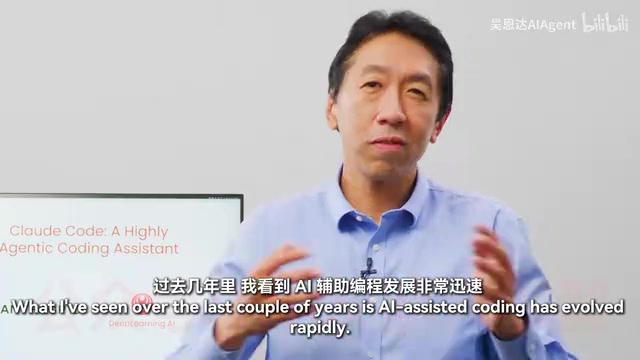
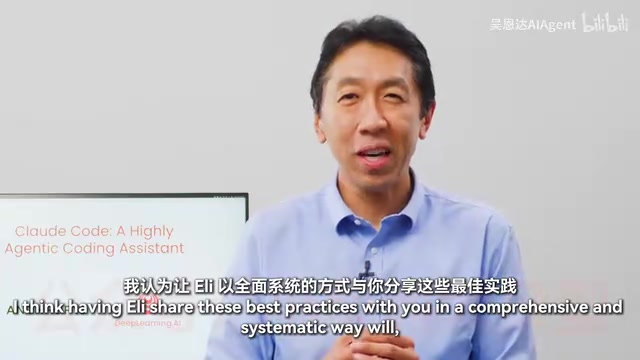
The course is taught by Anthropic's Eddie Schovik (Eli), starting from the tool's fundamental architecture and progressing all the way to advanced scenarios like parallel development with Git Worktrees and MCP servers. Ng specifically emphasized that the goal of this course is to become "the definitive course on how to systematically use Claude Code."
The Rapid Evolution of AI-Assisted Programming
Looking back over the past few years, AI-assisted programming has undergone a remarkable evolution:
- Early Stage: Developers occasionally asked LLMs programming questions
- Autocomplete Era: Tools like GitHub Copilot provided code completion
- Autonomous Agent Stage: Tools became increasingly autonomous, capable of independently completing complex tasks
The release of Claude Code marks a significant leap — it far surpasses its predecessors in terms of agency. Agency here refers to the AI's ability to go beyond passively responding to individual instructions. Instead, it can autonomously decompose complex tasks, formulate execution plans, invoke multiple tools, handle intermediate errors, and maintain contextual coherence across multiple steps. This capability relies on large language models' long context windows, Tool Use / Function Calling mechanisms, and reasoning frameworks like ReAct (Reasoning + Acting). Under the hood, Claude Code implements a complete agent loop: observe the environment → reason about the next step → execute an action → observe the result → continue reasoning, until the task is complete. This is why, as Eli points out, many developers are surprised to find that Claude Code can independently work on a task for minutes or even longer. Going further, some developers are already coordinating multiple Claude instances working in parallel, each handling different parts of a codebase.
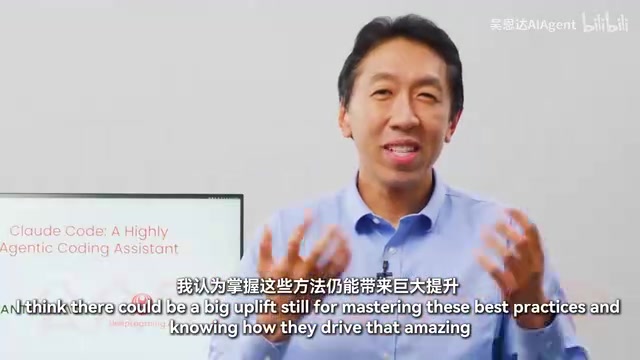
However, orchestrating all of this requires a set of best practices that aren't widely known. Ng believes that mastering these practices can deliver "enormous productivity gains" for developers.
Core Best Practices: Providing Clear Context to Claude Code
The key technique for using Claude Code is providing it with clear context, which includes:
- Pointing to relevant files: Explicitly tell Claude Code which files to focus on
- Clearly describing requirements: Provide detailed descriptions of the features and functionality you want
- Extending capabilities: Appropriately expand Claude Code's capabilities through MCP servers and other tools in the ecosystem
Among these, MCP (Model Context Protocol) is an open standard protocol released by Anthropic in late 2024, designed to establish a unified communication interface between AI models and external data sources and tools. In the MCP architecture, the AI application acts as a "client," while various external services (such as Figma, GitHub, databases, file systems, etc.) expose their capabilities through "MCP servers." This design is similar to the USB-C concept — one standard protocol connecting all devices. Developers can write or use ready-made MCP servers to let Claude Code interact directly with third-party tools, without needing to write custom integration code for each one.
These practices may seem simple, but they are the key factors determining the quality of Claude Code's output.
Three Hands-On Projects in Detail
The course applies best practices through three progressively challenging projects:
Project 1: RAG Chatbot
RAG (Retrieval-Augmented Generation) is one of the most mainstream architectural patterns in enterprise AI applications today. Its core idea is: before the LLM generates an answer, it first retrieves document fragments relevant to the user's question from an external knowledge base, injects these fragments as context into the model's prompt, enabling the model to generate more accurate, evidence-based responses grounded in real data. A complete RAG system typically involves document chunking, vector embedding, vector database storage and retrieval, prompt assembly, and LLM generation.
The course chose a RAG chatbot as the first hands-on project, implementing full functionality from frontend to backend, covering:
- Code refactoring
- Writing tests
- Using GitHub integration to handle Pull Requests and fix Issues
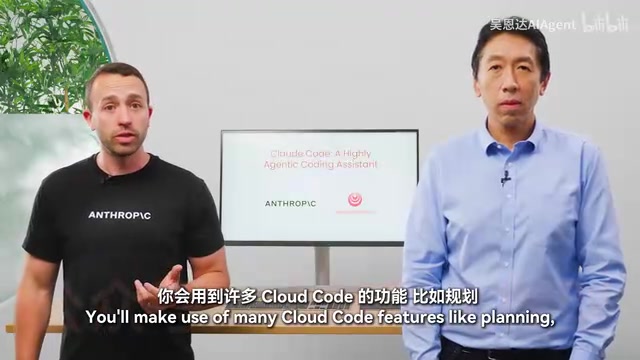
In this project, students will use several core features of Claude Code: planning mode, thinking modes, creating parallel sessions, and managing Claude's memory system.
Project 2: Jupyter Notebook Data Analysis
Shifting to a data exploration scenario, using Claude Code to work with e-commerce data:
- Refactoring Notebook code
- Removing redundant code
- Creating powerful data dashboards and web applications
Project 3: Figma Design to Web Application
This is the advanced section of the course, showcasing deep integration between Claude Code and MCP servers:
- Creating visual prototypes based on Figma
- Using the Figma MCP server to import designs — this server exposes Figma's design data to Claude Code via the MCP protocol, enabling it to read components, styles, and layout information from design files and automatically generate corresponding frontend code
- Iterating and testing through another MCP server
- Building a complete frontend application agentically
Claude Code's Unique Architecture
Ng revealed a surprising fact: Claude Code's underlying architecture is remarkably simple. It relies on only a handful of tools to get work done:
- Pattern search: Searching for specific patterns in code files
- Directory browsing: Listing directory structures
- File viewing: Reading file contents
- Regular expressions: Performing precise text matching
Crucially, Claude Code does not rely on semantic embeddings to index codebases, nor does it convert code into searchable structures. This stands in stark contrast to most AI coding tools. Mainstream AI coding tools on the market today (such as Cursor, Continue, etc.) typically perform semantic embedding on code when handling large codebases — converting code snippets into high-dimensional vectors via embedding models and storing them in vector databases. When a user asks a question, the tool similarly converts the question into a vector and retrieves the most relevant code snippets using algorithms like cosine similarity. This approach offers fast retrieval but requires pre-indexing the entire codebase, a process that may involve sending code to cloud-based embedding models, posing data security risks. Additionally, vector retrieval is fundamentally fuzzy matching based on semantic similarity, which may miss structurally related but semantically dissimilar code.
Claude Code takes a completely different path: like an experienced developer, it agentically reads code — using grep searches, directory browsing, and file reading to progressively understand the codebase, recording notes in a .md file, autonomously understanding the codebase's structure and logic, and then making decisions accordingly. While this approach is slower for initial comprehension, it forms a deeper, more structural understanding.
This design brings an important security advantage: since there's no need to index the codebase, code can remain entirely local, avoiding the risk of data leakage.
Parallel Development: Git Worktrees and Multi-Instance Collaboration
One of the advanced scenarios covered in the course is using Git Worktrees to enable multiple Claude instances to work in parallel. Git Worktrees is a native Git feature that allows developers to check out multiple working directories simultaneously within the same repository, each corresponding to a different branch. In traditional Git workflows, switching branches means all files in the working directory get replaced, and uncommitted changes may be lost or cause conflicts. Worktrees, on the other hand, create independent physical directories for each branch, completely isolated from one another.
In the multi-instance parallel work scenario with Claude Code, Git Worktrees are particularly valuable: developers can assign each Claude instance its own independent Worktree, letting them work on different feature modules or bug fixes on separate branches without interfering with each other. Once complete, the results from each branch are integrated into the main branch through the standard Git merge workflow. This pattern elevates AI programming parallelism from "one assistant handling one task" to "multiple assistants handling multiple tasks simultaneously," representing yet another quantum leap in AI-assisted development efficiency.
Who Should Take This Course
Ng offered clear recommendations for two types of developers:
- Developers who haven't yet used Claude Code: Learning this methodology will significantly accelerate your systems engineering capabilities
- Developers with existing Claude Code experience: Systematically mastering best practices will reveal many new techniques you can immediately apply to your work
The value of this course lies not just in tool usage itself, but in revealing a new paradigm of human-AI collaborative programming — where developers transform from "people who write code" to "architects who orchestrate AI agents."
Key Takeaways
- Andrew Ng and Anthropic jointly launched a systematic Claude Code course covering a complete knowledge system from fundamental architecture to advanced parallel programming
- The core technique for using Claude Code is providing clear context, including pointing to relevant files, describing requirements, and extending capabilities through MCP servers
- The course includes three progressively challenging hands-on projects: RAG chatbot, Jupyter Notebook data analysis, and Figma design-to-web application
- Claude Code has a simple architecture that doesn't rely on semantic embedding to index code; instead, it agentically reads and understands codebases through .md note files
- The local-code design ensures security, while the multi-instance parallel work pattern represents a new paradigm in AI programming
Related articles
 Tutorials
Cursor + Codex Dual-IDE Collaboration: A Practical Methodology for Open-Source Project Customization
A complete methodology for open-source project customization based on real-world experience, detailing the Cursor+Codex dual-IDE workflow, seven-stage process, MVP validation, and AI source code reading techniques.
 Tutorials
Cursor Multi-Agent in Practice: Building a Full-Stack Next.js Blog in 50 Minutes
Build a full-stack blog in 50 minutes using Cursor IDE's multi-Agent mode with Next.js, Clerk auth, and Supabase. Learn the 4-phase AI Agent workflow and key integration pitfalls.
 Tutorials
Building an AI Software Factory from Scratch: A Cursor Engineer's Hands-On Experience with Multi-Agent Collaboration
Cursor engineer Eric shares practical insights on building an AI software factory: automation levels, guardrail design, parallel Agent management, and scaling to 1000+ Agents for 24/7 development.