Android Developers Can Build XR Experiences Without Hardware: A Complete Toolchain Guide
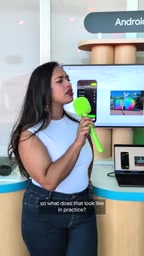
Android developers can now build and test XR experiences entirely within Android Studio — no headset required.
Google's new XR development toolchain enables Android developers to build, preview, and test XR experiences directly in Android Studio without any XR hardware. Key tools include Jetpack Compose Glimmer for transparent display UI, a full 3D emulator, and an Environment Dimming Slider for testing across the AR-to-VR spectrum. Existing Android apps run on XR devices with zero code changes, solving the cold start problem for the XR ecosystem.
Google sent a clear signal in its latest XR developer tools demo: If you're building for Android, you're already building for XR. With the toolchain already available in Android Studio, developers can preview, test, and build complete XR experiences on their laptops — without purchasing any XR hardware.
Your Android App Is Already Running on XR
Many mobile developers might assume XR has nothing to do with them, but the opposite is true. Google's XR platform is designed so that existing Android apps can run on XR devices without modifying a single line of code:
- On headsets, your app runs as a resizable panel in the Home Space
- On audio glasses or transparent display glasses, the app still runs on the phone, but features like notifications and audio can bridge to the glasses
Google's Android XR platform extends the existing Android OS architecture rather than building an entirely new system from scratch. This strategy fully leverages Android's massive mobile ecosystem — over 3 million Google Play apps and millions of active developers. The "Home Space" concept in XR is similar to a traditional desktop OS window manager, but extended into three-dimensional space, allowing multiple app panels to be freely arranged and scaled in the virtual environment surrounding the user. This design draws from the spatial computing paradigms of Meta Quest and Apple Vision Pro, but achieves unique differentiation through deep integration with the Android ecosystem.
This means millions of existing Android apps are inherently part of the XR app ecosystem. This "zero-cost entry" strategy dramatically lowers the cold start barrier for the XR ecosystem — developers don't need to learn a new framework from scratch, and users won't face an empty app store.
The Cold Start Problem is a classic dilemma facing every new computing platform: without users, developers won't invest resources; without quality apps, users won't buy new devices. Historically, platforms like Windows Phone, first-generation Google Glass, and Samsung Tizen all failed or became marginalized because they couldn't effectively solve this problem. Meta Quest partially mitigated it through heavy financial subsidies and exclusive content investments, while Apple Vision Pro relied on an iPad app compatibility layer to populate its initial app library. Google's choice to let all Android apps run on XR devices with zero modifications essentially uses the massive installed base advantage of the Android ecosystem to solve the cold start problem in one stroke — arguably the most aggressive yet pragmatic strategy among all current XR platforms.
Core Toolchain: From Compose Previews to the XR Emulator
Jetpack Compose Glimmer and Live Previews
For developers who want to build differentiated XR UIs, Google has introduced Jetpack Compose Glimmer. In Android Studio's Compose Previews, developers can directly see how their UI renders on transparent displays.
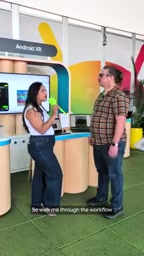
Jetpack Compose is Google's modern declarative UI framework, officially released in 2021. It replaces traditional XML layout files with Kotlin code, making UI development more intuitive and efficient. Compose's core philosophy is "UI as functions" — every interface component is a composable function that automatically recomposes and updates through state-driven mechanisms. Glimmer, as Compose's XR extension layer, adds native support for spatial layouts, depth hierarchies, and transparent rendering on top of this mature foundation. This means developers don't need to learn low-level 3D graphics programming (such as OpenGL ES or Vulkan) — they can build interfaces adapted for various XR devices using the familiar Compose declarative API.
Going further, when you pair a simulated phone with glasses, you can see the actual effect of UI overlaid on a simulated real-world environment. This is critical for developing transparent display devices — you need to ensure text remains legible against various backgrounds and that interactive elements don't create visual conflicts with the real environment.
Transparent display glasses use precision optical components such as waveguides, diffraction gratings, or prisms to overlay images generated by micro-displays (typically Micro-LED or LCoS) onto the user's real-world view. Unlike the Video See-Through approach used by VR headsets, Optical See-Through devices let users see the real world directly with their eyes while digital content appears as semi-transparent overlays. This creates unique design challenges: ambient light intensity, background colors, and texture complexity all significantly affect the readability and visual comfort of digital content. For example, white text becomes nearly invisible against a bright sky, while dark UI elements can appear overly harsh and glaring in dim environments. Designing UI for transparent displays therefore requires a completely different design mindset from traditional screens.
Input Simulation in 3D Environments
Testing immersive experiences has always been a pain point in XR development. Traditionally, you'd need to put on a headset and physically move around a space to verify results. Now, Android Studio's emulator brings a complete virtual 3D world to your laptop.

Developers can use a mouse, trackpad, and keyboard to freely move and look around in the 3D environment, just like controlling a first-person game. This makes rapid iteration possible — you no longer need to repeatedly put on and take off a device to verify every small change.
Environment Dimming Slider: Simulating the Full Spectrum from Transparent to Immersive
A unique challenge with XR glasses is that the lenses can dynamically switch between transparent pass-through and full immersion. Google introduced the Environment Dimming Slider for this purpose, allowing developers to adjust the simulated transparency level in real time and observe how the UI performs at different levels of immersion.
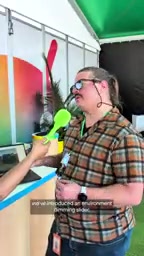
Modern XR devices typically feature electrochromic lenses or variable-transmittance LCD dimming layers that can dynamically adjust the proportion of external light reaching the user's eyes. At 100% transmittance, the device behaves as pure AR glasses where the user sees the real world completely; as transmittance gradually drops to 0%, the device becomes equivalent to a fully enclosed VR headset. This continuously adjustable immersion level is known in the industry as the "Mixed Reality Spectrum" or "Reality-Virtuality Continuum" (first proposed by Milgram in 1994). For developers, this means the same app may need to function properly and maintain a good user experience at any intermediate state between fully transparent and fully occluded.
This feature may seem simple, but it solves a critical design problem: the same UI needs high contrast in fully transparent mode to combat ambient light interference, while in fully immersive mode it can use richer colors and more nuanced visual depth. With this tool, developers can validate adaptive designs across a continuous spectrum, ensuring the app delivers a consistent and comfortable visual experience at any immersion level.
Interpreting Google's XR Developer Ecosystem Strategy
Google's XR tooling strategy has several noteworthy characteristics:
First, reuse existing tools rather than rebuilding. Layout Inspector, Compose Previews, Emulator — these are all tools Android developers already know. Google chose to extend XR capabilities on top of the existing toolchain rather than requiring developers to learn an entirely new IDE or framework. This creates an interesting contrast with Apple's visionOS strategy, which also emphasizes continuity with SwiftUI but introduces more specialized components at the tooling level (such as Reality Composer Pro and the RealityKit framework), resulting in a relatively steeper learning curve.
Second, decouple development from hardware. At a time when XR hardware has yet to achieve mass adoption, enabling developers to complete development and testing without physical devices is a pragmatic choice for expanding the developer base. It lowers the cost of experimentation and encourages more developers to "give it a try."
Third, a progressive development path. From "existing apps automatically running on XR panels" to "building differentiated UIs with Compose Glimmer" to "creating fully immersive experiences," Google provides a clear, progressive XR development path. Developers can gradually deepen their XR involvement at their own pace and according to their business needs.
How to Get Started with Android XR Development
All the tools described above are already available in the latest Canary build of Android Studio. Whether you want to see how your existing app looks in XR or build a brand-new XR experience from scratch, you can download it and start experimenting now.
Android Studio uses a multi-channel release strategy: Canary (updated weekly with the latest features but potential instability), Beta (public testing after feature freeze), and Stable (the fully validated official release). XR development tools are currently in the Canary channel, meaning the related APIs and UI may change at any time, but it also means developers get first access to the most cutting-edge capabilities.
The Google team has also specifically emphasized their desire for developer feedback — indicating these tools are still in rapid iteration, and early participants' input will directly influence the tools' evolution. This open iteration model has been repeatedly proven effective in the Android ecosystem — Jetpack Compose itself went through nearly two years of developer preview before its official 1.0 release, with extensive API design adjustments and performance optimizations based on community feedback. For Android developers looking to position themselves in the XR space, now is the ideal time to familiarize yourself with the tools, build experience, and shape the platform's direction through feedback.
Key Takeaways
Related articles

CodeGraph: The 50K-Star Open-Source Tool That Cuts AI Coding Token Usage in Half
CodeGraph is a 50K-star open-source tool that builds a code knowledge graph so AI coding assistants can locate code instantly—cutting Token usage by 47%, boosting speed by 22%, all running 100% locally.

VibeCoding Beginner's Guide: A Complete Guide to Building Software with Natural Language from Scratch
VibeCoding lets anyone build software through natural language conversations with AI. Learn the core concepts, learning path, and practical methods to get started.
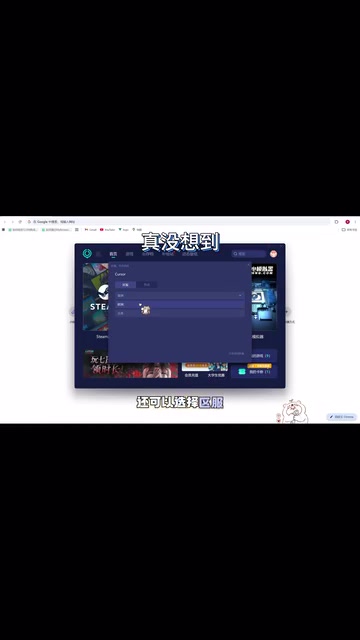
Using UU Accelerator to Speed Up Cursor: A Compliant Solution for Stable AI Coding in China
Learn how to use NetEase UU Accelerator to speed up Cursor AI coding tool in China, with step-by-step setup including node selection and launch configuration.