Android Studio Integrates Gemini: AI-Powered Crash Analysis and Automatic Code Fixes

Android Studio now uses Gemini AI to automatically analyze crashes and generate code fixes.
Android Studio's latest Quail release integrates Gemini AI into the App Quality Insights panel, enabling instant crash summaries, one-click AI-powered code fixes, and deep conversation mode for complex debugging. This native IDE integration transforms the debugging workflow by offloading cognitive burden to AI, letting developers focus on verification and decision-making.
Overview
Tracking down the root cause of app crashes typically means sifting through mountains of stack traces — a painful process every Android developer knows all too well. Now, the latest Quail release of Android Studio deeply integrates App Quality Insights (AQI) with Gemini AI, automatically explaining crash causes and writing fix code for you, reducing hours of debugging work to just a few clicks.



Core Feature: AI-Driven Crash Analysis and Repair
Instant Crash Summaries
In the latest Android Studio, when you click on a crash event in the App Quality Insights panel, Gemini immediately generates a concise, high-level summary of the issue. Developers no longer need to parse stack traces line by line — the AI tells you the essential cause of the crash directly. Whether it's a null pointer exception, memory leak, or thread safety issue, the answer is immediately clear.
One-Click AI Fix
This is the most productivity-boosting feature in this update. After clicking the "Fix with AI" button, the Gemini Agent executes the following workflow:
- Analyze the problem: Deeply understand the crash context and trigger conditions
- Propose a step-by-step fix: Provide clear repair steps and explanations
- Automatically apply code changes: Directly modify the relevant code in your project
This isn't a simple code suggestion — it's a complete end-to-end repair workflow. The AI Agent considers both the stack trace information and your local source code to ensure the fix is consistent with your project context.
Deep Conversation Mode
If you need a deeper understanding of the issue, you can click "See More" to open a dedicated Agent chat interface. In this mode, Gemini pulls your local source code and the complete stack trace to provide thorough technical explanations. This is particularly useful for complex crash scenarios — such as those involving multi-threaded race conditions or complex lifecycle issues — where developers can engage in multi-turn conversations with the AI to gradually untangle the problem.
Technical Significance and Developer Impact
A Paradigm Shift in Debugging
The traditional Android debugging workflow goes: receive crash report → examine stack trace → locate problematic code → understand context → write fix → test and verify. In this process, the first four steps often consume the most time, especially when dealing with unfamiliar code modules. Gemini's integration essentially offloads this cognitive burden to AI, allowing developers to focus on verification and decision-making.
Deep Integration with the Existing Toolchain
You might not have noticed, but this isn't a standalone AI tool — it's a native feature embedded directly in the App Quality Insights panel. AQI already aggregates crash data from services like Firebase Crashlytics, and now with AI analysis capabilities added, it forms a complete closed loop from crash monitoring to automatic repair. This IDE-native integration approach is far more seamless than third-party plugins, lowering the barrier to entry for developers.
Practical Recommendations
For developers looking to try this feature, keep the following in mind:
- Make sure you've updated to the latest Android Studio Quail version
- AI-generated fix code still requires human review, especially for parts involving business logic
- For critical production crashes, it's recommended to use the deep conversation mode to fully understand the issue before applying fixes
- This feature is most effective for high-frequency but low-complexity crashes (such as null pointers and type casting exceptions)
Conclusion
Android Studio's integration of Gemini into the crash analysis workflow marks a significant expansion of mobile development toolchains from "coding assistance" to "debugging assistance." When AI can not only help you write code but also help you fix bugs, the developer's role is shifting from "problem solver" to "solution decision-maker." This is perhaps the inevitable direction of AI programming tool evolution — covering the entire software development lifecycle.
Related articles
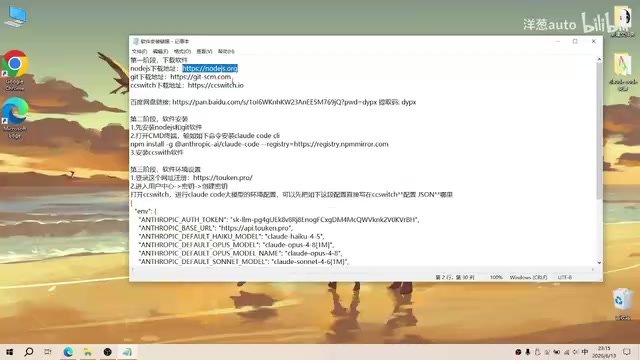
Complete Guide to Installing Claude Code CLI in China: Four Simple Steps
Step-by-step guide to installing Claude Code CLI in China using Node.js, Git, CC Switch, and an API relay service to bypass Anthropic's access restrictions.

The Compute Crisis: Why Google and Anthropic Are Paying SpaceX a Premium to Rent GPUs
Microsoft, Google, and Anthropic face severe compute shortages. Anthropic pays SpaceX $1B/month for GPUs. From TSMC capacity to HBM, storage, and power, the AI supply chain is in full crisis.
Mistral Le Chat Image Generation Review: Can It Replace Fable?
Mistral AI launches image generation in Le Chat, dubbed Le Chaton Fat. We analyze its capabilities, compare it with Fable, and explore the trend of AI chat platforms integrating image generation.