Anthropic Dynamic Workflows Explained: When to Use Them and Pitfalls to Avoid
A practical guide to Anthropic's Dynamic Workflows: how they work, when to use them, and when not to.
This article explains Anthropic's Dynamic Workflows — where plans are stored as executable JavaScript rather than in Agent context windows. It covers the evolution from single Agent to Sub-Agent to Agent Teams, details the adversarial verification loop, and provides a decision tree for determining when Dynamic Workflows are appropriate. The key takeaway: without objectively verifiable success criteria, Dynamic Workflows waste tokens at massive scale.
A Developer's Lesson from Burning 20 Billion Tokens
A developer attempted to replicate Anthropic's Dynamic Workflows and ended up consuming 2 billion tokens. Tokens are the basic billing unit for large language models, roughly equivalent to 3/4 of an English word or one Chinese character. Two billion tokens means processing approximately 1.5 billion English words — equivalent to about 5,000 standard-length books. Fortunately, they were using DeepSeek rather than Opus 4.8, or the bill would have been astronomical. At DeepSeek's API pricing (approximately $0.27 per million input tokens), 2 billion tokens cost several hundred dollars. Had they used Claude Opus 4.8 ($15 per million input tokens, $75 per million output tokens), the same token consumption could have generated a bill of tens or even hundreds of thousands of dollars. This case reveals a core issue: Dynamic Workflows are not a silver bullet — using them blindly only burns money with no return.
This article provides a deep dive into the essence of Dynamic Workflows, how they differ from existing Agent patterns, and most critically — when you should use them and when you absolutely should not.
From Single Agent to Dynamic Workflows: Where Is the Plan Stored?
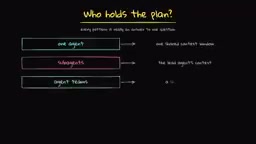
To understand Dynamic Workflows, you first need to understand a core question: Who holds the plan?
Single Agent Mode
In Claude Code's single Agent mode, the model can read files and view tool results — all information resides within the same context window. The context window is the maximum text length a large language model can "see" and process in a single inference pass. It's essentially the model's short-term working memory — all conversation history, system prompts, and tool call results must fit inside this window. Current mainstream models have context windows ranging from 128K to 200K tokens (Claude's context window is 200K tokens). In single Agent mode, planning, decision-making, and execution all happen within this window. When task complexity exceeds the capacity of a single context window, information gets truncated or forgotten — this is the fundamental reason multi-Agent architectures are needed.
Sub-Agent Mode
Anthropic introduced the sub-Agent primitive: an Orchestrator breaks tasks into subtasks and assigns them to individual sub-Agents, each with its own independent context window. The Orchestrator pattern borrows from the orchestration concept in microservices architecture — in traditional software engineering, an orchestrator coordinates the calling sequence and data passing between multiple services. In the AI Agent domain, the orchestrator is an LLM instance playing a "manager" role that decomposes complex tasks, assigns them to specialized sub-Agents for execution, and then aggregates the results. This pattern is similar to the MapReduce paradigm — first split (Map), then combine (Reduce). Anthropic isn't the only company using this pattern; OpenAI's Swarm framework, LangChain's LangGraph, and others implement similar multi-Agent orchestration capabilities.
The plan still resides in the orchestrator's context. But the problem is that sub-Agents don't communicate with each other, which can lead to duplicated work.
Agent Teams Mode
To solve the coordination problem between sub-Agents, Anthropic introduced Agent Teams — coordinated Agent sessions. The main orchestrator creates a shared task list from which each Agent picks up tasks and can communicate with one another. The plan becomes a shared task list, but it's still fundamentally within the model's context window.
The Fundamental Breakthrough of Dynamic Workflows
The revolutionary aspect of Dynamic Workflows is that the plan is no longer stored in any Agent's context window — it's an actual JavaScript script. Claude generates a complete script containing the orchestrator, subtask assignments, independent verifiers, and fixers. At runtime, this script executes in the background, with results stored in script variables rather than Claude's context window.
This means the plan becomes a versionable, auditable artifact that you can directly read and understand the entire execution flow. The deeper significance of this design is that in traditional Agent patterns, the plan is "implicit" — scattered across the model's attention weights and contextual memory, invisible to human inspection. Dynamic Workflows "externalize" the plan into readable code, making the entire execution logic transparent, debuggable, and reproducible.
Core Mechanisms of Dynamic Workflows
Script Structure and Basic Primitives
The scripts generated by Dynamic Workflows contain several basic primitives:
- Agent: A single execution unit
- Parallel: Parallel fan-out, mapping a file list to multiple Agents
- Pipeline: Serial pipeline
- Workflow: Complete workflow definition
The script structure is clear and readable: initial metadata → phased markers → parallel Agent assignments → structured output return. These primitives draw from mature concepts in the workflow orchestration domain, such as DAG (Directed Acyclic Graph) task orchestration in Apache Airflow and stage/step definitions in CI/CD pipelines, allowing developers familiar with DevOps to quickly understand and adjust workflow structures.
Implement-Verify-Fix Loop (Adversarial Verification)
The most distinctive design in Dynamic Workflows is the Adversarial Verification loop:
- Implementation Agent: Executes the specific task
- Verification Agent: Has an independent context window, specifically looking for flaws in the implementation
- Fix Agent: Makes repairs based on verification results
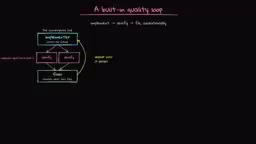
Each Agent in the loop has its own independent context window; only task-related information is shared. This design draws inspiration from multiple domains: in game theory, it resembles "red team/blue team" adversarial exercises; in machine learning, it echoes the concept of Generative Adversarial Networks (GANs) — one network generates, another discriminates. A more direct analogy is the Code Review practice in software engineering: the person writing the code and the person reviewing it should be different people, because the author is prone to "Confirmation Bias" — the tendency to seek evidence supporting their solution while overlooking potential issues. By giving the Verification Agent a completely independent context window, it doesn't "remember" the compromises and assumptions made during implementation, enabling it to identify defects more objectively.
Concurrency Limits
While Dynamic Workflows support large-scale parallelism, there are hard limits: a maximum of 16 concurrent Agents, and a total cap of 1,000 Agents per single run. These limits exist for both technical reasons (API rate limits, compute resource scheduling) and cost control considerations. Sixteen concurrent Agents means that at peak, there could be 16 independent LLM inference calls happening simultaneously, each consuming its own token quota, with costs scaling linearly.
Deciding When to Use Dynamic Workflows: Three Key Questions
This is the most important section of this article. A simple decision tree can help you determine whether you should use Dynamic Workflows:
Decision Tree
- Is there an Objective Oracle? That is, are there unit tests, verifiable reward signals, or clear pass/fail criteria?
- Do you need large-scale parallel fan-out? Hundreds of Agents processing simultaneously?
- Do you need dynamic adjustments during execution?
If the answer to the first question is "no," abandon Dynamic Workflows immediately. If you don't need large-scale parallelism, single Agent or Sub-Agent mode is sufficient. If you don't need dynamic adjustments, /goal mode will do.
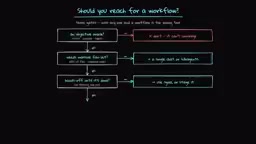
The concept of "Objective Oracle" has deep theoretical roots in the reinforcement learning domain. In reinforcement learning, the Reward Function defines what constitutes "good" behavior — if the reward function is poorly designed, the Agent will engage in "Reward Hacking," finding shortcuts that technically satisfy the metrics but are practically meaningless. The same principle applies to Dynamic Workflows: without clear, programmatically verifiable success criteria (such as unit test pass rates, type check passes, correct API response codes, etc.), the Verification Agent cannot effectively judge the Implementation Agent's output quality, and the entire verify-fix loop devolves into baseless "mutual guessing" between two models, wasting tokens for nothing.
Scenarios Where Dynamic Workflows Are a Good Fit
- Code migration: Such as Bun migrating from Zig to Rust (an official Anthropic case), because there's near-perfect test coverage
- Large-scale bug fixes or security scanning: Clear pass/fail criteria exist
- Batch processing of hundreds of files: Requires parallel capability
- Deep research: Multiple sources can be cross-verified
Scenarios Where Dynamic Workflows Are NOT a Good Fit
- Creative or subjective output: Such as writing 10 different versions of website copy — the model doesn't know what "good" looks like
- Small-scope, well-defined code changes: Using a sledgehammer to crack a nut
- Tasks without automated correctness criteria: No ground truth means the verification step is essentially useless
- Evaluating your own past skills: This is an actual real-world anti-pattern
Core principle: Without verifiable success criteria, Dynamic Workflows are just burning money.
Hands-On Demo: MLX to Transformers Model Migration
The author used their own application, Quorum (a local meeting transcription and summarization tool), for a hands-on demonstration. The task was to migrate all models from MLX Swift to Transformers.
MLX is a machine learning framework specifically optimized by Apple for its custom silicon (M-series chips), with a design philosophy similar to PyTorch but deeply optimized for Apple Silicon's unified memory architecture. MLX Swift is its Swift language binding, allowing iOS/macOS developers to run machine learning models directly within their apps. Transformers is an open-source library from Hugging Face and the most widely used framework for pre-trained model inference and fine-tuning, supporting virtually all mainstream model architectures. Migrating from MLX to Transformers means switching from an Apple ecosystem-specific solution to a more universal cross-platform approach. This type of migration involves rewriting code across multiple layers — model loading, inference pipelines, memory management — making it an ideal use case for Dynamic Workflows, since each file's migration can be objectively verified through compilation and testing.
How to Activate
There are two ways to activate Dynamic Workflows:
- Include the keyword "workflows" directly in your prompt
- Set the effort level to "ultra code"
Execution Process
- Claude first analyzes the existing codebase, particularly the MLX implementation
- Asks clarifying questions (human-in-the-loop step) to confirm the execution plan
- Displays the script that will be executed and warns about token consumption
- After confirmation, automatically decides to execute in 4 phases with approximately 12 sub-Agents
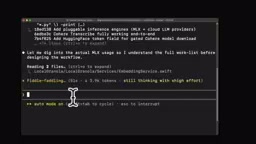
Human-in-the-Loop (HITL) is an important safety pattern in AI system design, referring to the introduction of human review and confirmation at critical decision points in automated processes. In Dynamic Workflows, HITL manifests at two key moments: first, the pre-execution plan confirmation (Claude displays the script about to be executed and warns about token consumption), and second, clarifying questions during execution. This design balances automation efficiency with human control — a fully autonomous Agent might consume massive resources heading in the wrong direction (as in the 2 billion token case at the beginning of this article), while excessive manual intervention would negate the benefits of automation. Anthropic has consistently emphasized the principle of "progressive autonomy" in its Agent design guidelines — gradually reducing human intervention as trust is established.
Execution Monitoring and Results
In the Workflows panel, you can monitor in real time:
- Current phase (Design → Implementation → Testing)
- Status and token consumption of each sub-Agent
- Model being used (Opus 4.8 in this case)
- Number of tool calls
Final result: implementation completed, tests passed, with a total consumption of approximately 750,000 tokens. The app's transcription functionality worked correctly, though further validation in actual meetings was still needed. Notably, 750,000 tokens stands in stark contrast to the 2 billion tokens mentioned at the beginning — the former represents reasonable usage with clear verification criteria, while the latter was blind consumption without objective evaluation standards. The token efficiency difference between the two is nearly 3,000x.
Dynamic Workflows in Three Sentences
- Code, Not Context: The plan is stored in a script, not in the Agent's context window
- You Must Have Measurable Goals: Without an objective oracle, Dynamic Workflows are pointless
- Use with Caution: Great power comes with great cost
Dynamic Workflows represent an important step in the evolution of Anthropic's Agent architecture, but they are not a silver bullet. Before deciding to use them, ask yourself: Does my task have a clear, automatically verifiable success criterion? If the answer is no, stick with single Agent or Sub-Agent mode — your wallet will thank you.
Related articles
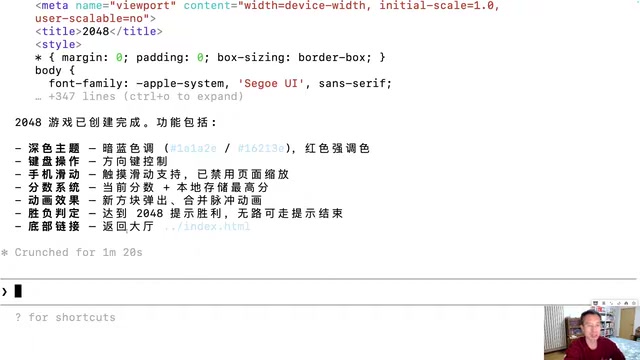
Generating 10 Web Games with One-Line Prompts: A Hands-On Claude Code Experience
A senior developer uses Claude Code to generate 10 playable web games including 2048, Gomoku, and Tetris with one-line prompts in under an hour. A deep dive into AI programming's real capabilities.
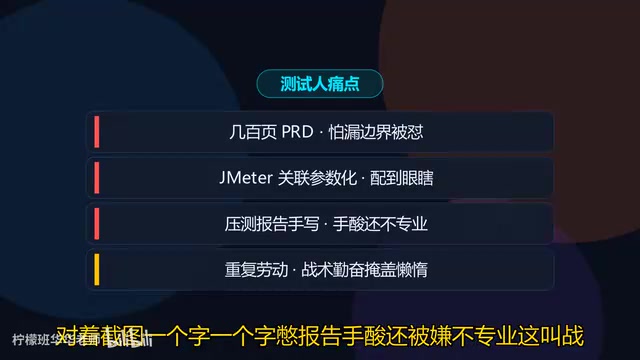
Five Essential Cursor Skills Every QA Engineer Needs: A Complete Breakdown
A detailed guide to five essential Cursor Skills for QA engineers: PRD analysis, test case generation, JMeter scripting, load test reports, and web automation.
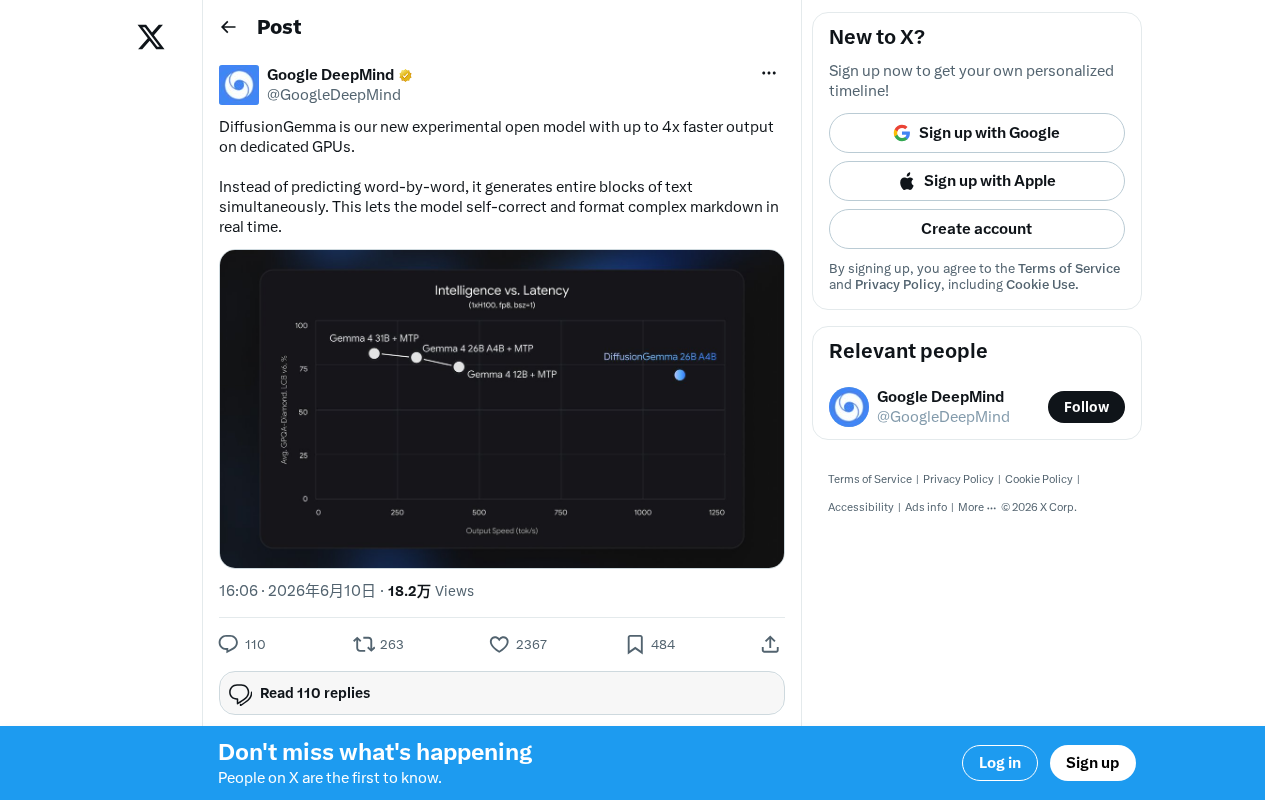
DiffusionGemma: Google's Open-Source Diffusion Language Model with 4x Faster Inference
Google releases DiffusionGemma, an open-source diffusion language model achieving up to 4x faster inference and real-time self-correction by generating text in parallel rather than token by token.