Beginner's Guide to Agent Skills: Core Concepts and Hands-On Tutorial
A beginner-friendly guide to understanding, structuring, and building Agent Skills from scratch.
This article breaks down the concept of Agent Skills — the core capability units of AI Agents. It explains how Skills differ from simple prompts, details the four key components (skill.md, references, scripts, assets), and walks through a hands-on example of building a restaurant promotional poster Skill. Ideal for beginners looking to get started with AI Agent development.
Why Agent Skills Are Becoming a Core Concept in AI Development
With the explosive growth of AI Agent platforms like OpenAI Cloud Code and Hermes Agent, a key concept is rapidly gaining traction among developers and AI enthusiasts — Agent Skill. It's a core component of the Agent ecosystem, determining what an AI agent can actually do and how well it does it.
However, for many beginners, the concept of Agent Skill remains fuzzy: How is it different from a prompt? What does its file structure look like? How do you write a Skill from scratch for your own use case?
This article provides a systematic overview of Agent Skill's core concepts, four major components, and practical implementation strategies — helping complete beginners build a comprehensive understanding of Skills.
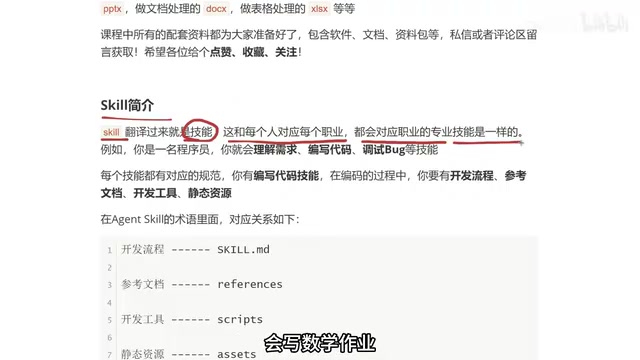
What Is an Agent Skill? A Professional Skills Analogy
From Human Skills to AI Skills
The word "Skill" is quite intuitive when you think about it in human terms:
- A student's skills: writing essays, solving math problems, memorizing vocabulary
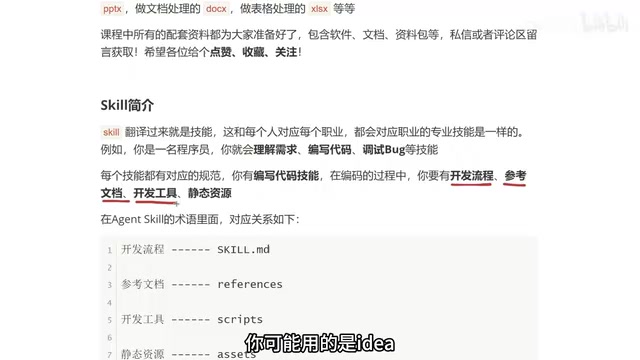
- A programmer's skills: understanding requirements, writing code, debugging
- A doctor's skills: diagnosing conditions, writing prescriptions, performing surgery
Different professions come with different specialized skills. Agent Skills follow the exact same logic — each AI Agent is equipped with different Skills based on its purpose, giving it distinct capabilities.
For example: an Agent designed for poster creation might have a Skill like "generate promotional materials based on brand identity"; a front-end development Agent might have a Skill like "generate webpage code from requirement descriptions." A Skill is the concrete expression of an Agent's capabilities.
How Are Agent Skills Different from Prompts?
Many people wonder when they first see a Skill's contents: "Isn't this just a prompt?" Indeed, the core file of a Skill contains a lot of natural language instructions that look very similar to a carefully crafted Prompt. But the key difference lies in:
- A prompt is a single text instruction with relatively limited functionality
- An Agent Skill is a complete folder structure that includes not only instruction text but also reference documents, script tools, static assets, and other extended capabilities
In other words, a prompt is just one part of a Skill, while a Skill is a structured capability package that can handle far more complex business logic than a prompt alone.
The Four Core Components of an Agent Skill Explained
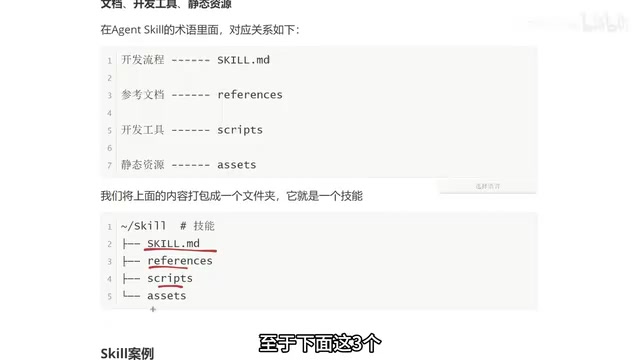
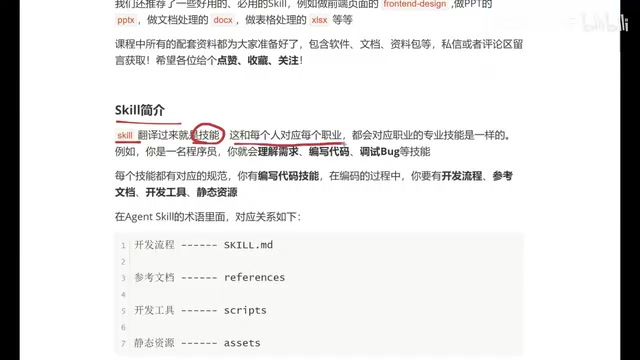
Understanding the file structure of a Skill is the key to mastering it. Let's use a programmer's workflow as an analogy, mapping each of the four Skill components to a corresponding part of the development process.
1. skill.md — The Core Instruction File (The Only Required Component)
skill.md is the only required file in the entire Skill. Think of it as the development workflow a programmer must outline before writing code: what to do first, what comes next, and how different parts of the business logic relate to each other.
This file contains two core sections:
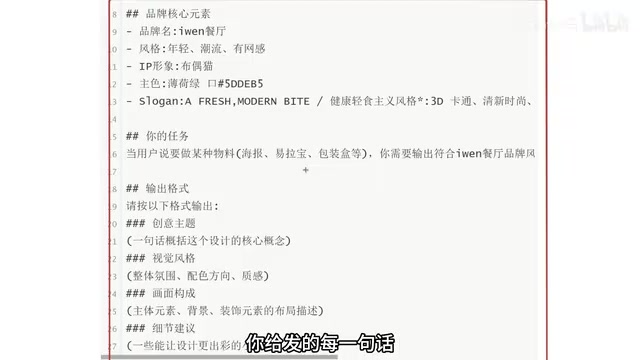
Meta Information: Defines the skill's name and description. For example, "Generate brand-consistent material designs for a specific restaurant" — clearly telling the Agent what this Skill is for.
Instructions: Detailed execution specifications, including:
- Brand core elements (brand name, style, mascot/IP, primary colors, etc.)
- Task trigger conditions (execute when the user says "create a certain type of material")
- Output format specifications (theme concepts, visual style, composition, detail suggestions, etc.)
Here's an important principle: The more detailed the descriptions in skill.md, the more closely the Agent's output will match expectations. This aligns with the core philosophy of prompt engineering, but within the Skill framework, these detailed descriptions have a much more standardized organizational structure.
2. references — Reference Documents
This corresponds to the API documentation or requirement specs a programmer works with. When an Agent executes a Skill, it may need to reference specific technical documentation, business specifications, or data resources. By placing these materials in the references folder, the Agent can consult them at any time during execution, ensuring output accuracy.
3. scripts — Scripts and Tools
This corresponds to the IDE or development tools a programmer uses. The scripts folder can contain scripts or tools that the Agent needs to invoke while executing a Skill, enabling the Agent to not only "talk" but also "act" — such as calling APIs, processing data, running automated tasks, and more.
4. assets — Static Resources
This corresponds to images, audio, video, and other resource files in web development. If a Skill requires specific materials (such as brand logos, template images, etc.), they go in the assets folder for the Agent to use.
Flexible Component Combinations
It's important to note: Only skill.md is required; the other three components are added as needed. Some simple Skills may only need a single skill.md file, while complex business Skills might use all four components. This flexibility is what makes Agent Skill design so elegant.
Hands-On Example: Using an Agent Skill to Generate Restaurant Promotional Posters
Let's walk through a concrete example to demonstrate Agent Skills in action — creating a custom Skill for generating promotional posters for "Evan's Restaurant."
The user only needs to input a simple instruction, such as:
"Create a promotional poster for Evan's Restaurant featuring Wellington Steak for only $38, first come first served."
The Agent will then automatically generate a poster creative concept based on the brand style, target audience, visual specifications, and other dimensions pre-configured in the Skill.
This example perfectly illustrates the core value of Agent Skills: Configure once, reuse endlessly. You don't need to write a lengthy prompt describing brand style and output requirements every time. Once the Skill is configured, each subsequent use only requires a single simple instruction.
Recommended High-Frequency Agent Skill Categories
Beyond custom Skills, the following Skill categories see high usage in daily work:
| Skill Type | Use Case |
|---|---|
| Front-end Page Skill | Quickly generate webpages and Landing Pages |
| PPT Creation Skill | Automated presentation generation |
| Document Processing Skill | Document format conversion, content extraction |
| Spreadsheet Processing Skill | Data organization, report generation |
These Skills cover high-frequency needs in daily office work and development. Mastering them can significantly boost your productivity.
Summary: Recommended Learning Path for Agent Skills
Let's recap the key takeaways about Agent Skills:
- A Skill is a capability unit of an Agent, analogous to a human's professional skills
- A Skill consists of four components: skill.md (required), references, scripts, and assets
- Skills are far more powerful than prompts — they're structured capability packages that support document references, script execution, and resource access
- The more detailed the descriptions in skill.md, the higher the quality of the Agent's output
For beginners starting from scratch, the recommended learning path is: first understand the structure and principles of Skills, then start by writing simple skill.md files, gradually incorporate references, scripts, and assets, and ultimately achieve Skill customization for complex business scenarios.
As a core component of the AI Agent ecosystem, the importance of Agent Skills will only continue to grow. Whether you're a developer, designer, or operations professional, mastering the ability to write Skills will become a crucial competitive advantage in the AI era.
Related articles
Beginner's Guide to Agent Skills: Structure Breakdown & Custom AI Skill Development
A deep dive into Agent Skill's core concepts and internal structure, covering skill.md, references, scripts, and assets with a restaurant poster Skill example.
Complete Guide to Commercial AI Agent Development: From Requirements Analysis to Production Deployment
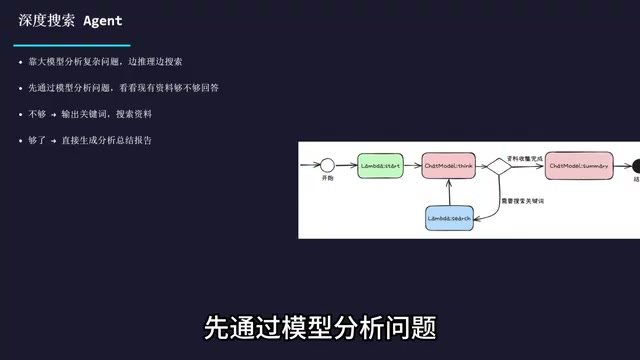
Complete guide to commercial AI agent development from scratch, covering requirements analysis, architecture design (ReAct framework, deep search, intent recognition), hands-on Coze platform implementation, workflow creation, and production deployment.
Hermes AI Kanban: A Five-Layer Autonomous Architecture for Fully Automated Delivery from Idea to Finished Product
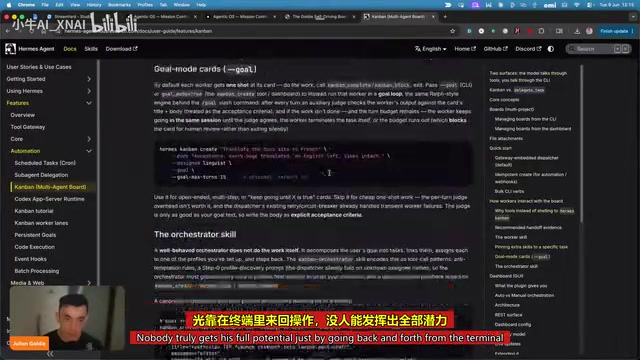
Deep dive into Hermes Kanban 2.0's five-layer autonomous architecture covering intelligent planning, human approval gates, multi-agent execution, and Obsidian integration for fully automated delivery.