Bingo Code: Deploy Claude Code with One Command — Free Coding with DeepSeek V4

Bingo Code: Deploy Claude Code locally with one command and connect domestic LLM APIs
Bingo Code is an open-source project that deploys full Claude Code functionality locally with a single npm command, supporting domestic LLM APIs like DeepSeek V4. By rewriting the network protocol layer to adapt to domestic APIs, it provides a visual configuration interface and an intelligent slot mechanism that routes requests of different complexity to different models, offering Chinese developers a low-cost, zero-barrier AI programming assistant solution.
Why Deploy Claude Code Locally
For developers in China, Claude Code is an incredibly powerful AI programming assistant, but using it directly comes with two major barriers: network access and cost. Claude Code is a command-line AI programming assistant developed by Anthropic that can understand codebase context directly in the terminal, perform file operations, run commands, and execute multi-step programming tasks. Unlike traditional code completion tools, Claude Code operates in Agent mode, capable of autonomously planning and executing complex programming workflows. However, since Anthropic's services are not directly accessible in China, and API costs are relatively high (Claude 3.5 Sonnet costs approximately $3 per million input tokens), the barrier to entry for Chinese developers is very high.
Today we're introducing the open-source project Bingo Code, which lets you deploy the full functionality of Claude Code locally with a single command, with support for connecting to domestic LLM APIs like DeepSeek V4 — truly enabling a zero-barrier Vibe Coding experience. Vibe Coding is a concept proposed by Andrej Karpathy in early 2025, referring to a development approach where developers describe requirements in natural language and let AI handle most of the coding work, while developers simply "feel the vibe" and provide directional guidance. This programming paradigm represents a new phase of human-AI collaboration — developers shift from "writing code" to "directing AI to write code," dramatically lowering the technical barrier to programming.
The core value of this project lies in encapsulating complex environment configuration into a single command. No matter which computer you're on, you can quickly set up an AI programming environment without repeatedly wrestling with configuration.
Installation & Deployment: Truly One Command
Prerequisites
Before getting started, you only need to ensure that Node.js (which includes the npm package manager) is installed on your computer. Node.js is a JavaScript runtime environment built on Chrome's V8 engine that enables JavaScript to run on the server side. npm (Node Package Manager) is the default package manager for Node.js and the world's largest open-source software registry, hosting over 2 million packages. If you haven't installed it yet, head to the Node.js official website to download the installer for your operating system.
Installation Steps
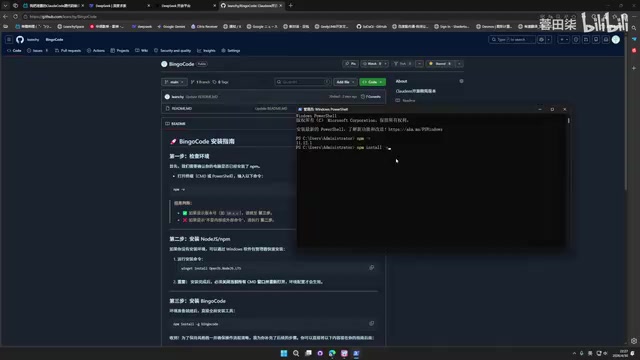
Open your terminal or command line and enter the following command:
npm install -g bingo-code
The npm install -g command installs command-line tools globally, making them callable from any directory on your system. This is the technical foundation that enables Bingo Code's "one-command deployment" approach.
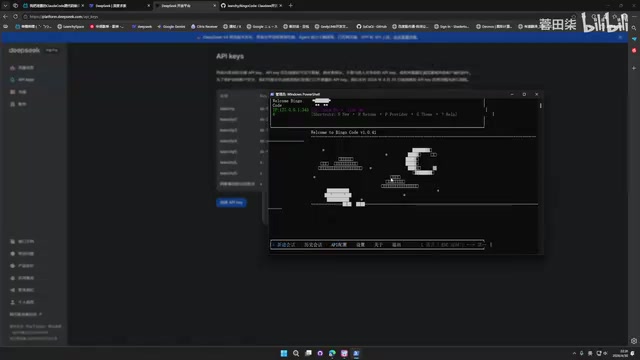
Once installation is complete, type bingo to launch the console interface. The entire process takes less than a minute — this is what the project author means by "one command to start using Code."
After launching, a local server automatically opens with an interface that includes:
- New conversation
- Conversation history
- API settings
- About information
API Configuration: Complete Guide to Connecting DeepSeek V4
Adding API Keys
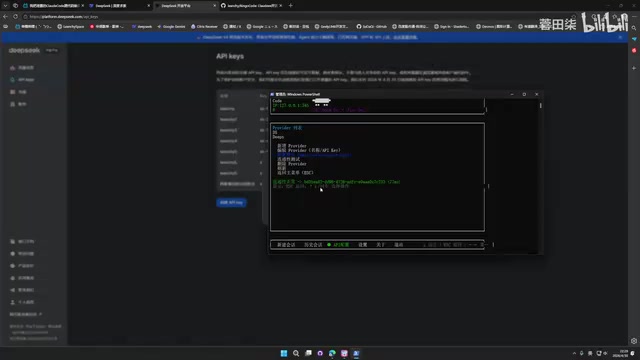
Navigate to the API settings page and click the "Add" button. The project comes with pre-configured templates for many domestic models, including:
- Zhipu AI
- DeepSeek
- Kimi
- Custom
After selecting DeepSeek, enter any name as an identifier, paste your API Key obtained from the DeepSeek website, and click confirm.
DeepSeek V4 is a next-generation large language model released by DeepSeek in 2025, built on a MoE (Mixture of Experts) architecture that dramatically reduces inference costs while maintaining extremely high reasoning capabilities. DeepSeek is known for its open-source strategy and highly competitive API pricing — its API prices are typically one-tenth or even less than GPT-4 or Claude. The V4 series includes multiple variants (such as Fresh, Pro, and Fancy), each optimized for different use cases. The Fresh version responds faster and is suited for lightweight tasks, while the Pro version has stronger reasoning capabilities for complex analysis.
Once configured, the system automatically performs a connectivity test to confirm the API is available before proceeding to the next step.
Understanding the Slot Mechanism
Here's an important design concept — Slot matching. The slot mechanism is essentially a routing strategy design pattern, similar to a service gateway in microservice architecture. In the context of AI programming assistants, different types of requests have vastly different requirements for model capabilities. Claude Code internally has 4 different API call scenarios:
- Simple intent analysis: Determining the complexity of user requirements
- Regular conversation: Everyday programming Q&A
- Code generation: Core programming tasks
- Deep analysis: Complex architecture design and code review
You can assign different models to different slots. For example:
- Use DeepSeek V4 Fresh for simple tasks (cheaper)
- Use DeepSeek V4 Pro for deep analysis (more powerful)
This layered strategy ensures quality while effectively controlling API costs. By classifying requests and routing them to models of different capability levels, you can achieve an optimal balance between overall effectiveness and cost. This design is very common in production environments, similar to tiered caching strategies in CDNs — high-frequency, low-complexity requests are handled by lightweight services, while low-frequency, high-complexity requests invoke heavyweight resources.
If you've also configured APIs for other services like Kimi, the system will automatically fetch the list of all available models under that API for you to choose from.
Practical Usage: Start Your Vibe Coding Journey
Launching the Programming Assistant
After configuration is complete, there are two ways to use it:
Method 1: Click "New Conversation" directly in the console interface
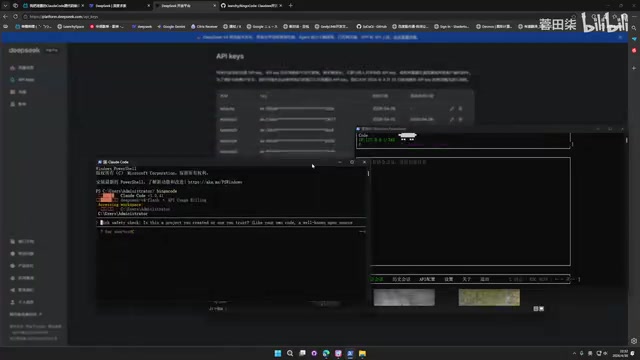
Method 2: Navigate to your project directory in the terminal, then run:
bingo code
Note the distinction: bingo launches the server, while bingo code launches the programming assistant interface in the current directory.
Feature Overview
The launched interface displays the current model in use (e.g., DeepSeek V4 Fancy), and you can:
- Describe requirements in natural language and let AI generate code
- Type
/to invoke slash commands and use built-in Agent and Skills features - View conversation history
Tips and Recommendations
The author specifically mentions a practical tip: since DeepSeek adaptation is still being optimized, it's recommended to chat a few rounds at the beginning to "warm up" the model — subsequent code execution results will progressively improve.
There's a clear technical rationale behind this: the output quality of large language models is closely related to the amount of information in the context window. When a conversation first begins, the model knows nothing about the user's programming habits, project tech stack, or code style, so generated code may be fairly generic. As conversation turns increase, the model gradually "understands" user preferences and project characteristics through In-Context Learning, producing output that increasingly matches actual needs. Additionally, for non-Claude models, the first few conversation turns help the instructions in the System Prompt become better "activated" by the model, producing responses that better match Claude Code's interaction style.
Technical Implementation & Community Participation
Technical Implementation Details
The author reveals that the core work of this project involved rewriting the console functionality, involving thousands of lines of code refactoring. Major changes include:
- Rewriting the network protocol layer to adapt to domestic APIs
- Refactoring console interaction logic
- Adding a multi-model slot management system
Rewriting the network protocol layer is the main technical challenge of the entire project. The original Claude Code's network requests point directly to Anthropic's API endpoints using Anthropic's proprietary Messages API format. To adapt to domestic models, requests need to be converted to OpenAI-compatible format (which most domestic model APIs currently follow), while handling differences in streaming response (Server-Sent Events) formats, error code mapping, token counting methods, and other details.
Future Development Plans
The author plans to develop a Skills system that enables non-Claude models to mimic Claude's tone and programming style as closely as possible, improving consistency of the user experience. The core idea of the Skills system is to use carefully designed Prompt Engineering and Few-shot Examples to make non-Claude models approximate Claude's performance in output format, interaction style, and programming habits. This involves "Behavioral Alignment" techniques in the AI field — not changing the model itself, but regulating model output behavior through external constraints and guidance.
This means that even if you're using DeepSeek, the interaction experience can closely approximate native Claude Code.
How to Contribute
The project is open-sourced on GitHub (search for Bingo Code). The author encourages users to:
- Star the project to help the author understand usage numbers
- Submit Issues to report problems
- Follow future updates
Conclusion
Bingo Code provides Chinese developers with a low-cost path to leveraging Claude Code's capabilities. Through one-command installation, visual API configuration, and intelligent slot allocation, even programming beginners can quickly get started with AI-assisted programming. Combined with DeepSeek V4's powerful capabilities and extremely low API costs, this solution is highly competitive in terms of cost-effectiveness.
From a broader perspective, projects like this represent the trend of AI tool democratization — using the power of open-source communities to make advanced tools that were previously only available to developers in specific regions or with specific budgets accessible to a much wider developer community. As domestic LLM capabilities continue to improve and API prices continue to drop, the combination of "local deployment + domestic models" will become the preferred solution for an increasing number of developers.
If you're looking for a simple and easy-to-use AI programming environment, give this open-source project a try.
Related articles
 Tutorials
Cursor + Codex Dual-IDE Collaboration: A Practical Methodology for Open-Source Project Customization
A complete methodology for open-source project customization based on real-world experience, detailing the Cursor+Codex dual-IDE workflow, seven-stage process, MVP validation, and AI source code reading techniques.
 Tutorials
Cursor Multi-Agent in Practice: Building a Full-Stack Next.js Blog in 50 Minutes
Build a full-stack blog in 50 minutes using Cursor IDE's multi-Agent mode with Next.js, Clerk auth, and Supabase. Learn the 4-phase AI Agent workflow and key integration pitfalls.
 Tutorials
Building an AI Software Factory from Scratch: A Cursor Engineer's Hands-On Experience with Multi-Agent Collaboration
Cursor engineer Eric shares practical insights on building an AI software factory: automation levels, guardrail design, parallel Agent management, and scaling to 1000+ Agents for 24/7 development.