Build a Personal Website with One Prompt Using Lovable: A Zero-Code Free Deployment Guide
Use Lovable AI to build and deploy a personal website for free with just one prompt — no coding needed.
This guide walks through using Lovable, an AI-powered website builder, to create a professional personal website with a single natural language prompt. It covers the full workflow: writing your prompt, AI agent planning and generation, conversational iteration for fine-tuning, and one-click free deployment — all without writing a single line of code. Perfect for job seekers, freelancers, and indie developers.
Before the AI era, building a personal website meant you needed front-end development skills — and things got even more complex if a back-end system was involved. The traditional web development tech stack is typically divided into two major parts: front-end and back-end. The front-end refers to the interface users see and interact with directly in the browser, with core technologies including HTML (defining page structure), CSS (controlling visual styles), and JavaScript (implementing interactive logic). The back-end handles server-side data processing, user authentication, database management, and more, commonly using languages and frameworks like Node.js, Python, and PHP. Even for a seemingly simple personal website, developers need to understand DNS resolution, server configuration, HTTPS certificate deployment, and other DevOps knowledge — these technical barriers have long kept non-technical people from building their own websites.
But now, with AI tools, even if you have zero coding knowledge and have never used a terminal command line, you can have a professional personal website in just a few minutes. The tool we're introducing today is called Lovable — it lets you generate a website with a single sentence and deploy it online for free with one click.
Why You Need a Personal Website
For job seekers, freelancers, and indie developers, a personal website is your digital business card. It can showcase your project portfolio, social media links, skills, and even embed video content. Compared to the flat presentation of a resume, a well-designed personal website can help you stand out among a sea of candidates.
However, traditional website building has a high barrier to entry — you either pay someone to develop it or learn HTML/CSS/JavaScript yourself. Even with website builders like WordPress, there's still a significant learning curve. While WordPress lowers some technical barriers, users still face theme selection, plugin configuration, database maintenance, security updates, and a host of other issues. For someone who just wants to quickly launch a showcase page, these learning costs remain substantial. The emergence of AI website builders like Lovable has completely changed this landscape.
What Is Lovable: An AI Website Builder Simpler Than Cursor
Lovable is an AI-powered website generation tool whose core advantage lies in its extremely low barrier to entry. Unlike AI coding tools such as Cursor and Codex, Lovable doesn't require you to understand code or manually deploy AI-generated code to a server. You simply describe the website you want in natural language, and it handles everything from design to deployment in one go.
It's worth explaining the positioning differences between Cursor and Codex here. Cursor is an AI-enhanced code editor based on VS Code that deeply integrates large language models into the development environment. Developers can generate, modify, and debug code through natural language instructions, but users still need basic programming knowledge and project management skills. OpenAI's Codex (which has evolved into ChatGPT's coding capabilities and the Codex CLI tool) is similarly developer-oriented, excelling at code generation and completion. The core users of both tools are programmers with technical backgrounds — they accelerate the coding process rather than eliminating the need for coding. Lovable's differentiation is that it packages code generation, UI design, and deployment hosting into an end-to-end black-box service where users never need to touch the code layer.
The video creator mentioned that he has been using Lovable for a long time and has built numerous products with it. Based on his experience, Lovable is much simpler and more intuitive than tools like Cursor or Codex, making it especially suitable for users without a technical background.
Hands-On Demo: Rebuilding a Personal Website from Scratch with One Prompt
Step 1: Write Your Requirements Prompt
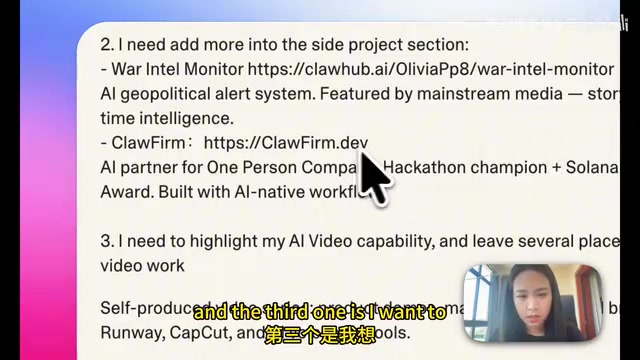
The creator's original website hadn't been updated for a while, during which time he had launched more side projects, so a complete redesign was needed. The prompt he entered into Lovable contained three core requirements:
- Update social media links — add more social channels
- Add a side projects showcase section — include newly launched projects
- Highlight AI video editing capabilities — add a video showcase section with placeholders
Step 2: AI Agent Automatically Plans and Generates
After submitting the prompt, Lovable's AI Agent first enters Plan Mode. During this phase, it doesn't immediately write code — instead, it analyzes your requirements and may ask clarifying questions. For example, in this demo, the Agent asked a key question: should it add new modules to the existing site, or completely rebuild the entire website?
The Plan Mode here reflects the mainstream architectural approach in the current AI Agent space. Unlike simple question-and-answer interactions, Agents possess capabilities for task decomposition, multi-step reasoning, and tool invocation. Plan Mode means the Agent generates a structured action plan before executing the task, breaking down complex requirements into multiple subtasks (such as page structure design, component development, style adjustments, resource integration, etc.), then executing them step by step according to dependencies. This "plan first, execute later" pattern draws from the requirements analysis phase in software engineering, significantly reducing rework and errors while giving users the opportunity to confirm the direction before execution begins.
The creator chose "completely rebuild in Lovable," and the Agent immediately began full implementation. While waiting, you can view the Agent's detailed work logs to see which tasks it's processing.

Step 3: Preview, Fine-Tune, and Iterate Through Conversation
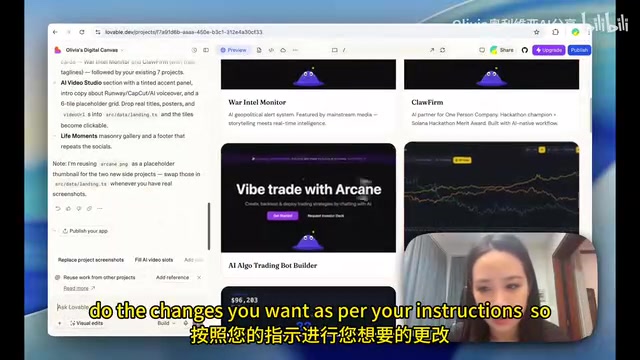
Once the website generation is complete, Lovable provides a real-time preview. The creator noticed that two projects were missing thumbnails, so he uploaded images directly in the conversation along with modification instructions, and the Agent automatically made the adjustments.
This conversational iteration experience is remarkably smooth — you don't need to manually edit code. Instead, you simply describe the changes you want in natural language, just like communicating with a designer:
- Rearrange the order of social media icons
- Add thumbnails for projects
- Add a video showcase section
- Adjust page layout details
After each modification, you can instantly preview the results and move on to the next step once satisfied.
Step 4: One-Click Free Deployment
This is the most impressive part of the entire workflow. After clicking publish, Lovable automatically generates a free website URL for you — no need to purchase a domain or configure a server. The website goes live immediately, and anyone can access it via the link.
The free deployment capability Lovable provides is powered by modern cloud-based static hosting technology. Similar services include Vercel, Netlify, GitHub Pages, and others, which distribute static files to nodes closest to users through a global CDN (Content Delivery Network) for fast access. These platforms typically offer free tiers for personal projects, including automatic HTTPS, custom domain binding, and continuous deployment. Lovable's innovation lies in fully automating this deployment process — users don't need to understand Git version control, build pipelines, or CDN configuration. Clicking the publish button completes every step from source code to live website.
The creator specifically emphasized: the entire process from building to publishing was completely free — he didn't purchase any domain or paid service.
Lovable Free Tier Usage Allowance
Here's a detail worth noting: Lovable uses a daily credits system. At the end of the demo, the creator showed 0.23 credits remaining, meaning the free tier has a daily usage cap. If you run out of credits for the day, you'll need to wait until the next day when they refresh to continue.
Credits are a common usage-based billing model in SaaS products, especially widely adopted in AI products. Each time a user sends a request to the AI (such as generating a page, modifying a design, uploading resources, etc.), the system deducts credits based on the request's complexity and computational resources consumed. The advantage of this model is flexibility — light users can complete their needs within the free allowance, while heavy users can choose to pay for more credits. In the AI website building scenario, the primary resource consumption comes from LLM inference calls — each conversational interaction consumes GPU compute power, so setting usage caps is a necessary measure for the platform to control costs.
This model is perfectly adequate for personal website building — after all, you don't need to rebuild your website every day. Occasional fine-tuning and updates can easily be completed within the free allowance.
Who Is Lovable For: Use Cases and Limitations
Lovable is particularly well-suited for the following scenarios:
- Job seekers: Quickly build portfolio showcase pages
- Indie developers: Showcase side projects and technical skills
- Freelancers: Establish a personal brand homepage
- Content creators: Centralize content from multiple platforms
However, it's important to note that AI-generated websites like these are best suited for static showcase pages. Static websites have their page content pre-generated on the server side — every visitor sees exactly the same content, with no real-time data queries or user state management involved. Typical applications include personal homepages, portfolios, and product landing pages. The advantages of static websites include fast loading speeds, high security, and low hosting costs.
If you need complex back-end logic, database interactions, or e-commerce functionality, that falls into the realm of dynamic websites — where the server needs to process requests in real time and dynamically generate pages based on user identity, input data, or database content. The development and operations complexity for such requirements is significantly higher, and you may still need more professional development tools like Cursor or traditional full-stack development approaches.
Conclusion
As this hands-on case demonstrates, AI website building tools have reduced the barrier to creating a personal website to nearly zero. Lovable's core value lies in connecting the entire pipeline from "describing your requirements" to "website going live," with no technical operations needed in between. For most people, having a professional personal website is now truly just one sentence away.
Related articles

Non-Technical Founders Built a $50K/Month SaaS Product Using AI Tools
Two non-coders built Shipper to $50K MRR in 6 months using AI tools. Learn their reverse-engineering, zero-free-tier, and viral growth playbook for indie developers.
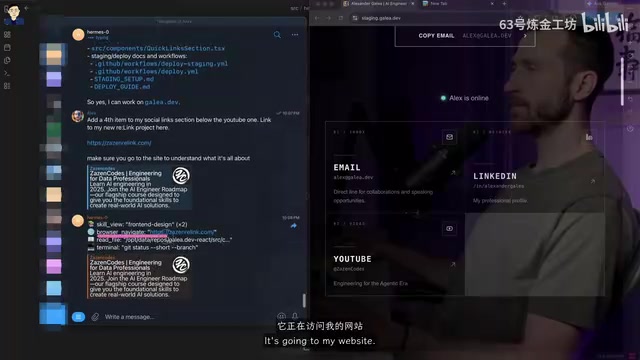
Hermes Agent Deployment Guide: Building a Mobile AI Coding Workflow with Telegram
Learn how to deploy Hermes Agent on a VPS with Telegram Bot integration for mobile AI coding. Covers Docker setup, GitHub integration, auto-deployment, and comparison with OpenClaw.
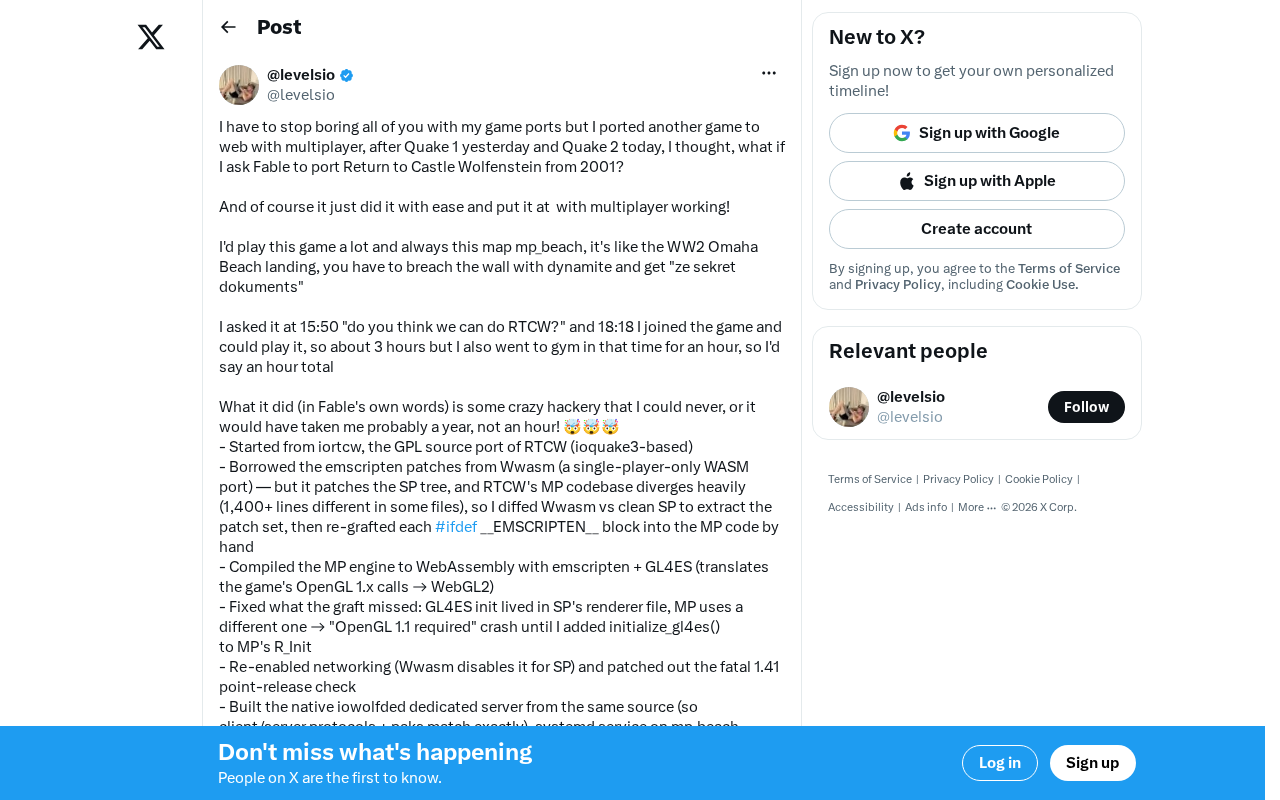
AI Tool Fable Ports Classic FPS to Browser in Two Hours — With Full Multiplayer
A developer used AI coding tool Fable to port Return to Castle Wolfenstein to the web browser in just two hours with full multiplayer, revealing AI's power in system-level engineering.