Building a Student Club Management System with WeChat Mini Program: A Full-Stack Guide with SpringBoot + UniApp
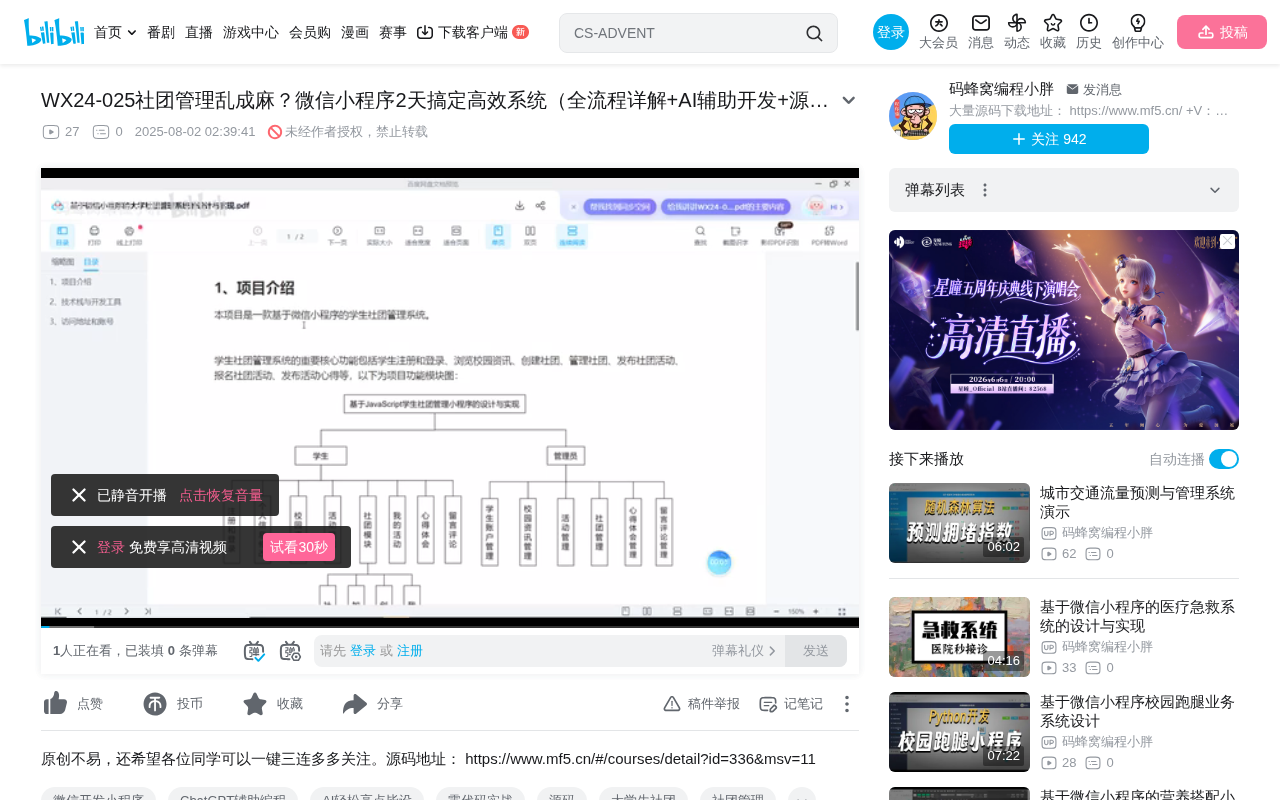
A student club management system built with WeChat Mini Program, SpringBoot, and UniApp
This article introduces a student club management system built on the WeChat Mini Program platform, with a SpringBoot backend and UniApp frontend. The system features dual roles for students and administrators, implementing a complete business workflow through multi-layer review mechanisms — covering club creation, member management, event publishing, and registration. It is well-suited for university club management and graduation project scenarios.
Project Overview
Student club management is a common need in university operations, involving multiple processes such as club creation, member management, event publishing, and registration. This article introduces a student club management system built on the WeChat Mini Program platform, with a SpringBoot backend and a UniApp cross-platform frontend, delivering a complete business workflow from club creation to event management.
System Architecture and Technology Stack
Backend Architecture: SpringBoot Framework
The backend is built on the SpringBoot framework, one of the most popular choices in modern Java web development. SpringBoot's auto-configuration and rapid startup capabilities allow developers to focus on business logic rather than tedious framework setup. For small-to-medium systems like club management, SpringBoot offers sufficient scalability and stability.
Frontend Development: UniApp Cross-Platform Solution
The WeChat Mini Program frontend is developed using the UniApp framework. UniApp's key advantage is that a single codebase can be compiled for multiple platforms, including WeChat Mini Programs, H5, and native apps. For student club management, the WeChat Mini Program is the most natural platform — students overwhelmingly use WeChat, there's no need to install additional apps, and they can access the system simply by scanning a QR code.
Role Design and Permission System
Dual-Role Architecture
The system is designed around two core roles:
- Student Users: Can create clubs (subject to approval), apply to join clubs, register for events, and post event reflections
- Administrators: Responsible for reviewing club creation requests, approving membership applications, publishing club events, and managing system data
Interestingly, the student role has a degree of flexibility — once a student creates a club and it passes review, they effectively take on the role of "club president" with management permissions over their own club. This design mirrors how university clubs actually operate: clubs are typically organized by students themselves, while the school administration handles approval and oversight.
Multi-Layer Review Mechanism
Several key operations in the system include review steps:
- Club Creation Review: After a student submits a creation request, it must be approved by an administrator before the club is officially established
- Membership Review: After a student applies to join a club, an administrator reviews and decides whether to approve the application
- Event Registration Review: After students register for events, the backend allows administrators to view and review registration records
This multi-layer review mechanism ensures the system operates in an orderly manner, preventing the random creation of clubs or malicious membership applications.
Core Feature Modules in Detail
Club Creation and Management Module
Club management is the system's core feature, encompassing the following workflow:
- After logging in, students find the "Create Club" entry on the "My Profile" page
- They fill in the club category, name, cover image, description, and other details
- After submission, they wait for administrator review
- Once approved, the club is officially established and becomes visible in the frontend listing
Clubs support category management — administrators can customize categories and their icons in the backend, making it easy for students to browse and find clubs by interest.
Event Publishing and Registration Module
Administrators can publish club events, and club members can browse and register for them. The complete workflow includes:
- Administrators create events in the backend, linking them to specific clubs
- Club members view event details on the Mini Program
- They click to register and fill in the required information
- The backend displays registration records for review
- After an event concludes, participants can post their reflections and experiences
Content Display and News Module
The frontend includes content modules such as carousel banner management, news publishing, and event reflection displays. Carousel banners can be flexibly configured in the backend to showcase important announcements or event promotions. The event reflections section provides students with a platform to share their experiences, fostering a stronger sense of community within clubs.
Data Analytics and Reporting Module
The backend provides data analytics capabilities, generating reports on club-related metrics. This helps administrators understand key indicators such as club activity levels and membership growth trends, providing data-driven support for decision-making.
Development Practices and Use Cases
Applicable Scenarios
This type of system is well-suited for the following development scenarios:
- Computer science graduation projects or course assignments
- Practical management needs of university student union federations
- Hands-on practice projects for learning full-stack development with WeChat Mini Programs + SpringBoot
Potential Feature Extensions
Building on the existing functionality, the system can be extended in the following directions:
- Adding club financial management (membership fee collection, event budgets)
- Implementing a notification system (event reminders, review result notifications)
- Adding a club rating and ranking system
- Integrating check-in functionality for event attendance tracking
Conclusion
This WeChat Mini Program student club management system covers the complete lifecycle of a club — from creation and review to member management and event organization. The technology stack is mainstream and mature, with the SpringBoot + UniApp combination balancing development efficiency and cross-platform capability. The system features a well-designed review mechanism and clear role-based permissions, making it a structurally complete and practically useful example of a small-to-medium management system.
Related articles
 Tutorials
Cursor + Codex Dual-IDE Collaboration: A Practical Methodology for Open-Source Project Customization
A complete methodology for open-source project customization based on real-world experience, detailing the Cursor+Codex dual-IDE workflow, seven-stage process, MVP validation, and AI source code reading techniques.
 Tutorials
Cursor Multi-Agent in Practice: Building a Full-Stack Next.js Blog in 50 Minutes
Build a full-stack blog in 50 minutes using Cursor IDE's multi-Agent mode with Next.js, Clerk auth, and Supabase. Learn the 4-phase AI Agent workflow and key integration pitfalls.
 Tutorials
Building an AI Software Factory from Scratch: A Cursor Engineer's Hands-On Experience with Multi-Agent Collaboration
Cursor engineer Eric shares practical insights on building an AI software factory: automation levels, guardrail design, parallel Agent management, and scaling to 1000+ Agents for 24/7 development.