Building Your AI Second Brain: A Zero-Code Deployment Guide with Local Database + MCP

Local AI knowledge base solution: make AI your second brain that never forgets
This article introduces a local AI knowledge management system based on a vector database + SQL hybrid architecture, MCP protocol, and Obsidian. The system achieves precise knowledge retrieval through semantic search, supports bookmark-to-database cross-time retrospection, and enables AI to proactively search and update the knowledge base. The entire solution deploys with zero code in about one hour, upgrading personal knowledge management from passive storage to active intelligent retrieval.
Why You Need a "Second Brain"
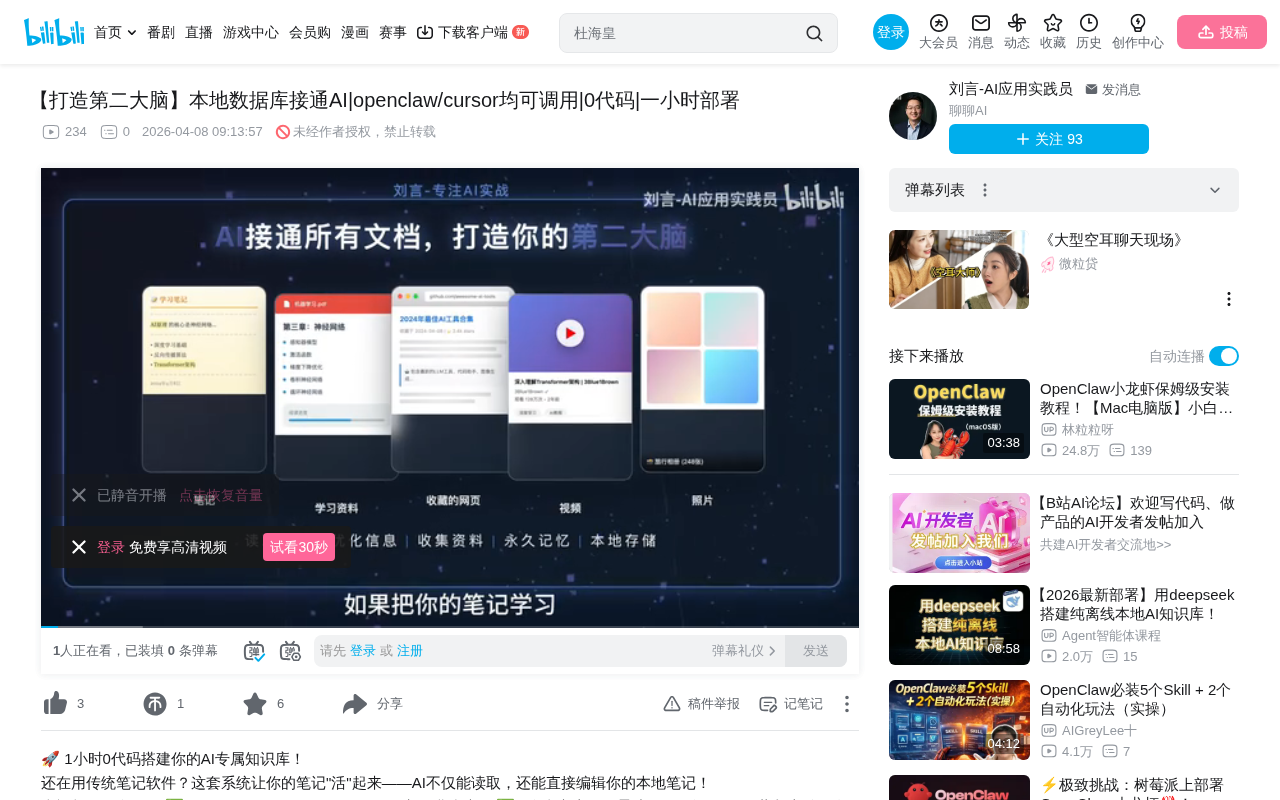
We consume massive amounts of information every day—notes, study materials, bookmarked web pages, videos, photos—but these contents are often scattered across different places, impossible to find when you actually need them. What if you could connect all this data to AI, letting it search, summarize, and interpret for you at any time? That would be like having a "Second Brain" that never forgets.
The "Second Brain" concept was systematically developed by productivity expert Tiago Forte and elaborated in his 2022 book of the same name. Its core methodology is called the CODE framework: Capture, Organize, Distill, Express. Forte argues that the human brain excels at generating ideas rather than storing them, and therefore needs an external system to handle memory and organization, freeing cognitive resources for higher-level creative thinking. Before AI tools became widespread, implementing a Second Brain relied primarily on manual organization using tools like Notion, Roam Research, and Obsidian. The approach presented in this article represents an evolved version of the Second Brain concept: by introducing AI semantic understanding and automation capabilities, it upgrades knowledge management from "manually organize then retrieve" to a new paradigm of "automatic ingestion, intelligent retrieval, and autonomous growth."
Recently, a creator on Bilibili shared a complete local AI knowledge base solution that connects a local database with tools like OpenClaw and Cursor, achieving a zero-code, one-hour deployment personal knowledge management system. The core idea behind the entire solution is crystal clear: Make AI your memory extension—everything you've learned, seen, or thought about, it remembers for you.
Three Core Use Cases
Scenario 1: Semantic-Based Precise Knowledge Retrieval
The most intuitive use case is having AI perform semantic searches within your database. For example, you can tell AI "Find me articles about the GSAP animation library and send me the full text," and AI will immediately search for matching content in your local database and output the complete original text. This isn't simple keyword searching—it's semantic understanding powered by a vector database. Vector databases convert text content into high-dimensional numerical vectors through embedding models, where each vector represents the semantic features of the text. When you input a query, the system similarly converts it into a vector, then uses algorithms like cosine similarity to find the semantically closest content. This means even if you describe the same concept using different words, the system can accurately match—for example, searching for "animation effects library" can still find articles about GSAP. Even if you can't remember the exact title, just describing the general content is enough to find it.
Scenario 2: Bookmark-to-Database, Cross-Time Knowledge Retrospection
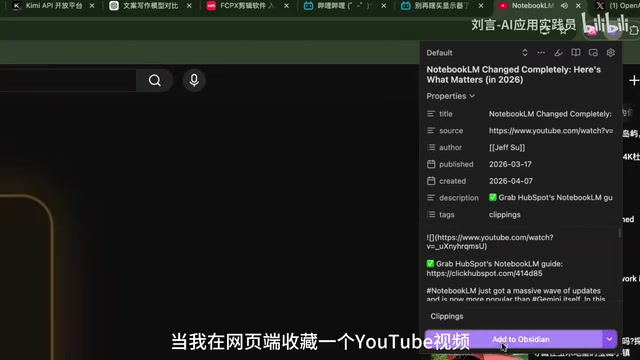
When you bookmark a YouTube video or an article on the web, AI can directly help you interpret the bookmarked content. More importantly, this content is persistently stored in your database. At any point in the future, you can ask AI: "What was that video I bookmarked last month about?"—this kind of cross-time knowledge retrospection is something traditional bookmarks and favorites simply cannot achieve.
Scenario 3: AI Proactively Searches and Updates the Knowledge Base
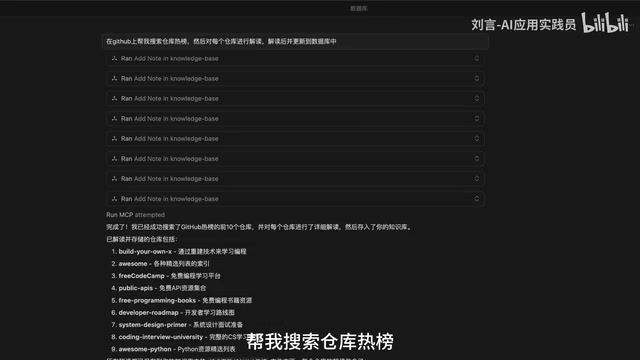
Beyond passive retrieval, you can also have AI take the initiative. For example, you can have Cursor search GitHub's trending repositories, then interpret each popular project, and automatically update the database after interpretation is complete. This means your knowledge base isn't just static storage—it can continuously "grow" through AI.
System Architecture Explained: Three-Layer Component Collaboration
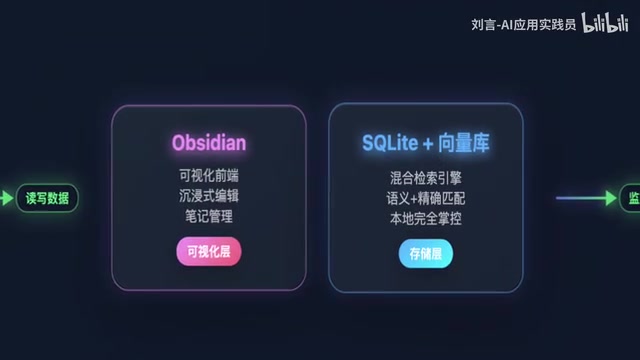
The overall system architecture isn't complex, revolving around three core components:
Data Layer: Vector Store + SQL Database Hybrid Architecture
The database portion adopts a vector store + SQL database hybrid architecture, which is the mainstream data layer design pattern in current AI applications. The two serve different purposes and complement each other. SQL databases (such as SQLite, PostgreSQL) excel at precise queries on structured data—filtering by time range, categorizing by tags, counting bookmarks, etc. Vector stores (such as Chroma, Pinecone, Weaviate) focus on semantic similarity search for unstructured content, handling fuzzy queries like "find content related to this topic."
In the actual system, an article's metadata (title, creation time, tags, source URL) goes into the SQL database, while the article's body text, after being processed by an embedding model, is stored as vectors in the vector store. The two are linked through article IDs. During retrieval, the system first uses the vector store to find a list of semantically relevant article IDs, then uses SQL queries to supplement complete metadata information, and finally returns everything to AI for processing. This layered design balances semantic flexibility in retrieval with structural precision in data management, and the combination significantly improves retrieval accuracy.
Editing Layer: Obsidian Real-Time Sync
All articles in the database can be edited and viewed using Obsidian. Obsidian is a knowledge management tool based on local Markdown files that has rapidly accumulated a large user base among knowledge workers since its 2020 release. Its core design philosophy is "your data always belongs to you"—all notes are stored as plain-text Markdown format in local folders, independent of any cloud service or proprietary format. Obsidian's most distinctive features are bidirectional linking and knowledge graphs, allowing users to establish networked associations between notes that simulate the brain's associative memory. The community plugin ecosystem exceeds 1,500 plugins, covering virtually every use case.
The key point is that Obsidian and the database are bound in real-time—precisely because Obsidian is based on the local file system, any file modifications can be monitored by external programs in real-time, syncing to the database within two seconds of an article update. This means your daily writing and note-taking workflow doesn't need to change at all—just operate normally within Obsidian.
Interaction Layer: MCP Protocol Connecting AI Tools
OpenClaw or Cursor connects with the database through the MCP (Model Context Protocol). MCP is a standardized protocol proposed and open-sourced by Anthropic in late 2024, designed to solve the fragmentation problem of integrating AI large models with external tools and data sources. Before MCP, every AI application needed to develop separate adaptation layers for different data sources, making maintenance costs extremely high. MCP defines a unified client-server communication specification: AI assistants act as clients, various tools and data sources act as MCP servers, and both parties exchange information through standardized interfaces. This allows the same MCP server to be reused by multiple AI tools such as Cursor, Claude Desktop, and OpenClaw. The MCP ecosystem currently covers dozens of server implementations including databases, file systems, browser control, and API calls. Through the MCP protocol, AI is no longer an isolated chat box but a truly intelligent agent capable of reading from and writing to your knowledge base.
Zero-Code Deployment Process: Done in One Hour
The most impressive aspect of this system is its extremely low deployment barrier. According to the author, the entire deployment process didn't require writing a single line of code—everything was handled by Cursor, taking about one hour to complete.

The specific approach: the author has packaged the entire system into prompts and Markdown files. During deployment, you simply feed them to AI and complete the basic setup through a few rounds of conversation. Later fine-tuning may vary from person to person, but the core framework can indeed be built in an extremely short time.
This approach of "using AI to deploy an AI system" is itself quite inspiring—it demonstrates that at current AI capability levels, much work that previously required development experience can now be accomplished through natural language conversation.
Target Audience and Considerations
Who Is This Solution For?
- Content creators: Those who routinely need to collect, organize, and reference materials
- Learners and researchers: Those who need to manage large volumes of study notes and reference materials
- Developers: Those who want to unify management of technical documentation, code snippets, and project notes
- Knowledge workers: Anyone who frequently needs to retrieve and reuse information
Points to Consider
While the solution looks appealing, there are several points worth noting:
- Data privacy and security: All data is stored locally—this is an advantage, but it also means backup and security are your own responsibility
- Long-term maintenance costs: The system is easy to set up, but data cleaning, vector store updates, and other tasks require ongoing investment
- AI API call costs: Frequent AI calls for retrieval and summarization may result in significant API expenses
- Conceptual baseline knowledge: Although it claims to be zero-code, a basic understanding of concepts like Obsidian, MCP protocol, and vector databases is still necessary
Conclusion
The core value of this "Second Brain" solution lies in: upgrading personal knowledge management from passive storage to active intelligent retrieval. Semantic search through vector databases, AI tool chain integration through MCP protocol, and daily workflow continuity through Obsidian—these three elements combined form a truly practical personal AI knowledge system.
As AI tools become increasingly mature today, the barrier to building such a system has dropped significantly. If you deal with large amounts of information every day, consider building your own "Second Brain."
Key Takeaways
- Achieve semantic-level precise retrieval of personal knowledge bases through a hybrid architecture of vector store + SQL database
- Use MCP protocol to connect AI tools like OpenClaw/Cursor with local databases, enabling bidirectional read-write integration
- Obsidian serves as the editing layer with real-time database sync, keeping daily note-taking workflows unchanged
- The entire system deploys with zero code, built through conversational interaction with Cursor, completable in about one hour
- The system supports both active search and passive retrieval modes, with the knowledge base continuously expanding through AI automation
Related articles
 Tutorials
Cursor + Codex Dual-IDE Collaboration: A Practical Methodology for Open-Source Project Customization
A complete methodology for open-source project customization based on real-world experience, detailing the Cursor+Codex dual-IDE workflow, seven-stage process, MVP validation, and AI source code reading techniques.
 Tutorials
Cursor Multi-Agent in Practice: Building a Full-Stack Next.js Blog in 50 Minutes
Build a full-stack blog in 50 minutes using Cursor IDE's multi-Agent mode with Next.js, Clerk auth, and Supabase. Learn the 4-phase AI Agent workflow and key integration pitfalls.
 Tutorials
Building an AI Software Factory from Scratch: A Cursor Engineer's Hands-On Experience with Multi-Agent Collaboration
Cursor engineer Eric shares practical insights on building an AI software factory: automation levels, guardrail design, parallel Agent management, and scaling to 1000+ Agents for 24/7 development.