Chrome DevTools MCP Hands-On: Using AI to Automatically Control a Browser, Write Articles, and Publish Them

Using Chrome DevTools MCP and Claude Code to let AI auto-write and publish articles in a browser.
This article demonstrates how Chrome DevTools MCP paired with Claude Code enables AI to autonomously open a browser, navigate to a publishing platform, generate article content, fill in metadata, and publish — all without human intervention. While the approach showcases impressive end-to-end automation, it currently suffers from slow execution, high token costs, and unpredictable behavior, though it points toward a promising future for AI Agents.
AI Can Not Only Write Articles — It Can Publish Them Too
Using AI to generate article content is nothing new. But what if AI could not only write, but also open a browser, log into a platform, fill in the title and body, select categories and tags, and hit publish — all on its own? Recently, a Bilibili content creator demonstrated how to use Claude Code + Google Chrome DevTools MCP service to achieve a fully automated workflow from content generation to platform publishing, with zero human intervention.
The core of this approach is Google's official Chrome DevTools MCP service, which enables AI to directly control a browser — performing clicks, typing, navigation, and a whole series of automated actions. Let's break down this workflow in detail and analyze its real-world viability.
The Technical Approach: What Is Chrome DevTools MCP?
Combining the MCP Protocol with Browser Automation
MCP (Model Context Protocol) is one of the hottest protocol standards in the AI tooling ecosystem. It allows large language models to call external tools and services through a standardized interface. MCP was officially released and open-sourced by Anthropic in late 2024. Its design philosophy is similar to what USB-C is for hardware devices — providing a unified standard that lets any AI model connect to and invoke external tools in the same way, without needing custom integration layers for each tool. Before MCP, plugin systems across different AI tools were incompatible, forcing developers to build redundant integrations for different platforms. MCP has significantly reduced this fragmentation, and there are now thousands of MCP services covering database queries, file operations, API calls, browser control, and many other scenarios.
Google's official Chrome DevTools MCP service is specifically designed for AI-driven browser control scenarios. Under the hood, it relies on the Chrome DevTools Protocol (CDP), a remote debugging protocol built into Chrome. CDP was originally designed for developer tools (like Chrome's F12 debug panel) and allows external programs to communicate with the browser via WebSocket connections — retrieving page information, executing JavaScript, simulating user interactions, and more. What Google has done is wrap CDP's capabilities according to the MCP protocol standard, enabling AI models to directly invoke these browser debugging capabilities through standardized MCP interfaces without needing to understand CDP's low-level details. Through this MCP service, AI can:
- Open and navigate web pages
- Read the page's DOM structure
- Simulate clicks, typing, and other user actions
- Take page screenshots for visual feedback
In simple terms, AI gains "a pair of hands to operate the browser" through this MCP service.
The Overall Tech Stack
The technology combination used in this demonstration:
- Claude Code: The core engine for AI reasoning and decision-making. Claude Code is a terminal-based AI coding tool from Anthropic. Unlike the regular Claude web chat, it runs in a command-line environment and can directly read/write local files, execute system commands, and call various external services through the MCP protocol. This design of being "rooted in the developer's working environment" makes it a natural fit as the brain of an AI Agent — capable of not just thinking and planning, but also taking direct action. In this demo, Claude Code was responsible for understanding task instructions, analyzing page states, generating article content, and deciding the strategy for each step.
- Chrome DevTools MCP: The bridge for browser control
- Prompt Engineering: Pre-written task instructions telling the AI exactly what to do
The core prompt content included: open the Juejin website, navigate to the publishing page, write the article content, automatically fill in categories and tags, and complete the publication. The AI broke down these instructions step by step and executed them accordingly.
Hands-On Demo: The Complete Workflow of AI Auto-Publishing an Article
Step 1: Navigation and Page Recognition
After receiving the prompt, the AI first analyzed and planned the task. After some "thinking," it successfully opened the Juejin community homepage, then automatically navigated to the creator center and found the "Write Article" interface. During this process, the AI needed to identify page elements, understand the page structure, and make correct click decisions.
It's worth noting that this "recognition" is not simple image recognition. The AI actually obtains the page's DOM tree (Document Object Model) through Chrome DevTools MCP. The DOM tree is a structured representation of the webpage, containing all HTML elements along with their attributes, hierarchical relationships, and text content. The AI analyzes this structured information to "understand" what interactive elements exist on the page, what their functions are, and then decides which button or link to click. Additionally, the AI can take visual snapshots of the page through the screenshot function, combining visual information with DOM information for comprehensive judgment. This enables it to make relatively accurate decisions even when facing complex page layouts.
Step 2: Content Generation and Input
The AI automatically typed the article title and body content into the editor. From the demo results, the AI not only generated the article content but also performed basic formatting.

Interestingly, the AI actually merged two tasks in this step: content creation and interface operation. It needed to generate meaningful article content while simultaneously filling that content into the correct fields in the editor. This ability to "think while doing" is precisely what distinguishes AI Agents from traditional automation scripts — traditional scripts can only execute preset, fixed operations, while AI Agents can dynamically adjust their behavior based on real-time context.
Step 3: Publishing and Metadata Entry
After content input was complete, the AI automatically clicked the publish button and filled in categories, tags, and other metadata in the publish settings popup, ultimately completing the article publication.

Looking at the published article's detail page, the AI-generated content had clean formatting, a logical structure, and decent readability. The entire workflow from entering the prompt to the article going live achieved true "end-to-end automation."
Pros and Cons Analysis: Cool but Not Yet Mature
Three Obvious Shortcomings
1. Slow Execution Speed
The demo video used extensive fast-forwarding, indicating that the actual execution time was quite long. Each AI operation goes through a cycle of: analyze current page state → decide next action → execute operation → wait for page response → analyze again. This cycle introduces latency at every step. By comparison, a human might complete the same operations in just a few minutes, while the AI might need ten minutes or even longer. This speed gap comes from two main factors: first, each AI decision requires calling a large language model for inference, and the model's response time itself introduces latency; second, the AI needs to re-fetch and analyze the page state after every operation, making this "perceive-think-act" loop far slower than human intuitive operation.
2. Massive Token Consumption
The entire workflow consumed approximately 10,000 tokens. There are technical reasons behind this number: when the AI reads a webpage's DOM structure through MCP, a modern webpage's serialized DOM tree can contain thousands or even tens of thousands of tokens — every button, link, text field, and image tag on the page gets converted into text descriptions passed to the AI. Moreover, browser automation is a multi-turn interaction process where the AI needs to re-fetch the page state after each operation, meaning DOM information gets transmitted repeatedly. Add in visual information processing from screenshots, the AI's own reasoning process, and the accumulated history of operations in the context window, and token consumption balloons rapidly with each additional step. At current API pricing, this cost is not trivial, and it would scale up further in batch operation scenarios.
3. Unpredictable Execution Behavior

The content creator used a vivid metaphor — "it's a bit like pulling gacha." The AI's operations sometimes go awry: clicking the wrong spot, misjudging elements, getting the operation sequence wrong, and so on. This unpredictability means the success rate for the same task isn't consistent across runs. The root cause lies in the probabilistic nature of large language models — every model output is a sample from a probability distribution, not a deterministic logical computation. Given the same page state, the model might make different operational decisions at different times. Additionally, the complexity of modern web pages increases the error probability: dynamically loaded content, popup overlays, similar-looking button elements — all of these can cause the AI to misjudge.
Core Advantage: The Imagination Space of Full Automation
Despite the issues above, the biggest highlight of this approach is: AI achieves a closed loop from content production to content distribution. Traditional AI writing tools only handle text generation — users still need to manually copy-paste, format, and publish. This approach lets AI handle everything end-to-end, eliminating all intermediate steps.
This actually reflects an important trend in the AI field: the paradigm shift from "conversational AI" to "agentic AI" (i.e., AI Agents). In the past, AI could only answer questions and generate text within a chat box — essentially playing an "advisor" role. AI Agents, however, possess the complete action capability to perceive environments, formulate plans, execute operations, and adjust strategies based on feedback — more like an "executor." Since 2024, AI Agents have become one of the hottest research and application directions across the entire industry, with major tech companies actively investing in this space. While the "AI auto-publishing articles" demonstrated here is just a simple scenario, it clearly showcases the complete "perceive-plan-execute-feedback" working cycle of an AI Agent.
Applications and Reflections
Chrome DevTools MCP Can Do Much More Than Publish Articles
Although this demo focused on the "write and publish an article" scenario, Chrome DevTools MCP's capabilities extend far beyond that. In theory, any repetitive operation that needs to be performed in a browser can be delegated to AI:
- Batch form filling
- Automated data collection
- Periodic webpage status checks with report generation
- Cross-platform content syndication
Comparison with Traditional Automation Tools Like Selenium and Playwright
Compared to traditional browser automation tools like Selenium and Playwright, the AI-driven approach has one fundamental difference: it doesn't require pre-written precise scripts.
It's worth briefly introducing these two traditional tools. Selenium was born in 2004 and is the earliest and most widely used browser automation framework. It controls browsers through the WebDriver protocol, supports virtually all mainstream programming languages, and holds a dominant position in the automated testing field. Playwright is a next-generation browser automation tool released by Microsoft in 2020. It communicates directly through browser-native protocols like CDP, offering significant improvements over Selenium in speed, stability, and modern web feature support, with rapid growth momentum in recent years. Both tools require developers to write precise CSS selectors or XPath expressions for each page element to locate them, then write specific operation logic. Once the target website undergoes a redesign — say a button's class name changes or the page layout shifts — the automation script can immediately break, requiring manual debugging and fixes.
The AI-driven approach is entirely different. AI can dynamically make decisions by "understanding" the semantic content of a page — even if a button's style and position change, as long as the button text still says "Publish," the AI can recognize and correctly interact with it. This semantic understanding-based approach, rather than precise element targeting, gives the AI solution stronger adaptability and fault tolerance.
Of course, this flexibility currently comes at the cost of speed and stability. In actual production environments, traditional automation tools still hold a clear advantage in reliability. The two approaches also suit different scenarios: for structurally stable tasks requiring high-frequency execution, traditional scripting is more appropriate; for pages that change frequently, or one-off and low-frequency tasks, the AI-driven approach has a more obvious edge.
Future Outlook
As the MCP ecosystem matures and large language model capabilities improve, both the speed and accuracy of AI-controlled browsers are expected to improve significantly. When execution costs decrease and stability reaches a certain threshold, the "AI Agent + Browser" combination will likely become a standard personal productivity tool.
In fact, this direction has already attracted significant attention from startups and open-source projects. Beyond Google's Chrome DevTools MCP, open-source projects like Browser Use and Stagehand are also exploring AI-driven browser automation solutions. It's foreseeable that as competition intensifies and technology iterates, the usability and reliability of these tools will improve rapidly. In the future, ordinary users may only need to describe a task in natural language — such as "publish this article simultaneously on Juejin, Zhihu, and CSDN" — and the AI will handle everything automatically, truly achieving a "speak, don't type" way of working.
Conclusion
Chrome DevTools MCP provides an official, standardized pathway for AI to control browsers. While the current stage still has obvious shortcomings in speed, token costs, and stability, it demonstrates an important step for AI moving from "content generation" to "task execution." For developers who enjoy experimenting with cutting-edge technology, this browser automation approach combining Chrome DevTools MCP with Claude Code is a direction well worth watching and trying hands-on.
Related articles
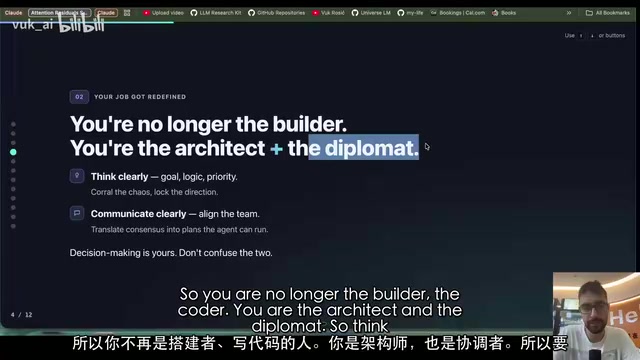
DeepSeek Researcher Summarizes 10 Rules for Using AI Agents
A DeepSeek researcher shares 10 universal rules for using AI agents, covering the shift from execution to judgment, memory file systems, human-AI collaboration boundaries, and more.
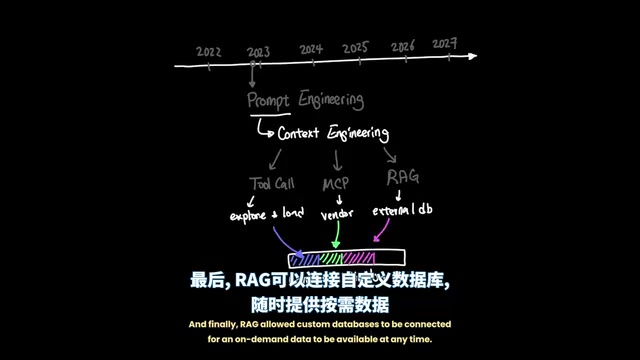
Agent Harness: A New AI Agent Paradigm from Prompt Engineering to Execution Environment Orchestration
Deep dive into Agent Harness Engineering: how loop execution and context isolation overcome the bottlenecks of prompt and context engineering in modern AI coding agents like Cursor.
DeepSeek V4 Flash Free Usage Guide: Configuration for Cherry Studio and CC Switch
DeepSeek V4 Flash is free for a limited time with zero token charges. Learn how to register on OpenModel and configure it in Cherry Studio and CC Switch.