Claude Account Registration Anti-Ban Guide: Complete Setup Tutorial with Residential IP + Fingerprint Browser
Guide to registering Claude accounts without bans using residential IPs and fingerprint browsers
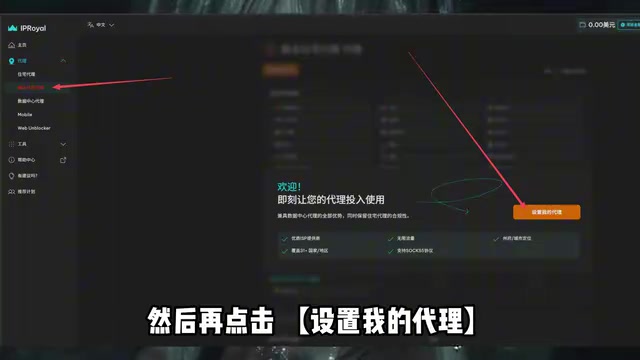
Claude enforces strict network environment checks, and registering with shared data center IPs almost guarantees a ban. This article explains how data center IPs are easily flagged by risk control systems through ASN attribution, and recommends using residential IPs (assigned by ISPs to real household users) paired with fingerprint browsers to simulate a genuine user environment and reduce ban risk.
Introduction
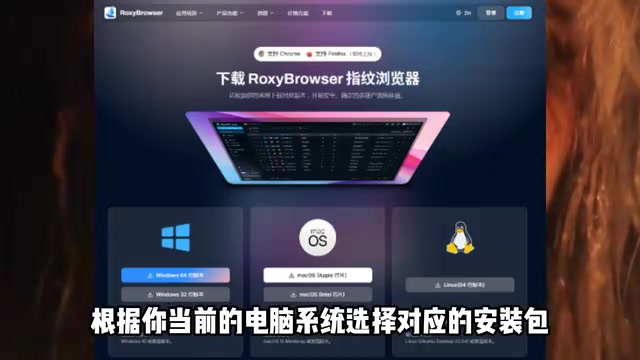
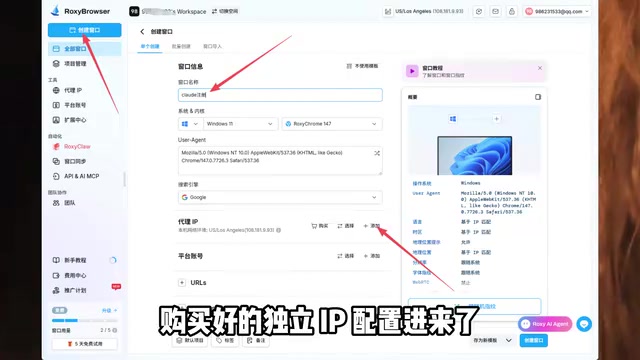
Claude is an AI large language model developed by Anthropic, and it's one of the most stringent overseas AI products when it comes to network environment verification. Many users report getting banned within minutes of registration — the root cause is that their IP environment isn't clean enough. This article will walk you through how to complete Claude account registration using a fingerprint browser paired with a residential IP, along with a proven set of anti-ban strategies.

Why Registering Claude Through Conventional Methods Often Leads to Bans
The vast majority of users rely on proxy tools whose IP addresses belong to shared data center IPs. These IPs are allocated in bulk by cloud service providers (such as AWS, Alibaba Cloud, Vultr, etc.) and typically appear in IP ranges with highly distinctive characteristics — AI platforms' risk control systems only need to query an IP's ASN (Autonomous System Number) attribution to determine whether it originates from a data center. In contrast, residential IPs are assigned by ISPs (Internet Service Providers) to real household users. Their ASN attribution belongs to telecom operators, and their behavioral characteristics are highly consistent with those of ordinary users, making them extremely difficult to identify and ban in bulk.
Data center IPs are repeatedly used by large numbers of users, carrying extremely high abuse risk. Claude's risk control system can easily identify these "dirty IPs."
Related articles
 Tutorials
Cursor + Codex Dual-IDE Collaboration: A Practical Methodology for Open-Source Project Customization
A complete methodology for open-source project customization based on real-world experience, detailing the Cursor+Codex dual-IDE workflow, seven-stage process, MVP validation, and AI source code reading techniques.
 Tutorials
Cursor Multi-Agent in Practice: Building a Full-Stack Next.js Blog in 50 Minutes
Build a full-stack blog in 50 minutes using Cursor IDE's multi-Agent mode with Next.js, Clerk auth, and Supabase. Learn the 4-phase AI Agent workflow and key integration pitfalls.
 Tutorials
Building an AI Software Factory from Scratch: A Cursor Engineer's Hands-On Experience with Multi-Agent Collaboration
Cursor engineer Eric shares practical insights on building an AI software factory: automation levels, guardrail design, parallel Agent management, and scaling to 1000+ Agents for 24/7 development.