Claude AI Tips: 16 Practical Methods from Beginner to Advanced
Claude AI Tips: 16 Practical Methods f…
16 practical Claude AI tips from basic setup to advanced automation for maximum productivity.
This article systematically covers 16 Claude AI usage tips spanning basic setup (memory import, model selection), connector ecosystem (Gmail, Calendar, Slack), creative tools (Artifacts, interactive visualization), voice mode, browser extensions, and advanced automation features including Computer Use, scheduled tasks, Dispatch, Claude Code, Skills, and Claude Design — forming a complete system to unlock Claude's full productivity potential.
Most people use Claude like they bought a Ferrari but only drive it at 10 km/h. As an entrepreneur who heavily relies on Claude daily to develop AI products, Dan Martell shared 16 practical tips covering the complete usage chain from basic setup to advanced automation. This article systematically organizes these tips to help you truly unlock Claude's productivity potential.
Basic Setup: Getting Claude to Know You Quickly
Memory Import — Seamless Migration from ChatGPT
If you were previously a ChatGPT user, don't worry about migration costs. Claude offers an extremely simple import process: go to Settings → Features → Start Import. The system generates a prompt that you paste into ChatGPT, which then outputs all your preference settings and history. Paste that output back into Claude and click "Add to Memory" — the entire process takes less than two minutes.
This means Claude can immediately understand your work habits, communication style, and common needs, saving you the time of "training" it from scratch.
Model Selector — Match Computing Power to Your Needs
Claude offers three performance tiers:
- Haiku: Fastest and cheapest, ideal for batch processing simple tasks (e.g., summarizing 50 meeting notes)
- Sonnet: Best choice for daily tasks, balancing speed and quality (e.g., drafting emails)
- Opus: Dedicated to complex tasks, with deeper reasoning (e.g., analyzing data patterns and metrics)
There's also an "adaptive thinking" option where the system automatically matches the model. However, manual selection is recommended to maintain control over output quality. Computing needs vary dramatically across tasks — blindly using advanced models wastes your quota and doesn't necessarily produce better results.
This three-tier model architecture reflects a core trend in the current LLM industry: layered deployment strategy. This strategy stems from a fundamental contradiction — larger model parameters bring stronger reasoning capabilities, but also mean higher computational costs and longer response latency. OpenAI's GPT-4o/GPT-4o-mini and Google's Gemini Pro/Flash all employ similar tiered strategies. In practical terms, Haiku's API call cost is approximately 1/60th of Opus, while on simple tasks (like text classification or format conversion), the accuracy gap between them may be less than 2%. Therefore, "choosing the right model" is itself a form of productivity optimization.
Connector Ecosystem: Making Claude Your Work Hub
Gmail Connector — Say Goodbye to Inbox Anxiety
Click "Customize" in the sidebar → "Connectors" → select Gmail and log in, and Claude can handle all your emails. It can search, summarize, and draft replies, with search capabilities far superior to Gmail's native search.
An advanced technique: share a single Claude account connected to the inbox between yourself and your assistant. Your assistant can find answers directly in your emails through Claude, reducing unnecessary communication interruptions.
Google Calendar Connection — Transform into an AI Business Coach
After connecting Google Calendar, Claude can not only schedule appointments and find free time, but more importantly, it can analyze your time usage patterns.
The truly advanced use case: tell Claude your quarterly or annual goals, then have it simultaneously analyze your calendar and emails to assess whether the time you spend on various projects is helping you achieve those goals. At this point, Claude becomes a data-driven business coach.
Currently supported connectors also include Slack, Notion, GitHub, Google Drive, and more — the possibilities from combining them are enormous.
Behind these connectors is the Model Context Protocol (MCP) open standard that Anthropic launched in late 2024. MCP is essentially a universal communication protocol between AI models and external data sources, similar to how USB-C provides a unified interface for hardware devices. Before MCP, every AI application needed to write separate integration code for each data source, creating a highly fragmented ecosystem. MCP allows AI models to read data from any compatible system in a standardized way while maintaining users' complete control over data access permissions. This explains why Claude's connector ecosystem can expand rapidly — developers only need to write an MCP-compliant server to connect Claude to new data sources.
Unleashing Creativity: From Conversation to Actual Building
Artifacts — Chat Is Development
Claude can create interactive mini-applications directly within the chat window. For example, type "Create a spreadsheet with sales data, including editable columns for sales rep name, sales status, and product," and it instantly generates a functional application interface.
This is no longer simple Q&A — it's building actually usable things. For entrepreneurs who have ideas but don't want (or need) to hire developers, Artifacts is a zero-barrier validation tool.
The reason Artifacts can generate interactive application interfaces directly in the chat window relies on browser-side sandbox rendering technology. When Claude generates code, the system injects HTML/CSS/JavaScript code into an isolated iframe environment for real-time execution, allowing users to interact directly with the rendered result. This pattern, called "generative UI," breaks the paradigm of traditional AI chat that only outputs text — users describe their intent in natural language, and AI outputs executable artifacts rather than merely descriptive text. This is also why Artifacts is particularly suited for prototype validation: you don't need to configure any development environment; the distance from idea to interactive prototype is just one sentence.
Interactive Visualization — Accelerating Learning and Decision-Making
Claude can generate real-time, clickable visualization charts to explain any concept. Visualizations that previously required importing data into other tools can now be accomplished with a simple "visualize this." It can also directly pull from connected data sources like Slack to generate charts with expandable details.
Projects — Build a Team Knowledge Base
Projects are essentially folders pre-loaded with all relevant background materials. How to use them: Sidebar → Projects → New Project, then place internal documents, PDFs, chat records, etc. into the knowledge area. All conversations can reference these materials, and team members can collaborate.
Advanced tip: Create a system prompt and paste it into the instructions box — equivalent to the old "custom GPTs" — ensuring consistent output style every time you enter the project.
Efficiency Multipliers: Voice and Browser Extensions
Voice Mode — Speaking Is 3x Faster Than Typing
On desktop, click the waveform icon at the bottom of the input bar; on mobile, tap the microphone directly. Even if your thoughts are scattered and incoherent, Claude can intelligently understand your true intent and provide structured answers. All conversations are transcribed for easy future reference.
Chrome Extension — AI Assistant in Your Browser
Search for "Claude for Chrome" in the Chrome Web Store and install it. Claude can then directly interact with your browser, capture page content, analyze data tables, and extract key insights. When you're facing a screen full of data and don't know where to start, just ask it.
Automation and Programming: Building True AI Agents
Computer Use Mode
The Computer Use feature in Claude's desktop application lets AI take over your computer to automatically complete tasks. You need to enable "Allow computer use" permission in settings, then describe the task and steps.
For example: "Get last month's sales data from HubSpot → Import into Google Sheets → Create a summary chart → Post to the team Slack channel before 9 AM Monday." Claude will execute all operations step by step.
From a technical perspective, Computer Use represents cutting-edge exploration in the AI Agent field. Its principle: AI "observes" the computer's state by capturing screen images, then generates mouse clicks, keyboard inputs, and other operation commands to "control" the computer. This is fundamentally different from traditional RPA (Robotic Process Automation) — RPA relies on preset fixed scripts that break when interfaces change, while AI Agents can make judgments and decisions based on real-time screen content, possessing a degree of "fault tolerance." In terms of security design, Anthropic employs multi-layered protection mechanisms: explicit user authorization before operations, confirmation requests for sensitive actions, and the Agent cannot execute system-level operations beyond the authorized scope. This feature is still in Beta — it's recommended to gradually build trust on non-critical tasks.
Scheduled Tasks — Build Daily Automated Workflows
Type slash Schedule in Computer Use to arrange tasks for timed execution. Every morning, Claude can automatically read your inbox, send summaries, assess urgency, and push news — as long as your computer is on, everything runs automatically.
Dispatch — Remote Computer Control from Your Phone
Find the "Dispatch" menu in Computer Use, scan the QR code to install the mobile app and pair it with your computer. When you're out, you can use voice commands from your phone to have your computer execute tasks, such as "Find my fundraising pitch deck, send it to Roddy, and ask him for feedback."
Claude Code — Programming in Natural Language
Claude Code is an AI development tool that can write any code using natural language. Even without any technical background, you can build complete applications through conversation alone. It can be used in the Claude desktop app or terminal, and Anthropic provides comprehensive usage guides.
Claude Code represents the latest stage in the evolution of software development paradigms: "natural language programming." From machine code → assembly language → high-level languages → low-code platforms → AI-assisted programming (like GitHub Copilot's code completion) → fully natural language programming, each leap has lowered the cognitive barrier to programming. The core difference between Claude Code and GitHub Copilot lies in the interaction model: Copilot is a "co-pilot" that provides completion suggestions while programmers write code; Claude Code is "driver" mode, where users only need to describe the destination and AI handles the entire journey. Industry observations in 2025 suggest that approximately 70% of routine CRUD (Create, Read, Update, Delete) development work can be automated by AI Agents, but high-cognition tasks like system architecture design, performance optimization, and security auditing still require human engineers to lead.
Claude Channels — Remote Programming Anytime, Anywhere
Converse with Claude Code through iMessage, Telegram, or Discord — as long as your computer is on, you can program remotely. Setup requires three steps: create a bot → pair with Claude Code → set up API key.
Advanced Features: Skills Library and Design Tools
Claude Skills — Standardize Repetitive Operations
When you complete a task and are satisfied with the result, simply say "Turn this into a skill," and Claude will standardize it into a repeatable operation. Manage them in Sidebar → Customize → Skills, and you can also install skills shared by others.
One of the most popular skills is the "Humanizer" — it identifies 20 AI writing patterns and rewrites content in a more natural tone.
Claude Design — Rapidly Generate Design Mockups
Visit claude.ai/design, describe your needs, and generate project proposals, landing page prototypes, complete application interfaces, or even motion graphics. It can match your brand style guide and produce initial drafts in minutes. Anthropic's collaboration with Adobe is also accelerating the AI transformation of the design field.
Summary: Building Your Claude Usage System
These 16 tips form a complete Claude usage system: from basic setup (memory import, model selection) to the connector ecosystem (Gmail, Calendar), from creative tools (Artifacts, visualization) to deep automation (Computer Use, scheduled tasks, Claude Code).
You don't need to master them all at once, but you need to know they exist. Choose the one tip that best fits your current needs, start trying it today, and gradually unlock the true potential of AI tools.
Related articles
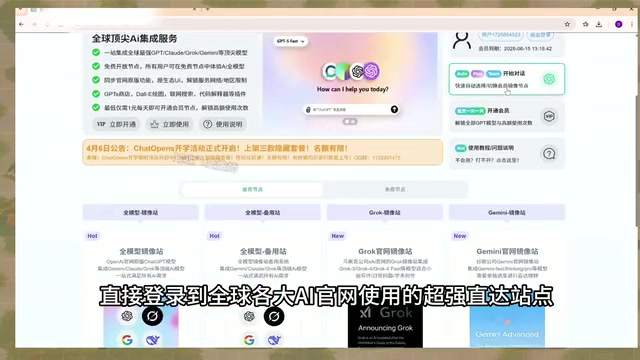
AI Aggregator Platforms Tested: A Complete Guide to Using GPT 5.5 and Other Top Models for Free
A hands-on guide to using GPT 5.5, Gemini 3.1 Pro, and Grok 4.2 for free via AI aggregator platforms, covering cross-model context memory, account pool mechanisms, and key security risks.
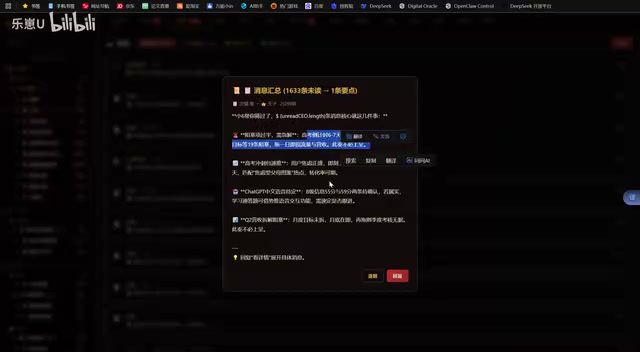
Vibe Coding in Practice: A Junior Student Uses Cursor to Build a Multi-Agent System with 51 AI Officials Based on the Three Departments and Six Ministries Framework
A junior student uses Cursor and Vibe Coding to build a multi-agent system with 51 AI officials modeled on China's Three Departments and Six Ministries, featuring task distribution, approval workflows, and Token cost visualization.
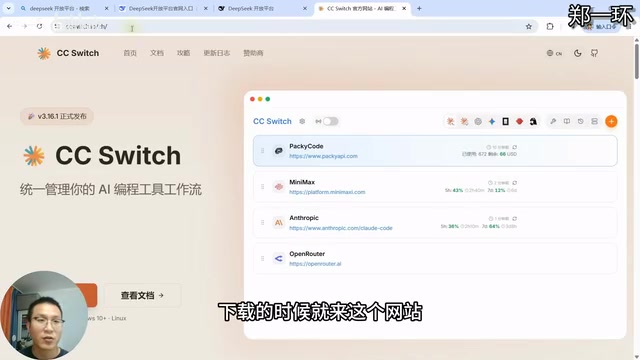
How to Connect Codex to DeepSeek Models: Free Switching via CC Switch
Learn how to connect OpenAI Codex to DeepSeek models via CC Switch, enabling free switching between DeepSeek and GPT with complete setup and routing guide.