Claude Code Anti-Ban Guide: Practical Tips from Two Months of Stable Usage

Proven tips to avoid Claude Code account bans based on two months of stable real-world usage.
This guide shares battle-tested strategies for avoiding Claude Code account bans, drawn from extensive real-world testing. The four core tips cover locking your network region to prevent IP geo-hopping, following the correct exit order (close apps before proxy), controlling concurrency from low to high, matching system time to your proxy region, and cleaning local fingerprint files like the .claude folder. Following these practices has enabled stable 20X concurrent usage for over two months without a single ban.
Introduction
With Claude Code now supporting the Fable 5 model, its powerful capabilities have attracted more and more developers eager to try it out. However, the risk of account bans remains a constant concern. This article shares practical tips for using Claude Code stably for over two months, based on hands-on experience that cost 3,000 RMB in testing.
The Impressive Performance of Fable 5
Claude Code paired with the Fable 5 model currently delivers outstanding results. Claude Code is Anthropic's developer-focused AI programming assistant that runs in a terminal environment, capable of directly reading and writing files, executing commands, and operating various development tools. Unlike traditional chat-based AI, Claude Code has agentic capabilities — it can autonomously plan tasks, invoke tool chains, and maintain contextual coherence across multi-step workflows. Fable 5, as Anthropic's next-generation model, has achieved significant breakthroughs in multimodal reasoning and code generation.
In real-world testing, given only a 3D model with no reference materials, it was able to directly operate Blender to complete rendering and generate video. If reference materials are provided, the output quality improves even further. This kind of end-to-end complex workflow automation is the core advantage that distinguishes agentic AI from traditional conversational AI.
To fully leverage Fable 5's capabilities, the Max Plan ($200/month tier) is recommended. Anthropic's Max Plan is a subscription designed for high-intensity users, offering token quotas far exceeding the standard Pro Plan ($20/month). Tokens are the basic unit that large language models use to measure input and output text — one English word consumes roughly 1–1.5 tokens, while Chinese characters typically consume more. When the quota is fully utilized, the actual usable token value is approximately $5,000–$7,000 — meaning that calling the same number of tokens via pay-per-use API would cost that amount. Compared to using third-party API relay services, this is not only much cheaper, but the model is the official, unmodified version with no quality degradation from quantization or compression, ensuring reliable results.
Four Core Anti-Ban Tips
Tip 1: Network Environment Stability
Your network is the first and most critical line of defense against bans. Modern internet services' risk control systems typically build a "digital fingerprint" profile of users, with IP address geographic consistency being a core detection dimension. When the system detects the same account making requests from IPs in different countries or regions within a short period, it flags this as abnormal behavior — because a normal user can't "fly" from the US to Japan in a few minutes. This detection technique is known as "Geo-hopping Detection" and is widely used in anti-fraud systems across banking, streaming, and SaaS platforms.
Specific requirements:
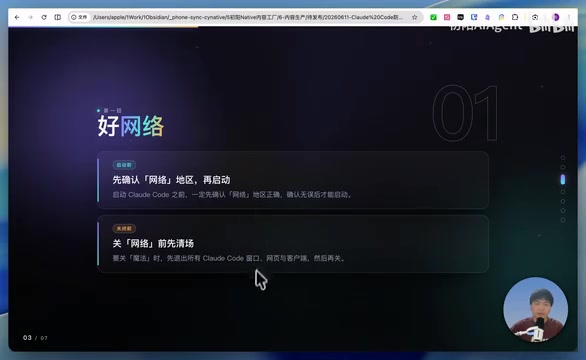
- Lock your region before starting: Before launching Claude Code, make sure your proxy region is confirmed and do not switch nodes during the session
- Region hopping is a major red flag: IP region changes are one of the most common causes of bans. Proxy tool node switching directly triggers the Geo-hopping Detection mechanism, so locking to a single regional node is the fundamental step to avoid risk control flags
- Exit order matters: Before closing your proxy, make sure to exit all windows using Claude Code first — close the client, web interface, everything — then close the proxy tool. If you close the proxy first, Claude Code may send requests through your real IP, causing an instant IP region jump that directly triggers risk control
Tip 2: Match System Time with Your Region
Your computer's system time should ideally match the timezone of your proxy node's location. Risk control systems obtain the user's local device timestamp through the client and cross-reference it with the timezone of the request IP. For example, if your IP shows you're in the US Eastern timezone (UTC-5), but your device system time is set to Beijing time (UTC+8), this 13-hour discrepancy is treated as a strong signal of proxy usage.
This falls under "Environment Consistency Check," which also examines dimensions like browser language settings, OS regional format, DNS leaks, and more. While a mismatch in a single dimension may not directly cause a ban, anomalies stacking across multiple dimensions significantly increase your account's risk score. Therefore, while adjusting your system time isn't a hard requirement, it does help reduce the probability of triggering risk control detection.
Tip 3: Control Concurrency
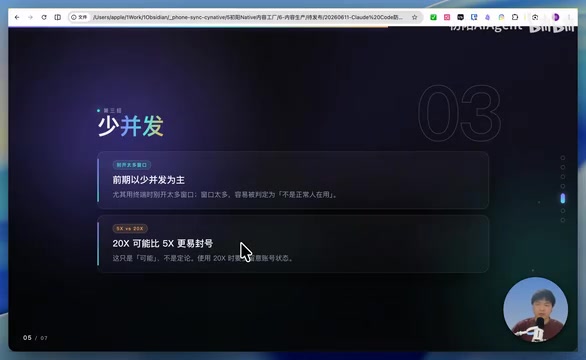
During the early stages of use, avoid opening too many windows simultaneously. The "5X" and "20X" mentioned here refer to the number of Claude Code work windows open at the same time — each window independently initiates API requests, and running multiple windows in parallel generates a large volume of dense requests in a short period. Anthropic's Rate Limiting system monitors each account's request frequency and token consumption speed, and a new account suddenly generating high-frequency requests can easily be flagged as abusive behavior.
Based on testing experience:
- 20X is more likely to get banned than 5X: High concurrency is more likely to trigger risk control. This aligns with the common internet industry logic of "account warming" — newly registered accounts need a period of low-intensity use to build trust
- Start with 5X: For users who register and subscribe with their own accounts, starting with low concurrency and gradually increasing is the safer approach. Progressively ramping up usage intensity makes your account's behavior pattern more closely resemble a normal user's growth curve
- Pre-established accounts can go straight to 20X: If you're using a pre-established account and don't mind the risk, you can go directly to 20X. These accounts have typically gone through a period of normal use and have already built up a certain level of account trust
Note that the free usage window for Fable 5 in Claude Code is expected to end on June 22nd. Starting June 23rd, it will only be available via API calls, and costs will increase significantly. API calls use a pay-per-use billing model with separate pricing for input and output tokens, and under heavy use, monthly costs could far exceed subscription plans.
Tip 4: Clean Local Fingerprint Files
If your computer has a previous ban history or has been used for membership-related operations, residual local configuration files may be detected. When running, Claude Code creates a .claude folder in the user directory, which stores session tokens, authentication credentials, user configurations, skill definitions, and MCP plugin configurations. Session files contain unique identifiers for establishing sessions with Anthropic's servers, and if a previous account was banned for violations, these residual session details may have already been blacklisted on the server side.
Even if you log in with a new account, reusing flagged local files may allow the risk control system to link the new account to old ban records through "Device Fingerprinting" technology. This is standard practice in the anti-fraud field.
Cleaning method:
- Find and delete local session files
- Or delete the entire
.claudefolder (make sure to back up your skill configurations and plugins first — these are your custom workflow and tool integration configurations, and reconfiguring them takes time)
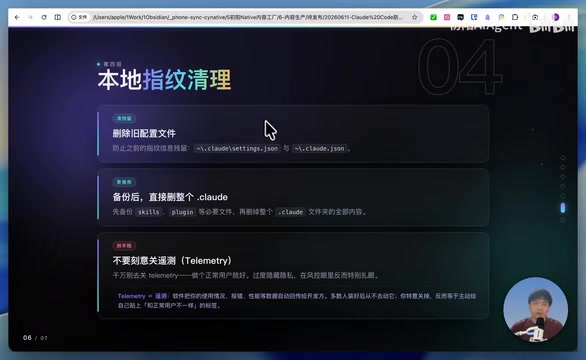
The core idea is to make the system identify you as a normal new user, eliminating the influence of historical anomaly records. Essentially, this resets your device's identity markers, severing the link between the new account and old ban records.
Verified Results
After following these four tips, the author has been using Claude Code stably for over two months. Whether using newly registered self-subscribed accounts or pre-established purchased accounts, no bans have occurred. Currently running stably in 20X mode.
Summary of Recommendations
| Priority | Measure | Importance |
|---|---|---|
| 1 | Lock network region, don't switch nodes | ★★★★★ |
| 2 | Exit order: close apps before closing proxy | ★★★★★ |
| 3 | Control concurrency, start low | ★★★★☆ |
| 4 | Match system time to region | ★★★☆☆ |
| 5 | Clean local fingerprint files | ★★★☆☆ |
For users who want to experience Fable 5's powerful capabilities, a stable usage environment matters more than anything. Rather than repeatedly paying and getting banned, it's better to set up the proper environment from the start — long-term stable usage is the most cost-effective approach. These four tips all revolve around the same core principle: making your usage behavior look like that of a normal, real user from a fixed region with reasonable usage intensity in the eyes of the risk control system.
Key Takeaways
Related articles

A Gen-Z Woman Making $1.5M/Month: Deconstructing the Growth Methodology Behind AI Apps
Gen-Z indie dev Nicole built 4 hit AI apps earning $1.5M/mo. Deep dive into her industrialized UGC engine, traffic testing system, and minimalist tech stack.
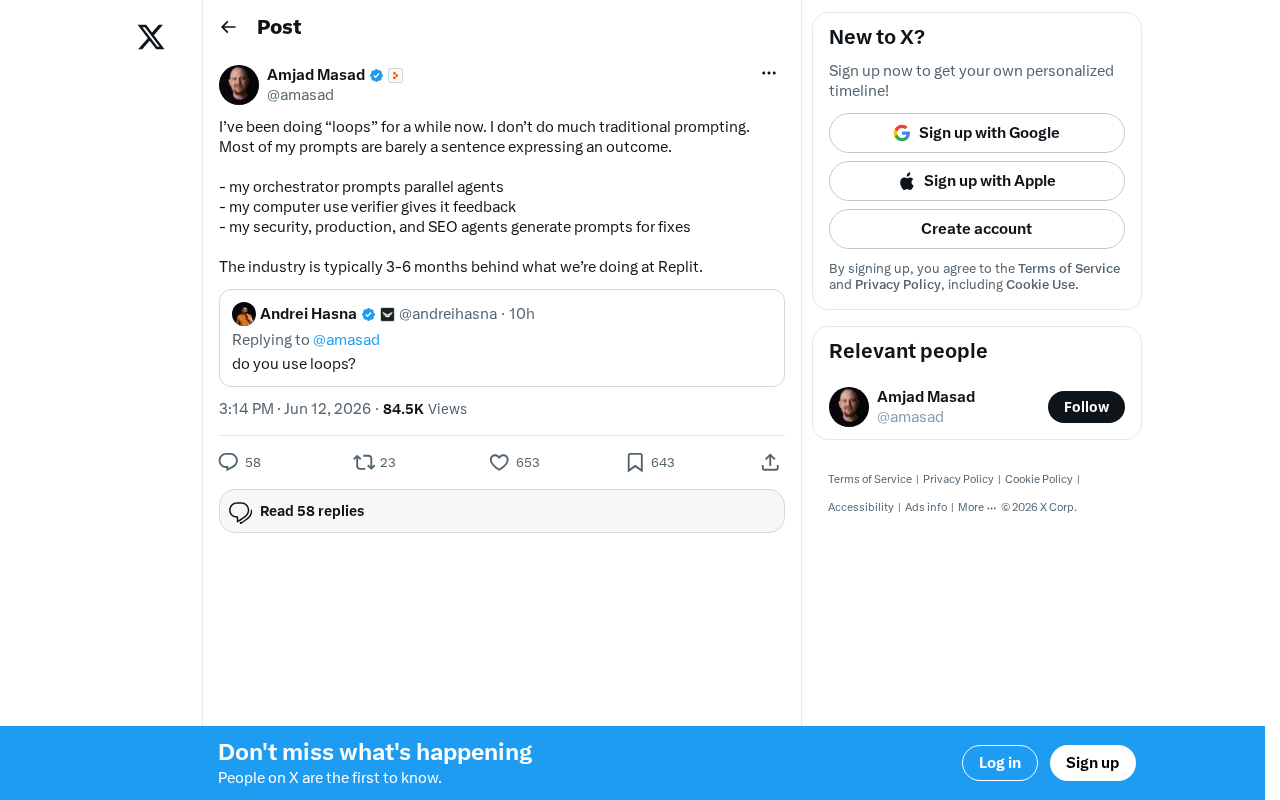
Replit's AI Loops Workflow Explained: Multi-Agent Collaboration Replaces Prompt Engineering
Deep dive into Replit's AI Loops workflow: how orchestrators, parallel agents, and Computer Use Verifiers build automated closed-loop systems through multi-agent collaboration.
Claude Code + Skills: A Practical Guide to AI-Powered Test Case Generation
Learn how to use Claude Code + Skills to auto-generate enterprise-grade test cases. Covers AI Agent vs LLM differences, the four core capabilities, and the complete workflow from requirements to test cases.