Claude Code Beginner's Guide: A Complete Workflow from Setup to Project Delivery

A walkthrough of key learning points from Jeremy Morgan's systematic Claude Code beginner course.
This article distills the core content of Jeremy Morgan's systematic Claude Code course, covering four major modules: initial setup, structured multi-file project management, application building with testing standards, and AI-driven architecture review and security auditing — suitable for learners ranging from complete beginners to experienced developers.
Overview
Claude Code is an AI programming tool from Anthropic that integrates the powerful Claude AI directly into your development environment. Recently, a systematic beginner course developed by Jeremy Morgan of CodeCloud has gained attention on Bilibili (B站), with several content creators providing Chinese translations and commentary. This course targets complete beginners and offers a comprehensive learning path from initial setup to complex project delivery.
This article distills the core learning points from the course, helping readers quickly understand the capabilities and practical methods of this tool.
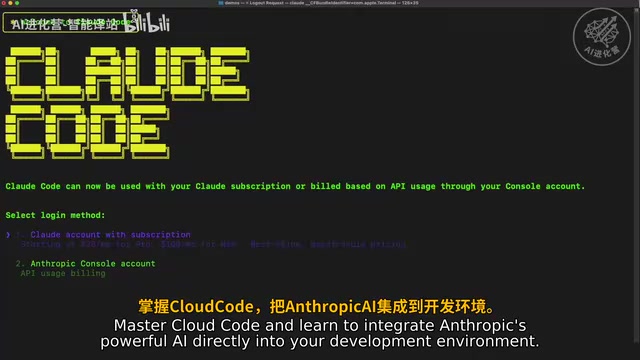
Claude Code Initial Setup and Environment Configuration
The first step in the course is integrating Anthropic AI into your local development environment. This includes installing the Claude Code CLI tool, configuring API keys, and preparing the basic development environment. For complete beginners, this step is often the biggest hurdle — the course takes a hands-on approach, guiding users through every prerequisite configuration step by step.
Interestingly, Claude Code is not a traditional IDE plugin but a command-line tool that can understand the full context of a project and directly execute code modifications, file creation, and other operations from the terminal. This design choice reflects Anthropic's unique understanding of developer workflows — traditional AI coding assistants like GitHub Copilot exist as editor plugins and primarily offer line-level or function-level code completion, whereas a CLI tool can directly access the file system, execute shell commands, and read the entire project directory tree. This gives it project-level contextual understanding. It also means it's not tied to any specific editor — whether you use VS Code, Vim, or Emacs, you can interact and collaborate with Claude through a unified terminal interface.
Structured Management of Complex Multi-File Projects
When a project scales to multiple files and modules, helping AI accurately understand the project structure and collaborate effectively becomes a key challenge.
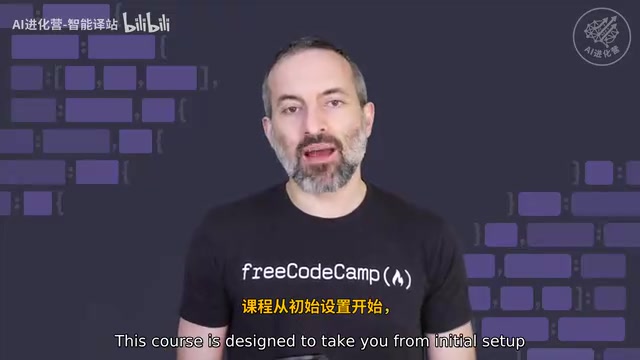
The course introduces a structured professional methodology with these core principles:
- Project context management: Using well-organized directory structures and file naming conventions to help AI quickly locate relevant code
- Incremental development: Breaking complex requirements into small steps and having AI complete each module progressively
- Version control integration: Combining Git workflows to ensure AI-generated code is traceable and reversible
This methodology is crucial for transitioning from "toy projects" to "deliverable projects." In real-world development, the biggest challenge for AI tools isn't generating individual functions — it's maintaining consistency across projects with dozens or even hundreds of files. For example, ensuring newly generated modules follow the project's existing naming conventions, error handling patterns, and data flow design. Structured project management essentially provides AI with clearer "work instructions."
Application Building and Testing Standards
The course doesn't just teach how to generate code with AI — it emphasizes engineering-grade quality assurance.
In the application building section, learners practice the entire process of constructing a complete application from scratch. In the testing section, the course introduces standardized testing workflows — including writing unit tests and checking test coverage. This means Claude Code isn't just a "code-writing tool" but an "assistant for writing high-quality code."
Notably, having AI generate test code is itself an efficient quality assurance strategy. Developers can first describe the expected behavior of business logic, have Claude generate corresponding test cases, and then generate the implementation code — this is essentially a combination of Test-Driven Development (TDD) principles with AI tools. AI-generated tests often cover edge cases that developers easily overlook, such as null value handling, concurrency scenarios, and abnormal inputs.
AI-Driven Architecture Review and Security Auditing
This is the most advanced and valuable part of the course. Leveraging Claude's deep comprehension capabilities, developers can perform the following on existing code:
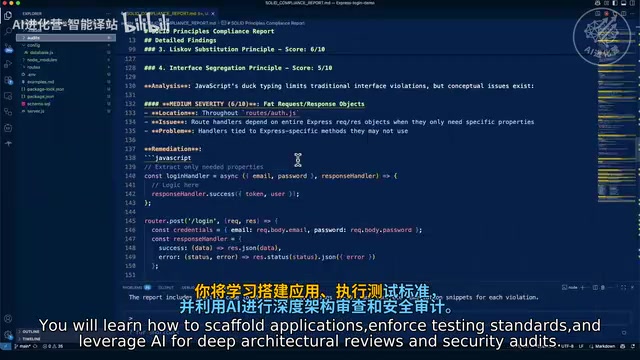
- Architecture review: Evaluating whether module decomposition is reasonable, whether dependency relationships are clear, and whether design anti-patterns exist
- Security auditing: Detecting potential security vulnerabilities such as SQL injection, XSS attack surfaces, and sensitive information leaks
In traditional software development workflows, architecture reviews and security audits typically require senior engineers or dedicated security teams — they're expensive and difficult to perform frequently. Large enterprises usually use static analysis tools like SonarQube and Snyk to partially automate this process, but these tools rely on rule matching and lack deep understanding of business logic. LLM-driven reviews can make more intelligent judgments by combining code semantics and context — for example, identifying that an API endpoint has input validation but still carries privilege escalation risks in specific business scenarios.
These two capabilities elevate Claude Code's value from "code generation" to "code quality governance," which is especially meaningful for individual developers and small teams — it's like having a senior architect available on demand.
Who Is This Course For?
Based on Chinese translations by several Bilibili content creators (such as "程序员-智能译站"), the target audience for this course is very clear:
- People with no programming background who want to develop applications with AI assistance, such as entrepreneurs or product managers
- Developers with some programming experience who haven't yet explored AI-assisted coding tools
- Engineers looking to boost productivity by deeply integrating AI into their daily workflows
The course is designed with the philosophy of "accessible for beginners, advanced for experienced users," forming a complete learning gradient from basic environment configuration to advanced security auditing.
Summary and Learning Recommendations
Claude Code represents an important direction for AI programming tools — it's not simply code completion but aims to become a full-workflow collaboration partner for developers. Jeremy Morgan's course systematically covers key stages from getting started to hands-on practice, making it one of the more comprehensive Claude Code learning resources available in the Chinese-speaking community.
For readers looking to get started, I recommend following the course in order and paying special attention to the "multi-file project management" and "testing standards" sections — these are the critical dividing line between "functional" and "production-ready."
Related articles
 Tutorials
Cursor + Codex Dual-IDE Collaboration: A Practical Methodology for Open-Source Project Customization
A complete methodology for open-source project customization based on real-world experience, detailing the Cursor+Codex dual-IDE workflow, seven-stage process, MVP validation, and AI source code reading techniques.
 Tutorials
Cursor Multi-Agent in Practice: Building a Full-Stack Next.js Blog in 50 Minutes
Build a full-stack blog in 50 minutes using Cursor IDE's multi-Agent mode with Next.js, Clerk auth, and Supabase. Learn the 4-phase AI Agent workflow and key integration pitfalls.
 Tutorials
Building an AI Software Factory from Scratch: A Cursor Engineer's Hands-On Experience with Multi-Agent Collaboration
Cursor engineer Eric shares practical insights on building an AI software factory: automation levels, guardrail design, parallel Agent management, and scaling to 1000+ Agents for 24/7 development.