Claude Code + CC Switch Deployment Guide: Connect to DeepSeek Without an Overseas Account
Deploy Claude Code with CC Switch to use DeepSeek models without an overseas account.
This tutorial walks through a complete five-step deployment of Claude Code using CC Switch as a proxy to connect to DeepSeek and other domestic LLMs, eliminating the need for overseas accounts and VPNs. It covers installing Node.js, Claude Code CLI, VS Code with the Claude Code extension, configuring CC Switch, and setting up DeepSeek API keys, with a hands-on demo building a Pomodoro timer app.
Why You Need This Setup
Recently, videos about Claude Code and Codex have been flooding the internet, each with more sensational titles than the last — "Revolutionizing Programming," "Replacing Developers." But the vast majority of these videos only tell you how powerful these tools are, without ever explaining how to install, configure, or actually use them.
When you actually try to install Claude Code, the problems pile up: you need a Node.js environment, an overseas account, a VPN, and you still face the risk of account bans and rate limits. These barriers stop many people in their tracks.
This article introduces a complete alternative solution: using the CC Switch proxy tool to let Claude Code directly call domestic models like DeepSeek, completely bypassing account and network restrictions while enjoying extremely low API costs.
How It Works: The CC Switch Proxy Architecture
The core idea behind this setup is straightforward:
Claude Code Terminal → CC Switch Proxy → DeepSeek / Other Model APIs
Claude Code is an AI programming command-line tool released by Anthropic in 2025. It allows developers to interact with large language models through natural language in the terminal, enabling code generation, debugging, refactoring, and more. Unlike embedded code completion tools like GitHub Copilot, Claude Code uses an "Agentic Coding" approach — it doesn't just generate code snippets but can autonomously read project files, understand codebase structure, create and modify files, execute terminal commands, and even orchestrate complex multi-step tasks. This approach is closer to having a junior developer who can work independently, rather than a simple code completion assistant.
CC Switch is an open-source project that acts as a proxy layer for model providers. Its technical principle is essentially an API Proxy Gateway. By design, Claude Code only communicates with Anthropic's Claude API, with request formats following Anthropic's Messages API specification. CC Switch starts a local proxy service that intercepts API requests from Claude Code, converts the Anthropic-format request body (including system prompts, conversation history, tool calls, etc.) in real-time to the target provider's API format (such as OpenAI-compatible format), and then reverse-converts the response back to Anthropic format before returning it to Claude Code. This "protocol translation" technique is very common in microservices architecture, similar to the adapter pattern in API gateways.
This means:
- No Claude overseas account needed, zero risk of account bans
- Connect to domestic models like DeepSeek, Zhipu, Qwen, and more — at extremely low prices
- Also supports OpenAI / GPT models, with flexible switching
- Domestic models already have impressive coding capabilities with outstanding cost-effectiveness
Complete Installation Steps (Five Steps)
The entire deployment process requires installing five components. Below is a detailed walkthrough of each step.
Step 1: Install the Node.js Runtime Environment
Node.js is the foundational runtime for Claude Code and must be installed first. Node.js is a JavaScript runtime environment built on Chrome's V8 engine that allows JavaScript code to run on servers or local machines outside of a browser. Claude Code depends on Node.js because it is itself a command-line tool distributed via npm, written in JavaScript/TypeScript under the hood. npm (Node Package Manager) is the package management tool installed alongside Node.js and is also the world's largest open-source software registry, hosting over 2 million packages.
- Visit nodejs.org
- Download the LTS (Long-Term Support) version, version 18 or above recommended. The LTS version receives 30 months of official maintenance and security updates, making it suitable for production use
- Follow the installer prompts — just click "Next" all the way through
After installation, open a terminal to verify:
node -v    # Check Node.js version, e.g., v24.11
npm -v     # Check npm version (installed with Node.js)
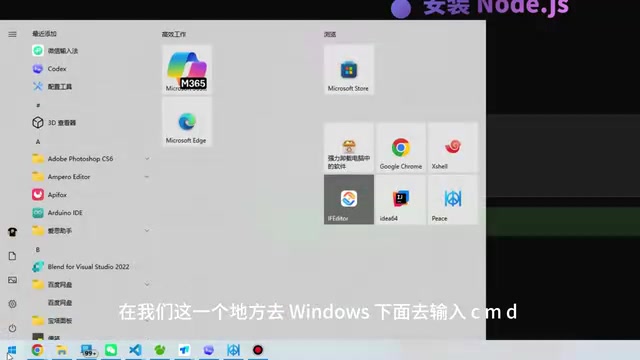
Tip: Windows users can open the command-line terminal by typing
cmdin the search bar.
Step 2: Install the Claude Code CLI
Claude Code is installed via the command line, with corresponding commands for Mac, Linux, and Windows. Simply run the official installation command in your terminal, wait for it to complete, then type claude to verify.
Step 3: Install VS Code and the Claude Code Extension
While Claude Code can be used directly in the terminal, working from the command line alone isn't very convenient. Using VS Code as your integrated development environment is recommended for a better experience.
Visual Studio Code (VS Code) is a free, open-source code editor developed by Microsoft. Since its release in 2015, it has become the world's most popular development tool, with a market share exceeding 70% according to Stack Overflow's Developer Survey. VS Code's core advantage lies in its powerful plugin ecosystem — through the Extensions Marketplace, users can install tens of thousands of plugins to extend functionality, from language support and code formatting to AI-assisted programming. The Claude Code VS Code extension embeds the command-line interface into the editor's sidebar, allowing developers to chat with AI while writing code without constantly switching between the terminal and editor.
Installation steps:
- Go to code.visualstudio.com to download and install
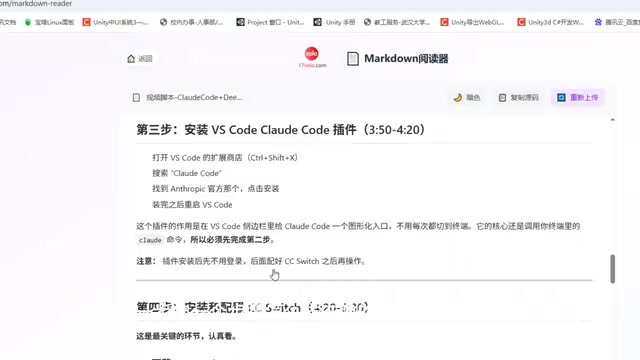
- Open VS Code and navigate to the Extensions panel on the left sidebar
- Search for "Claude Code", find the official extension, and install it
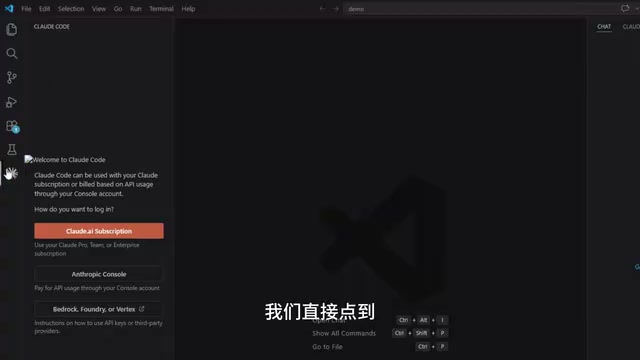
Once installed, a Claude Code icon will appear in the VS Code sidebar. Click it to start a session.
Step 4: Install and Configure CC Switch
CC Switch is the key proxy component of this setup, responsible for forwarding requests to domestic models.
- Go to the CC Switch GitHub repository and download the version for your operating system (supports Windows and Mac)
- Install and launch CC Switch
The interface after launch supports two provider systems: Claude and OpenAI (Codex). Its core function is to help you configure and switch between model providers.
Step 5: Configure the DeepSeek API Key
This is the final and most critical step — once completed, you're ready to go.
DeepSeek is one of China's benchmark AI companies, founded in 2023 by Liang Wenfeng, the founder of quantitative hedge fund High-Flyer. Its DeepSeek-V3 and DeepSeek-R1 models have achieved performance comparable to GPT-4 and Claude 3.5 across multiple international benchmarks, with particularly strong results in mathematical reasoning and code generation tasks. DeepSeek's API pricing strategy is extremely competitive — the cost per million tokens is just a fraction of what OpenAI charges for comparable models. The platform typically offers new users a certain amount of free API credits, further lowering the barrier to entry.
Configuration steps:
- In CC Switch, click Add Provider and select DeepSeek (you can also choose Zhipu, Qwen, Doubao, etc.)
- Go to the DeepSeek official website open platform
- Create a new API Key on the API Keys page
- Copy and paste the generated key into the API Key input field in CC Switch
- Click Save, then Enable the provider
The providers mentioned here — Zhipu (GLM series), Qwen (Qwen series by Alibaba Cloud), and Doubao (by ByteDance) — represent China's first tier of large language models. Zhipu AI was incubated by a Tsinghua University technical team, and its GLM-4 series excels in Chinese comprehension and code generation. Alibaba Cloud's Qwen2.5 series is one of the most comprehensive open-source model families in terms of parameter scale. ByteDance's Doubao model is known for its extremely low API pricing. These models generally follow the OpenAI Chat Completions API format specification, which is the technical foundation that allows CC Switch to easily integrate with them — you only need to change the API endpoint address and key to switch providers.
Once configured, go back to VS Code, click the Claude Code icon, and start a new session. The system will automatically skip the Claude login process. You can ask it directly: "What model are you currently using?" — and it will respond: DeepSeek V4 Pro.
At this point, the entire environment setup is complete.
Hands-On Demo: Building a Pomodoro Timer Web App with DeepSeek
Now that the environment is set up, let's build an actual project to verify everything works.
Describe the Requirements
In the Claude Code session within VS Code, type:
"Help me create a Pomodoro timer web application"
AI Automatically Analyzes and Confirms Interactively
Claude Code (now calling the DeepSeek model) will execute the following workflow:
- Requirement breakdown: Automatically analyzes the task and proposes a design plan, technical architecture, core components, and UI layout
- Proactive confirmation: It will ask you clarifying questions, such as "Should rest periods start automatically or be triggered manually?" — this kind of interactive communication is very reasonable
- Design document: After confirming requirements, it first outputs a brief design document
- Automatic coding: Once the design is approved, type "OK, let's start" and it will automatically create files and write code
This workflow of "requirement breakdown → proactive confirmation → design document → automatic coding" embodies the core interaction paradigm of agentic AI programming. Unlike the traditional "question-and-answer" model, agentic programming tools have a "plan-execute-feedback" closed-loop capability. They first decompose complex tasks into executable sub-steps (Task Decomposition), proactively confirm with users when encountering ambiguity or decisions (Human-in-the-Loop), and then autonomously invoke file system operations, terminal commands, and other tools to complete the coding. The key advantage of this approach is that the AI doesn't blindly generate code — instead, it ensures accurate understanding of requirements through interactive communication, significantly reducing the number of revisions needed.
Final Result
Within a few minutes, a complete Pomodoro timer web application is built, including:
- Countdown functionality
- Start / Pause / Reset buttons
- Work and break mode switching
- A complete frontend page
Throughout the entire process, you only need to describe your requirements in natural language and confirm at key decision points.
Beyond Programming: More Use Cases
This toolset's capabilities go far beyond writing code. You can use it to:
- Create data analysis reports: Give it data and have it generate visualizations
- Write documents and articles: Provide an outline and have it generate complete content
- Create presentations: Describe the topic and structure for auto-generated slides
- Build company websites: Describe page requirements for rapid frontend code generation
- Everyday conversations: Use it as an intelligent assistant for Q&A anytime
The key is how creatively you use it.
Summary and Deployment Checklist
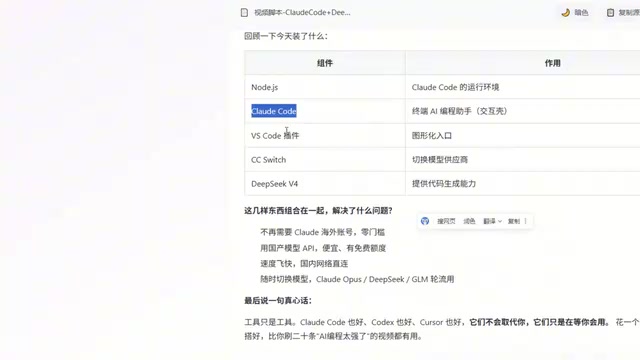
Five-Step Deployment Overview
| Step | Component | Purpose |
|---|---|---|
| 1 | Node.js | Runtime environment foundation |
| 2 | Claude Code CLI | Core AI programming tool |
| 3 | VS Code + Extension | Integrated development interface |
| 4 | CC Switch | Model proxy switching |
| 5 | DeepSeek API | Domestic LLM integration |
What This Solution Solves
- ✅ No overseas account needed, zero risk of account bans
- ✅ Domestic model APIs are extremely affordable, with free credits available
- ✅ Supports switching between different model providers at any time
- ✅ Seamlessly integrated in VS Code for a smooth development experience
Claude Code won't replace you — it's just waiting for you to learn how to use it. Instead of watching 20 videos about how "AI coding is amazing," spend an afternoon setting up this environment and getting hands-on experience. The value of a tool always lies in the person using it.
Related articles
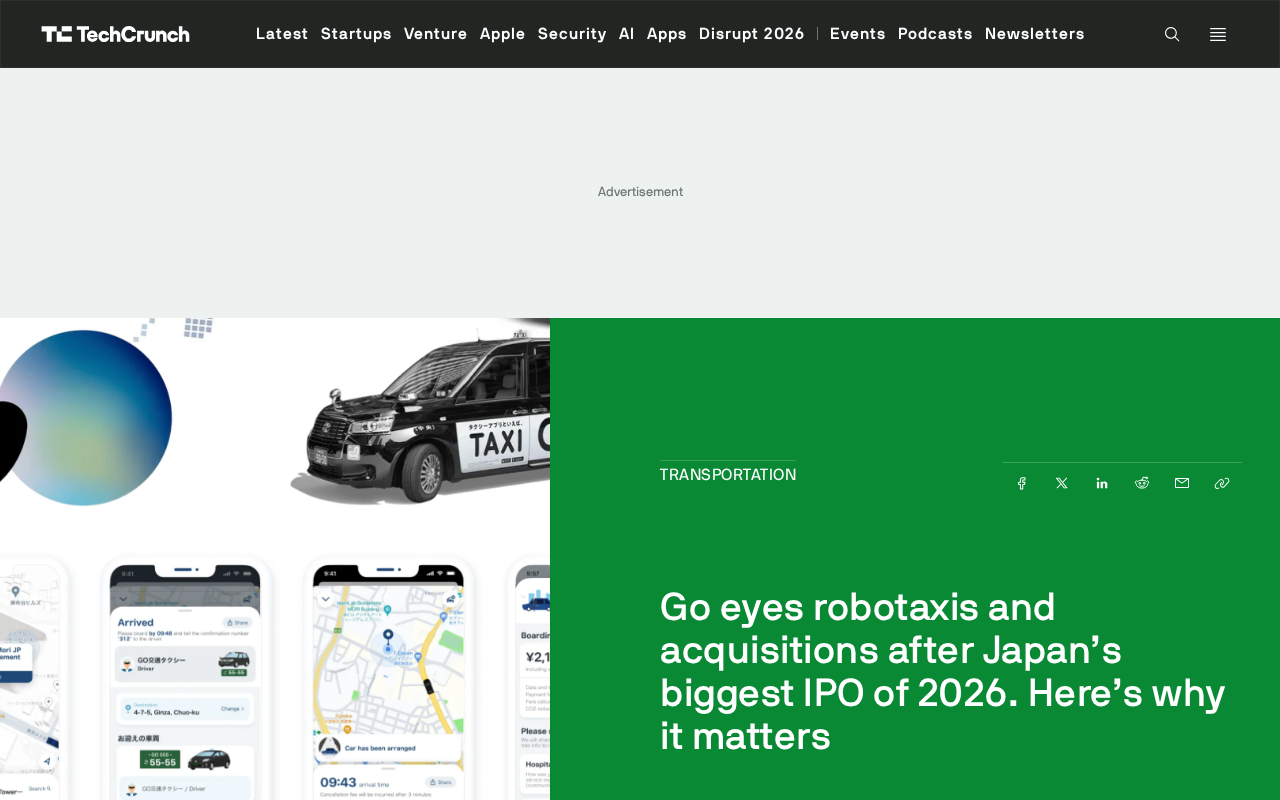
Japan's Ride-Hailing Platform Go Completes ¥88.6 Billion IPO, Betting on Robotaxis to Tackle Driver Shortage
Japan's ride-hailing app Go completed the country's largest IPO this year, raising ¥88.6 billion. Facing a severe driver shortage, Go is investing in Robotaxis and industry M&A to reshape Japan's mobility future.

Claude Code + Firecrawl MCP Tutorial: One-Click Install with No Registration or API Key
Complete guide to connecting Firecrawl MCP to Claude Code with no registration or API Key. Get 1,000 free monthly searches to boost your coding productivity.

A Beginner's Guide to Vibe Coding: The New Way to Build Software with AI — No Coding Required
What is Vibe Coding? Learn the core philosophy, three key traits, and boundaries of this AI-powered approach. Get a complete beginner's learning path with tools like Cursor and Bolt.new.