Claude Code Chinese Tutorial Resources: Breaking Through the English Documentation Barrier

English-only docs are the biggest barrier for Chinese Claude Code users; systematic Chinese manuals solve this.
Claude Code is Anthropic's terminal-based AI programming assistant that operates in Agent mode, autonomously understanding codebases and executing complex operations. However, its English-only official documentation blocks roughly 90% of Chinese-speaking users, and existing Chinese tutorials are fragmented and lack hands-on guidance. A systematic Chinese manual covering environment setup, core commands, configuration optimization, and real-world project cases can effectively lower both the language and technical barriers, serving a wide audience from beginners to professional developers.
English Documentation: The Biggest Barrier to AI Programming Tools
Claude Code has recently exploded in popularity as an AI programming tool, winning over countless developers with its powerful code generation and project management capabilities. Claude Code is a terminal-based AI programming assistant developed by Anthropic that runs directly in the command-line environment rather than as a traditional IDE plugin. Anthropic was founded in 2021 by Dario Amodei, former VP of Research at OpenAI, and is now one of the leading companies in the global AI large language model space. Unlike embedded programming assistants such as GitHub Copilot, Claude Code operates in Agent mode, autonomously reading project files, understanding codebase structure, executing terminal commands, and even proactively performing complex multi-step operations. This makes it particularly outstanding for large-scale project management and automated development workflows.
However, a practical problem confronts most Chinese-speaking users — the official documentation is entirely in English, effectively shutting out a large number of potential users.
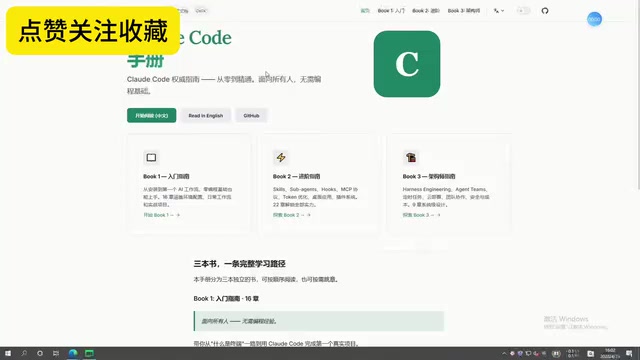
According to a Bilibili content creator, English-only documentation blocks roughly 90% of users who want to get started with Claude Code. Whether they're programming beginners, students rushing to complete assignments, or professional programmers constantly chasing deadlines, they all hit a wall at this stage. Even the most basic installation steps in the official documentation can seem daunting for users who aren't proficient in English.
Pain Point Analysis of Existing Claude Code Learning Resources
The Language Barrier of Official Documentation
Claude Code is developed and maintained by Anthropic, so its official documentation is naturally written in English. While the documentation itself is high-quality and well-structured, for developers whose native language isn't English, understanding technical terminology, command parameters, and configuration options still requires significant extra time. This is especially true when dealing with terminal operations and environment variable configurations — misunderstanding a single word can cause the entire workflow to stall.
Let's clarify some concepts here. A Terminal is a command-line interface where developers interact directly with the operating system — Terminal or iTerm2 on macOS, and PowerShell or WSL (Windows Subsystem for Linux) on Windows. Claude Code runs entirely in the terminal environment, meaning users need basic command-line skills. Environment Variables are key-value pairs used by the operating system to store configuration information. Claude Code's API key is typically passed through environment variables, for example by running export ANTHROPIC_API_KEY=xxx. For users unfamiliar with the command line, these operations alone constitute a technical barrier, and when combined with the language barrier of English documentation, the difficulty is amplified further.
The Fragmentation Problem of Scattered Tutorials
Although quite a few Chinese-language introductions to Claude Code have appeared online, they generally suffer from the following issues:
- Incomplete content: Most only cover basic installation or simple demos, lacking systematic coverage
- Unclear explanations: Direct translations of official documentation without optimization for Chinese users' learning habits
- Lack of hands-on guidance: Plenty of theory, but after studying it all, users still don't know how to apply it in real projects
The Competitive Landscape of AI Programming Tools
To understand Claude Code's value proposition, it's helpful to know the current landscape of AI programming tools. Major AI programming assistants include: GitHub Copilot (co-developed by GitHub and OpenAI, deeply integrated into VS Code), Cursor (an AI-native editor forked from VS Code that supports multiple models), Windsurf (an AI editor built by the former Codeium team), and Google's Gemini Code Assist, among others. Claude Code's differentiating advantage lies in its terminal-native Agent mode, which can execute more complex autonomous operation chains rather than being limited to code completion and conversation. However, this mode also means a higher usage threshold — users need to be familiar with command-line operations, which combined with the English documentation issue, creates a double barrier for Chinese-speaking users.
Content Framework of a Systematic Claude Code Chinese Manual
According to the Bilibili creator, the recommended Claude Code Chinese manual covers the complete journey from getting started to real-world practice, including the following modules:
Basic Environment Setup
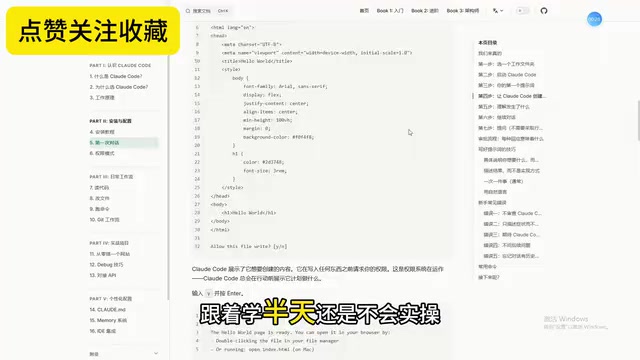
This covers Node.js environment configuration, the Claude Code installation process, API key setup, and more. Each step includes Chinese instructions and copy-paste-ready command-line code, lowering the barrier to entry for beginners.
Several key technical concepts are involved here: Node.js is a JavaScript runtime environment built on the Chrome V8 engine. Claude Code depends on Node.js to run, typically requiring version 18.0 or above. The standard way to install Claude Code is through a global installation command via npm (Node Package Manager). An API Key is the credential that authenticates users to access Anthropic's cloud-based model services — think of it as a digital key. Users need to register an account on Anthropic's Console page and generate a key. Every time Claude Code calls the model, it uses this key for authentication and usage billing. It's worth noting that Claude Code uses a per-token billing model. A Token is the basic unit of text processing for large language models — one English word typically corresponds to 1-2 tokens, and one Chinese character typically corresponds to 1-2 tokens.
Core Commands and Terminal Operations
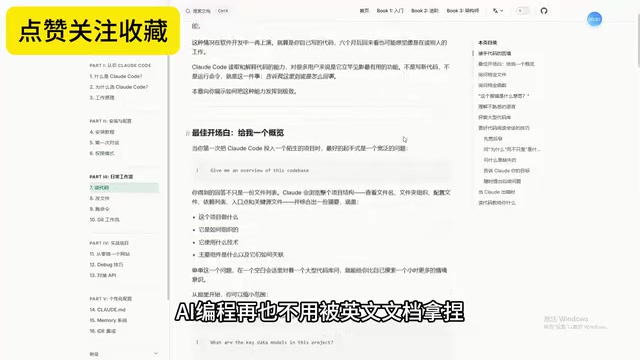
This section systematically organizes Claude Code's commonly used commands, including project initialization, code generation, file operations, context management, and other core functions. This is the most frequently used content in daily work and represents the critical leap from "knowing how to install" to "knowing how to use."
Configuration Optimization and Personalization
This covers advanced topics including Claude Code's global configuration, project-level configuration, and custom instructions (CLAUDE.md). Proper configuration can significantly improve AI response quality and work efficiency.
CLAUDE.md is a project-level configuration file unique to Claude Code, written in Markdown format and placed in the project's root directory. When Claude Code starts and reads a project, it automatically loads the contents of this file as system-level context instructions. Developers can define the project's tech stack, coding standards, architectural conventions, common caveats, and other information within it. This mechanism is essentially the practical application of Prompt Engineering in engineering scenarios — by presetting high-quality contextual information, it guides the AI to generate code that better fits project requirements. Similar mechanisms exist in the Cursor editor as .cursorrules files and in GitHub Copilot as .github/copilot-instructions.md. A well-written CLAUDE.md can significantly reduce AI "hallucination" output and improve the consistency and accuracy of code generation.
Real-World Project Practice and Bug Troubleshooting
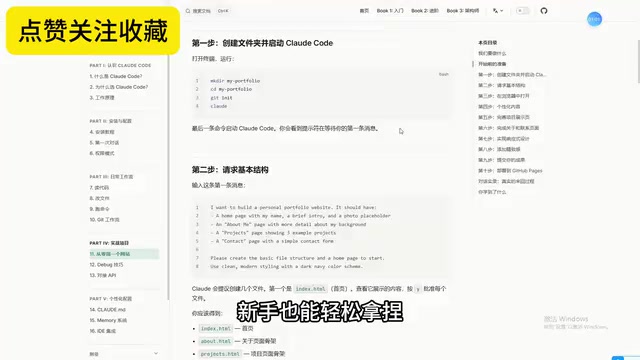
This is a crucial section that sets it apart from ordinary tutorials. Through real project case studies, it demonstrates how to integrate Claude Code into actual development workflows, including scenarios like code writing, bug fixing, code refactoring, and project optimization. It also compiles common errors and their solutions.
Who Should Learn Claude Code
Claude Code is suitable for a wide range of users:
- Programming beginners: Can leverage AI to quickly generate code frameworks, flattening the learning curve
- Students: Useful for course projects, graduation designs, and other academic scenarios to boost development efficiency
- Professional developers: Delegate repetitive coding tasks to AI and focus on architecture design and business logic
- Indie developers: One person doing the work of many, rapidly building MVPs and prototypes
For indie developers, MVP (Minimum Viable Product) is a core concept in lean startup methodology, referring to building a product version with minimal resources that has core functionality, then quickly launching it to validate hypotheses. Before AI programming tools existed, building an MVP typically took indie developers weeks or even months. With Claude Code's Agent capabilities, developers can describe requirements in natural language and have the AI automatically generate project scaffolding, database models, API endpoints, and frontend pages, compressing MVP development cycles to hours or even minutes. This efficiency improvement is profoundly changing how indie developers and small teams work, and is a key reason why Claude Code has rapidly gained popularity among entrepreneurs.
Final Thoughts
The Chinese tech community is rapidly catching up in building learning resources for Claude Code. For users looking to get started with this tool, we recommend prioritizing systematic tutorials with complete structure and hands-on examples over scattered, fragmented content. At the same time, once you've built a solid foundation, we encourage gradually trying to read the official English documentation — after all, first-hand materials always offer the fastest updates and highest accuracy.
The learning curve for AI programming tools is being continuously flattened by community efforts, and language should not be a barrier to technological progress. As Agent-mode programming tools like Claude Code become more widespread, the developer's role is shifting from "code writer" to "AI collaboration director," and mastering these tools will become one of the core competitive advantages for developers of the future.
Related articles
 Tutorials
Cursor + Codex Dual-IDE Collaboration: A Practical Methodology for Open-Source Project Customization
A complete methodology for open-source project customization based on real-world experience, detailing the Cursor+Codex dual-IDE workflow, seven-stage process, MVP validation, and AI source code reading techniques.
 Tutorials
Cursor Multi-Agent in Practice: Building a Full-Stack Next.js Blog in 50 Minutes
Build a full-stack blog in 50 minutes using Cursor IDE's multi-Agent mode with Next.js, Clerk auth, and Supabase. Learn the 4-phase AI Agent workflow and key integration pitfalls.
 Tutorials
Building an AI Software Factory from Scratch: A Cursor Engineer's Hands-On Experience with Multi-Agent Collaboration
Cursor engineer Eric shares practical insights on building an AI software factory: automation levels, guardrail design, parallel Agent management, and scaling to 1000+ Agents for 24/7 development.