Claude Code Complete Tutorial: Best Practices from Architecture to Parallel Development
Claude Code Complete Tutorial: Best Pr…
Comprehensive guide to Claude Code covering architecture, parallel workflows, and MCP integration best practices.
DeepLearning.ai and Anthropic's joint course on Claude Code covers its simple yet powerful architecture, core usage principles like providing clear context and leveraging CLAUDE.md memory files, and advanced techniques including parallel sessions with Git Worktrees and MCP server integration. Hands-on projects range from RAG chatbots to Figma design-to-code workflows.
Course Overview
DeepLearning.ai and Anthropic have jointly launched a systematic course on Claude Code, taught by Anthropic's Eddie Schovik with Andrew Ng providing the introduction. The course aims to comprehensively cover the usage methods and best practices of Claude Code, a highly autonomous programming assistant.
Andrew Ng states directly in his opening: "Claude Code is currently my personal favorite coding assistant — it has dramatically increased my productivity and that of many other developers." Coming from one of the most influential educators in the AI field, this endorsement speaks volumes about Claude Code's standing among current AI programming tools.
The Evolution of AI-Assisted Programming: From Q&A to Autonomous Agents
The course reviews the rapid evolution of AI-assisted programming:
- Early Stage: Developers occasionally asked large language models coding questions
- Autocomplete Era: Tools like GitHub Copilot provided code completions
- Rise of Autonomous Tools: Various AI programming tools became increasingly autonomous
- Claude Code Release: A quantum leap in agent autonomy
The evolution of AI-assisted programming actually reflects the step-function improvements in large language model capabilities. Early code completion tools (like GitHub Copilot, released in 2021) were based on OpenAI's Codex model, essentially performing "next token prediction" — predicting likely code snippets based on existing code context. Claude Code represents a fundamentally different paradigm of "agentic" programming assistants: it can understand high-level instructions, autonomously plan execution steps, invoke tools, read and write files, run commands, and dynamically adjust strategies based on execution results. This shift from "passive completion" to "active agency" is the most significant paradigm shift in AI programming during 2024-2025.
A notable characteristic of Claude Code is that it can work independently for minutes or even longer to complete a task. Going further, developers are now orchestrating multiple Claude instances working in parallel, each handling different parts of a codebase.
Why Best Practices Matter
Andrew Ng specifically emphasizes that there's a set of best practices for orchestrating these workflows that is "not widely known." If developers haven't encountered these practices, mastering them will bring "enormous improvements." This is the core value of this course — systematically teaching knowledge scattered across expert communities to a broader developer audience.
Core Principles of Using Claude Code
Providing Clear Context
The key technique for using Claude Code is providing clear context, specifically:
- Point to relevant files: Explicitly tell Claude Code which files to focus on
- Clearly describe requirements: Detail the functionality and features you want
- Extend capability boundaries: Enhance Claude Code's capabilities through MCP servers and other tools in the ecosystem
MCP (Model Context Protocol) is a standardized protocol open-sourced by Anthropic in late 2024, designed to solve the connection problem between AI models and external tools/data sources. Before MCP, each AI application needed to write separate integration code for each external tool, creating M×N complexity. MCP defines a unified communication standard that allows any MCP-compatible client (like Claude Code) to connect to any MCP server (like Figma, GitHub, databases, etc.), reducing complexity to M+N. It's analogous to how the USB-C standard unified hardware interfaces — one protocol to connect all tools.
Architectural Simplicity
Surprisingly, Claude Code's underlying architecture is remarkably simple. It relies on a small number of tools to:
- Search for patterns in code files
- List directory structures
- View files through regular expressions
Here's an important detail: Claude Code does not rely on semantic embeddings or converting code into searchable structures to understand a codebase. Instead, it autonomously reads code, takes notes in CLAUDE.md files, and independently comprehends the codebase's structure and logic to drive decisions.
CLAUDE.md is Claude Code's unique project memory file — essentially a Markdown file placed in the project root directory that stores key project information: architectural decisions, coding standards, common commands, known constraints, and more. Claude Code automatically reads this file at the start of each session and writes newly discovered project information into it during work. This design borrows from the human developer habit of maintaining README or CONTRIBUTING.md files, but elevates it into a "shared memory" between AI and humans. Compared to traditional vector database memory solutions, CLAUDE.md's advantage lies in being completely transparent and editable — developers can directly view and modify the AI's "memory" contents.
This design brings an important security advantage: since there's no need to index the codebase, code can remain entirely local, avoiding the risk of data leakage.
Course Project Deep Dives
Project One: RAG Chatbot
RAG (Retrieval-Augmented Generation) is an architectural pattern that combines external knowledge bases with large language models. The core idea is: when a user asks a question, the system first retrieves relevant document fragments from a knowledge base, then provides these fragments as context for the LLM to generate answers. This solves two major problems with large models — "knowledge cutoff" and "hallucination." A typical RAG system includes document chunking, vector embedding, similarity retrieval, context injection, and answer generation.
The course chose a RAG chatbot as the first project precisely to demonstrate Claude Code's ability to handle multi-component systems involving frontend, backend, and data pipelines. Building full functionality from frontend to backend, covering:
- Code refactoring
- Writing tests
- Using GitHub integration to handle Pull Requests and fix Issues
- Employing planning mode, thinking mode, parallel sessions, and Claude memory management
Project Two: Jupyter Notebook Data Analysis
Shifting to data analysis scenarios, using Claude Code to process e-commerce data:
- Refactoring Notebooks
- Removing redundant code
- Creating powerful data dashboards and web applications
Project Three: Figma Design to Frontend Implementation
The most cutting-edge practice — the full workflow from visual design mockups to code:
- Using the Figma MCP server to import designs
- Combining different MCP servers for iteration and testing
- Building complete frontend applications in an agentic manner
Summary of Claude Code Key Technical Features
| Feature | Description |
|---|---|
| Planning Mode | For complex task decomposition |
| Thinking Modes | Enhanced reasoning capabilities |
| Parallel Sessions | Multi-task simultaneous progress |
| Memory Management | Context maintenance via CLAUDE.md |
| Git Worktrees | Support for parallel development |
| MCP Servers | Model Context Protocol servers for extended tool capabilities |
Git Worktrees is a native Git feature that allows multiple branches to be checked out simultaneously into different directories within the same repository. In the context of Claude Code, Git Worktrees are significant because they enable multiple Claude instances to work in parallel on different branches in physically isolated directories, avoiding file conflicts. For example, one Claude instance refactors backend APIs in worktree-A while another writes frontend components in worktree-B — without interfering with each other. Results are then integrated through the standard Git merge workflow. This is the critical infrastructure that takes "multi-agent collaboration" from concept to practical reality.
Final Thoughts
The value of this course lies in its systematic approach. There's no shortage of Claude Code tutorials available, but courses with Anthropic's own staff systematically explaining best practices are rare. Whether you're a developer who hasn't yet used Claude Code or someone with existing experience, this course is worth your attention.
For the former, it provides a learning path from zero; for the latter, the systematic organization of best practices is likely to bring fresh insights. As Andrew Ng puts it, Claude Code is a tool with "tremendous depth" — between surface-level usage and deep mastery, there exists a significant productivity gap.
Related articles

AI Aggregator Platforms Tested: A Complete Guide to Using GPT 5.5 and Other Top Models for Free
A hands-on guide to using GPT 5.5, Gemini 3.1 Pro, and Grok 4.2 for free via AI aggregator platforms, covering cross-model context memory, account pool mechanisms, and key security risks.
Vibe Coding in Practice: A Junior Student Uses Cursor to Build a Multi-Agent System with 51 AI Officials Based on the Three Departments and Six Ministries Framework
A junior student uses Cursor and Vibe Coding to build a multi-agent system with 51 AI officials modeled on China's Three Departments and Six Ministries, featuring task distribution, approval workflows, and Token cost visualization.
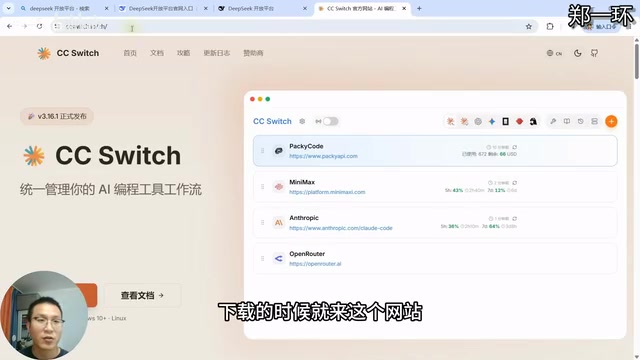
How to Connect Codex to DeepSeek Models: Free Switching via CC Switch
Learn how to connect OpenAI Codex to DeepSeek models via CC Switch, enabling free switching between DeepSeek and GPT with complete setup and routing guide.