Claude Code Dynamic Workflows Explained: A Hands-On Guide to Sub-Agent Orchestration and Reuse
Claude Code Dynamic Workflows Explaine…
Claude Code Dynamic Workflows auto-orchestrate sub-agents for scalable, reusable parallel task execution.
Claude Code's Dynamic Workflows let you describe a task and have AI automatically script, dispatch, and manage dozens of parallel sub-agents. This guide compares four collaboration modes, walks through enabling and triggering workflows, managing execution with shortcuts, and saving workflows for team reuse — with notes on cost and compatibility.
What Are Dynamic Workflows
With the release of Opus 4, Claude Code introduced a major new feature — Dynamic Workflows. In one sentence: you describe a task, and Claude Code automatically writes a script that dispatches dozens to hundreds of sub-agents working in parallel behind the scenes, then delivers the consolidated results back to you.
Opus 4 is Anthropic's flagship large language model released in 2025, the most capable version in the Claude model family. Claude Code is Anthropic's terminal-based AI coding tool designed for developers. It runs directly in the command line, understands the full context of a code repository, and can execute shell commands, edit files, and run tests. Unlike traditional IDE plugins, Claude Code is closer to an autonomous AI development assistant rather than a simple code completion tool. It's on this foundation that Dynamic Workflows achieve the leap from "assisted coding" to "autonomous execution of complex tasks."
Here are a few key points worth noting:
- Script-based: Workflows are essentially code scripts that can be saved, shared, and reused
- Auto-scheduling: Claude autonomously decides how many sub-agents to launch based on task complexity
- Uninterrupted execution: The process doesn't return to the main conversation to consume context — it only delivers the final result
The concept of sub-agents deserves further explanation. Sub-agents are core components of AI Agent architecture — when a main agent (Orchestrator) receives a complex task, it breaks it down into multiple independent subtasks, each assigned to a separate sub-agent. Each sub-agent has its own independent context window and execution environment, operating without interference. The advantages of this architecture are twofold: it breaks through the length limitations of a single context window, and it allows multiple subtasks to truly execute in parallel, dramatically improving overall efficiency. This is a key architectural evolution in how large models move from "single Q&A" to "autonomous work."
"Uninterrupted execution" matters because a large language model's context window — the maximum number of tokens the model can process in a single conversation — is limited. Each round of conversation consumes context space, and as the dialogue continues, earlier content gets gradually truncated or compressed, causing the model to "forget" previous information. Dynamic Workflows solve this by having sub-agents run in independent contexts and returning only the final results to the main conversation, effectively preventing the main conversation's context from being overwhelmed by intermediate processes.
Comparing the Four Collaboration Modes
To better understand where Dynamic Workflows fit in, let's use a home renovation analogy to compare the four different collaboration modes in Claude Code.
Single Session Mode
Like hiring one worker and telling them what to do step by step, waiting for your next instruction after each task. The least efficient but most commonly used — suitable for small tweaks and single-point tasks that take one or two steps.
Sub-Agent Mode
You assign multiple workers to do things in parallel, but each one reports back to you after finishing and waits for your next plan. The advantage is parallel execution, but it requires your continuous involvement in decision-making.
Agent Teams Mode
You set up roles like plumber, painter, and electrician, and designate a Team Leader. Team members can discuss among themselves, divide up areas, and deliver a complete result. The key difference is that you need to pre-define all roles.
Agent Teams Mode draws on research in Multi-Agent Systems (MAS). In both academia and industry, frameworks like Microsoft's AutoGen, Stanford's Generative Agents, and CrewAI are exploring paradigms where multiple AI roles collaborate to complete tasks. The core idea is to simulate how human teams work through role definition, division of labor, and information sharing. Claude Code's Agent Teams further simplifies the configuration process, but still requires users to pre-define roles — Dynamic Workflows take this a step further by letting AI handle that autonomously.
Dynamic Workflows Mode
You only need to provide a "blueprint" (describe your intent), and Claude Code will automatically write an execution script and dispatch dozens of sub-agents to work simultaneously. You don't need to worry about progress during the process — just receive the finished product. The key advantage is that workflows can be saved and reused — the next time you renovate a second house, you can apply the same orchestration process directly.
Guide to Choosing the Right Mode
Based on the differences above, different scenarios call for different modes:
| Scenario | Recommended Mode |
|---|---|
| Clear, single-point small tasks | Single Session |
| Need multiple sub-agents to execute and report separately | Sub-Agent Mode |
| Need team members to communicate and discuss with each other | Agent Teams |
| Need large-scale parallelism, cross-validation, and reusable orchestration | Dynamic Workflows |
Dynamic Workflows don't necessarily require dozens or hundreds of sub-agents. The core criteria for their use are: needing to coordinate multiple sub-agents for cross-validation or composite tasks, and wanting the workflow to be reusable.
The concept of cross-validation here is worth explaining. In the context of Dynamic Workflows, cross-validation means having multiple sub-agents independently complete the same type of task, then comparing, voting on, or comprehensively evaluating their respective outputs to improve accuracy and reliability. This idea comes from the principle in Ensemble Learning that "collective wisdom outperforms individual judgment." For example, in a code security audit scenario, multiple sub-agents might analyze the same piece of code from different attack surfaces, and through result comparison, discover vulnerabilities that a single perspective might miss.
Dynamic Workflows Hands-On Guide
Enabling the Feature
First, confirm the configuration is enabled. Enter the slash command in Claude Code to view settings and verify that the dynamic workflows option is turned on.
Two Ways to Launch
Method 1: Keyword Trigger
Type the workflow keyword, and the prompt text will change to colored font, indicating you've entered workflow mode. This method forces workflow execution for the task.
Method 2: Archicode Reasoning Mode
Select the Archicode reasoning level with the flickering effect, and a colored border will appear around the interface. In this mode, the system autonomously determines whether your task requires a workflow — essentially enabling a smart environment where AI decides whether to use a workflow.
Managing Running Workflows
After a workflow starts, you can use the /workflow command to check the current execution stage. Using a security audit as an example, the system would display:
- Step 1: Scanning phase, 5 sub-agents assigned
- Step 2: Validation phase, waiting for the previous step to complete before assigning agents
- Step 3: Consolidate and output final results
Common shortcut keys:
- P key: Pause/resume the workflow
- S key: Save the current workflow to the project directory
Saving and Reusing Workflows
After pressing S to save, the workflow script is stored in the project's .claude/workflow directory. The saved content includes the complete orchestration logic, prompts for each stage, and sub-agent configurations.
To reuse: exit the current conversation and restart Claude Code. You'll find saved workflows in the command list (e.g., an "API service" audit process) and can launch them directly. You can share them with team members or invoke them in other projects just like custom commands.
Built-in Workflow Demo
The official team has included deeplysearch as a sample built-in workflow. Its logic is: receive a question, perform web searches from multiple angles, vote on each search result, and ultimately select the best one. The prerequisite is that the model you're using has web search capabilities.
Usage Notes
Cost Considerations: Dynamic Workflows launch many sub-agents, resulting in significantly higher token consumption compared to regular conversations. Tokens are the basic unit of measurement for how large language models process text — roughly equivalent to one word in English or 1-2 characters in Chinese. API calls are billed based on the total number of input and output tokens. When Dynamic Workflows launch dozens of sub-agents, each one independently consumes tokens, and the total consumption can be tens or even hundreds of times that of a single conversation. With a Claude Opus-tier model, for instance, the cost of a single large-scale workflow execution could jump from a few cents to several dollars. Therefore, evaluate whether a task warrants this high-volume approach before using it.
Session Lifecycle: A running workflow only exists within the current conversation — it becomes invalid once you exit. So if you've produced a valuable workflow, make sure to press S to save it before exiting.
Model Compatibility: Currently, this feature works best with Claude's native models. Compatibility with other models may still be catching up.
Summary
The emergence of Dynamic Workflows represents an important evolutionary direction for AI Agents: from one-on-one conversations to large-scale, long-running, autonomously orchestrated parallel execution. Its core value lies in turning the orchestration of complex tasks into scriptable, reusable processes — users only need to focus on describing their intent and reviewing the final results, while all the scheduling and execution in between is handled autonomously by AI.
Related articles
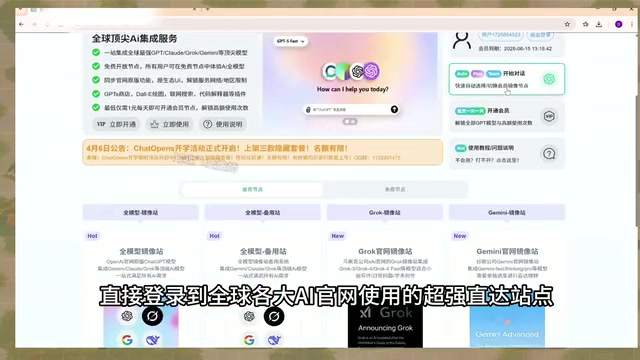
AI Aggregator Platforms Tested: A Complete Guide to Using GPT 5.5 and Other Top Models for Free
A hands-on guide to using GPT 5.5, Gemini 3.1 Pro, and Grok 4.2 for free via AI aggregator platforms, covering cross-model context memory, account pool mechanisms, and key security risks.
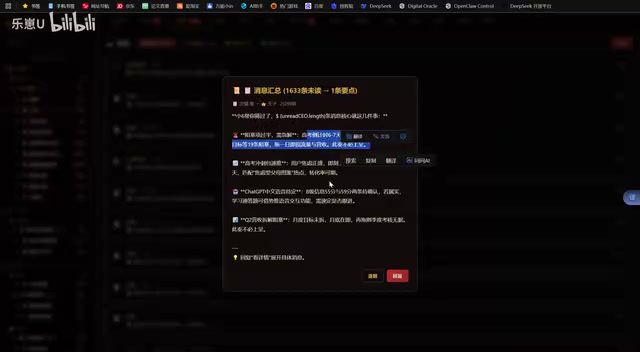
Vibe Coding in Practice: A Junior Student Uses Cursor to Build a Multi-Agent System with 51 AI Officials Based on the Three Departments and Six Ministries Framework
A junior student uses Cursor and Vibe Coding to build a multi-agent system with 51 AI officials modeled on China's Three Departments and Six Ministries, featuring task distribution, approval workflows, and Token cost visualization.
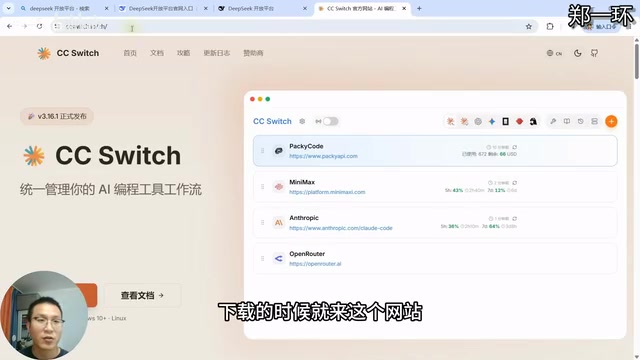
How to Connect Codex to DeepSeek Models: Free Switching via CC Switch
Learn how to connect OpenAI Codex to DeepSeek models via CC Switch, enabling free switching between DeepSeek and GPT with complete setup and routing guide.