Claude Code Hidden Configurations Fully Explained: From Chat Assistant to Semi-Automated Programming Workflow
Claude Code Hidden Configurations Full…
Claude Code's hidden configurable modules can upgrade it from a chat assistant to a semi-automated AI programming workflow.
Claude Code's source code contains hidden configurable modules including Hooks, Permissions, Memories, and Agents. By combining these modules, you can upgrade it from a simple conversational programming assistant into a semi-automated workflow system with automated testing, safety interception, context memory, and multi-agent collaboration. The core of advanced usage lies in flexibly combining modules based on project needs, not finding a single parameter. AI programming tools are evolving from conversational to workflow-based — understanding this design philosophy has more long-term value than memorizing specific configurations.
Many people use Claude Code as a simple "ask a question, get an answer" AI programming assistant. But if you dive deep into its source code, you'll discover a full set of configurable workflow mechanisms hidden beneath the surface. By combining these configurations strategically, Claude Code can evolve from a basic chat tool into a semi-automated AI programming workflow system.
The Hidden Configuration Treasures in the Source Code
Developers who have thoroughly read through Claude Code's source code have found that many features not prominently advertised by the official team are precisely the configuration options most worth paying attention to. These hidden mechanisms include: Hooks, Spears (Tools), Agents, Permissions, Memories, and autopilot rules.
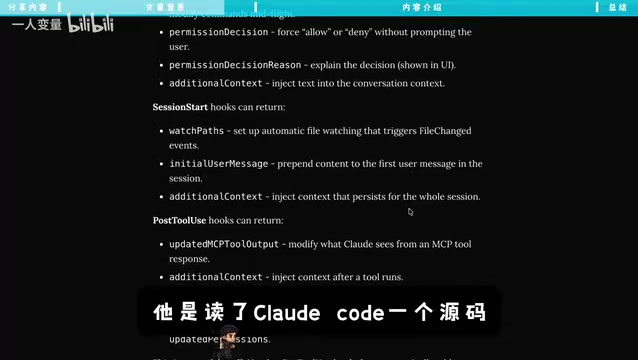
Individually, these configuration options might seem unremarkable, but combined together, they form a complete workflow control system. Their existence shows that Anthropic didn't design Claude Code merely as a conversational programming assistant — it's a deeply customizable development workflow engine.
From Chat Assistant to Semi-Automated Workflow
The key to understanding the value of these Claude Code configurations lies in seeing how they chain together into a complete workflow. Consider a typical scenario:
- You submit a requirement → Claude Code starts modifying code
- Hooks automatically trigger tests → Tests run automatically after code changes
- Errors are automatically fed back → Claude Code receives error messages and attempts fixes
- The Permissions system intercepts dangerous operations → Operations involving file deletion, core configuration changes, etc. are automatically blocked, awaiting manual confirmation
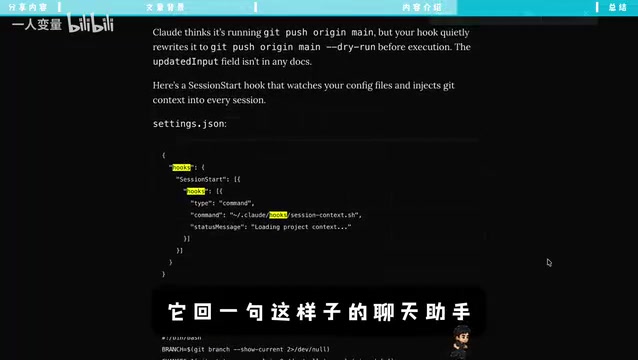
Technical Background on Hooks: Hooks are a classic event-driven design pattern in software engineering, originally widely used in operating system and framework-level development. The core idea is: inserting custom logic at specific lifecycle points during program execution (such as "before code is written," "after a file is saved," or "after a command finishes") without modifying the main process code. Git's pre-commit and post-merge hooks, as well as React's useEffect, are all typical implementations of this pattern. In the context of Claude Code, Hooks mean developers can automatically trigger test runs, code formatting, logging, and other external scripts before or after the AI completes a given operation — thereby embedding the AI's individual outputs into a larger automation pipeline.
This is no longer a "you ask, it answers" model — it's a semi-automated process with feedback loops, safety boundaries, and the ability to iterate autonomously. For day-to-day development, this means you can devote more energy to requirement definition and architectural decisions, rather than watching every single line of code the AI writes.
Managing Claude Code Like a Junior Developer
A very intuitive analogy is: manage Claude Code like a junior developer.
In its default state, this "intern" requires constant supervision — you tell it one step, it does one step, finishes, and waits for your next instruction. This mode is both inefficient and exhausting.
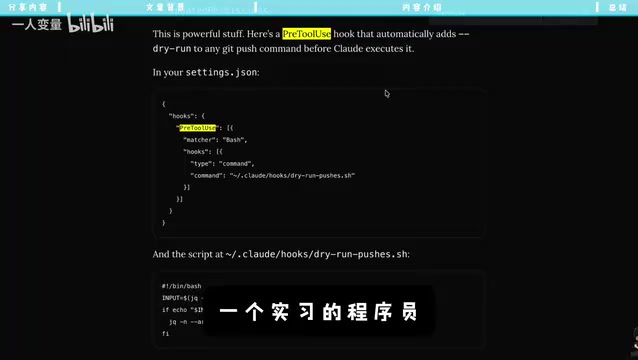
By properly configuring Claude Code's various parameters, you're essentially equipping this intern with a complete work support system:
- Memories → Long-term memory, like a work manual — no need to re-explain project background and coding standards every time
- Hooks → Automated coworkers handling division of labor — tests run automatically after code changes, formatting happens automatically
- Permissions → Security access control — clearly defining which operations can be performed autonomously and which require approval
- Agents → Specialized capability modules — invoking different processing strategies for different task types
- Autopilot rules → Allowing Claude Code to make autonomous decisions and iterate within clearly defined boundaries
Technical Background on Memories: Large Language Models (LLMs) inherently have a "context window" limitation — there's an upper limit on the number of tokens that can be processed per conversation, and by default no state is retained after a conversation ends. This means without additional handling, the AI starts every session in an "amnesiac" state, requiring users to re-explain project background, coding standards, and historical decisions. Claude Code's Memories module is essentially an External Memory Augmentation mechanism that persistently stores key context (typically as structured text or in vector databases) and automatically injects it at the start of each session, compensating for the model's native memory limitations. This aligns with the design philosophy of RAG (Retrieval-Augmented Generation) technology and is one of the core challenges in productionizing AI Agents today.
Technical Background on the Permissions System: Behind Claude Code's Permissions system lies the information security concept of the "Principle of Least Privilege" (PoLP) — any program or agent should only possess the minimum permissions necessary to complete its task. This principle was formally proposed by computer scientist Jerome Saltzer in 1974 and is one of the cornerstones of modern system security design. In the context of AI programming tools, this principle is especially critical: AI models may execute destructive operations (such as accidentally deleting files or overwriting configurations) due to contextual misunderstanding. By explicitly configuring permission boundaries, developers can constrain the AI's "autonomous decision space" to a controllable range, mandating human intervention for high-risk operations, thereby finding the balance between efficiency and safety.
Technical Background on Agents: In the AI field, an Agent specifically refers to a program entity capable of perceiving its environment, autonomously planning, and executing multi-step tasks — distinct from the passive response mode of single-turn Q&A. The Agents module in Claude Code suggests it may internally support some form of multi-agent collaboration architecture — different Agents focus on different subtasks (such as code generation, test analysis, documentation writing), with a coordination layer dynamically dispatching based on task type. This design approach is highly consistent with OpenAI's Swarm framework, Microsoft's AutoGen, and LangChain's Multi-Agent solutions, representing the industry trend of AI programming tools evolving from "single model" to "specialized division of labor and collaboration."
With these configurations in place, the intern transforms into a junior engineer equipped with manuals, standards, and boundaries — you only need to make decisions at critical junctures.
The Core of Advanced Usage: Combination, Not Individual Parameters
There's a crucial mindset shift here: Advanced Claude Code usage isn't about finding some mysterious parameter — it's about combining Hooks, Agents, Permissions, and other modules into an AI programming workflow tailored to your project.
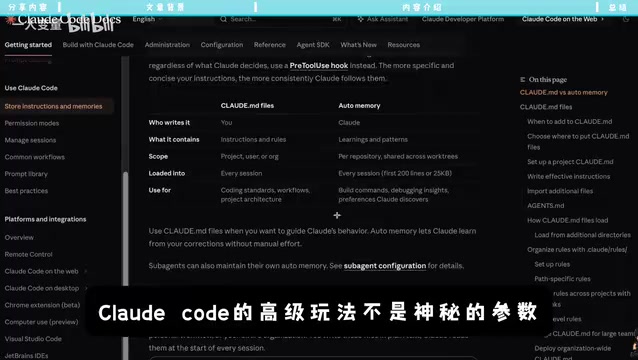
Different projects, different teams, and different development stages require different workflow configurations:
- Personal side projects: You can relax permissions, enable higher degrees of autopilot, and prioritize development speed
- Team collaboration projects: Stricter permission controls and code review hooks are needed
- Production environment operations: Multiple layers of safety interception must be configured, with critical operations requiring manual confirmation
This flexibility is where Claude Code's true competitive advantage lies — it's not a tool with fixed functionality, but an AI programming platform that can be deeply customized for different scenarios.
Version Risks and Long-Term Thinking
An important caveat: these configuration options are based on source code analysis of a specific version. Some features are undocumented or experimental in nature and may change in future versions. Certain API interfaces or configuration fields could be modified or even removed down the road.
Understanding the industry evolution toward "workflow-based" AI programming helps build more robust long-term knowledge: The development of AI programming tools has roughly gone through three stages — the first stage was the "code completion" model represented by GitHub Copilot, where AI served as a passive auto-completion tool; the second stage was the "conversational" model represented by ChatGPT and Claude, where developers described requirements in natural language to obtain code snippets; the third stage is the "workflow-based" evolution currently underway — AI is no longer just answering questions, but serving as an orchestrable execution node embedded into CI/CD pipelines, code review processes, and project management systems. Devin, Cursor's Background Agent, and Claude Code's configuration system are all representative explorations of this stage.
Therefore, for everyday users, rather than memorizing specific configuration parameters, it's better to understand the underlying capability model and design philosophy:
- AI programming tools are evolving from "conversational" to "workflow-based"
- Concepts like hooks, permissions, and memories will exist in various forms across all types of AI programming tools
- Learning to design AI programming workflows has more long-term value than learning to use any specific tool
Once you've mastered this way of thinking, no matter how Claude Code updates or what new AI programming tools emerge in the future, you'll be able to quickly find the optimal way to use them.
Key Takeaways
- Claude Code's source code contains hidden configurable modules including Hooks, Permissions, and Memories that can upgrade it from a chat assistant to a semi-automated workflow system
- Hooks are based on event-driven design patterns, Memories leverage external memory augmentation mechanisms, Permissions follow the Principle of Least Privilege, and Agents point toward multi-agent collaboration architectures — each module is backed by mature engineering design principles
- By combining hooks for automated testing, permissions for intercepting dangerous operations, and memories for preserving project context, you can build an AI programming process with feedback loops and safety boundaries
- The core of advanced Claude Code usage lies in combining modules into a workflow suited to your project, not in finding some mysterious parameter
- Some configurations are experimental and may change across versions; AI programming tools are at a critical stage of evolving from "conversational" to "workflow-based" — understanding the underlying capability model and design philosophy has more long-term value than memorizing specific parameters
Related articles
 Tutorials
Cursor + Codex Dual-IDE Collaboration: A Practical Methodology for Open-Source Project Customization
A complete methodology for open-source project customization based on real-world experience, detailing the Cursor+Codex dual-IDE workflow, seven-stage process, MVP validation, and AI source code reading techniques.
 Tutorials
Cursor Multi-Agent in Practice: Building a Full-Stack Next.js Blog in 50 Minutes
Build a full-stack blog in 50 minutes using Cursor IDE's multi-Agent mode with Next.js, Clerk auth, and Supabase. Learn the 4-phase AI Agent workflow and key integration pitfalls.
 Tutorials
Building an AI Software Factory from Scratch: A Cursor Engineer's Hands-On Experience with Multi-Agent Collaboration
Cursor engineer Eric shares practical insights on building an AI software factory: automation levels, guardrail design, parallel Agent management, and scaling to 1000+ Agents for 24/7 development.